
To motivate your team to use time tracking software, explain why you track, show each person what they gain, pick a tool that is easy to use and roll it out slowly. Managers should track their own time too, and the data should be used to help people, never to punish them. When people see real benefits, they track time without being pushed.
Many teams resist time tracking at first. People worry it means spying or micromanagement. Others see timesheets as boring paperwork that takes time away from real work. A clumsy tool makes it worse: if tracking takes many clicks or means switching between apps, people resent it.
Forcing a tracker on people without explaining it also backfires. People do the bare minimum or find ways around it. The answer is to motivate first and enforce second. This guide gives you ten steps to do that.
- Common fears: tracking feels like spying, reduces work to hours, or brings back bad memories of strict monitoring.
- Forced rollouts: a rule with no explanation leads to minimal effort or workarounds.
- Hard-to-use tools: complex, multi-step tracking makes negative feelings stronger.
Once you understand these obstacles, you can present time tracking as a team effort, not an order from the top.
1. Why should you explain the real purpose of time tracking?
People accept tracking when they understand why it exists. So start by explaining the purpose, and make it about more than oversight.
Tracked time shows how work is spread across the team. It helps you balance projects and avoid crunch periods. It also gives you data for better planning: when you know how long tasks take, you can set realistic deadlines and budgets.
Employees need to see their own gains, too. Accurate logs mean extra hours are recorded, so no effort goes unpaid. Data on long hours helps managers spot overwork and share the load before anyone burns out.
- Team efficiency: tracking shows bottlenecks, so managers can move people where they are needed.
- Fairness: every extra hour is recorded and can be credited or paid.
- Transparency: the goal is team success, not counting minutes.
Share real wins as they happen. For example: "The data showed Project X needed one more developer, so we hired one." Concrete results make the purpose clear.
2. How do you choose user-friendly time tracking software?
An easy tool is one of the strongest ways to raise adoption. Look for a clean design and a timer that takes seconds to start.
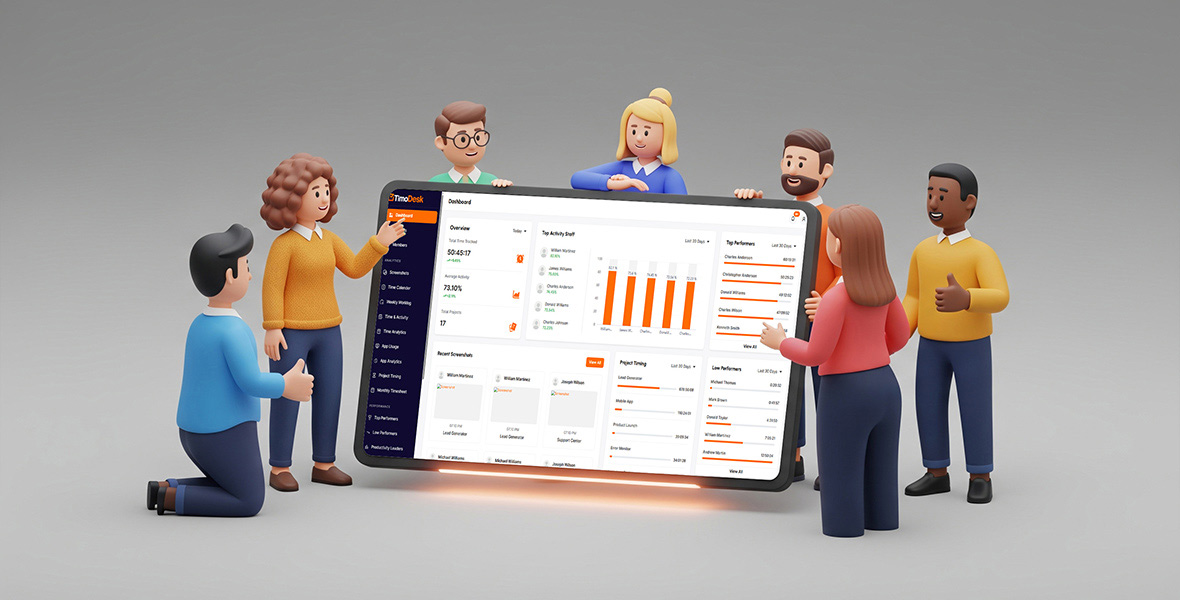
TimoDesk is one example. It is a time tracker for teams, with desktop apps for Windows, macOS and Linux. A member picks a task and starts the timer. The app records the time, removes idle time on its own and can add activity levels, app and website usage and screenshots. Managers get a clear dashboard of where time goes, on which projects and tasks.
Keep manual work low. A good tool builds timesheets from tracked time, so nobody fills in spreadsheets at month end. It also helps when tasks live next to the timer. In TimoDesk, each project has its own task board, so people do not switch tools to find what to track.
- Simple design: people should learn the basics in minutes.
- Less typing: a timer per task beats typing hours by hand.
- Gentle nudges: daily summary emails show people their own hours and build the habit.
- Fits your devices: check that the tool runs on the computers your team uses.
When the tool works for people instead of against them, they use it every day.
3. What do employees gain from time tracking?
People are most motivated when they see personal benefits. Make those benefits clear. Accurate logs mean fair reviews and fair pay. Workload data helps managers spot who is overloaded and share tasks before anyone burns out. When people see that the data is used to help them, tracking starts to feel like support.
- Work-life balance: if someone often works late, the data shows it, and a manager can step in. People like knowing that long hours get noticed.
- Recognition and growth: clear records support a case for a raise or promotion. People who go the extra mile are not overlooked.
- Clear priorities: reports show if time goes to valuable work. Teams can cut tasks and meetings that do not add value.
Review time reports in team meetings and point to changes they led to, like a new hire or a canceled meeting. Real wins build buy-in.
4. How do you build trust before rolling out a time tracker?
Trust is the base of any tracking plan. Address privacy concerns early and openly. Say exactly what you will collect and what you will not. For example: "We track time on projects and tasks. We do not record what you type."
Be honest about every feature you use. If you turn on screenshots, say so. In TimoDesk, screenshots are on by default for new members, and an admin sets the interval and alert per member. You can also turn on an alert so members know when a screenshot is taken. Activity levels show only whether there was keyboard or mouse input, never the content.
- Be clear about privacy: explain what is tracked and follow local privacy laws.
- Explain how you use the data: for example, to find slow spots, manage budgets and balance workloads.
- Lead with trust: tell your team you trust them, and that the tool is not a punch clock.
Invite questions and act on feedback. When people see their concerns heard, they feel ownership of the process.
It helps to prepare answers to the questions people will ask. Here are common worries and honest replies:
| What people worry about | A clear, honest answer |
|---|---|
| "You don't trust us." | We trust you. The data helps us plan, bill clients and share work fairly. |
| "You'll read what I type." | No. Activity levels only show if there was keyboard or mouse input, never the content. |
| "It will slow me down." | Starting the timer takes a few seconds. Timesheets build themselves. |
| "You'll use it against me." | We use it to spot overload and help. Individual data is discussed one-on-one. |
| "What about my breaks?" | Stop the timer when you step away. Idle time is removed on its own anyway. |
Write these answers into your tracking policy, so everyone gets the same message.
5. How should you train and onboard your team?
Even the best tool fails if people are not comfortable with it. Start with a short training session. Show how to install the app, choose a task, start and stop the timer and check their own reports. Do it live, so people see how quick it is.
Keep support going after launch. Share a short guide or video. Hold a weekly Q&A in the first month. Add the training to onboarding for new hires.
Cover the practical questions people will have. What happens if the internet drops? (TimoDesk keeps tracking offline and syncs when the connection is back.) What if I forget the timer? What can my manager see? Clear answers in the first session stop rumors before they start.
- Live walkthrough: let people try the timer on a sample task during the session.
- Quick-start guide: one page with the basics: install, sign in, pick a task, start the timer.
- Easy help: make it normal to ask questions.
- Feedback: after a few weeks, ask what is still unclear and update your guide.
When people feel confident with the tool, tracking becomes routine instead of stressful.
6. Why should managers track time too?
When managers use the same tracker, it sends a clear message: "This is how we all work." It shows that tracking is for everyone, not a tool to police staff.
Leaders can share overall team numbers in meetings and talk openly about how their own time was spent. That removes the stigma around tracking.
It also helps managers understand the tool from the inside. When you start the timer every morning yourself, you notice what is slow or confusing. You can fix those problems before they annoy the whole team.
- Shared rules: project leads and directors track their tasks too.
- Coach in private: review individual data one-on-one. Never shame people in public.
- Show you use it: refer to tracked hours in planning meetings, so people see the data matters.
7. Why start with a soft rollout?
Do not launch to everyone at once. Start with a small pilot group of willing people. They test the tool, find problems and share their experience with the rest of the team.
Involve people early. Let them compare a short list of tools and give input on the rollout plan.
- Set expectations: share the timeline and purpose before the full launch.
- Collect feedback: use short surveys or meetings during the pilot. Fix confusing project names or settings before you scale.
- Expand step by step: once the pilot works, add the next team or department.
A phased rollout shows that tracking is a joint effort, not an order. By the time everyone joins, the process is already smooth.
A simple plan might look like this. In week one, the pilot group installs the app and tracks a few projects. In week two, you collect feedback and fix settings, like the idle timeout or the list of tasks. In week three or four, you invite the next team, with members of the pilot group on hand to answer questions. Peers often explain a tool better than managers do.
8. How do you reward good time tracking habits?
Recognition makes good habits stick. Thank people who track consistently. A short "thank you" in a team meeting goes a long way. Small rewards, like a team lunch or a gift card, can make it fun.
Celebrate progress instead of punishing mistakes. If someone struggles with the tool, a quick help session works better than a warning. Keep praise sincere and light.
Be careful with what you reward. Reward consistent, honest tracking and good results, not the most hours. If you praise long hours, people will feel pushed to work late or keep the timer running. That hurts both the data and the team.
- Public thanks: mention consistent trackers in team meetings.
- Friendly competition: a monthly leaderboard can recognize top performers. TimoDesk can even create a "Performer of the Month" PDF.
- Small rewards: a small treat for a good month keeps the habit going.
9. How should you use time data to improve workloads?
Use the data as a tool, not a weapon. Time reports show where projects get stuck. If tasks often take longer than planned, you can act before deadlines slip. You might split a big task, move it to someone else or change the plan.
Data also helps prevent burnout. If one person worked far more hours than the rest of the team last month, share their work or bring in help. TimoDesk's team dashboard flags long workdays, low activity and tasks over their estimate, so these problems are easy to spot. Read more about managing workload and burnout.
Finally, look for waste. Tracking often shows too many meetings or admin tasks. Cutting them frees time for real work. Accurate hours also make payroll and billing simple, so people are paid correctly and on time.
- Find slow spots: look for tasks and meetings that take longer than expected.
- Prevent burnout: act when someone's hours stay high for weeks.
- Pay fairly: make sure everyone is paid for every hour they worked.
When people see the data lead to better plans and fairer workloads, they trust the system more.
10. Why should you keep time tracking simple?
The simpler the system, the longer people use it. Track only what you need. Do not ask for detail on every minute. Start with broad entries, like time per project and task, and add detail only if it helps.
Let the software do the repetitive work. Good tools remove idle time and build timesheets on their own. People should only need to pick a task and start the timer.
- Few categories: fewer projects and tasks mean faster choices.
- No busywork: ask only for details that matter.
- Little manual entry: use the timer, and keep manual time for real exceptions. In TimoDesk, manual time is off until the organizer turns it on, and each request goes through approval.
When tracking is quick and quiet, people stop trying to avoid it, and it becomes a habit.
Conclusion
Getting a team to use time tracking software is a people challenge as much as a technical one. Explain the purpose, show the personal benefits and build trust. Pick an easy tool, train people well and roll it out step by step. Managers should track their own time, reward good habits and use the data to help.
TimoDesk costs $1 per user per month, with every feature on one plan. See pricing or start a 15-day free trial with no card needed.
Frequently asked questions
Why do employees resist time tracking?
Most fear it means spying or micromanagement. Others see it as extra paperwork. Clear communication and an easy tool solve most of this.
How do I get my team to track time consistently?
Explain why it matters, make it quick to do and track your own time too. Thank people who stay consistent, and use the data to help them.
Should managers track their own time?
Yes. When managers track too, it shows the tool is for everyone. It also builds trust and makes the habit normal.
How long does it take a team to adopt time tracking?
With a pilot group and good training, most teams settle in within a few weeks. A slow, clear rollout works better than a sudden rule.
What if someone forgets to start the timer?
Remind them kindly and look for the cause. If manual time is allowed, they can request the missing time, and a manager approves it.
Was this helpful?
Share it with someone who still adds up hours by hand.


