
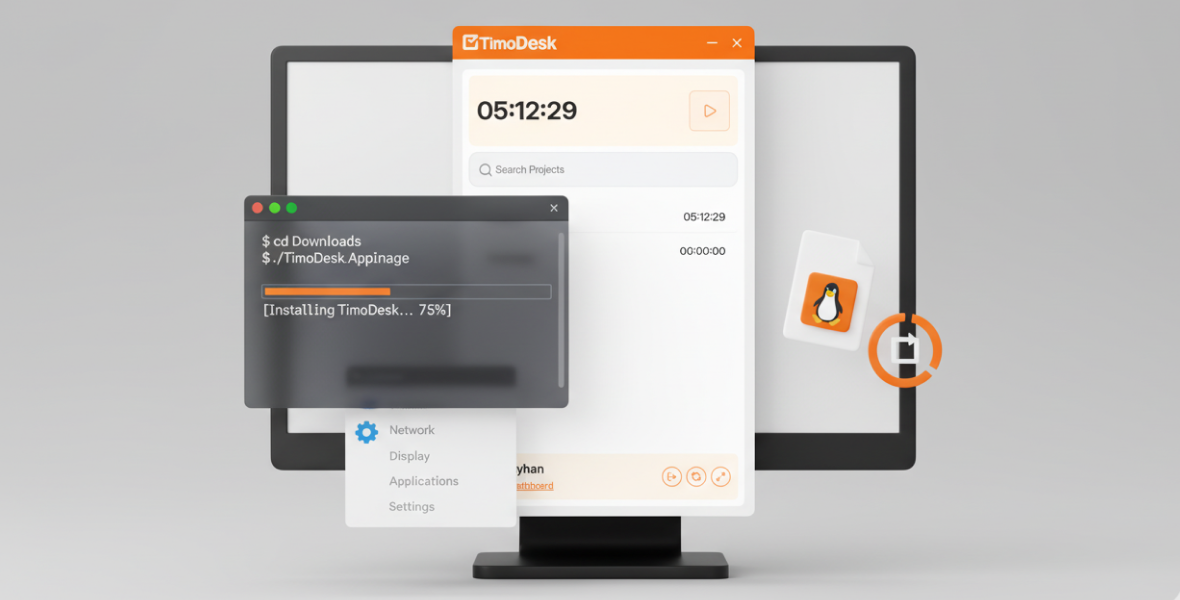
To install TimoDesk on Linux, first install FUSE (libfuse2). Then download the ZIP file, extract
it, allow install.sh to run as a program and run it. TimoDesk then appears in your application menu.
This guide walks you through each step.
Why do you need to install FUSE (libfuse2) first?
TimoDesk runs on Linux as an AppImage, and AppImages need FUSE / libfuse2 to start. Install it before you open TimoDesk.
The error you see if FUSE is missing
dlopen(): error loading libfuse.so.2

AppImages require FUSE to run.
Check if libfuse is already installed
Open Terminal and run:
ldconfig -p | grep libfuse.so.2If the command prints a line with libfuse.so.2, you already have it.
Install libfuse
Ubuntu / Debian
sudo apt update
sudo apt install libfuse2 -y
Fedora
sudo dnf install fuse fuse-libsArch Linux
sudo pacman -S fuse2After installing
Open TimoDesk againStep 1: Download TimoDesk
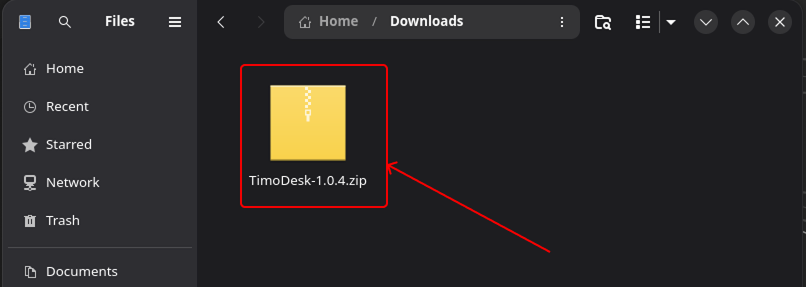
Go to the TimoDesk download page and download TimoDesk for Linux. You get a ZIP file.
Step 2: Extract the ZIP file
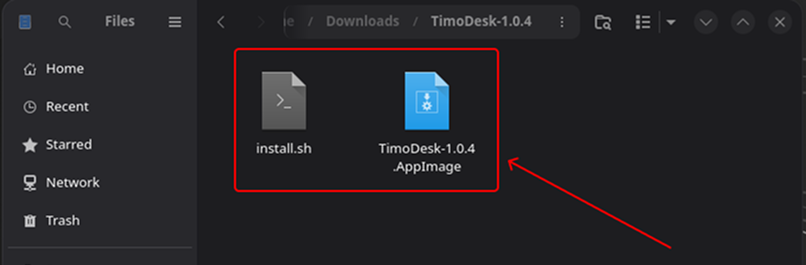
Right-click the ZIP file and extract it. You will see a few files, including a script called
install.sh.
Step 3: Open the file properties
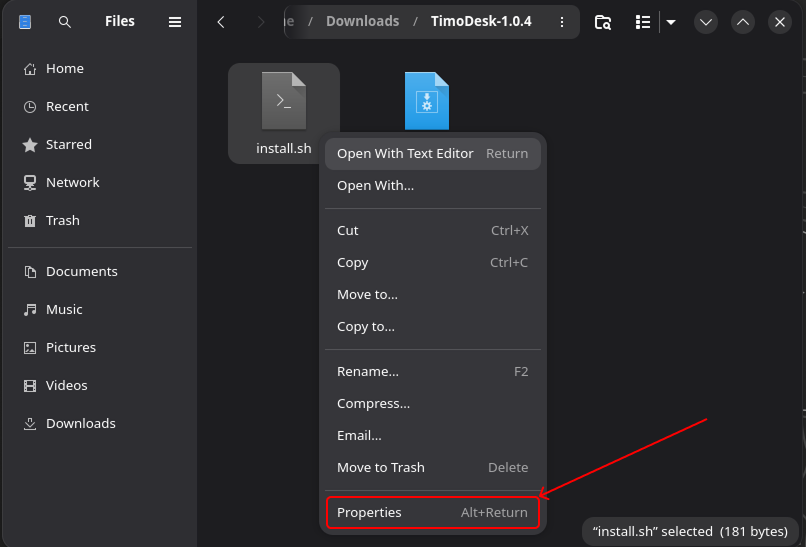
Right-click install.sh and choose Properties.
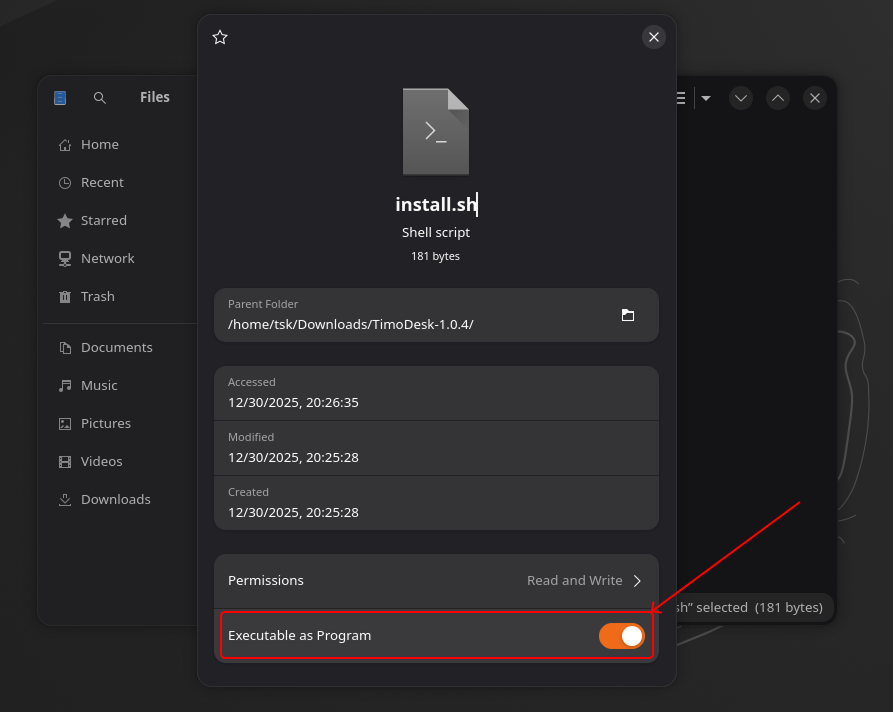
Step 4: Allow the file to run
Open the Permissions tab and turn on:
� Allow executing file as program
Linux needs this before it can run the installer script.
Step 5: Run the installer
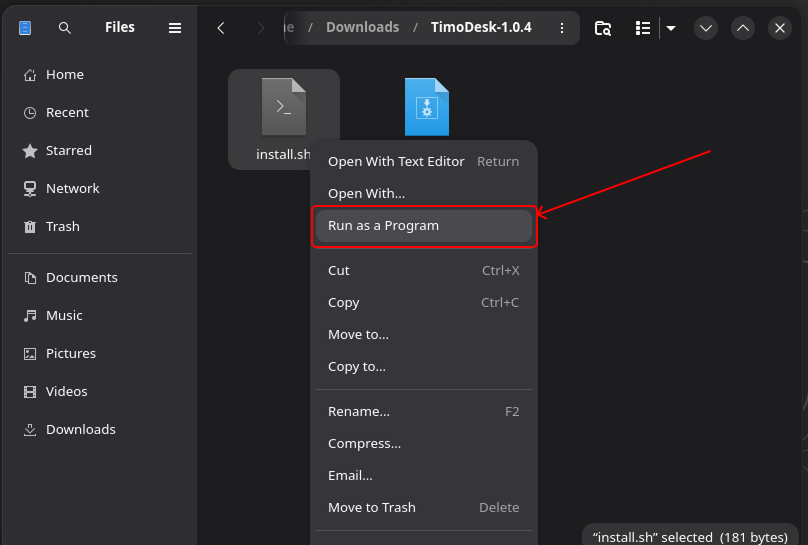
Right-click install.sh again and choose Run as a Program.
The installer will:
- Install TimoDesk
- Set up the icons
- Add TimoDesk to your application menu
Step 6: Find TimoDesk in your applications
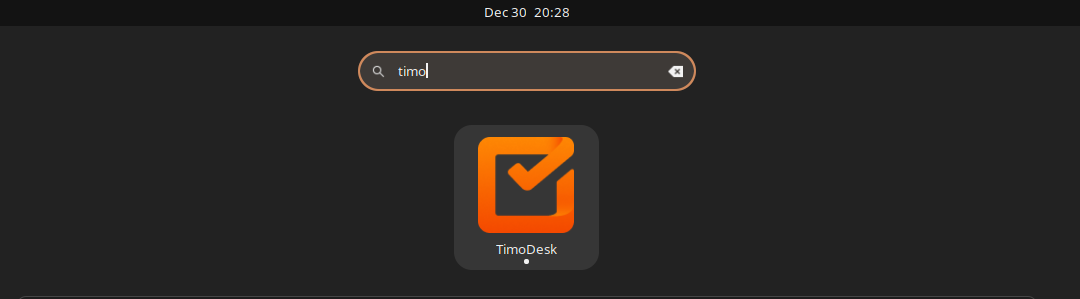
Open your application launcher and search for TimoDesk. Open it, sign in and start the timer on a task.
Done! What if something does not work?
TimoDesk is now installed on your Linux system. If you run into problems, check that:
- The
install.shfile is allowed to run as a program - You ran it with Run as a Program
- FUSE / libfuse2 is installed
- You are using a supported Linux distribution
Two extra tips. If you want browser URLs in your reports, add the TimoDesk URL Tracker browser extension, because on Linux the app reads URLs through it. For screenshots, TimoDesk needs an X11 session, not Wayland.
Frequently asked questions
Why won't TimoDesk open on Linux?
The most common cause is a missing libfuse2 package. Install it with your package manager, then open TimoDesk again.
Which Linux distributions does TimoDesk support?
This guide covers Ubuntu, Debian, Fedora and Arch Linux. On other distributions, install your FUSE 2 package and follow the same steps.
Do I need a browser extension on Linux?
Only if you want browser URLs in your reports. On Linux, the TimoDesk URL Tracker extension sends the active tab's URL to the desktop app.
Was this helpful?
Share it with someone who still adds up hours by hand.


