Download TimoDesk
The TimoDesk desktop app tracks time, activity and screenshots on Windows, macOS (Apple silicon and Intel) and Linux. Install it, sign in and start a timer, for $1 per user per month.
Version 2.0.6 released October 3, 2026 What changed
The installer is signed, so Smart App Control opens it with no publisher warning. Time tracking on Windows
One build for Apple silicon Macs and one for Intel Macs. Most Macs sold since late 2020 use Apple silicon. Time tracking on macOS
Add the URL Tracker extension below to see browser URLs in your reports. Time tracking on Linux
Four things to know
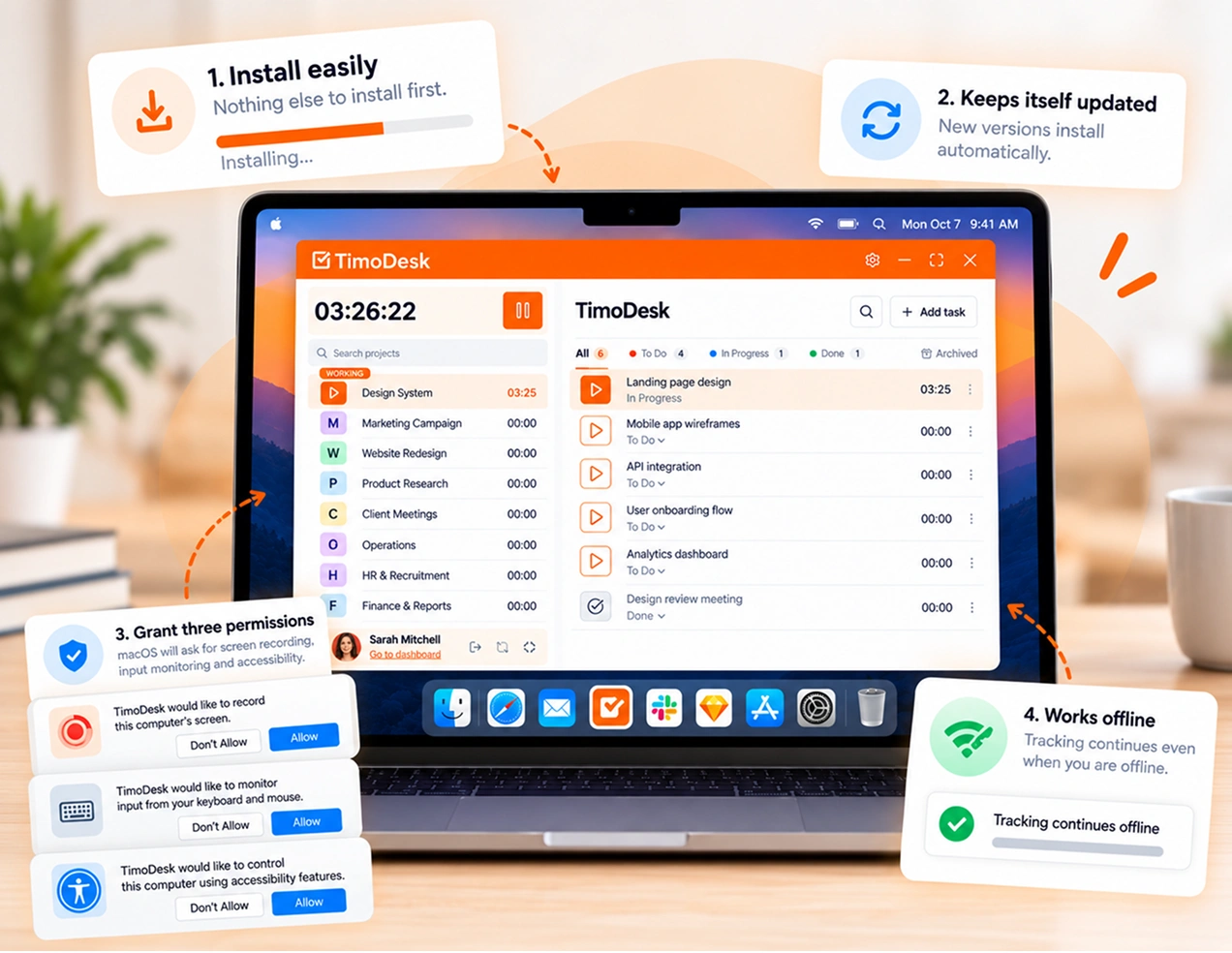
Nothing else to install first
The installers are signed and include their own runtime. You do not need to add a framework first, and IT has nothing extra to approve.
It updates itself
The app finds new versions and installs them on its own, even from the login screen. Nobody has to push updates to the team.
macOS will ask for three permissions
Screen Recording for screenshots, Input Monitoring for activity levels and Accessibility for app and website tracking. Notifications show idle and screenshot alerts. If one is missing, a banner opens the right settings page in one click.
Tracking works offline
Tracking continues on your computer and syncs when you are back online. Reconnect within 30 days so the time is saved.
Two optional extensions, one only for Linux
The desktop app tracks time on its own, so neither extension is required. On Windows and macOS, the app already reads browser URLs. On Linux, the URL Tracker is what adds browser URLs to the app and website usage reports.
-
TimoDesk Live Team Monitor
See who is online and today's summary from the toolbar, without opening the dashboard. For organizers, managers and team managers; staff can't sign in.
-
TimoDesk URL Tracker Linux only
Sends the active tab URL to the desktop app. On Windows and macOS, the app reads URLs itself, so you do not need it.
Questions before your first install
Which build to choose, what it needs, what macOS asks for, and what happens when you go offline.
Which Mac build do I need?
Apple silicon if your Mac has an M-series chip, which covers almost every Mac sold since late 2020. Otherwise, choose Intel. To check, open the Apple menu and choose "About This Mac" to see the chip.
Do I need to install anything else first?
No. The installers are signed and include their own runtime. You do not need to add a framework first, and IT has nothing extra to approve.
How does the TimoDesk app update?
Automatically. The app finds new versions and installs them on its own, even from the login screen. A fix can reach you before you sign in, and nobody has to push updates to the team.
What permissions does TimoDesk need on macOS?
Three. Screen Recording for screenshots, Input Monitoring for activity levels, and Accessibility for app and website tracking. Notifications show idle and screenshot alerts. If one is missing, TimoDesk shows a banner that opens the right System Settings page in one click. If a member turns one off, organizers and managers get a notification that says what stopped working.
Do I need the browser extension?
Only on Linux, and only if you want browser URLs in app and website reports. On Windows and macOS, the desktop app reads URLs itself. The TimoDesk Live Team Monitor extension is optional and is not part of tracking.
Does TimoDesk track time offline?
Yes. The desktop app keeps tracking on your computer with no internet. It syncs when you reconnect, as long as you reconnect within 30 days.
See where your team's hours go
Setup takes a few minutes. Install the desktop app and start a timer. Tracked time shows on the dashboard the same day, and the first full-day reports are ready the next day.
- $1 per user / month
- Windows, macOS and Linux