
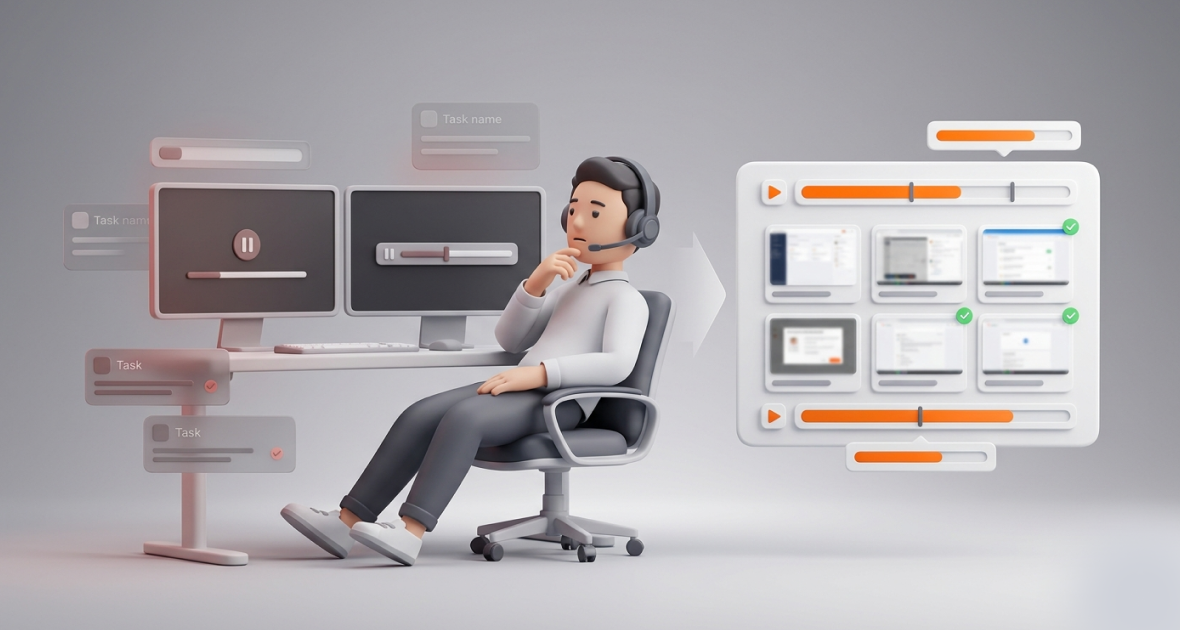
Screenshot monitoring helps call centers by showing what agents are doing during paid hours, not just how long they were logged in. Paired with time tracking and activity levels, it turns hidden idle time into clear facts that supervisors can coach on. Used openly and fairly, it raises call center productivity without constant check-ins.
Call centers face heavy pressure. Agents handle dozens of calls per shift, yet supervisors often can’t see how the rest of the time is spent. Idle gaps, long after-call work and personal browsing push up Average Handle Time (AHT) and put Service Level Agreements (SLAs) at risk.
Remote and hybrid work makes this harder. Supervisors can no longer walk the floor. Call logs and CRM reports show part of the picture, but not what happened between calls.
TimoDesk screenshots fill that gap. Agents start the timer on their task, and TimoDesk takes screenshots at the interval you set. Each one sits next to the time log, activity level and app and website usage for that period. It costs $1 per user per month, with every feature on one plan.
Why does call center agent productivity matter?
Agent productivity drives customer experience and business results. Here is how.
- Customer satisfaction: Focused agents solve issues faster. Better AHT and First Contact Resolution (FCR) usually mean happier customers and fewer escalations.
- SLA adherence: Most centers promise to answer a share of calls within a set number of seconds. Unproductive agents drag that number down, and missed SLAs can mean penalties.
- Labor cost: Every paid hour without work is wasted. Low occupancy also means longer queues for the customers who are waiting.
- Visibility: In remote and hybrid teams, timely data stops small issues from growing. One agent on personal sites at peak time can hurt the whole shift.
High-productivity call centers do more than meet targets. They turn support into a source of upsells, retention and good word of mouth.
What are the common productivity challenges in call centers?
Most call centers struggle with the same few problems:
- Multitasking and unrelated browsing: During quiet periods or after-call work (ACW), agents often switch to personal tabs. Attention breaks and AHT goes up.
- Slow manual monitoring: Supervisors spend hours pulling CRM reports, listening to random calls and chasing updates. That time could go to coaching.
- Unreliable work hours: Self-reported logs miss context. An agent can show “busy” while idle or doing non-call work.
- Weak accountability for remote agents: Without an office, it is easy to keep a status green while distracted.
- Hidden bottlenecks: Without visual proof, you can’t tell if long ACW comes from a slow CRM, poor training or simple disengagement.
These problems add up. One extra idle minute per agent, across a large team, becomes many lost hours every month.
What is screenshot monitoring?
Screenshot monitoring captures images of an agent’s screen at set intervals during tracked work. It gives visual context to time logs, call activity and task data. Supervisors can then see what really happened during paid hours.
It works in two simple steps:
- Interval capture: A screenshot is taken at a set interval, for example every 10 minutes, while the timer runs.
- Linked storage: Each image is tied to the exact time and the project or task. Only people with the right role can view it.
This is not the same as constant video, webcam feeds or logging what people type. Screenshot monitoring looks at work screens during paid hours on company devices. It shows proof of effort, not private life.
Keep it ethical with three rules:
- Be open: Tell agents in a clear written policy. Many companies ask them to sign it.
- Business use only: In the U.S., monitoring company devices for business reasons is generally allowed, but many states require notice. Check local law where your agents work.
- Coach, don’t punish: Use the data to help people improve. It replaces random check-ins with facts.
TimoDesk supports this. It can show an alert each time a screenshot is taken, and you set screenshots per member. Read how data is stored on our security page.
How does screenshot monitoring improve call center productivity?
Real-time visibility
Supervisors open one dashboard and see who is working right now and how active each agent has been. A screenshot during a long ACW period might show extra browser tabs. The supervisor can help right away instead of waiting for the end-of-shift report.
Accountability
Agents know their work is recorded openly. This encourages schedule adherence and cuts “phantom busy” time.
Time and task context
Screenshots sit next to time logs, so supervisors can compare them with call and CRM records by time. See a long AHT spike? The screenshot may show the agent jumping between many tabs. Now training can be specific.
Better workflows
Looking at many screenshots together shows bigger patterns: a slow CRM, a confusing script or common distractions. Supervisors can then fix the process, update training or change staffing.
How does TimoDesk handle screenshot monitoring for call centers?
TimoDesk gives call center supervisors proof of work without a heavy setup.
| Need | What TimoDesk does |
|---|---|
| Screenshot interval | 3 to 60 minutes, for the whole organization or per agent |
| Idle time | Removed from tracked time; screenshots taken while idle are thrown away |
| Context | Each screenshot sits with the time log, activity level and app and website usage |
| Agent awareness | Optional alert each time a screenshot is taken |
| Control | Screenshots switched on or off per agent; staff see only their own data |
| Reports | Time and activity reports download as PDF or CSV |
| Connection problems | The app keeps tracking offline and syncs when it reconnects |
TimoDesk has no dialer or CRM integrations. You compare screenshots with call records by time. The price stays $1 per user per month whether you have 10 agents or 200.
How do you set up screenshot monitoring in TimoDesk?
- Create your account: Sign up and download the desktop app for Windows, macOS or Linux.
- Add projects: Create a project per campaign or client.
- Invite agents and supervisors: Invite people by email. Give supervisors the manager or team manager role.
- Set screenshots: Screenshots start on for new members. Pick an interval, such as 10 or 15 minutes, and turn on the screenshot alert.
- Start tracking: Agents start the timer on their task. The dashboard shows who is working now, time logs and activity levels.
- Review: Open a time period to see its screenshots. Use daily and weekly reports to spot idle patterns and long workdays.
- Coach: Share what you find in one-on-one sessions. Use anonymized examples to improve team processes.
Most teams can be up and running within one shift.
What are the best practices for ethical screenshot monitoring?
- Tell agents first: Share a clear policy on day one. Explain the benefits, like fairer reviews and better support.
- Focus on help, not control: Frame every review as “How can we help you succeed?”
- Coach, don’t punish: Celebrate good work and solve issues together.
- Start with a longer interval: Adjust it based on team feedback.
- Combine with call metrics: Pair screenshots with AHT, occupancy, CSAT and schedule adherence.
Used this way, monitoring can lift morale. Agents feel their real effort is seen.
Where do call centers use screenshot monitoring?
- Remote centers with many shifts: Screenshots and activity levels show idle patterns across time zones.
- Outbound sales teams: Supervisors compare screenshots with dialer logs to find script problems and coach agents.
- Support teams with SLAs: Visual proof helps protect service levels at peak hours.
- Outsourced centers with many clients: A project per client, plus screenshots, makes clear reports for each client. See how agencies use TimoDesk.
What are the benefits of screenshot monitoring?
- More accountability: Open visibility reduces unproductive time.
- Less idle time: Idle time is removed from tracked time, and patterns are easy to spot.
- Better performance tracking: Managers decide with data, not guesses.
- Better SLAs and CSAT: Faster detection of problems means better service.
- Smarter training: You see exactly where processes break down.
What mistakes should you avoid?
- Monitoring without notice: It breaks trust and can create legal risk.
- Using screenshots alone: Without call metrics, you get only part of the story.
- Over-monitoring: Too much can hurt morale. Start light and explain why.
- Ignoring time and task data: Screenshots without context are hard to read.
- Collecting data you never use: If nobody reviews it, nothing improves.
How can you get the best results?
Pair screenshots with task and call data. Review the data weekly and look for process patterns, not people to blame. Give feedback that links what you saw to a clear next step. Track your KPIs before and after so you can measure progress.
You can also change the screenshot interval for one agent or the whole team as needs change. For example, use a shorter interval during peak periods.
Conclusion
Low call center productivity is often a visibility problem. Screenshot monitoring, paired with time tracking and clear reports, gives supervisors the facts they need to coach agents, hit SLAs and protect revenue.
TimoDesk keeps it simple and fair: screenshots at the interval you choose, activity levels, clear reports and every feature for $1 per user per month. Start your 15-day free trial. No card is needed.
Frequently asked questions
Is screenshot monitoring legal for call centers?
In the U.S., it is generally allowed on company devices for business purposes with clear notice. Rules differ by state and country, so check local law. TimoDesk can alert agents each time a screenshot is taken.
Can TimoDesk screenshots connect to call logs?
No, TimoDesk has no dialer or CRM integrations. Each screenshot is tied to a time entry, task and activity level. Supervisors compare them with call logs by time.
How often should screenshots be taken?
Every 10 to 15 minutes is a good start for most call centers. TimoDesk lets you choose from 3 to 60 minutes, for the whole team or per agent.
Does screenshot monitoring hurt agent morale?
Not when it is open and fair. Agents value having their effort seen, and specific coaching replaces vague criticism.
Was this helpful?
Share it with someone who still adds up hours by hand.


