
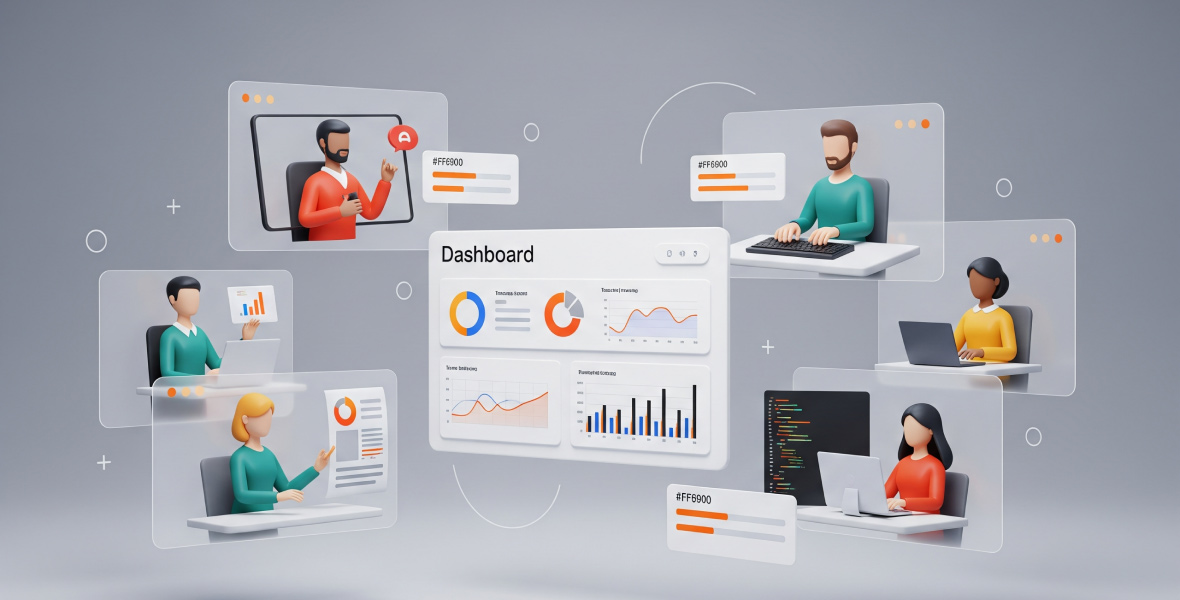
To monitor employees working from home, set clear goals, write an open monitoring policy, use a time tracking tool, hold regular check-ins and judge people by results. Tell your team exactly what you track and why. Monitoring works best when it supports people instead of watching their every move.
Remote work lets you hire talent anywhere and grow without office costs. But it also brings problems: you cannot see the work, and communication gets harder. These eight tips show how to monitor employees working from home in a fair and useful way.
Why should you monitor remote employees?
There are three main reasons to keep track of a remote team's work:
- Productivity: you can see whether work moves forward and where it gets stuck.
- Transparency: everyone works from the same record of hours and tasks.
- Security: you know company tools and data are used for work.
Productivity and accountability
With clear tasks and deadlines, people know what is expected. Tracked time shows how long each task really takes, which helps leaders plan and keeps everyone accountable. This is true in an office, too.
Data security
Remote staff often work with sensitive client data. Records of work time, apps and websites help you check that company resources are used for work.
Trust and fair pay
A clear record protects good workers. Their effort is visible, so they get credit and fair pay for the hours they put in.
1. Set clear objectives
First, decide why you are monitoring. The answer depends on the role. For a support agent, you may care about response times. For a writer, you may care about research and finished drafts.
Set goals based on what each role delivers. For example, an outreach team might aim for a number of emails a week, while developers might focus on finished tasks. Then tell your team why you track and what you want to learn.
2. Write an open monitoring policy
Remote workers feel more at ease when they know exactly what is monitored. Be clear from day one. Say whether you track time, take screenshots, record apps and websites, or only check task progress.
It also helps to explain what you do not record. For example, TimoDesk measures activity levels from keyboard and mouse input, but it never records what someone types.
Hold a short meeting to walk the team through the policy. Test the tool with a small group first. When people understand the purpose, they cooperate instead of resisting.
3. Use the right tools
Time tracking software
A time tracker shows how many hours each person worked and on which project. Look for reports by week and month. Popular options include Clockify, Time Doctor and TimoDesk. In TimoDesk, members start the timer on a task, idle time is removed, and you can add screenshots and app and website usage.
Project management
A project tool keeps tasks, notes and deadlines in one place. Some teams use a separate tool like Trello or ClickUp. TimoDesk includes a kanban board for each project, so tasks and tracked time sit together.
Communication tools
Use a work chat tool like Slack or Microsoft Teams instead of personal social apps. Work chat keeps conversations focused and easy to find.
4. Hold regular check-ins
Tools and data are not enough. Talk with your team often. Short daily or weekly meetings keep everyone aligned with the goals.
Use video calls when you can. Seeing each other builds a stronger connection and helps you notice when someone is stressed.
5. Focus on results, not activity
Do not micromanage every minute. Judge people by finished tasks and quality of work, not just time online.
Give people freedom in how they do their work, as long as they deliver. Freedom is one of the biggest motivators in remote work.
6. Protect privacy and follow the law
Monitoring laws differ by country. Check the rules where your team lives before you start.
Keep screenshots and time logs secure. Tell people how long you keep their data and who can see it. Track only work time; the timer should be off outside work. Learn how TimoDesk handles data on its security page.
7. Give support and training
Not everyone is comfortable with new tools at first. Share a short guide that explains the monitoring setup. Offer quick help when someone has a device or software problem. Fast support keeps work moving.
8. Ask for feedback and adjust
Your remote setup will improve over time. Ask your team if the tools feel intrusive or if the policy is unclear. Then adjust to find the right balance between oversight and well-being. A flexible process keeps people motivated.
Final thoughts
Monitoring employees who work from home helps you measure performance, plan better and pay fairly. The best approach measures how well people work, not every single thing they do. Nobody should feel like they are under constant watch.
If you want a simple tool for remote teams, TimoDesk costs $1 per user per month and has a 15-day free trial. Try TimoDesk free.
Frequently asked questions
How can I monitor employees working from home?
Use a time tracking tool, set clear goals and hold regular check-ins. Tell your team what you track and why, and judge them by results.
Is it legal to monitor remote employees?
In many countries it is, if you are open about it and monitor work only. Laws differ, so check local rules before you start.
What should a remote monitoring policy include?
It should say what you track, when you track it, who can see the data and how long you keep it. Keep it short and share it before you start.
How do I monitor without micromanaging?
Focus on finished work and weekly trends, not on single minutes. Use the data to support people, and talk with them often.
Was this helpful?
Share it with someone who still adds up hours by hand.


