
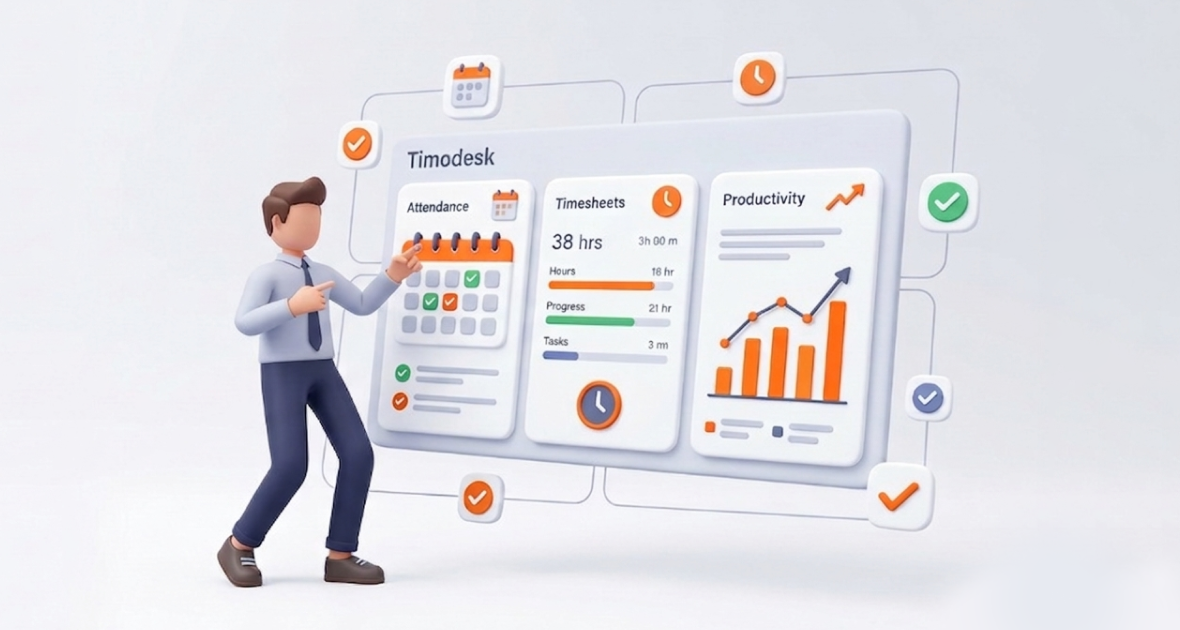
Attendance tracking shows when people are present, and timesheet tracking shows how that time was spent. Looking at both together tells managers not just who showed up, but what got done. TimoDesk is a timesheet and time tracking tool, not an attendance system: it shows which days each member tracked time and who is working right now, while your HR or attendance tool still handles schedules, absences and leave.
Managing productivity in hybrid and remote teams is hard. Managers lead people across time zones, with changing workloads and many projects. It is hard to know who is doing what.
Attendance alone, through sign-ins or a clock system, shows who is present. It says nothing about output. Timesheets show hours and tasks but often lack context. Managers end up guessing.
The answer is to read presence and real work side by side. TimoDesk gives you the work side: time tracked on tasks, activity levels, a live view of who is working and monthly timesheets. It costs $1 per user per month.
What are attendance tracking and timesheet tracking?
What is attendance tracking?
Attendance tracking records when employees are present and available. It covers punctuality, absences, breaks and availability. This matters for shift work, labor rules and payroll.
Common methods include:
- Manual logs or spreadsheets, which are slow and error-prone.
- Biometric systems, like fingerprint or face scans.
- Digital clock-in and clock-out tools on phones or computers.
What is timesheet tracking?
Timesheet tracking shows how time is spent. It records hours against tasks, projects or clients. This supports invoicing, project costing, reviews and planning. Without it, managers can’t compare effort with results.
How are they different?
| Attendance | Timesheets | |
|---|---|---|
| Main question | Were they at work? | What did they work on? |
| Detail | Often just in and out times | Hours by task and project |
| Used for | Shifts, absences, leave, labor rules | Billing, project costs, reviews, planning |
| In TimoDesk? | No attendance or leave management | Yes, built from time tracked on tasks |
Reading both together bridges the gap between showing up and delivering value.
Why does combining attendance and timesheet data matter?
- No blind spots: You can see if someone was present but tracked little work, or worked long hours on low-priority tasks.
- More transparency: Everyone works from the same facts, which builds trust without micromanagement.
- Effort linked to output: Hours tied to tasks show real productivity patterns.
- Less wasted time: Idle time and padded hours are easier to spot when time comes from a timer, not a form.
- More accountability: People know their contributions are visible, which encourages focus.
What problems come from separate tracking systems?
- Data silos: Attendance sits in an HR tool and timesheets in another. Records don’t match.
- Double entry: Staff enter the same data twice, which leads to typos and gaps.
- Late visibility: Managers find problems only after they grow.
- Slow payroll: HR teams cross-check spreadsheets, which delays pay.
- HR and operations out of sync: One side watches presence, the other watches output.
You can reduce these problems by using clean, consistent data from each tool and comparing them on the same days.
What is TimoDesk?
TimoDesk is a lightweight time tracking and project tool for remote, hybrid and in-house teams. At $1 per user per month with every feature included, it combines time tracking, projects and tasks, activity levels, app and website usage, screenshots and reports.
It suits managers who need visibility without heavy tools, remote teams across time zones, agencies with client projects, and freelancers who need clear timesheets for billing.
The desktop app runs on Windows, macOS and Linux, keeps tracking offline and syncs later. TimoDesk does not do clock-in and clock-out, shift scheduling, breaks, leave or payroll.
What does TimoDesk offer for timesheets and presence?
Live view of who is working
Tracking starts when a member starts the timer on a task, not when they open the app. The dashboard’s Live Now view and the TimoDesk Live Team Monitor browser extension show who is working right now and today’s summary. Idle time is removed on its own, and activity levels add context.
Timesheets from tracked time
Time tracked on tasks fills in the timesheets. The monthly timesheet shows each member’s hours per day, their average, total and the number of days with tracked time. It downloads as a PDF for the team or one member.
One dashboard
See who is working now, today’s tracked time, project progress and activity levels in one place. The Action Center flags low activity, long workdays and manual time waiting for approval.
Reports
- Time and activity reports by date, member and project, as PDF or CSV.
- The weekly worklog, by member and day.
- The monthly timesheet PDF.
- Leaderboards, top and low performers, and app and website usage.
- Screenshots for proof of work.
Settings and exports
On the Team Tracking Policy page, set tracking, screenshots, idle timeout and manual time for the organization or each member. TimoDesk has no integrations, so use the CSV and PDF exports to bring hours into payroll or HR tools.
How does TimoDesk fit next to attendance data?
TimoDesk gives you the work record. Your attendance or HR system gives you schedules, absences and leave. Put them side by side for the same days.
A typical day looks like this: A developer opens the TimoDesk desktop app and starts the timer on an assigned task. They switch tasks as their work changes. Time is recorded with activity levels and screenshots. The manager checks the browser extension to see who is online and today’s summary. When the developer stops the timer, tracking stops.
At month end, the manager compares the monthly timesheet, with tracked hours and days, against the attendance record. Big gaps are a reason to talk, not to punish.
How do you set up TimoDesk for timesheet tracking?
Set up your account
Start the 15-day free trial, invite your team, and have everyone download the desktop app.
Create projects and tasks
Add projects and tasks in the dashboard. Members start the timer on the task they work on.
Set tracking rules
Choose idle timeout, screenshot settings and manual time rules. Manual time is off until the organizer turns it on; then it goes through approval.
Monitor and review
Use the dashboard or browser extension for live views. Use the weekly worklog for weekly reviews and the monthly timesheet for month end. Everyone who tracked time gets a daily summary email.
Export for payroll
Download the monthly timesheet as PDF and the time and activity report as CSV or PDF. Use them in your payroll tool or in performance talks.
What are the benefits of combining attendance and timesheet data?
- Higher productivity: Managers balance work based on real patterns.
- Cleaner payroll inputs: Tracked hours reduce disputes over time worked.
- Better project management: Task-level hours improve forecasts.
- More accountability: Clear records build ownership without micromanagement.
- Less admin: Timesheets fill in from tracked time instead of forms.
Who benefits from this approach?
- Remote and hybrid teams: Tracked time and the live view give visibility across time zones. See TimoDesk for remote teams.
- Software companies: Task-level hours show where sprint time went.
- Agencies and service businesses: Hours per client project, plus screenshots, support client billing.
- Staffing providers: Clear hours and proof of work for placed talent help with client reporting.
- Freelancers: Simple timesheets support professional invoices.
TimoDesk is not a fit for factory floors or shift work away from a computer, because it runs only on desktop computers.
How do connected and separate systems compare?
When timesheets come from tracked time, you skip manual entry and fix fewer errors. Data from a timer is more reliable than self-reported forms. Costs stay low, since TimoDesk is $1 per user per month with no seat minimum. And it scales from a few freelancers to large teams without extra setup. For attendance and leave, keep using a dedicated tool and compare the data by day.
What are the best practices for using TimoDesk?
Set clear tracking rules up front. Explain the benefits, like less admin and fairer reviews. Review reports weekly for changes and monthly for trends. Use the data to rebalance work and coach people. Focus on trends, not minute-by-minute checks.
How can you help your team adopt it?
Run a short training session when people join. Start with the basics: starting the timer on the right task. Share how data is used and stored. Answer concerns openly, and explain that the goal is support, not judgment.
What challenges should you consider?
Some people worry about privacy at first. Clear communication helps. Screenshots start on for new members, so decide your policy before you invite people; you set them per member. Data is encrypted in transit. Good timesheets also depend on people starting the timer, so give gentle reminders until it becomes a habit.
What is the future of workforce tracking?
Teams will rely less on manual sign-ins and forms, and more on data captured as people work. Managers will look at presence, output and wellbeing together, so they can spot overload early. The best tools will stay simple and open, so trust grows along with visibility.
Conclusion
Reading attendance and timesheet data together closes gaps, raises transparency and supports better decisions. TimoDesk gives you the work side: time tracked on tasks, a live view of who is working and monthly timesheets, for $1 per user per month.
Start your 15-day free trial today. No card is needed.
Frequently asked questions
What is the difference between attendance and timesheets?
Attendance shows when someone is at work. Timesheets show how that time was spent on tasks and projects.
Does TimoDesk track attendance?
No, TimoDesk has no attendance, shift or leave management. It shows who is working now and which days each member tracked time, which you can compare with your attendance records.
How does TimoDesk improve productivity?
Members track time on tasks, and TimoDesk turns it into dashboards, reports and timesheets. Managers spot trends early and spend less time on admin.
Is TimoDesk suitable for remote teams?
Yes. The desktop app runs on Windows, macOS and Linux and tracks offline. The live view and browser extension show who is working across time zones.
Was this helpful?
Share it with someone who still adds up hours by hand.


