
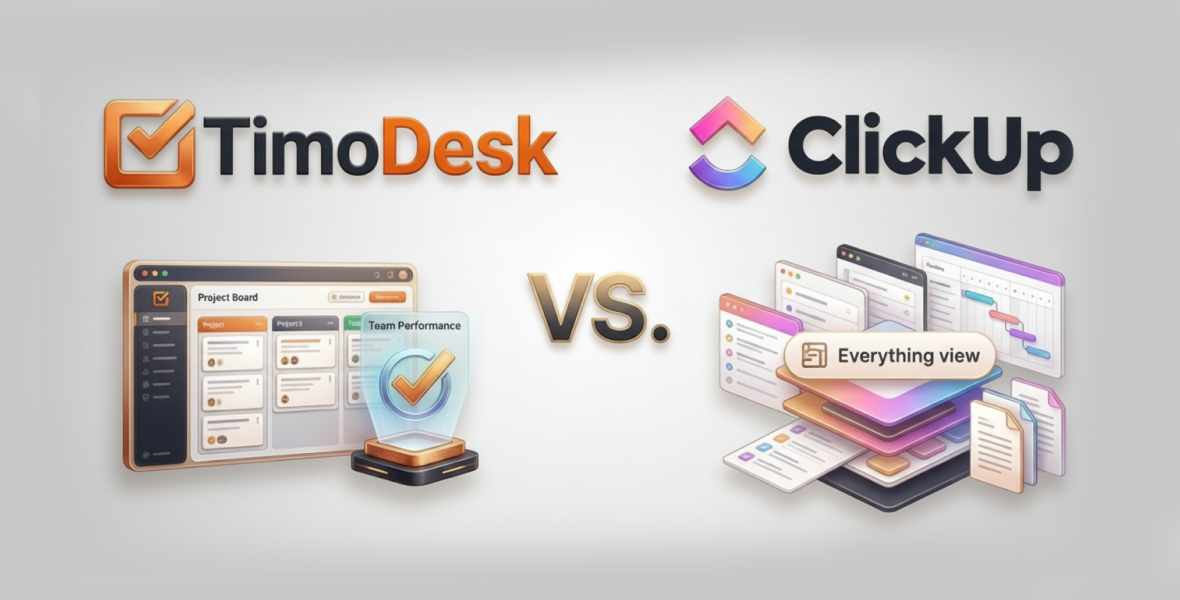
TimoDesk vs ClickUp is a choice between focus and breadth. TimoDesk is a time tracking and monitoring tool for remote teams: tracked hours, activity levels, app usage, screenshots and simple project boards for $1 per user per month. No hidden fees. ClickUp is an all-in-one workspace that combines tasks, docs, chat, dashboards and automation. Pick TimoDesk for proof of work, ClickUp for complex project planning, or use both.
Remote and hybrid work is now standard for many teams, and the right tool affects efficiency, accountability and growth. This guide compares the two tools feature by feature, with pricing, use cases and a clear verdict.
What makes a great productivity tool?
Remote teams need more than task lists. A good productivity tool should give you:
- Time tracking and accountability: Accurate hours for billing and performance.
- Task and project management: Flexible workflows and useful views.
- Collaboration: Comments and updates that work across time zones.
- Reports: Clear data on productivity and progress.
- Ease of use: Fast setup for small teams, with room to grow.
TimoDesk and ClickUp come at these needs from opposite ends. One is focused and simple. The other is broad and highly customizable.
What is TimoDesk?
TimoDesk is a lightweight time tracking and productivity tool built for remote teams. It closes the visibility gap in distributed work by turning work time into clear data you can check.
Core focus: time tracking and employee monitoring. A member starts the timer on a task. The desktop app then runs quietly and records active time, app and website usage, and project time. Idle time is removed on its own.
Key features:
- One-click timer with idle time removal and offline tracking.
- Activity levels and app and website usage.
- Screenshots for proof of work.
- Projects with kanban, list and calendar views, subtasks and comments.
- Reports, timelines, performer leaderboards and monthly timesheets.
- The Live Team Monitor browser extension for a quick view of who is online.
Best for: remote teams, agencies that bill by the hour, staffing providers, startups and hybrid companies that need clear productivity data.
It costs $1 per user per month, with every feature on one plan.
What is ClickUp?
ClickUp is a popular all-in-one productivity and project management platform. It combines tasks, documents, chat, whiteboards, goals, dashboards and automation in one workspace.
Core focus: project and team management, from simple to-do lists to complex workflows.
Key features:
- Time tracking inside tasks, with timers, manual entries and estimates.
- Many views, including list, board, calendar, Gantt, workload and table.
- Built-in chat, docs, whiteboards and comments.
- Automations, AI features and a large list of integrations.
- Goals, sprints, workload management and dashboards.
Best for: project-heavy teams that want one tool for tasks, docs and chat. ClickUp's time tracking is task-based. It does not record activity levels, apps or screenshots.
TimoDesk vs ClickUp: quick comparison table
| Aspect | TimoDesk | ClickUp |
|---|---|---|
| Purpose | Time tracking and monitoring | All-in-one project workspace |
| Core functions | Desktop timer, activity levels, app usage | Tasks, docs, chat, automation, many views |
| Time tracking | Timer on a task, idle time removed | Task timers and manual entries |
| Monitoring | Activity levels, apps, websites, screenshots | Not built in |
| Ease of use | Simple desktop app, short learning curve | Powerful, but takes longer to learn |
| Pricing | $1 per user per month, every feature | Free and paid tiers (see ClickUp's pricing page) |
| Ideal users | Remote teams that need proof of work | Teams that want one tool for everything |
TimoDesk is stronger for time accountability. ClickUp is stronger when you need a full workspace.
How do TimoDesk and ClickUp compare feature by feature?
Time tracking
TimoDesk is built for this. The desktop app for Windows, macOS and Linux runs in the background once a member starts the timer on a task. It logs active time to that task and removes idle time.
ClickUp has time tracking inside tasks: start a timer, add manual entries and compare estimates with actual time. It works well for task-level logging, but it does not record activity in the background.
Better for accurate hours: TimoDesk, especially for remote teams that bill by the hour.
Employee monitoring
TimoDesk includes activity levels, app and website usage and screenshots. What people type is never recorded.
ClickUp has no monitoring features. You see task progress and logged time, not how the time was spent.
Task and project management
TimoDesk has projects with kanban, list and calendar views. Tasks have priority, dates, estimates, labels, subtasks, assignees and comments with @mentions. It has no Gantt charts, dependencies or templates.
ClickUp goes much further, with dependencies, custom fields, Gantt and workload views, and sprint management.
Better for complex projects: ClickUp.
Collaboration
TimoDesk keeps teamwork on the task with comments, @mentions and boards that update live.
ClickUp adds built-in chat, docs and whiteboards. It is stronger for daily communication.
Reports
TimoDesk focuses on productivity: activity levels, app usage, project time, leaderboards and timesheets. Time and activity reports download as PDF or CSV.
ClickUp focuses on project health: dashboards, time reports, workload and sprint progress.
Automation
TimoDesk keeps it simple. Idle time is removed on its own, and the dashboard flags overdue tasks and tasks over estimate.
ClickUp has many no-code automation rules. It wins here.
Ease of use and platforms
TimoDesk is simple: install the app, pick a task and start the timer. It runs on Windows, macOS and Linux, with a web dashboard. It has no mobile app and no integrations yet.
ClickUp is powerful but can overwhelm new users. It works on web, desktop and mobile.
What are the pros and cons of each?
TimoDesk pros:
- Accurate time tracking with idle time removed.
- Built-in activity levels, app usage and screenshots.
- Easy to use, with quick setup.
- Low price, with every feature on one plan.
TimoDesk cons:
- Simpler project tools and fewer views.
- No built-in chat or docs, and no integrations yet.
ClickUp pros:
- One workspace for tasks, docs and chat.
- Advanced project management and many views.
- Strong automation and customization.
ClickUp cons:
- No activity monitoring or screenshots.
- Can feel complex if you only need tracking.
- More features sit on higher plans.
Which tool is best for you?
Choose TimoDesk if:
- Accurate time tracking is your top priority.
- You manage remote or hybrid staff and need visibility.
- Billable hours and client reporting matter most.
- You want something simple, focused and affordable.
Choose ClickUp if:
- You need advanced project management with many views.
- You want one tool for tasks, docs, chat and goals.
- Your team runs complex projects or sprints.
- Automation is essential.
TimoDesk vs ClickUp for remote teams
Remote teams need more than task lists. They need to see how time is actually spent. TimoDesk gives managers tracked time, activity levels and screenshots as proof of work, without getting in people's way. This helps close the trust gap in distributed teams. See how it works for remote teams.
ClickUp keeps teams aligned across time zones with structured tasks, dashboards and chat. But it does not show real work patterns on its own.
For productivity data and billable accuracy, TimoDesk is the stronger choice. For complex coordination, ClickUp adds value. Some teams use both.
How does pricing compare?
TimoDesk: $1 per user per month, with every feature included: tracking, screenshots, reports and project boards. You are billed after each month only for members who tracked time. There is a 15-day free trial with no card.
ClickUp: has a free plan and several paid tiers, with more features on higher tiers. Prices change, so check ClickUp's own pricing page before you decide.
Can you use TimoDesk and ClickUp together?
Yes. The two tools are not connected, so keep project names the same in both.
- Plan projects, tasks and discussions in ClickUp.
- Track time in TimoDesk on matching projects and tasks.
- Review both: ClickUp for progress and deadlines, TimoDesk for real hours, activity and reports.
What mistakes should you avoid when choosing?
- Buying a large all-in-one tool when you only need time tracking.
- Not checking whether you need task timers or full activity data.
- Making simple workflows complex with too many views and rules.
- Forgetting team size, learning curve and long-term cost.
A real-life example
Picture a 20-person remote software agency. Tasks were scattered in email, timesheets were manual, billable hours were missed, and managers did not trust the numbers.
With ClickUp alone, workflows improved with Gantt charts and automation. But time tracking stayed manual, and clients questioned the hours.
With TimoDesk added, tracked time showed the real billable hours, screenshots backed up client work, and reports showed where work got stuck. The agency billed with confidence and moved work to the people who had time.
Where are productivity tools heading?
- Fewer, better-connected tools.
- More privacy and openness about what is tracked.
- Reports that look at well-being, such as long workdays, not just output.
- Teams pairing a focused tracker with a broad project tool.
Final verdict: TimoDesk vs ClickUp
If you need accurate time tracking, employee monitoring and real productivity data, TimoDesk is the better fit. It is lightweight, easy to deploy and costs far less. If you need structure, customization and large-scale coordination, ClickUp is a strong choice, but you may still want a separate tool for accurate hours.
Conclusion
The right tool is not the one with the most features. It is the one that fixes your team's real problem. Test both with free trials. Ready to see where your team's time goes? Start your 15-day TimoDesk trial.
Frequently asked questions
Is TimoDesk a ClickUp alternative?
For time tracking and monitoring, yes. For advanced project management, docs and chat, no. TimoDesk has simple project boards, not a full workspace.
Does TimoDesk integrate with ClickUp?
No. TimoDesk has no integrations today. Teams that use both keep matching project names.
Does ClickUp take screenshots?
ClickUp does not offer employee monitoring. TimoDesk takes screenshots every 3 to 60 minutes, set per member.
How much does TimoDesk cost?
$1 per user per month with every feature. There is a 15-day free trial, and no card is needed.
Was this helpful?
Share it with someone who still adds up hours by hand.


