

TimoDesk vs Harvest Best Time & Billing Tracker for Freelancers and Businesses
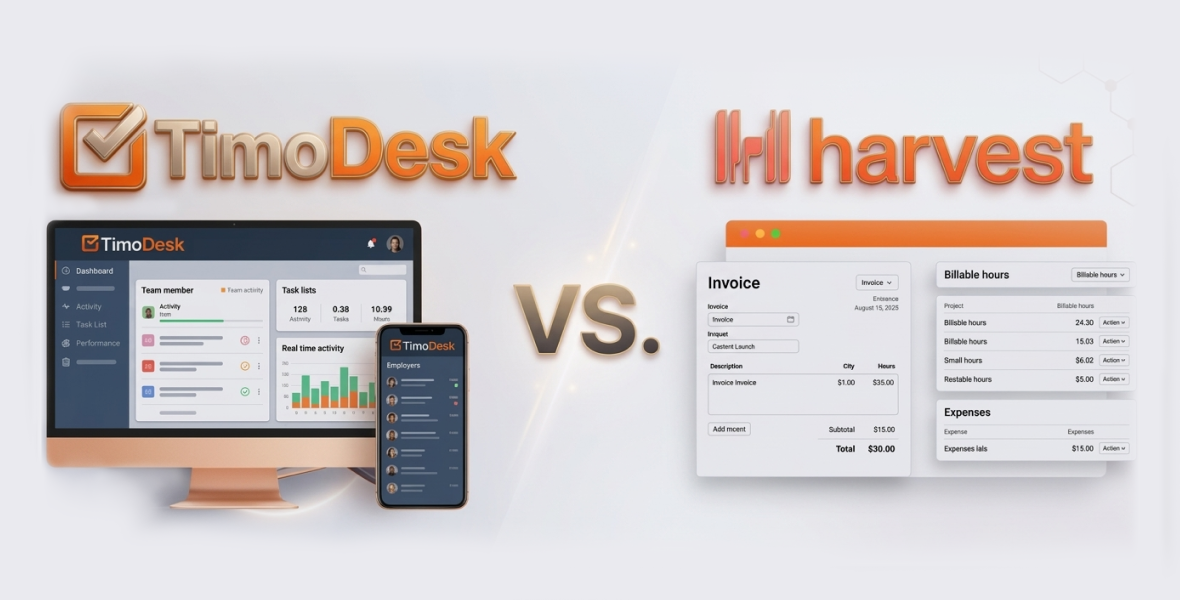
In the bustling gig economy and business world of 2026, where freelancers juggle multiple clients and companies manage diverse projects across time zones, a reliable time and billing tracker is more than a tool it's a lifeline for profitability and efficiency. These platforms help track billable hours accurately, generate invoices seamlessly, analyze productivity, and ensure every minute counts toward revenue. With remote work normalized and AI integrations enhancing workflows, choosing the right software can boost earnings by 20-35% through optimized billing and reduced administrative overhead.
TimoDesk and Harvest are two leading contenders in the time and billing tracking arena. TimoDesk, with its ultra-low pricing and monitoring features, appeals to budget-conscious users needing oversight. Harvest, a staple for freelancers and agencies, excels in intuitive tracking, invoicing, and integrations without invasive surveillance. But which is the best time and billing tracker for freelancers and businesses?
This comprehensive TimoDesk vs Harvest comparison delves into their features, pricing, usability, strengths, weaknesses, and ideal applications. We'll examine core tracking, billing capabilities, reporting, and more to guide your decision. Whether you're a solo freelancer seeking simplicity or a business owner scaling operations, this guide will help you select the tool that maximizes your time and income. Let's explore!
Why Time & Billing Trackers Matter for Freelancers and Businesses
Time and billing software has advanced significantly, incorporating AI for automated insights and integrations for seamless workflows. With economic shifts emphasizing efficiency, these tools prevent underbilling, track expenses, and provide data for tax compliance and client negotiations. Freelancers benefit from quick invoicing to maintain cash flow, while businesses gain visibility into team performance and project profitability.
According to industry insights, users of advanced trackers report up to 30% improvements in billing accuracy. Key evaluation criteria include:
- Billing Integration: Easy invoice creation from tracked time.
- Usability: Minimal learning curve for busy freelancers.
- Scalability: From solo use to team expansion.
- Cost vs. Value: Affordable plans with robust features.
- Privacy and Compliance: Secure data handling in a regulated landscape.
- 2026 Innovations: Updates like AI reporting or enhanced mobile support.
Now, let's introduce each tool.
What is TimoDesk? An Overview
TimoDesk is an affordable time tracking and productivity platform designed for freelancers, remote teams, and businesses. It focuses on transparency with automated monitoring, helping users track hours, monitor activities, and generate basic reports without complexity. Ideal for those needing proof of work for billing.
Key Highlights of TimoDesk
- Target Audience: Freelancers, small businesses, and global teams requiring cost-effective tracking and monitoring.
- Platform Availability: Desktop apps for Windows, macOS, Linux; web dashboard; offline sync.
- Unique Selling Point: All-in-one features at $1/user/month, including screenshot monitoring for billing accountability.
TimoDesk's dashboard provides a unified view of time, activities, and projects. Here's a screenshot of its interface:
In 2026, TimoDesk has enhanced Linux support with URL tracking and screenshots, improving cross-platform billing reliability.
What is Harvest? An Overview
Harvest is a versatile time tracking and invoicing solution tailored for freelancers, agencies, and businesses. It emphasizes user-friendly tracking, expense management, and professional invoicing, helping convert hours into revenue effortlessly. Known for its clean design and integrations.
Key Highlights of Harvest
- Target Audience: Freelancers, creative teams, and enterprises needing billing and project insights.
- Platform Availability: Web, desktop (Windows, macOS), mobile (iOS, Android); browser extensions.
- Unique Selling Point: Seamless time-to-invoice workflow with 50+ integrations and profitability reports.
Harvest's dashboard offers intuitive visualizations for time and billing data. Check out this example of its calendar view:
Harvest continues to refine features, with emphasis on AI-driven forecasts and expanded integrations for billing efficiency.
TimoDesk vs Harvest: Feature Comparison
Both tools support time tracking and billing, but TimoDesk leans toward monitoring for accountability, while Harvest prioritizes invoicing and integrations. Here's a side-by-side table summarizing key aspects:
| Feature Category | TimoDesk | Harvest |
|---|---|---|
| Core Time Tracking | Automatic background tracking, offline sync, task switching | Manual/auto timers, idle detection, calendar integration, expense tracking |
| Monitoring & Accountability | Screenshots (configurable), activity levels, app/URL usage | No screenshots; focuses on self-reported data with approvals |
| Reporting & Analytics | Productivity reports, timelines, app analytics, top performers | Custom dashboards, profitability reports, budgets, forecasts |
| Integrations | Limited (standalone) | 50+ (for example, QuickBooks, Asana, Slack, Google Workspace) |
| Team Management | Live Team Monitor, task assignment, member analytics | User roles, approvals, scheduling, time-off tracking |
| Billing & Invoicing | Basic timesheets for billing | Advanced invoicing, billable rates, expenses, multi-currency, payments |
| Mobile & Offline Support | Desktop-focused with sync | Full mobile apps, offline mode |
| Security | Secure transmission, privacy controls | GDPR compliance, enterprise-grade security |
| Customization | Projects/tasks, basic reports | Tags, custom fields, rates, templates |
Deep Dive: Time Tracking Capabilities
Accurate time capture is essential for billing.
- TimoDesk: Automates tracking in the background, logging active time, apps, and tasks. Screenshots every 10 minutes (adjustable) provide visual proof for freelancers billing clients or businesses auditing hours. Offline sync ensures no lost data, ideal for mobile freelancers.
- Harvest: Offers flexible manual timers, automatic start/stop, and idle detection. Integrates with calendars to import events as entries, and tracks expenses alongside time for comprehensive billing. Mobile apps allow on-the-go logging, perfect for field work.
Winner: Harvest for versatility in billing scenarios; TimoDesk for automated accountability.
Reporting and Analytics
Data informs better billing and business decisions.
- TimoDesk: Provides visual reports on productivity, app usage, project timings, and performance metrics. Freelancers can use timelines for client reports, while businesses identify top performers for incentives.
- Harvest: Shines with customizable reports on profitability, budgets vs. actuals, and team capacity. AI forecasts help predict overruns, and exports (PDF/CSV) simplify sharing with clients or accountants.
Winner: Harvest for in-depth billing insights; TimoDesk for straightforward productivity overviews.
Integrations and Ecosystem
Seamless connections enhance billing workflows.
- TimoDesk: Focuses on core features with minimal integrations, suitable for independent freelancers.
- Harvest: Over 50 integrations, including accounting (QuickBooks), PM tools (Asana), and CRM (Salesforce). API allows custom automations for advanced billing.
Winner: Harvest for connected ecosystems.
Team Management and Collaboration
Scalable for growing businesses.
- TimoDesk: Live monitoring, task assignments, and analytics support team oversight. Useful for businesses to ensure billable hours.
- Harvest: Roles, approvals, scheduling, and capacity planning foster collaboration. Ideal for agencies managing client billing.
Winner: Harvest for team-focused billing; TimoDesk for monitoring.
Usability and User Experience
Harvest's clean interface boasts high adoption, with reviewers praising its simplicity. TimoDesk is functional but monitoring-heavy, which may suit detail-oriented users.
TimoDesk vs Harvest: Pricing Comparison
Pricing is crucial for freelancers and businesses watching margins.
| Plan | TimoDesk | Harvest |
|---|---|---|
| Free Tier | No, 14-15 day trial | Free (1 user, 2 projects, basic features) |
| Entry-Level | $1/user/month (all features) | Pro: $11/user/month (monthly); $9/user/month (annual, 20% off) |
| Mid-Tier | N/A (single plan) | N/A (Pro is main paid plan) |
| Enterprise | Scales at $1/user/month | Custom (volume discounts, premium support) |
| Billing Options | Monthly/annual | Monthly/annual (20% discount on annual) |
| Trial | 14-15 days | 30 days for Pro features |
Pros and Cons: TimoDesk vs Harvest
Winner: TimoDesk for affordability; Harvest for free entry and value in billing features.
TimoDesk Pros
- Unbeatable $1 pricing.
- Detailed monitoring with screenshots for billing proof.
- Offline sync and automatic tracking.
- 2026 Linux enhancements.
- Simple, no-upsell structure.
TimoDesk Cons
- Limited integrations.
- Monitoring may feel invasive for some.
- No free plan.
- Basic invoicing.
Harvest Pros
- Robust invoicing and expense tracking.
- Extensive integrations.
- Free tier for starters.
- Advanced reporting for profitability.
- User-friendly design.
Harvest Cons
- Higher cost for teams.
- No built-in monitoring.
- Limited free plan (1 user, 2 projects).
- Can be basic for complex needs.
Who Should Choose TimoDesk?
TimoDesk is best for freelancers and small businesses prioritizing low costs and monitoring for billing transparency. If you need screenshot evidence for clients or automatic tracking on a budget, it's ideal. Examples:
- Solo freelancers in development or consulting.
- Small agencies with remote staff.
- Budget-conscious startups.
Review note: "TimoDesk's affordability and insights make billing effortless."
Who Should Choose Harvest?
Harvest suits freelancers and businesses needing integrated billing, invoicing, and scalability. If you invoice clients frequently, track expenses, or use multiple tools, choose it. Examples:
- Creative freelancers with varied projects.
- Agencies managing budgets and payments.
- Growing businesses with teams.
Users say: "Harvest's invoicing turns tracked time into quick revenue."
Final Verdict
While Harvest offers seamless invoicing, extensive integrations, and advanced profitability tools, TimoDesk clearly wins for most freelancers and small businesses especially those prioritizing affordability and monitoring in 2026.
At just $1 per user per month, TimoDesk provides powerful monitoring and time tracking without tiered pricing or hidden costs. Its automatic background tracking, configurable screenshot monitoring, activity and app/URL usage insights, live team oversight, and offline sync give freelancers and small teams real accountability and visibility into billable hours and work patterns. These features make it ideal for users who value cost efficiency, transparency, and simple productivity insights without paying for advanced extras they may not need.
In contrast, Harvest’s advanced billing, reporting, and integrations come with significantly higher pricing, making it less practical for solo freelancers or budget-conscious teams who mainly need reliable tracking and proof of work.
TimoDesk is the smarter choice for freelancers and small businesses seeking affordable, reliable time tracking with built-in monitoring and billing oversight.