
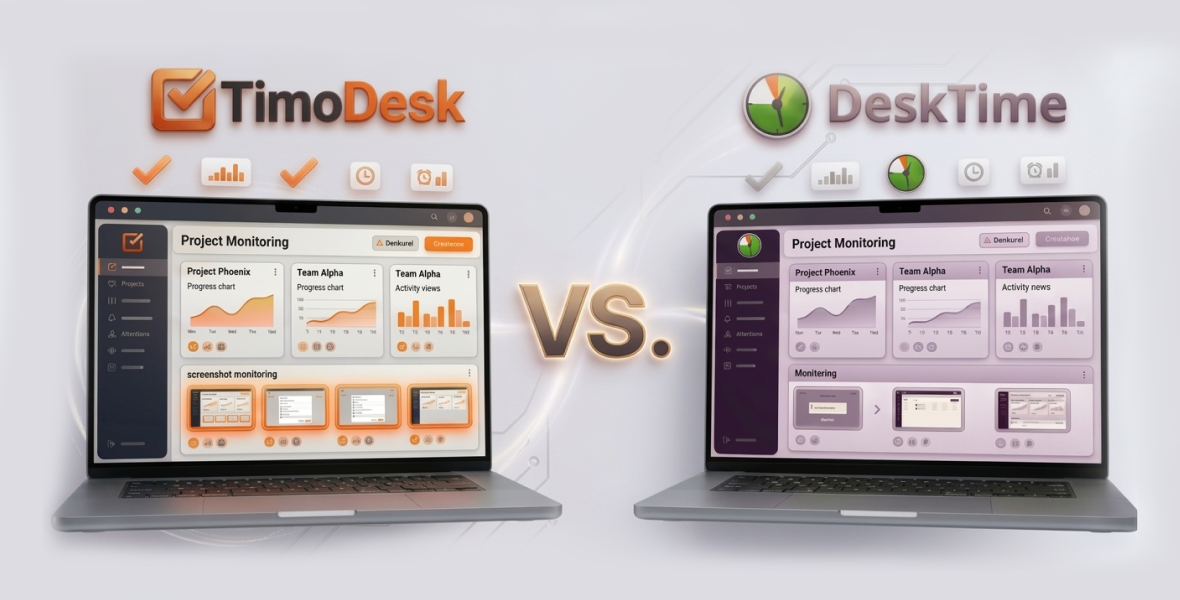
TimoDesk vs DeskTime comes down to features versus price. TimoDesk includes screenshots, activity levels and app and website usage on one plan for $1 per user per month. DeskTime puts screenshots on its Premium plan at $9.17 per user per month on annual billing, but adds shift scheduling, absence tracking and integrations.
Remote work, hybrid teams and freelance projects make time tracking with screenshot monitoring a must for many teams. It proves work output, supports client billing and builds accountability. Whether you run a small agency or a remote team, the right tool makes a big difference. This post compares TimoDesk and DeskTime so you can pick the best DeskTime alternative for your needs.
Why does screenshot monitoring matter in time tracking software?
Time tracking is more than a simple timer now. Screenshot monitoring adds visual proof of work. It helps with client billing, performance reviews and accountability, without constant manual input.
When you compare tools, look at these factors:
- Screenshot settings: Can you set the interval and switch screenshots on or off per person?
- Ease of use: Does tracking run in the background without getting in the way?
- Features: What comes beyond screenshots, such as activity levels and reports?
- Pricing: Are screenshots on the base plan or on a higher tier?
- Security: How is the data stored and protected?
What is TimoDesk?
TimoDesk is a time tracking and productivity tool for staffing agencies and remote teams. It focuses on clear pricing and simple setup, with screenshots and live team status built in.
Key highlights of TimoDesk
- Who it suits: Staffing agencies, small and mid-size businesses, agencies and remote or hybrid teams.
- Platforms: Desktop apps for Windows, macOS and Linux, plus a web dashboard. The app tracks offline and syncs when it reconnects. There is no mobile app.
- Main strength: Every feature for $1 per user per month, including screenshots, activity levels and the Live Team Monitor browser extension.
The TimoDesk dashboard shows key figures, a Team Day timeline, Live Now, Time Allocation and an Action Center that flags problems early.
What is DeskTime?
DeskTime is a well-known automatic time tracker and employee monitoring tool. Of the tools TimoDesk compares itself with, it is the most similar. It adds productivity scores, absence tracking and shift scheduling.
Key highlights of DeskTime
- Who it suits: Office, remote and hybrid teams that want scheduling and absence management next to tracking.
- Strengths: Shift scheduling, an absence calendar and attendance management. Productivity scores you can adjust for each team. Document title tracking inside desktop apps.
- Extras: A free single-user Lite plan, and integrations with Jira, Asana, Trello, GitLab and Zapier, plus an API.
How do TimoDesk and DeskTime compare on features?
| Feature | TimoDesk | DeskTime |
|---|---|---|
| Desktop time tracking | Yes, timer on tasks, idle time removed | Yes |
| Windows, macOS and Linux | Yes | Yes |
| Screenshots | Included on the only plan | Premium plan |
| Activity levels | Yes | Yes |
| App and website usage | Yes | Yes, plus document titles |
| Projects and tasks | Yes, with kanban boards | Yes |
| Manual time with approval | Yes | Yes |
| Shift scheduling and absences | No | Yes |
| Integrations and API | Not yet | Yes |
| Free plan | No (15-day free trial) | Lite, 1 user |
| Every feature on one plan | Yes | No |
For teams that want screenshots and live status without extra cost, TimoDesk is a strong DeskTime alternative. DeskTime suits teams that need scheduling, absences or its integrations.
How does screenshot monitoring work in each tool?
- TimoDesk: Screenshots are included on the $1 plan. The desktop app takes them every 3, 5, 10, 15, 20, 30 or 60 minutes. You set the interval for the organization or for each member. Screenshots start on for new members, and you switch them on or off per member. An alert can tell members when one is taken, and screenshots taken while a member is idle are thrown away. Screenshots also work on Linux; see screenshot capture on Linux.
- DeskTime: Screenshots need the Premium plan, at $9.17 per user per month on annual billing. The Pro plan, at $6.42, doesn't include them.
Result: TimoDesk gives you screenshots at a much lower price, and no higher tier to pay for.
How do reports and analytics compare?
- TimoDesk: Time and activity reports, app usage, websites, a Performance Map, top and low performer lists, a monthly leaderboard and monthly timesheets. Reports download as PDF or CSV, and timesheets as PDF.
- DeskTime: Productivity scores you can adjust for each team, plus app, URL and document title tracking.
TimoDesk does not label apps as productive or unproductive. It shows activity levels and usage, and you decide what they mean for your team.
How do integrations and team management compare?
- TimoDesk: Keeps tracking, tasks and reports in one place, with the Live Team Monitor extension for live status. It has no integrations yet.
- DeskTime: Offers integrations with Jira, Asana, Trello, GitLab and Zapier, an API, shift scheduling and absence management.
Which one is easier to use?
Both are easy to learn and run in the background. TimoDesk is simpler when you mainly need tracking and screenshots. DeskTime offers more settings, which can feel heavy if you only need the basics.
How much do TimoDesk and DeskTime cost?
DeskTime prices below were checked in August 2026 and use annual billing.
| Plan | TimoDesk | DeskTime |
|---|---|---|
| Free option | 15-day free trial, no card | Lite: $0, single user; 14-day free trial |
| Entry | $1 per user per month, every feature | Pro: $6.42 per user, no screenshots |
| With screenshots | Same single plan | Premium: $9.17 per user |
| Enterprise | Same single plan | Custom, 200 or more users |
| Billing | Monthly, after use, only for members who tracked time | Prices shown are for annual billing |
- TimoDesk: $1 per user per month. A 50-person team that all tracked time pays $50 for the month.
- DeskTime: The same 50-person team on Premium pays about $458 per month on annual billing.
What are the pros and cons of each tool?
TimoDesk pros
- $1 per user per month, with screenshots included.
- Screenshots, activity levels and the Live Team Monitor on the one plan.
- Offline tracking and Linux support.
- Monthly timesheets and PDF export on the base plan.
- No 200-user threshold for any feature.
TimoDesk cons
- No integrations or API yet.
- No shift scheduling, absence calendar or mobile app.
DeskTime pros
- Shift scheduling, absence calendar and attendance management.
- Adjustable productivity scores and document title tracking.
- Integrations and an API.
- A free single-user plan.
DeskTime cons
- Screenshots need the Premium plan.
- Higher cost for teams that need monitoring.
Who should choose TimoDesk?
Choose TimoDesk if you want screenshot monitoring at a low price with little setup. It fits:
- Budget-minded remote teams and agencies.
- Businesses that need proof of work for clients.
- Growing teams that want every feature without tier upgrades.
Who should choose DeskTime?
Choose DeskTime if you need scheduling, absence management or its integrations. It fits:
- Teams that rely on Jira, Asana, Trello or similar tools.
- Companies that want shift and absence management next to tracking.
- Teams that are happy to pay more for a wider feature set.
Final verdict
For time tracking with screenshot monitoring at the lowest cost, TimoDesk is a strong DeskTime alternative. It offers screenshots, live status and offline tracking on Windows, macOS and Linux for $1 per user per month. DeskTime remains a solid choice if you need scheduling, absences or integrations. See the full TimoDesk vs DeskTime comparison, or start a 15-day free trial with no card needed.
Frequently asked questions
Is TimoDesk cheaper than DeskTime?
Yes. TimoDesk is $1 per user per month with screenshots included. DeskTime Premium, its plan with screenshots, is $9.17 per user per month on annual billing.
Does DeskTime Pro include screenshots?
No. On DeskTime, screenshots need the Premium plan. TimoDesk includes them on its only plan.
What does DeskTime do that TimoDesk doesn't?
Shift scheduling, an absence calendar, attendance management, document title tracking and integrations. If you need those, DeskTime is the better fit.
Does TimoDesk have a free plan?
No. TimoDesk has a 15-day free trial with no card needed, then one plan at $1 per user per month. You pay only for members who tracked time.
Was this helpful?
Share it with someone who still adds up hours by hand.


