
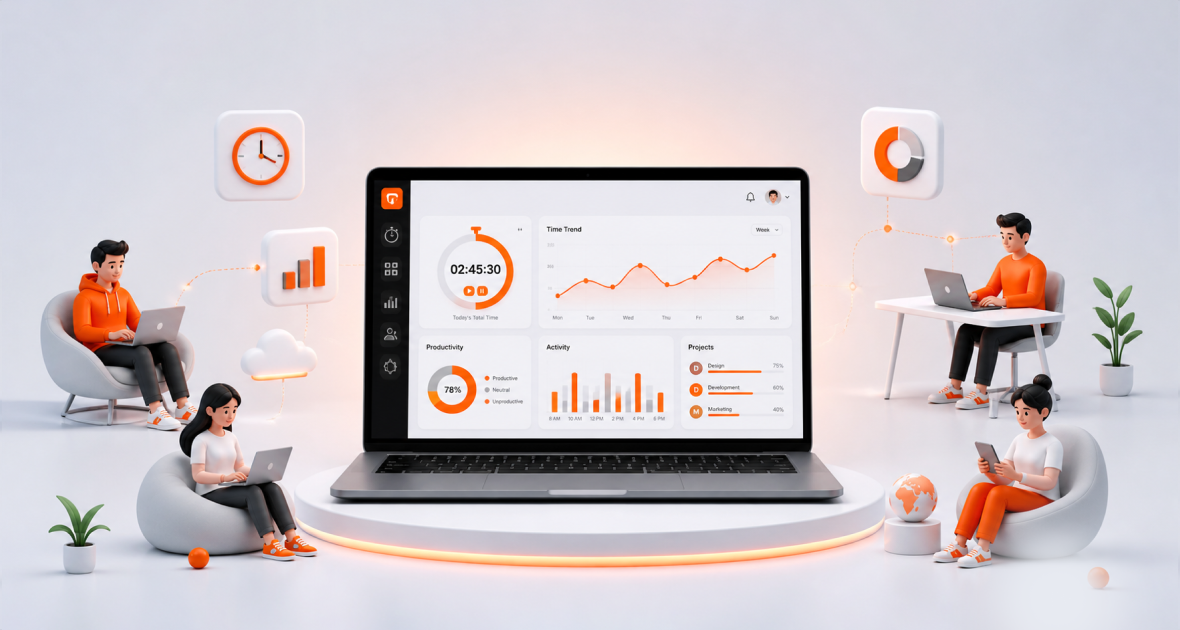
The best time tracking software in 2026 depends on what you need to prove. For remote teams that need screenshots and activity levels at a low price, TimoDesk leads this list at $1 per user per month. Hubstaff and Time Doctor suit teams that need payroll or many integrations, while Toggl Track, Clockify and Harvest suit teams that only need a simple timer.
Hybrid and distributed work has made remote team time tracking software a must for many businesses. Teams use it to record work hours, see how projects move and keep everyone accountable. Modern tools do much more than log hours. They show project progress, team workload and where time goes.
In this guide, we rank the top 10 best time tracking software in 2026 from 1 to 10. We look at features, ease of use, pricing and overall value. Rival prices were checked in August 2026 where noted; always confirm on each vendor's site before you buy.
How do the top 10 time tracking tools compare?
| Tool | Best for | Screenshots |
|---|---|---|
| TimoDesk | Remote teams and staffing agencies on a budget | Yes, on the only plan |
| Hubstaff | Teams that need GPS and payroll | Yes |
| Time Doctor | Larger teams that want many integrations | Yes |
| Toggl Track | Simple, trust-based timers | No |
| Clockify | Small teams that want a free timer | Pro plan |
| RescueTime | Personal productivity | No |
| Harvest | Agencies that invoice by the hour | No |
| ClickUp | Project management with a timer | No |
| Asana | Team project planning | No |
| DeskTime | Teams that need shifts and absences | Premium plan |
1. TimoDesk: time tracking and productivity software
TimoDesk is a time tracking and employee monitoring tool for remote teams, staffing agencies and small to mid-size businesses. It tracks work hours, shows activity and helps manage projects. Its focus is low cost and simple setup, with every feature on one plan.
Pricing
TimoDesk costs $1 per user per month, with every feature on one plan. You are billed after each month, only for members who tracked time. There is a 15-day free trial with no card needed, and no seat minimum.
Key features
Members start the timer on a task in the desktop app, and tracking runs in the background. Idle time is removed on its own. TimoDesk records activity levels and app and website usage. It also takes screenshots at an interval from 3 to 60 minutes, switched on or off per member (see how screenshots prove work). Projects have kanban boards, list views and calendar views. Reports, a team dashboard and monthly timesheets help managers review work. The app keeps tracking offline and syncs when it reconnects.
Pros
It costs much less than most rivals. It is easy to learn. It puts time, screenshots, activity and reports in one tool. It runs on Windows, macOS and Linux.
Cons
TimoDesk has no integrations yet. It has no mobile app, GPS, payroll or invoicing. It offers one plan only, so there are no extra enterprise options.
The team dashboard shows key figures with trends, a Team Day timeline and Live Now, so managers see who is working right now. An Action Center flags overdue tasks, low-activity members, long workdays and tasks over estimate. Clients can get their own login to a read-only client portal that shows only the projects you share with them.
TimoDesk is best for startups, agencies and remote teams that want affordable, simple tracking with proof of work. Read how to monitor remote employees with TimoDesk.
2. Hubstaff
Hubstaff is a mature time tracking and workforce management tool for remote teams, agencies and field workers. It tracks hours, measures activity, manages projects and runs payroll in one system.
Pricing
Hubstaff Starter is $4.99 per seat per month on annual billing ($7 monthly). Grow is $7.50, Team is $10 ($12 monthly) and Enterprise is $25. Paid plans have a 2-seat minimum. There is a 14-day free trial with no card required.
Key features
Hubstaff offers time tracking, timesheets, screenshots and activity levels. It adds GPS tracking and geofencing for field teams, built-in payroll, shift scheduling and attendance. It also has a large list of integrations.
Pros
It is strong for remote and field teams. Payroll and scheduling live in the same system. It has a long history and a large support team.
Cons
It costs several times more than simpler tools for the same core tracking. Features are spread across several plans, and some need a higher tier.
3. Time Doctor
Time Doctor is a well-known employee productivity platform for remote teams, agencies and larger businesses. It tracks hours, monitors activity and offers detailed analytics.
Pricing
Time Doctor Basic is $6.67 per user per month on annual billing ($8 monthly). Standard is $11.67 ($14 monthly), and Premium is $16.70 ($20 monthly). There is a 14-day free trial of Premium with no card required, and no permanent free plan.
Key features
Time Doctor offers time tracking, screenshots and activity levels. App and website usage starts on the Standard plan. Premium adds video screen recording. It connects to over 60 project and payroll tools and offers work-life balance and productivity benchmarking.
Pros
It offers detailed analytics and many integrations. It has experienced support and onboarding for large teams.
Cons
It is one of the more expensive tools here. App and website usage is not on the Basic plan.
4. Toggl Track
Toggl Track is one of the easiest time trackers to use. It is built for freelancers and teams that want simple timers and clear reports, without monitoring.
Pricing
Toggl Track has a free plan for a limited number of users. Starter is $9 per user per month, Premium is $14 and Enterprise is custom. There is a 30-day trial with no card required.
Key features
Toggl Track offers start and stop timers, projects, clients and tags. It has clear reports and over 100 integrations. Paid plans add profitability and billable-rate reports.
Pros
It is simple and quick to learn. The free plan helps small teams start. It has the most integrations of the tools here.
Cons
By design, it takes no screenshots and records no activity levels. That makes it a poor fit when you must prove hours to a client.
5. Clockify
Clockify is one of the best-known free time trackers. Freelancers, agencies and small businesses use it to track hours, manage projects and build reports.
Pricing
Clockify's free plan covers up to 5 active users. Paid plans on annual billing are Basic at $3.99, Standard at $5.49, Pro at $7.99 and Enterprise at $11.99 per user per month. Monthly billing costs a little more. There is a 7-day free trial.
Key features
Clockify offers timers, timesheets, projects, reports and automatic app and website tracking on every plan. It also has invoicing, scheduling, GPS and payroll. It has apps for Windows, macOS, Linux, iOS and Android, plus browser extensions.
Pros
The free plan is useful for small teams. It covers a wide range of needs, from timers to invoicing.
Cons
Screenshots start on the Pro plan, the fourth tier. Teams over five people must move to a paid plan.
6. RescueTime
RescueTime is a personal productivity tool for individuals and small teams. It runs in the background and records how you spend time on apps and websites. It focuses on habits and focus, not client billing or team monitoring.
Pricing
RescueTime offers paid individual and team plans with a free trial. Check its site for current prices.
Key features
It sorts activity into productive and distracting time, sends daily and weekly summaries and offers focus sessions that block distracting sites. It also supports goals and trend reports.
Pros
It needs no timer. It gives useful insight into personal habits and helps reduce distractions.
Cons
It is not built for client billing. Team management and project-based tracking are limited.
7. Harvest
Harvest is a time tracking tool for agencies, consultants and freelancers. It tracks hours, follows project budgets and turns time into invoices. It is popular with teams that bill clients by the hour.
Pricing
Harvest offers a free option for a single user and a paid per-user plan, with a free trial. Check its site for current prices.
Key features
Harvest offers start and stop timers and timesheets. You assign time to projects, clients and tasks. Built-in invoicing turns tracked hours into client invoices. It also tracks expenses and budgets, and it connects to accounting and project tools.
Pros
It is simple to use. Time tracking and invoicing live in one place. Reports are clear and client-friendly.
Cons
It has no screenshots or activity levels, so it is not built for proof of work. Per-user pricing adds up for growing teams.
8. ClickUp (time tracking feature)
ClickUp is a project management tool with built-in time tracking next to tasks, docs, chat and dashboards. Teams use it to keep work in one place.
Pricing
ClickUp has a free plan and several paid tiers. Check its site for current prices.
Key features
You can start a timer on a task or enter time by hand. Timesheets and reports show hours by project or person. It also offers dashboards, workload views, docs, collaboration and automation.
Pros
It combines time tracking with full project management. It has a free plan and strong collaboration tools.
Cons
It has many features, which can overwhelm beginners. Time tracking is a side feature, not the main focus.
9. Asana
Asana is a popular work management platform for planning projects, tasks and workflows. It focuses on team collaboration.
Pricing
Asana has a free plan and several paid tiers, with time tracking on higher plans. Check its site for current prices.
Key features
Asana offers lists, boards and timelines. You assign tasks, set deadlines and follow progress. Higher plans let you compare estimated and actual time. It also has dashboards, workload views, rules and goals.
Pros
It is strong for collaboration and project planning. It has a clean interface and many project views.
Cons
It is not a dedicated time tracker. Time tracking sits on higher-priced plans.
10. DeskTime
DeskTime is an automatic time tracker and employee monitoring tool for remote teams, agencies and businesses. It tracks apps, websites and work time in the background.
Pricing
DeskTime Lite is free for a single user. Pro is $6.42 and Premium is $9.17 per user per month on annual billing. Enterprise is custom and needs 200 or more users. There is a 14-day free trial.
Key features
DeskTime tracks apps, URLs and document titles. It gives productivity scores you can adjust for each team. It adds shift scheduling, an absence calendar and attendance management. Screenshots are on Premium. It integrates with Jira, Asana, Trello, GitLab and Zapier and has an API.
Pros
It needs little manual input. Scheduling and absences sit next to tracking.
Cons
Screenshots need the Premium plan, so the plan most teams need costs more than the entry price.
Why is time tracking software essential in 2026?
Remote and hybrid work has made time tracking software more important than ever. Teams spread across places and time zones need a clear view of work hours. They need it without taking away flexibility.
Manual entries are often wrong or forgotten. Tools that record time in the background as people work cut human error. They make reports more accurate and work more transparent.
Time tracking also improves accountability. Employees see how they spend their time. Managers see workload, task progress and bottlenecks. Performance can be measured fairly without micromanaging.
Better data leads to better decisions. Businesses can spot trends, plan projects more accurately and put people where the work is.
- Freelancers get accurate billing and records that build client trust.
- Agencies get clearer client reports that show how project hours were used.
- Businesses get better team performance and fewer wasted hours.
How do you choose the best time tracking software?
Look beyond basic time recording. The right tool fits your goals, team and workflow.
- Ease of use: A simple interface helps people start quickly. Complex tools get used less.
- Background tracking: Tools that record time once a timer starts reduce manual entries and errors.
- Proof of work: If clients pay for hours, check for screenshots and activity levels on the plan you can afford.
- Reports: Good reports show productivity, project progress and problems early.
- Integrations: If your work depends on other tools, check which ones each tracker connects to.
- Total cost: Compare the plan you actually need, not just the entry price.
Which tool fits which kind of team?
- Staffing agencies and remote teams that bill clients: pick a tool with screenshots and activity levels on the plan you buy, such as TimoDesk, Hubstaff or Time Doctor.
- Field teams: pick a tool with GPS, such as Hubstaff or Clockify.
- Freelancers who invoice by the hour: Harvest or Toggl Track keep timers and billing simple.
- Teams that live in a project tool: ClickUp or Asana keep time next to tasks, though tracking is a side feature.
- Individuals who want better focus: RescueTime looks at personal habits rather than client hours.
- Teams that need shifts and absences: DeskTime adds scheduling next to tracking.
What mistakes should you avoid when choosing?
Many teams compare entry prices only. The plan you really need may be two or three tiers higher, especially for screenshots or app usage. Check the full plan list before you decide.
Another mistake is skipping the trial. Test the tool with a few real team members for a week or two. Watch how easy the timer is to use, whether reports answer your questions and how the team feels about it.
Finally, explain the tool to your team before you roll it out. Say what is tracked, why it is tracked and who can see it. Clear rules build trust and make adoption much smoother.
Final thoughts
Each tool in this top 10 best time tracking software list has its own strengths, from simple timers to invoicing and payroll. The best choice depends on your needs, team size and budget.
If you want screenshots, activity levels, app usage, projects and reports at a low, predictable price, TimoDesk is a strong first choice. It costs $1 per user per month, with every feature on one plan. Compare it with others on the alternatives page, or start a 15-day free trial with no card needed.
Frequently asked questions
What is the best time tracking software in 2026?
It depends on your needs. TimoDesk is a strong pick for remote teams that need screenshots and activity levels at a low price. Hubstaff suits teams that need GPS and payroll.
Which time tracking software is cheapest with screenshots?
TimoDesk includes screenshots on its only plan for $1 per user per month. Clockify and DeskTime put screenshots on higher tiers.
Is there free time tracking software?
Yes. Toggl Track, Clockify and DeskTime have free plans with limits. TimoDesk has no free plan but offers a 15-day free trial with no card.
What do screenshots add to a time tracker?
Proof of work. Screenshots show clients and managers what the tracked hours were spent on, which a simple timer can't.
Was this helpful?
Share it with someone who still adds up hours by hand.


