
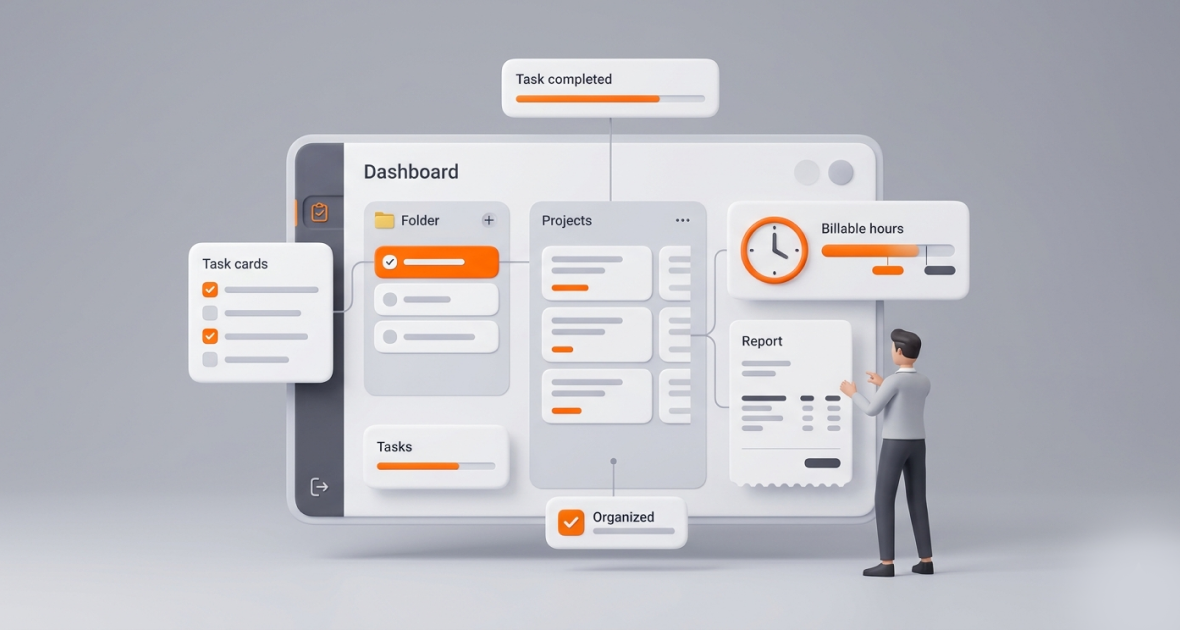
Startups can track every task, project, and billable hour by keeping all work in one tool: tasks with owners and due dates, projects for each client or product stream, and a timer that records time against each task. This shows founders where time goes, stops underbilling, and catches delays early. TimoDesk does all of this for $1 per user per month.
Startups work under constant pressure: small budgets, small teams, and endless tasks. Client work, product development, and growth experiments all compete for time. Poor tracking leads to missed deadlines, rework, and lost revenue, and startups can't afford any of them.
Spreadsheets and scattered tools make it worse. Work gets hidden, owners are unclear, and hours go unbilled. TimoDesk project management combines tasks, projects, time tracking, and reports in one light tool. Teams track tasks and hours as they work, and founders see progress without micromanaging. It costs $1 per user per month.
What problems do startups face without proper tracking?
Startups don't have big teams or long runways. Every hour counts, yet many have no system that matches their speed.
Task chaos
People juggle product, sales, marketing, support, and operations, often all at once. Tasks fall through the cracks because nobody can see who owns what. Without clear owners and deadlines, priorities collide. The result is duplicated work and constant firefighting.
Hard-to-track projects
Startups run client work, internal features, and experiments side by side, with tight deadlines. Without a live view, founders hear about delays only when a client complains or a sprint fails. Many still rely on email threads and spreadsheets.
Inaccurate billable hours
Manual time logs are often wrong or incomplete. Developers forget to log research time, and designers underestimate revisions. That means underbilling, which hurts cash flow when your runway is measured in months.
Low visibility and accountability
In remote and hybrid teams, founders can't see what people are working on. Looking busy can replace real output. That leads to poor decisions, burnout, and slow growth.
Why do startups need a tool like TimoDesk?
Lean teams need a tool that is central, affordable, and simple.
Tasks and projects in one place
One dashboard for every task, project, and deadline. Boards update live, so everyone stays aligned across time zones.
Accurate billable hours
Time is tracked per task and project. Keep client work and internal work in separate projects, so billable hours are easy to see. Download reports as PDF or CSV and use them in your invoicing tool.
Simple collaboration
Assign tasks with clear owners, due dates, and priorities. Comment with @mentions and cut down on meetings. Founders get visibility without hovering.
Low cost
TimoDesk costs $1 per user per month, with every feature on one plan, no hidden fees, no seat minimum, and no annual contract. You are billed after each month, only for members who tracked time. For a 5-person startup that tracks every month, that is $60 a year. Compare it with other tools on our alternatives page.
What is TimoDesk for startups?
TimoDesk is a light time tracking and project management tool for small teams, startups, and remote-first companies. It combines a one-click timer, tasks and projects, activity levels, and screenshots in one desktop app for Windows, macOS, and Linux.
- Simple pricing: $1 per user per month, every feature, no tiers.
- Easy to use: A clean interface that takes minutes to set up.
- All in one: Tasks, projects, time, reports, and team collaboration in one workspace.
What are the key TimoDesk features for startups?
Task management
Create tasks, assign them, and set priority, start and due dates, and estimates. Add subtasks, labels, and comments. Tasks that go over their estimate are flagged, so "Where are we on this?" gets an answer fast.
Project management
Organize client campaigns, product sprints, and internal work as separate projects. Each project has a kanban board, a list view, and a calendar view. A staff member can be made project leader to run a project's tasks and members.
Time tracking and billable hours
Pick a task and start the timer. TimoDesk tracks in the background and removes idle time on its own. Because time is tied to tasks and projects, you can see hours per client. Download the monthly timesheet as PDF and the time and activity report as PDF or CSV. TimoDesk does not create invoices, so bill from these reports in your own tool. See timesheets and exports.
Reports and insights
Project timing, member timing, and weekly worklogs show where time goes. The dashboard's Action Center flags overdue tasks, tasks over estimate, and long workdays, so founders can act early.
Team collaboration
Assign roles, comment on tasks, and see who is working now. Screenshots start on for new members and can be switched off per member. Activity levels show the share of tracked time with keyboard or mouse input, never what anyone types.
What are the benefits of TimoDesk for startups?
- More productivity and accountability: Teams stay focused when progress is visible.
- Accurate billing: Billable minutes are captured, so invoices go out faster.
- Fewer missed deadlines: Delays show up early.
- One place for work: Less tool fatigue and scattered data.
- Low cost: A light tool at a price that fits a startup budget.
How do startups use TimoDesk?
Agencies with many clients
A small digital agency can create a project per client and track time against each task. Underbilling stops, and delays show up before the client notices.
SaaS startups
A SaaS team can track sprints, features, and internal work. Comparing tracked time with estimates shows which kinds of features usually take longer, which helps roadmap planning.
Freelance and remote teams
Small remote teams can track tasks and hours from anywhere. As a freelancer grows into a small team, client billing stays clear.
Marketing and design teams
Campaign teams can manage creative tasks, revisions, and deadlines on one board. Reports show time on client work versus internal experiments.
How does TimoDesk improve startup productivity?
Live tracking shows problems the same day, not at the end of the sprint. One dashboard replaces hunting across tools. Reports help founders move resources and fix workflows based on data. Most of all, founders can run many projects without micromanaging, so they can lead while the team stays accountable.
What are the best practices for startups using TimoDesk?
- Set clear priorities for each project, and give every task a due date.
- Track time for all client work, every day.
- Review reports every Friday to find bottlenecks and celebrate wins.
- Use tracked time to improve estimates and prevent scope creep.
For billing tips, read how to track billable hours accurately.
What is the future of task and time management for startups?
The future belongs to simple tools that give clear data. As remote and hybrid work become normal, light tools that combine tasks, projects, and time tracking will lead the way. Startups that adopt these habits early gain control, work better, and build the discipline they need to grow.
Conclusion
Startups rarely fail because of bad ideas alone. Hidden tasks, untracked projects, and missed billable hours quietly drain cash and momentum. TimoDesk lets you track every task, project, and billable hour in one light tool at $1 per user per month. Start your 15-day free trial, install the app in minutes, and turn chaos into steady growth. Questions? Contact us.
Frequently asked questions
What is the best way for a startup to track billable hours?
Create a project for each client and track time against tasks with a timer, not from memory. Review the hours each week and bill from the monthly report.
Does TimoDesk have a free plan?
No. TimoDesk has a 15-day free trial with no card needed. After that it costs $1 per user per month, billed only for members who tracked time.
Can TimoDesk create invoices?
No. It tracks time by project and task and exports reports as PDF or CSV. You use those reports in your own invoicing tool.
Is TimoDesk good for very small teams?
Yes. There is no seat minimum, so it works for a team of two. Setup takes minutes.
Was this helpful?
Share it with someone who still adds up hours by hand.


