
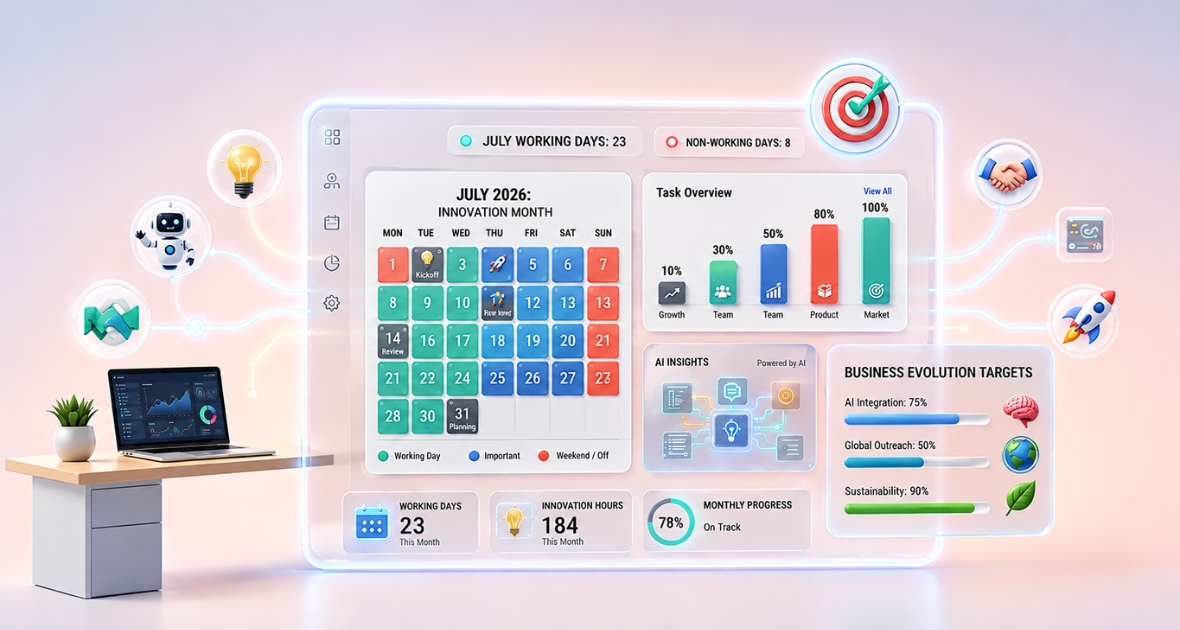
The number of working days in a month in 2026 ranges from 20 to 23 on a Monday to Friday schedule, before public holidays. February has the fewest (20), July and December have the most (23), and the year has 261 weekdays in total. That works out to an average of 21.75 working days, or about 174 work hours, per month.
Knowing the exact number of working days helps every team that manages people, projects or pay. HR managers use it for attendance and leave. Payroll teams use it for salaries, overtime and deductions. Project managers use it to plan capacity and deadlines.
Many people assume every month has about the same number of working days. It doesn't. The count changes with the month's length, where weekends fall and which holidays your company or country observes. Those changes affect payroll, schedules, project timelines and productivity.
- HR teams use monthly working days to track attendance, leave balances and staff availability.
- Payroll teams need accurate workday counts for salaries, overtime and deductions.
- Project managers estimate capacity and sprint goals from available working days.
- Operations managers plan shifts and resources.
- Remote teams use shared calendars to work across locations and time zones.
This guide gives you the full 2026 month-by-month breakdown, estimated work hours and practical tips for payroll, HR, project and remote team planning. It also explains how time tracking turns planned working days into real data.
What are working days?
A working day is any day employees are expected to do their regular job under the company's schedule. In most countries, that means Monday to Friday, minus weekends and public or company holidays.
The exact definition depends on labor laws, industry and company policy. Factories, hospitals, shops, logistics firms and support teams often work outside the usual Monday to Friday week.
| Term | Meaning | Example |
|---|---|---|
| Calendar days | Every day in a month, including weekends and holidays | January has 31 calendar days |
| Weekdays | Monday to Friday, regardless of holidays | Used for standard office schedules |
| Working days | Days employees are scheduled to work | Weekdays minus company holidays |
| Business days | Days businesses and banks are open | Often excludes weekends and public holidays |
| Weekend days | Saturday and Sunday in most countries | Days off for most office teams |
Calendar days
Calendar days include every date in a month. Contracts, subscriptions and legal deadlines often use them.
Weekdays
Weekdays are Monday to Friday. They don't exclude public holidays, so they are not always the same as working days.
Working days
Working days are the days people actually work under company policy. This is the most important number for payroll, attendance, scheduling and workforce planning.
Business days
Business days are the days banks, government offices and most companies are open. They often match working days, but industry schedules and local rules can make them differ.
Weekend days
Weekend days are usually Saturday and Sunday, though some countries use a different weekend. They are usually left out of office schedules.
Quick definition: A working day is a scheduled workday used for payroll, attendance, project planning and workforce management. It usually follows a Monday to Friday schedule, but this can vary.
How are working days calculated?
You can't just subtract weekends. You also need to consider public holidays, company closures, flexible schedules and regional differences. The basic formula is:
Working days = calendar days minus weekend days minus non-working holidays
Several factors affect the final number.
Standard Monday to Friday schedule
The most common approach is the five-day week. People work Monday to Friday, and Saturday and Sunday are the weekend. For example, a 31-day month with 8 weekend days has 23 working days before holidays.
Five-day workweek
The five-day week is still standard for most offices, schools and professional firms. It gives a steady base for payroll, attendance and project planning.
Public holidays
National and regional holidays reduce working days. Holiday calendars differ by country, so build your yearly count around local rules.
Company holidays
Many businesses close on extra days, such as year-end shutdowns, company retreats, staff appreciation days or industry holidays. Leave these out when you estimate staff availability.
Remote and hybrid work
Remote work doesn't change the number of working days, but it often adds flexibility. Distributed teams may observe different holidays by location, which makes planning harder.
Compressed workweeks
Some companies use other schedules, such as four 10-hour days a week. Working days go down, but weekly hours stay the same.
Shift-based operations
Healthcare, manufacturing, hospitality and logistics often use rotating shifts that include weekends. Their working days differ from the office calendar, and payroll systems should reflect that.
Best practice: Keep one central calendar with weekends, public holidays, company holidays and department schedules. It improves planning across the whole company.
How many working days are in each month of 2026?
The table below assumes a Monday to Friday schedule and an 8-hour day. It does not subtract public holidays, which vary by country.
| Month 2026 | Calendar days | Weekend days | Working days | Work hours (8 per day) |
|---|---|---|---|---|
| January | 31 | 9 | 22 | 176 |
| February | 28 | 8 | 20 | 160 |
| March | 31 | 9 | 22 | 176 |
| April | 30 | 8 | 22 | 176 |
| May | 31 | 10 | 21 | 168 |
| June | 30 | 8 | 22 | 176 |
| July | 31 | 8 | 23 | 184 |
| August | 31 | 10 | 21 | 168 |
| September | 30 | 8 | 22 | 176 |
| October | 31 | 9 | 22 | 176 |
| November | 30 | 9 | 21 | 168 |
| December | 31 | 8 | 23 | 184 |
| Total | 365 | 104 | 261 | 2,088 |
Subtract your own public and company holidays from each month to get your final count. For a quick count of your own hours, try the work hours calculator.
Monthly work hours summary
| Working days | Work hours (8 per day) | Months in 2026 |
|---|---|---|
| 20 | 160 | February |
| 21 | 168 | May, August, November |
| 22 | 176 | January, March, April, June, September, October |
| 23 | 184 | July, December |
These values don't include public holidays, company closures, overtime or other schedules.
What is the average number of working days in a month?
On a Monday to Friday schedule, the average is 21 to 22 working days per month. 2026 has 365 days: 261 weekdays and 104 weekend days. So a five-day business can expect about 261 working days in 2026 before public holidays.
Average monthly working days
| Metric | Average per month in 2026 |
|---|---|
| Calendar days | 30.4 |
| Working days | 21.75 |
| Weekend days | 8.7 |
| Work hours (8 per day) | 174 |
Don't assume every month has 22 working days. Use the real monthly count when you plan payroll, schedules or projects.
Average monthly work hours
Work hours depend on working days and the length of your workday. With an 8-hour day, a month has 160 to 184 hours. These figures are used for:
- Payroll budgets
- Capacity planning
- Resource allocation
- Staff schedules
- Utilization reports
- Billable hours forecasts
Tip: Use the actual working days, not monthly averages, when you prepare payroll or estimate project effort.
Monthly payroll planning
Payroll costs are rarely the same each month. Plan for different working day counts, public holidays, paid leave, overtime, sick leave, company shutdowns, weekend shifts and changing hourly wages.
Salaried staff often get a fixed monthly pay. But attendance, overtime, bonuses and leave deductions still depend on actual working days. For hourly staff, working days directly set payroll costs.
Project capacity
Project managers estimate capacity from available hours. For example:
10 employees x 22 working days x 8 hours = 1,760 available hours
If people spend 10% of their time in meetings, 5% on training and 8% on admin, real project capacity drops by almost a quarter. That is why good plans use available working hours, not calendar days.
Why do working days change every month?
Several factors change the monthly total. Knowing them helps you forecast payroll, staffing and projects more accurately.
1. Month length
| Month length | Months |
|---|---|
| 28 days | February (2026 is not a leap year) |
| 30 days | April, June, September, November |
| 31 days | January, March, May, July, August, October, December |
Longer months usually have more working days, but not always. In 2026, May has 31 days but only 21 working days, while April has 30 days and 22 working days.
2. Weekend distribution
Where weekends fall makes a big difference. July 2026 has 8 weekend days and 23 working days. August 2026 has the same length but 10 weekend days, so it has only 21 working days.
3. Public holidays
National holidays reduce working days. Examples include New Year's Day, Independence Day, Labor Day, religious holidays and national celebrations. International companies should keep a calendar for each region.
4. Company holidays
Many companies close for the year-end holidays, factory maintenance, retreats, anniversaries, inventory counts or office moves. These dates reduce real availability.
5. Industry requirements
Different industries follow different schedules, so "working days" can mean very different things:
- Corporate offices: usually Monday to Friday.
- Retail: often seven days a week.
- Healthcare: rotating shifts.
- Manufacturing: often around-the-clock production.
- Hospitality: heavy weekend staffing.
- Logistics: continuous operations.
6. Flexible work policies
Hybrid and remote work brought more flexible schedules. Some companies allow four-day weeks, flexible Fridays, alternate weekends, rotating schedules or compressed weeks. Total hours may stay the same, but scheduled working days change.
7. Regional labor laws
Employment laws set maximum weekly hours, required rest days, paid leave, holiday rules and even which days count as the weekend. Companies with offices in several countries should never assume one calendar fits all.
What is the difference between working days and business days?
People often use these terms as if they mean the same thing. They don't always. Knowing the difference avoids payroll errors, project delays and contract confusion.
| Feature | Working days | Business days |
|---|---|---|
| Employee work schedule | Yes | Not always |
| Payroll calculations | Yes | Sometimes |
| HR planning | Yes | Rarely |
| Banks open | Not required | Usually |
| Government offices open | Not required | Usually |
| Company holidays excluded | Yes | Usually |
| Used in contracts | Sometimes | Often |
| Used for attendance | Yes | No |
Working days
Working days are the days employees are expected to work under company policy. They are used for attendance, payroll, leave, scheduling, project planning and capacity planning.
Business days
Business days are the days banks are open, government offices work, payments are processed and companies do normal business. Contracts often set deadlines in business days.
Example: A supplier promises delivery within five business days. That usually excludes Saturdays, Sundays and public holidays. Yet your own staff may still work on weekends in retail or healthcare.
Quick summary: Not every business day is a working day, and not every working day is a business day. Clear terms prevent confusion between HR, finance, purchasing and legal teams.
How do working days affect payroll planning?
Payroll is one of the areas most affected by working day counts. Small mistakes can lead to wrong salaries, overtime disputes, compliance risks, unhappy staff and budget overruns.
Monthly salary planning
For salaried staff, monthly pay is usually fixed. Payroll teams still need working days to handle people who join or leave mid-month, unpaid leave and attendance deductions.
Hourly employees
Hourly pay depends entirely on recorded hours: hours worked x hourly rate = gross pay. Accurate time records are essential.
Overtime calculation
Overtime often depends on hours beyond the schedule, weekend work, public holiday work and night shifts. Without reliable time records, overtime math goes wrong.
Leave deductions
Payroll teams use working day calendars to calculate paid, annual, sick, casual and unpaid leave. Wrong workday counts lead to pay errors.
Payroll planning table
| Payroll activity | Needs working days? | Why it matters |
|---|---|---|
| Monthly salary | Yes | Attendance adjustments |
| Hourly payroll | Yes | Wage calculation |
| Overtime | Yes | Extra hours |
| Paid leave | Yes | Leave balance |
| Unpaid leave | Yes | Salary deduction |
| Bonuses | Sometimes | Performance periods |
| Timesheets | Yes | Payroll approval |
| Attendance reports | Yes | Compliance |
Payroll best practices
- Keep a yearly working calendar.
- Update holiday schedules before each year starts.
- Use digital time records instead of paper sheets.
- Base payroll on tracked hours and approved timesheets.
- Review overtime approvals often.
- Use the same leave rules across departments.
How do HR managers use working days?
HR teams use working day calendars almost every day. From hiring to workforce planning, nearly every HR task depends on knowing who is available.
Attendance management
Working day calendars set expected attendance, absent days, late arrivals, early departures and paid and unpaid leave. Accurate attendance supports correct pay and labor compliance.
Leave management
Count leave in working days, not calendar days. For example, leave from Friday to Monday uses only two working days if Saturday and Sunday are normal weekends.
Shift planning
Companies with several shifts need accurate schedules to avoid understaffing, prevent too much overtime, balance workloads and keep staff happy.
Workforce capacity planning
Knowing working days helps HR estimate available labor hours, hiring needs, seasonal staffing, temporary staff and contractor use.
Recruitment planning
Hiring managers can plan interviews, onboarding, training and probation reviews around real availability, not calendar guesses.
HR planning table
| HR activity | Depends on working days | Benefit |
|---|---|---|
| Attendance | Yes | Accurate records |
| Leave management | Yes | Correct leave balances |
| Shift scheduling | Yes | Better coverage |
| Hiring | Yes | Better planning |
| Capacity planning | Yes | Right-sized teams |
| Performance reviews | Yes | Fair, consistent reviews |
| Training | Yes | Higher attendance |
| Compliance reporting | Yes | Lower legal risk |
HR best practices
- Publish a yearly working calendar.
- Keep holiday schedules up to date.
- Move attendance records from paper to digital.
- Use one leave approval process.
- Use workforce data for staffing decisions.
- Review capacity every month, not once a year.
How should project managers plan with working days?
For project managers, the exact working days in a month in 2026 matter more than calendar dates. Every plan, sprint, milestone and deadline depends on the days your team can actually work.
Many projects slip because timelines use calendar days. Public holidays, weekends, leave and shutdowns can cut available time a lot if you don't plan for them. This is true for software, construction, marketing, consulting and internal projects alike.
Sprint planning
Agile teams often work in one- or two-week sprints. A 10-day sprint with one public holiday gives only 9 working days, and annual leave cuts capacity further. Ignore this and you miss sprint goals and skew velocity.
- Plan sprints from available working days, not calendar dates.
- Remove holidays and approved leave before you commit tasks.
- Check team availability in sprint planning.
- Adjust story points to real capacity.
Milestone planning
Set milestones around team availability. A big release right after a long holiday is risky: people are just back from leave, testing time may be short and support staff may be away.
Resource allocation
Working day calendars help you spread developers across projects, balance workloads, avoid overbooking specialists, schedule vacations without hurting delivery and improve team utilization. A shared calendar means fewer scheduling conflicts.
Capacity planning
Capacity planning estimates how much work a team can finish in a period. For example:
8 employees x 22 working days x 8 hours = 1,408 available hours
Then subtract meetings, training, leave, admin work and support requests. What remains is real project capacity. Skip this step and estimates are usually too optimistic.
Deadline management
Deadlines based only on calendar dates often set unrealistic expectations. Calculate available working days, work hours, team availability, holidays and planned leave instead. You will set deadlines you can actually meet.
Project planning table
| Planning activity | Why working days matter | Business benefit |
|---|---|---|
| Sprint planning | Estimate available effort | Steadier sprint velocity |
| Resource allocation | Balance workloads | Higher utilization |
| Capacity planning | Forecast work hours | Realistic estimates |
| Milestone scheduling | Avoid holiday conflicts | Fewer delays |
| Budget planning | Estimate labor costs | Better forecasts |
| Client delivery | Set accurate deadlines | Happier clients |
| Risk planning | Find schedule gaps | Better backup plans |
Common project planning mistakes
- Ignoring public holidays
- Forgetting approved leave
- Assuming every month has 22 working days
- Overbooking people
- Ignoring meeting time
- Expecting full productivity every day
- Not updating plans after schedule changes
How do working days work for remote teams?
Remote and hybrid work changed how teams think about working days. People may work in different cities, countries or time zones, with different holidays and schedules. Remote work brings flexibility, but it also makes planning more complex.
Distributed teams
A distributed team might include people in Bangladesh, the United States, Germany and Australia. Each place may have different national and religious holidays, weekend patterns and working hours. Without a shared calendar, projects get hard to coordinate.
Time zone differences
Two people on the same project may share only a few working hours each day. Plan core collaboration hours, meeting windows, local holidays and response expectations to cut delays.
Hybrid workforce planning
Hybrid staff split time between home and the office. Define office days, remote schedules, team days, meeting rules and availability hours. A shared calendar keeps everyone consistent.
Flexible work schedules
Many companies now allow flexible start times, four-day weeks, compressed schedules, part-time work and job sharing. These models need accurate time records and a clear view of who is available.
Leave coordination
Remote staff often take leave around local holidays. One person may be working while a teammate in another country is off. Planning around regional calendars prevents gaps.
Communication planning
Working day calendars help teams plan sprint reviews, standups, client meetings, training and launches at times when most people are available.
Benefits of a shared workforce calendar
- Better schedule visibility
- Fewer meeting conflicts
- Easier collaboration
- Less overtime
- More accurate records
- Simpler project coordination
Why does time tracking matter alongside working days?
Knowing the number of working days is only half the picture. You also need to know how people actually spend their working time. Time tracking connects scheduled days with real work, so payroll, planning and productivity decisions use data instead of guesses.
Accurate timesheets
Digital timesheets record hours worked, project time, task time and billable hours. They give payroll and reporting one reliable source.
Attendance tracking
Attendance systems record start and end times, late arrivals, early departures, absences and leave. This cuts manual errors and supports correct pay.
Employee productivity
Managers can see productive hours, project progress, task trends, workload and capacity use. The goal is not constant surveillance. It is visibility that supports better planning.
Payroll accuracy
Time data helps payroll teams calculate regular hours, overtime, leave deductions, holiday pay and shift pay. Digital records reduce disputes.
Project profitability
Service firms often bill clients by the hour. Accurate time tracking supports invoicing, cost control, budget checks and profit analysis.
Resource utilization
Managers can spot underused staff, overloaded teams, bottlenecks, scheduling conflicts and capacity gaps, then balance work better.
Compliance
Many industries must keep accurate records of working hours for labor law and audits. Digital records make reporting easier.
How does TimoDesk help with working-day planning?
Manual tracking gets harder as a company grows. TimoDesk records time on tasks and projects and turns it into reports, so you can compare planned working days with the hours people actually worked. It doesn't replace your HR or payroll system. It gives them accurate work-hour data.
Time tracking
Employees start the timer on a task in the TimoDesk desktop app, and time is recorded in the background. Idle time is removed on its own. This helps you measure effort, improve project forecasts and watch workload. Learn more about time tracking.
Daily timelines and the time calendar
TimoDesk has no attendance or leave management. Instead, the Team Day timeline shows when each person worked today, and the time calendar shows tracked time day by day. Live Now shows who is working right now.
Timesheets
The monthly timesheet downloads as PDF, for the whole team or per member. The time and activity report downloads as PDF or CSV. Managers can review daily hours, weekly worklogs and time per project. See how monthly timesheet automation saves managers time.
Activity insights
TimoDesk shows activity levels, app and website usage and screenshots. These help managers understand work patterns and coach their teams, not micromanage them.
Project tracking
Project managers can see time per project, task progress, estimates versus tracked time and team workload. Tasks are flagged when tracked time goes over the estimate, which shows schedule risks early.
Productivity reports
Reports show team trends, project effort and time allocation. The Action Center flags overdue tasks, low-activity members, long workdays and tasks over estimate.
Remote workforce support
For distributed and hybrid teams, TimoDesk keeps work-hour data in one place, wherever people work. The desktop app runs on Windows, macOS and Linux and keeps tracking offline.
Payroll support
TimoDesk has no payroll of its own. Its timesheets and exports give payroll teams accurate hours to use in their own system.
Example workflow
- Employees start the timer on their tasks each day.
- Idle time is removed, and hours build up in reports.
- Managers review project progress and the Action Center.
- At month-end, managers download the monthly timesheet.
- Payroll uses those hours in its own system.
Why accurate working-day data matters
When you combine a reliable working-day calendar with accurate time tracking, you get better workforce planning, more accurate payroll, better project schedules, higher utilization, clearer productivity insights and better reports.
What mistakes do businesses make when planning working days?
Even experienced teams make planning errors that hurt payroll, schedules and deadlines. Most are easy to avoid.
1. Assuming every month has the same number of working days
Many people assume each month has about 22 working days. In 2026, the real number ranges from 20 to 23. A fixed number leads to wrong payroll and unrealistic schedules.
2. Ignoring public holidays
Holidays differ by country and region. International companies need a calendar for each location.
3. Planning with calendar days instead of working days
Plans built on calendar days miss weekends and holidays. Deadlines slip as a result.
4. Tracking time by hand
Manual records raise the risk of typing errors, missed entries, wrong overtime and pay disputes. Digital records are more accurate and save admin time.
5. Not updating leave calendars
Unplanned absences cut team capacity. Current leave calendars help managers adjust work before problems start.
6. Overlooking team capacity
Not every scheduled hour goes to project work. Meetings, training, support and admin all reduce it.
7. Not reviewing workforce data
Many companies collect time data but never study it. Regular reviews reveal staffing gaps, overtime trends, productivity patterns and bottlenecks.
What are the best practices for workforce planning?
Keep a yearly working calendar
Create and share a company-wide calendar with working days, weekends, public holidays, company holidays and payroll dates.
Plan projects using available capacity
Estimate effort from working days, team availability, planned leave, meetings and training, not from calendar days.
Use digital time records
Digital records are more accurate than paper and save admin work.
Keep timesheets up to date
Track time every day, not at the end of the month. Timely records improve project visibility and payroll accuracy.
Review workforce metrics monthly
Watch attendance, overtime, utilization, leave trends, project capacity and productivity. Monthly reviews lead to better staffing decisions.
Base payroll on recorded time
Using tracked hours and approved timesheets as the base for payroll cuts errors and builds trust.
Coordinate across departments
HR, payroll, operations and project teams should all use the same working-day calendar.
Key takeaways
- 2026 has 261 weekdays, from 20 in February to 23 in July and December.
- The average is 21.75 working days, or about 174 hours, per month.
- Always subtract your own public and company holidays.
- Working days are the base for payroll, schedules and project plans.
- Plan capacity from available working hours, not calendar days.
- Shared calendars reduce scheduling conflicts.
- Time tracking shows how planned days turn into real work.
Conclusion
Knowing the working days in a month in 2026 is more than a calendar exercise. It is a core part of good workforce management. Accurate counts improve payroll, schedules, project plans and resource use. Because the number changes through the year, use the real monthly count, not an average, and include your holidays and leave.
As teams grow, tracking hours by hand gets harder. Tools like TimoDesk record time on tasks and projects and turn it into clear reports and timesheets, for $1 per user per month. You can start a 15-day free trial with no card needed.
Frequently asked questions
How many working days are there in 2026?
2026 has 261 weekdays on a Monday to Friday schedule. Subtract your country's public holidays and your company holidays to get your exact number.
Which month has the most working days in 2026?
July and December each have 23 working days. That assumes a Monday to Friday schedule and no public holidays.
Which month has the fewest working days in 2026?
February has the fewest, with 20 working days. May, August and November each have 21.
How many work hours are in a typical month?
With an 8-hour day, a month has 160 to 184 work hours. The 2026 average is about 174 hours.
What is the difference between working days and business days?
Working days are the days your employees are scheduled to work. Business days are the days banks, government offices and most businesses are open.
Was this helpful?
Share it with someone who still adds up hours by hand.


