
Project timing
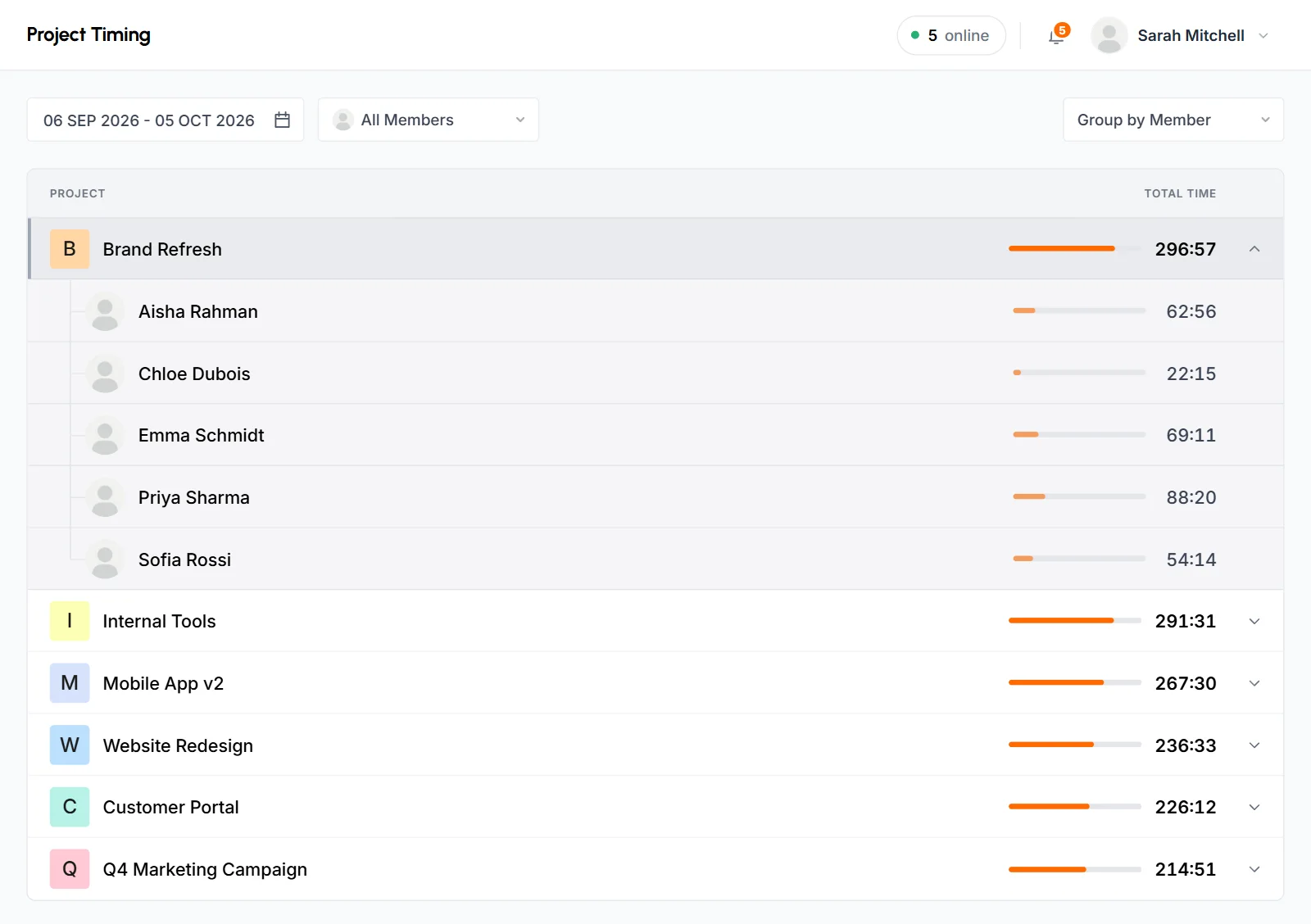
Project Timing is a report that shows how much time your team tracked on each project in a date range, with the busiest project first. Everyone can use it, and you can open a project to see its time by day or by member.
Who can use it: Everyone. Organizers and Business Managers see the whole organization. Team Managers see time tracked by themselves and by the members of the teams they manage. Staff see only their own time.
How to filter the Project Timing report
You filter the report by date range and member, and you pick how each project breaks down. Open Project Timing under Analytics in the sidebar, or click Project Timing on the dashboard's Time Allocation card.
- Date range
- The report opens on the last 30 days, including today. Pick Today, Yesterday, Last 7 Days, Last 30 Days, This Month or Last Month, or set a Custom Range. You can't pick a date after today.
- Member
- Keep All Members to see everyone you're allowed to see. To see one person's time on each project, pick that member.
- Group by
- Group by Date (the default) or Group by Member. This decides what you see when you open a project.
- Project list
- Every project with tracked time in the range, most time first. Each project shows its total in hours and minutes (HH:MM) and a bar sized against the busiest project. Time under a minute shows as
< 1m. Time that isn't linked to a project appears as "No Project".
The page address keeps your filters. If you reload, go back or bookmark the page, you get the same view.
How to see project time by date
With Group by Date, click a project to see each day it had tracked time and the total for that day, newest first. This view helps you follow a project day by day or check a work log.
How to see project time by member
With Group by Member, click a project to see each member who tracked time on it and their total, in alphabetical order. This view shows how the team shares a project's work.
What the Project Timing report counts
The report counts time only, and it has no export. More details:
- It includes all tracked time in the range, including approved manual time.
- It doesn't show activity. For activity per project, use the Time & Activity report grouped by project.
- To download time per project, export Time & Activity grouped by project.
- To break a member's project time down by task, use Member Timing.
What Staff see
Staff see only their own time. They get the date range, but no member filter and no Group by option. When they open a project, they always see the days they worked on it.
Common questions
Why is a project missing from Project Timing?
The report only lists projects with tracked time in the selected range. Pick a wider date range, or set the member filter back to All Members.
Does Project Timing include manual time?
Yes. Approved manual time counts toward each project's total.
Can I see activity per project?
Not in Project Timing, because it shows time only. To see time and activity together, use Time & Activity grouped by project.