
Time & Activity report
The Time & Activity report shows how much time your team tracked in a date range and how active each member was. You can group it by date, member or project, open any row for more detail, and export what you see as a PDF or CSV file.
Who can use it: Everyone. Organizers and Business Managers see the whole organization. Team Managers see themselves and the members of the teams they manage. Staff see only their own time.
How to filter the report and read the summary widgets
Open Time & Activity under Analytics in the sidebar. The filters at the top control the whole page. The 4 widgets show the main numbers.
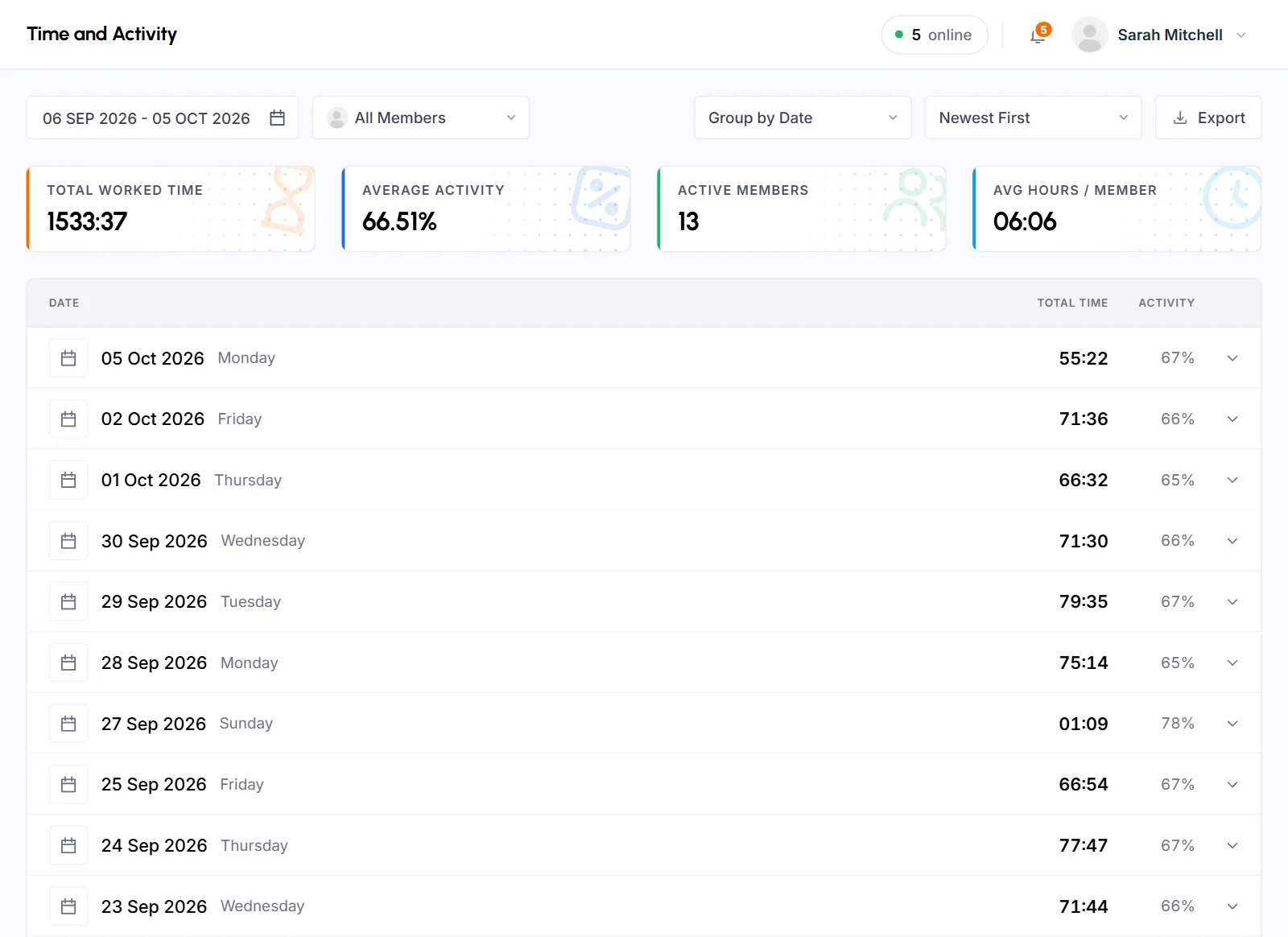
Filters
- Date range
- The report opens on the last 30 days, including today. Pick Today, Yesterday, Last 7 Days, Last 30 Days, This Month or Last Month, or set a Custom Range. You can't pick a date after today.
- Member
- Keep All Members to see everyone you have access to, or pick 1 member.
- Group by
- Group by Date (the default), Group by Member or Group by Project. See Group the list.
- Sort
- Newest First (the default) or Oldest First. See Sort the dates.
- Export
- Download the report as a PDF or CSV file. See Export to PDF or CSV.
The page address saves your filters. When you reload the page, go back or open a bookmark, you get the same view.
Summary widgets
The widgets follow the date range and member filter. Grouping and sort don't change them.
- Total Worked Time
- All tracked time in the range, in hours and minutes (HH:MM), including approved manual time.
- Average Activity
- The time-weighted average activity for that time, to 2 decimals. Each stretch of tracked time counts based on its length. Manual time is left out, because it has no keyboard or mouse data. See How time and activity are calculated.
- Active Members
- The number of different members who tracked any time in the range.
- Avg Hours / Member
- Total Worked Time divided by the number of member-days. A member-day is 1 member on 1 date with tracked time. Days when a member didn't track don't count. For example, if Emma tracked on 4 days, Kenji on 5 and Aisha on 3, that's 12 member-days, so 84 hours shows as 07:00.
How to group the report by date, member or project
Pick an option in Group by. The grouping sets what the top-level rows are and what you see when you open one. Each level shows its own total time and activity.
| Grouping | Top level | Open a row to see | Then |
|---|---|---|---|
| Group by Date | Dates | Members who tracked that day | Each member's projects that day |
| Group by Member | Members | The dates the member tracked | The member's projects that day |
| Group by Project | Projects | The dates the project had time | Members who worked on it that day |
When you pick 1 member in the member filter, the report skips levels that would only repeat that member. A date opens straight to that member's projects, and a project's dates don't open further.
Group by Date works well for daily reviews. Group by Member shows one person's work history. Group by Project shows the effort on a project over time.
How to open rows for more detail
- Click a top-level row, such as a date, to open it. Its rows load the first time you open it.
- Click a row inside it, such as a member, to open the next level.
- Click an open row again to close it.
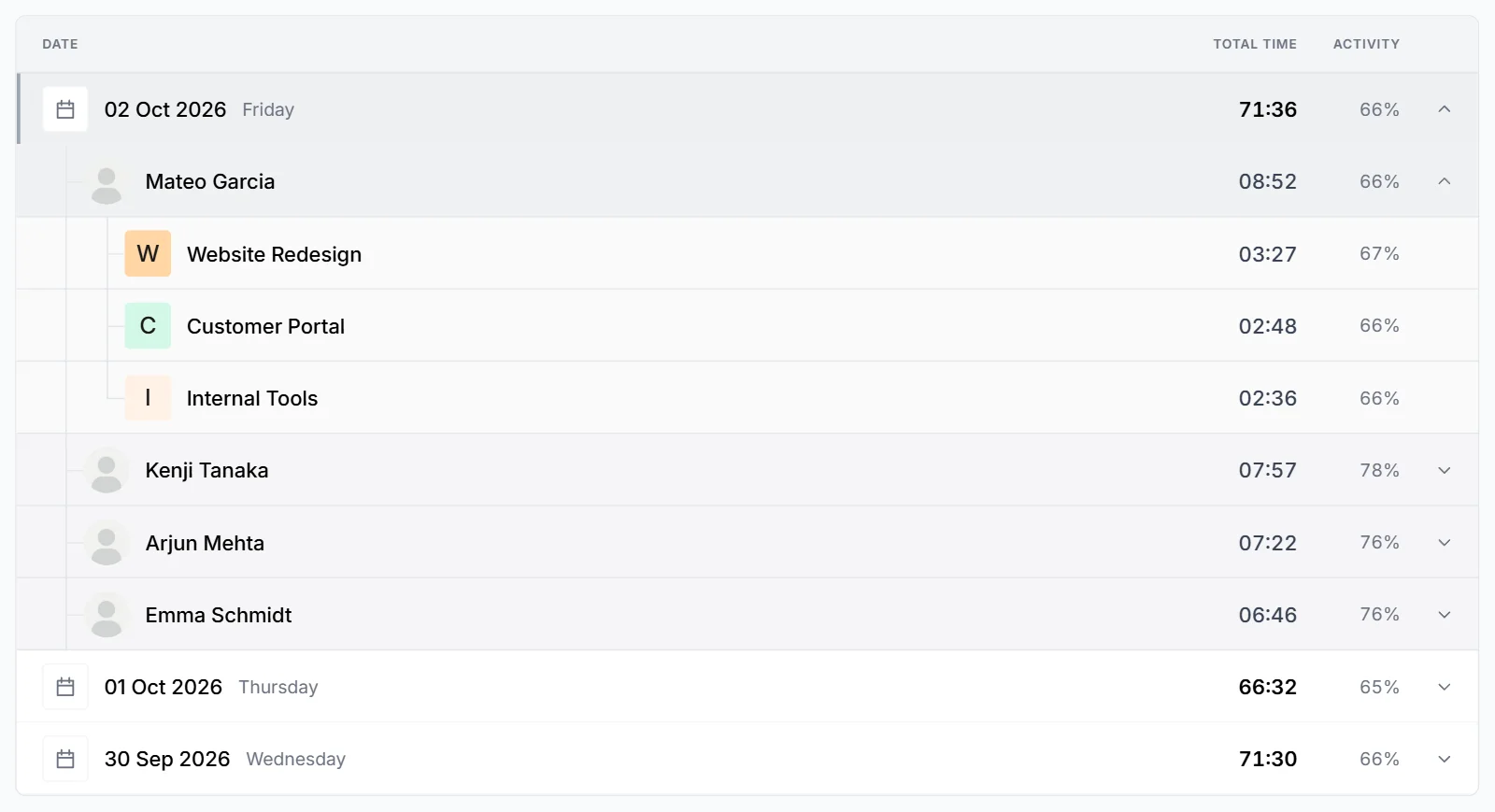
Each row shows:
- Total time
- Hours and minutes (HH:MM). Less than 1 minute shows as
< 1m. The bar next to it is sized against the longest row in the table. - Activity
- The time-weighted average activity for that row, rounded to a whole percent. Manual time doesn't count toward it.
Each date shows its weekday. If a range has no tracked time, the list says "No time tracked in this period".
How to sort the dates
Newest First puts the latest date at the top. Oldest First puts the earliest date at the top. The sort applies to every list of dates: the top level in Group by Date, and the dates inside a member or a project. Members and projects are always listed with the most time first.
How to export the report to PDF or CSV
- Set the date range, member and grouping you want in the file.
- Click Export. The Export Options window opens.
- Under File format, pick PDF (ready to print) or CSV (opens in Excel).
- Under Level of detail, pick Summary only or With breakdown.
- Click Download.
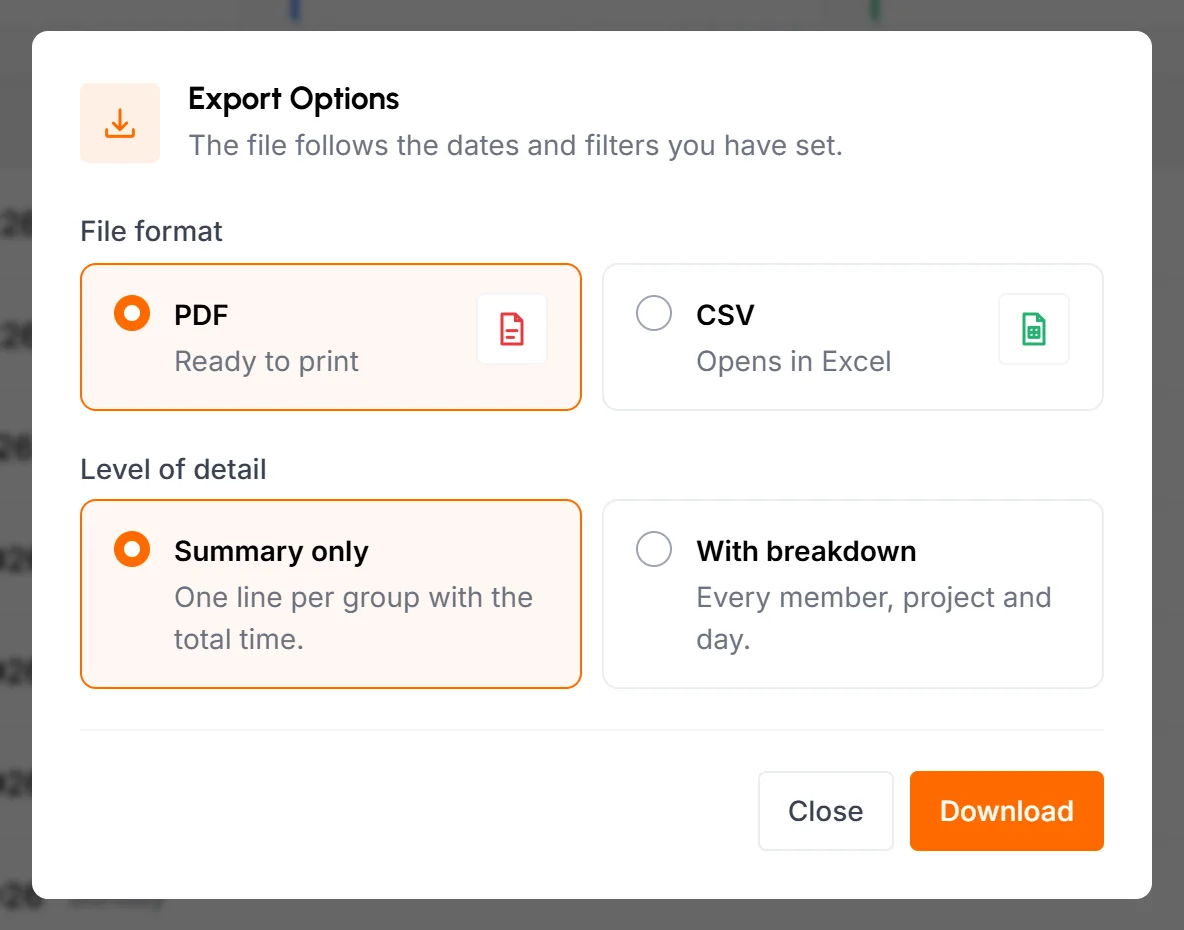
- Summary only
- 1 line per top-level group (date, member or project) with its total time and activity.
- With breakdown
- Every level of the current grouping, for example date, member and project, with a total line for each group.
Both files start with your organization's name, the report period, the total worked time and the average activity. The file follows your date range, member filter and grouping. Both files download to your computer. The PDF also shows the date and time it was made.
A PDF with breakdown can cover up to 31 days. For a longer range, TimoDesk shows "The expanded PDF can only be exported for up to 31 days." and keeps the window open. You can then switch to CSV or Summary only.
What Staff see in the report
Staff see only their own time, so their report is simpler:
- There's no member filter and no Group by Member option.
- There are 3 widgets: Total Worked Time, Average Activity and Average Hours. Average Hours is their total time divided by the number of days they tracked.
- A date opens straight to their projects for that day, and a project opens to its dates.
- Exported files don't have the member column.
Where else you can see this report
Project and member pages have a Time & Activity tab with the same list. It's already limited to that project or member, and it has no summary widgets. See Project details and Member details.
Common questions
How is Avg Hours / Member calculated?
TimoDesk divides the total worked time by the number of member-days with tracked time. Days when a member didn't track don't count. So it's the average length of a working day, not an average over the whole range.
Does the report include manual time?
Yes. Approved manual time is part of the time totals. It has no keyboard or mouse data, so it's left out of every activity figure and doesn't lower the average.
Why can't I export a PDF with breakdown for 2 months?
A PDF with breakdown is limited to 31 days. Export a CSV, choose Summary only or split the range into months.
Why is a row's activity a whole number when the widget shows decimals?
Rows round activity to a whole percent so the list is easier to read. The Average Activity widget and the exported files show 2 decimals.