
Top performers and low performers
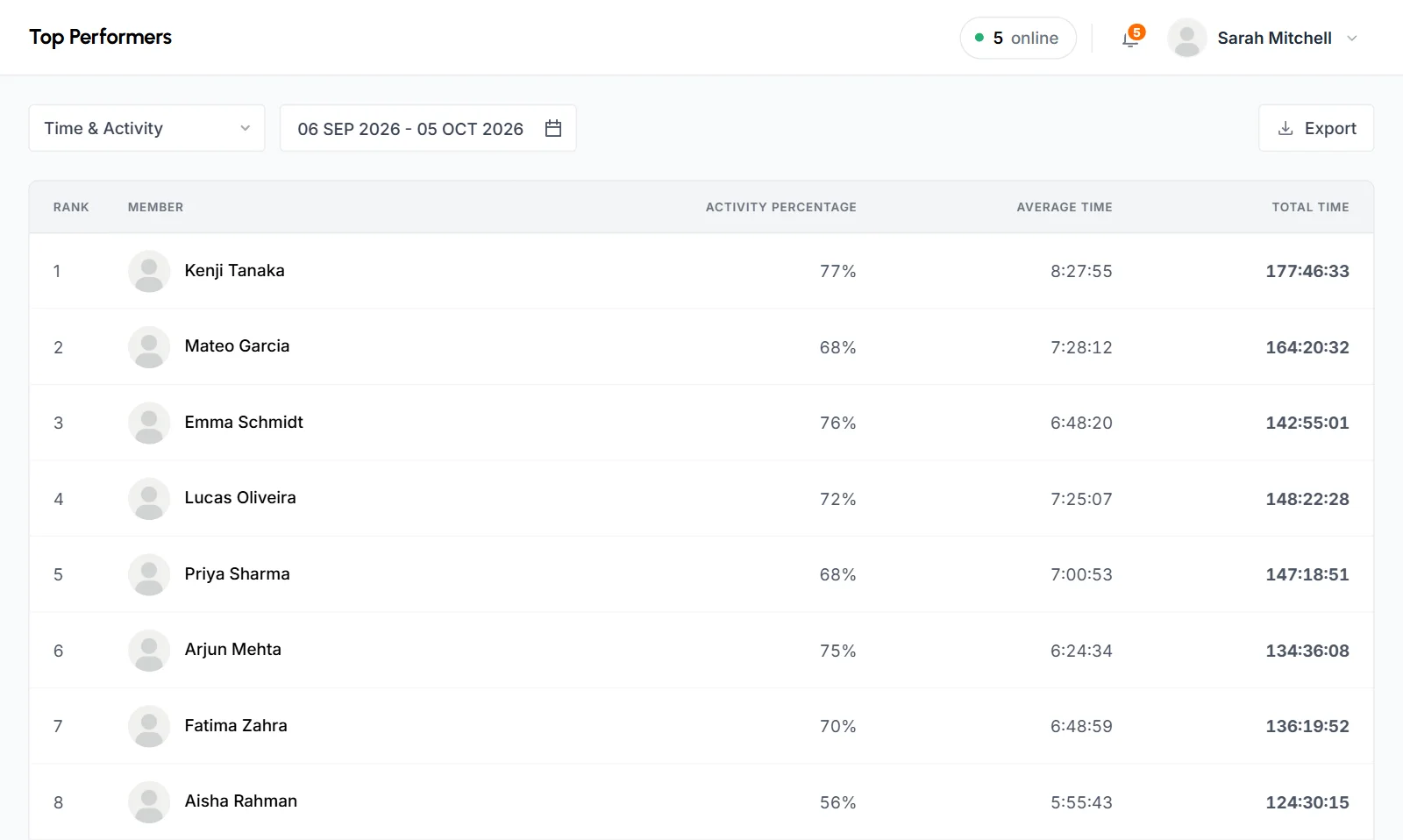
Top Performers and Low Performers are reports that rank your members by tracked time, activity or both for a date range you pick. Top Performers shows the highest first, and Low Performers shows the lowest first.
Who can use it: Organizers, Business Managers and Team Managers. Team Managers see themselves and the members of the teams they manage.
How to choose the ranking and date range
Open Top Performers or Low Performers under Performance in the sidebar. Both pages have the same controls.
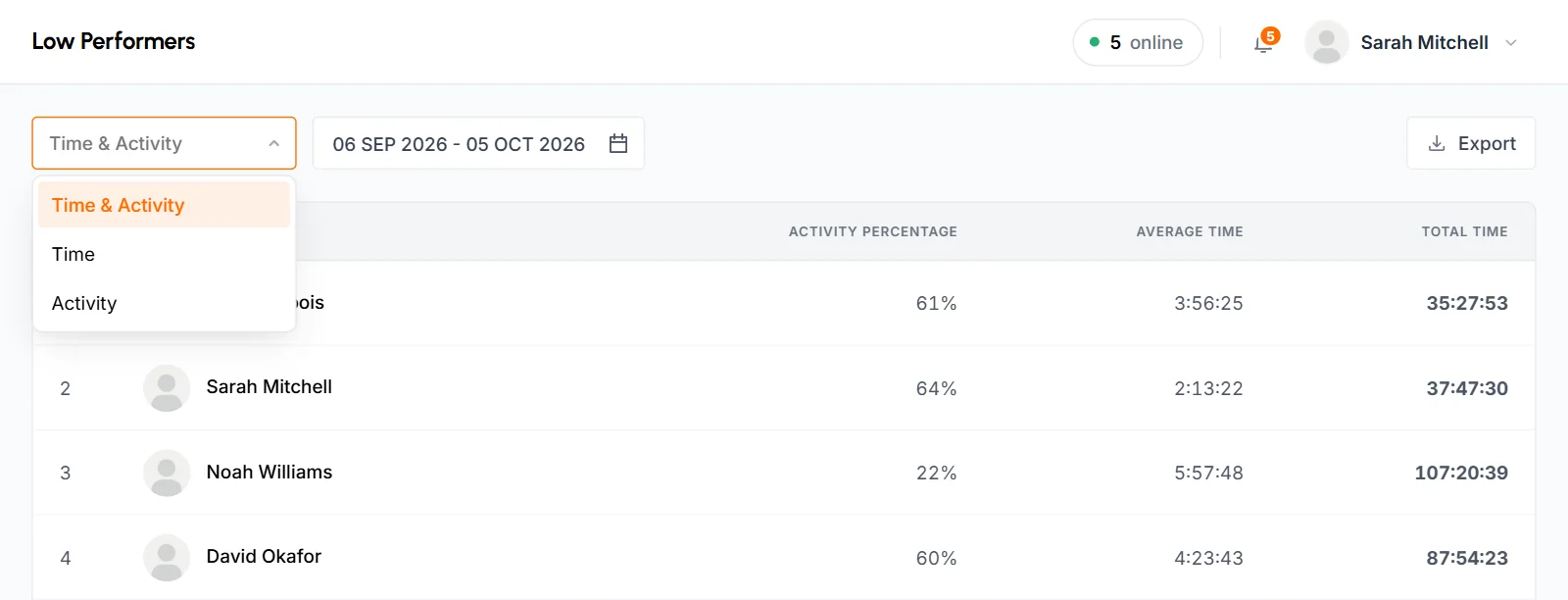
Ranking type
- Time & Activity
- The default. It ranks by tracked time weighted by activity, so each block of time counts in proportion to its activity percentage. Eight hours at 50% ranks the same as 4 hours at 100%. Working long hours and working actively both move a member up.
- Time
- Ranks by total tracked time and ignores activity.
- Activity
- Ranks by average activity and ignores how long someone worked. A member who tracked 20 minutes at 90% ranks above one who tracked 40 hours at 70%.
Date range
The pages open on the last 30 days, including today. Pick Today, Yesterday, Last 7 Days, Last 30 Days, This Month or Last Month, or set a Custom Range. You can't pick a date after today. Each day runs from midnight to midnight in your organization's time zone.
When you change the type or the dates, the list is ranked again and you go back to the first page.
What each column means
- Rank
- The member's position. Long lists are split into pages, and the rank continues from one page to the next.
- Member
- Photo and name. Click the name to open the member's page.
- Activity Percentage
- The member's average activity in the range, weighted by time and rounded down to a whole percent.
- Average Time
- Total Time divided by the number of days the member tracked any time in the range, not by every day in the range.
- Total Time
- All the time the member tracked in the range.
Times show as hours, minutes and seconds (H:MM:SS).
Who appears in the rankings
- Only members with tracked time in the range appear. Someone who tracked nothing isn't on either page, so an absent member won't show at the bottom of Low Performers.
- Everyone who tracked time is ranked, whatever their role. This includes Organizers, Business Managers and members who were disabled later.
- Approved manual time counts toward time. It has no keyboard or mouse input, so it's left out of Activity Percentage and adds nothing to the Time & Activity score. A member with only manual time in the range shows 0%. See how time and activity are calculated.
- There's no tie-breaker. Members with exactly the same value can appear in either order.
If nobody tracked time in the range, the page shows "No performer found".
How to export the ranking
- Set the ranking type and date range.
- Click Export to open Export Options.
- Under File format, choose PDF (ready to print) or CSV (opens in Excel).
- Click Download.
The file uses the ranking type and date range on screen. It lists every ranked member, not only the page you're on. The CSV starts with your organization's name and the period, then the ranked rows with the same 5 columns as the page.
The PDF has these parts:
- The report name, the date and time the file was made, your organization's name, the date range and Ranked By (the ranking type).
- 4 totals: Members (how many are ranked), Avg. Activity, Avg / Day and Total Time. Avg. Activity is the plain average of the members' Activity Percentage. Avg / Day is all their time divided by all their days with tracked time.
- The list, with the columns Rank, Member, Activity (with a bar), Avg / Day and Total Time.
Files are named by report and dates, for example top_performers_20260901_20260930.pdf or low_performers_20260901_20260930.csv.
Common questions
Why isn't a member on the Low Performers list?
The rankings only include members with tracked time in the date range. A member who tracked nothing doesn't appear, so check the Monthly Timesheet's absent days to find missing time.
Which ranking type should I use?
Use Time for hours worked and Activity for how actively people worked, whatever their hours. Use Time & Activity for one score that rewards both.
Why does Average Time look higher than I expected?
It divides a member's total by the days they actually tracked time, so days off don't lower it.
Do Team Managers see the whole organization?
No. Team Managers see themselves and the members of the teams they manage. Organizers and Business Managers see everyone.