All TimoDesk features
TimoDesk is time tracking, employee monitoring and project management software for agencies and remote teams. It runs on Windows, macOS and Linux, with every feature on one plan at $1 per user per month.
One workflow, four steps
Many time tracking tools do one of these steps well, and you buy the rest somewhere else. TimoDesk does all four steps, so your reports are built on complete data. See how it works for staffing firms, agencies and remote teams.
One app.
One record.
Track
A timer runs against a task in the desktop app, on Windows, macOS, or Linux.
Capture
Screenshots and activity levels show how the hours were spent, using rules you set.
Link
Each session is saved to its project and task while the work happens.
Report
Timesheets, project reports, and performance views are built from those sessions.
Four steps from tracked time to reports.
Every step uses the same tracked sessions.
- 01 Track
- 02 Capture
- 03 Link
- 04 Report
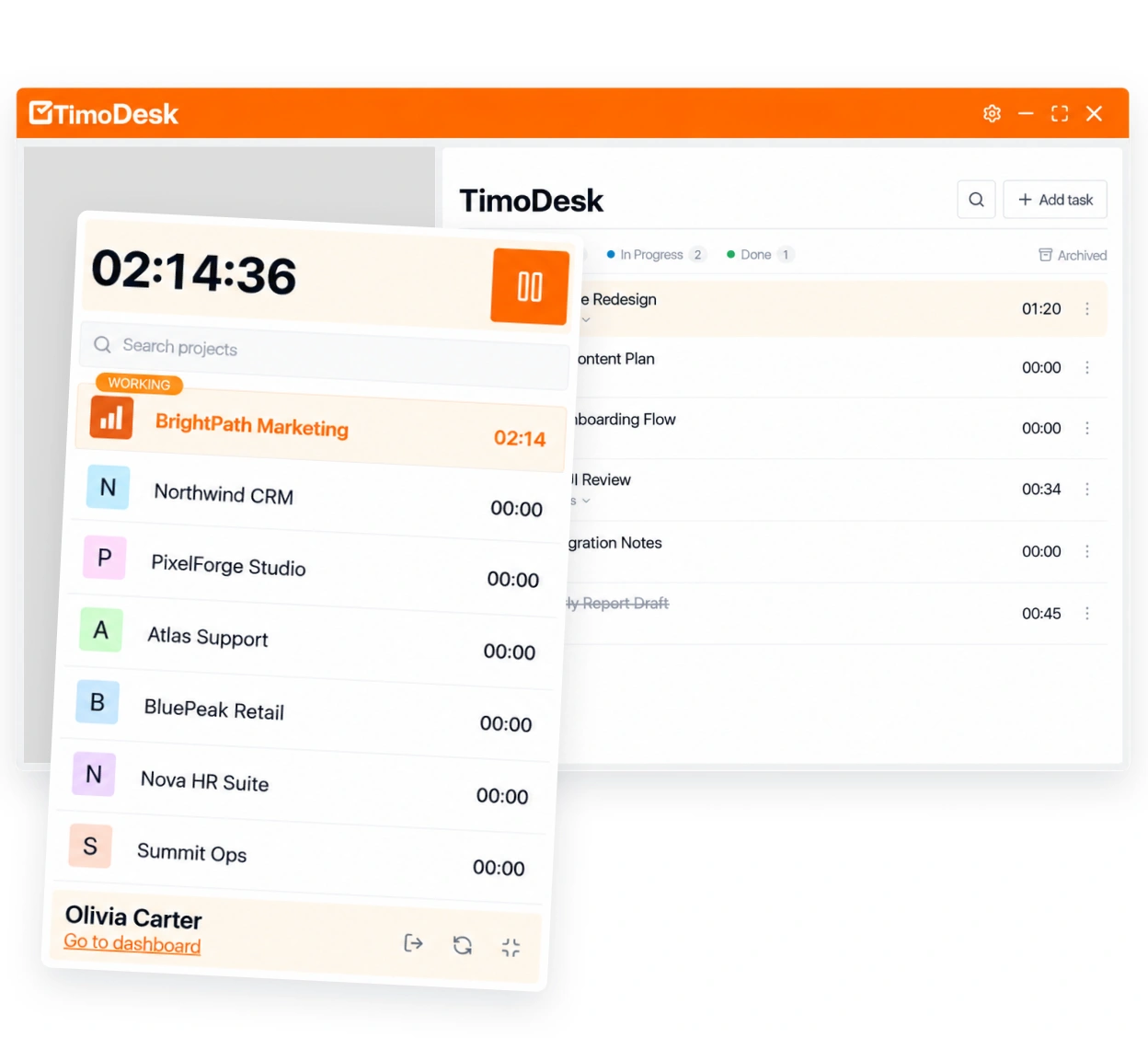
Time tracked while the work happens
Your team starts a timer on a task in the desktop app. TimoDesk records the session, saves it to the right project, and builds the worklog. Nobody has to fill in a timesheet at the end of the week.
- Desktop timers for Windows, macOS, and Linux
- A time calendar showing the month by day, week, and session
- Weekly worklogs and monthly timesheets
- Active hours and per-day tracked totals
- Timesheet PDF export for payroll and clients
Screenshots and activity you control
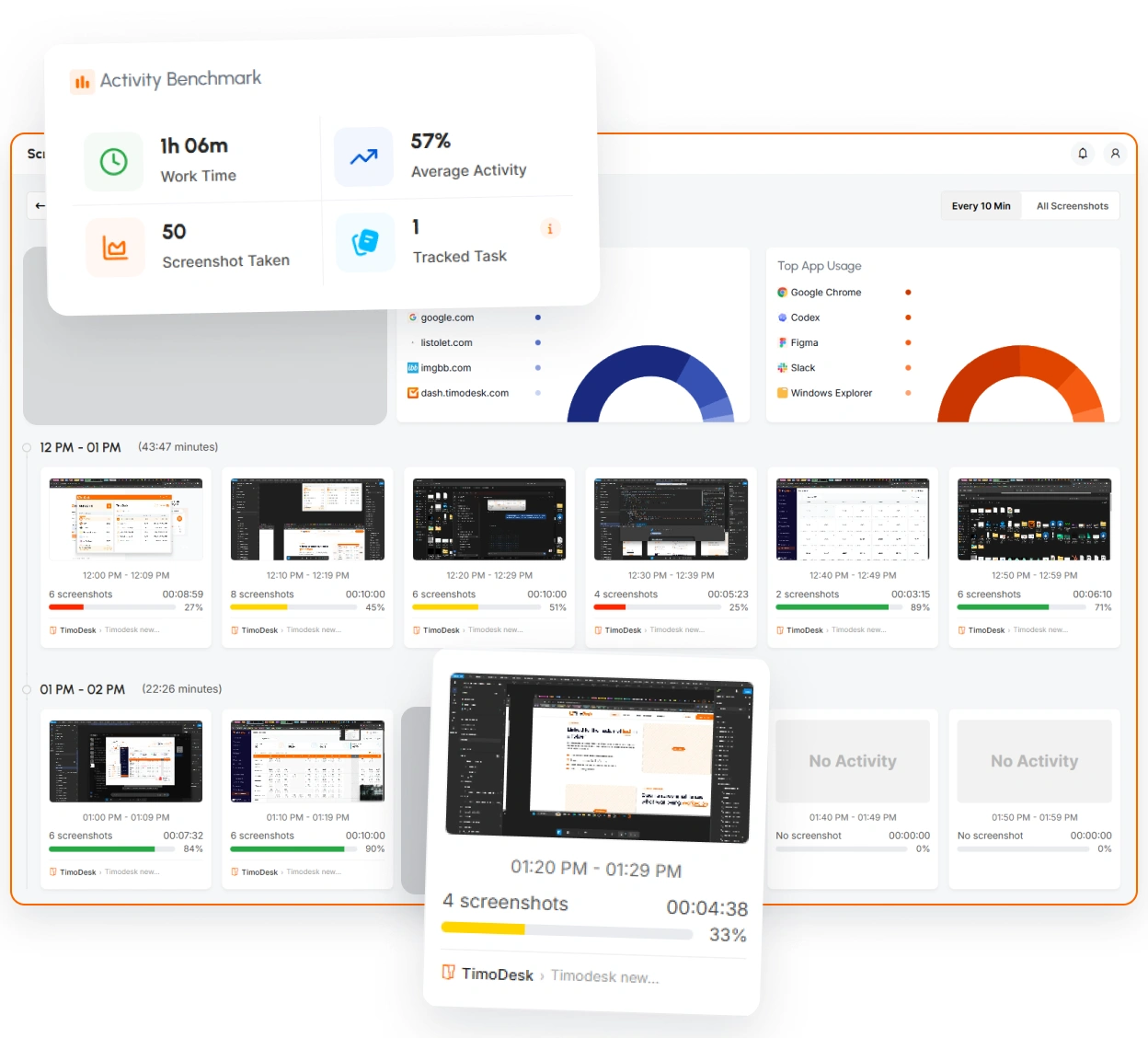
Screenshots and activity levels show managers real progress without constant check-ins. Each screenshot is linked to the task being worked on, and an organizer or manager decides if screenshots are taken at all.
- Screenshots you can turn on or off, every 3 to 60 minutes
- Activity levels from keyboard and mouse use, never keystrokes
- Activity over time for each member and project
- App usage and website usage breakdowns
- Screenshots linked to the task and the time period
Reports that are ready to read
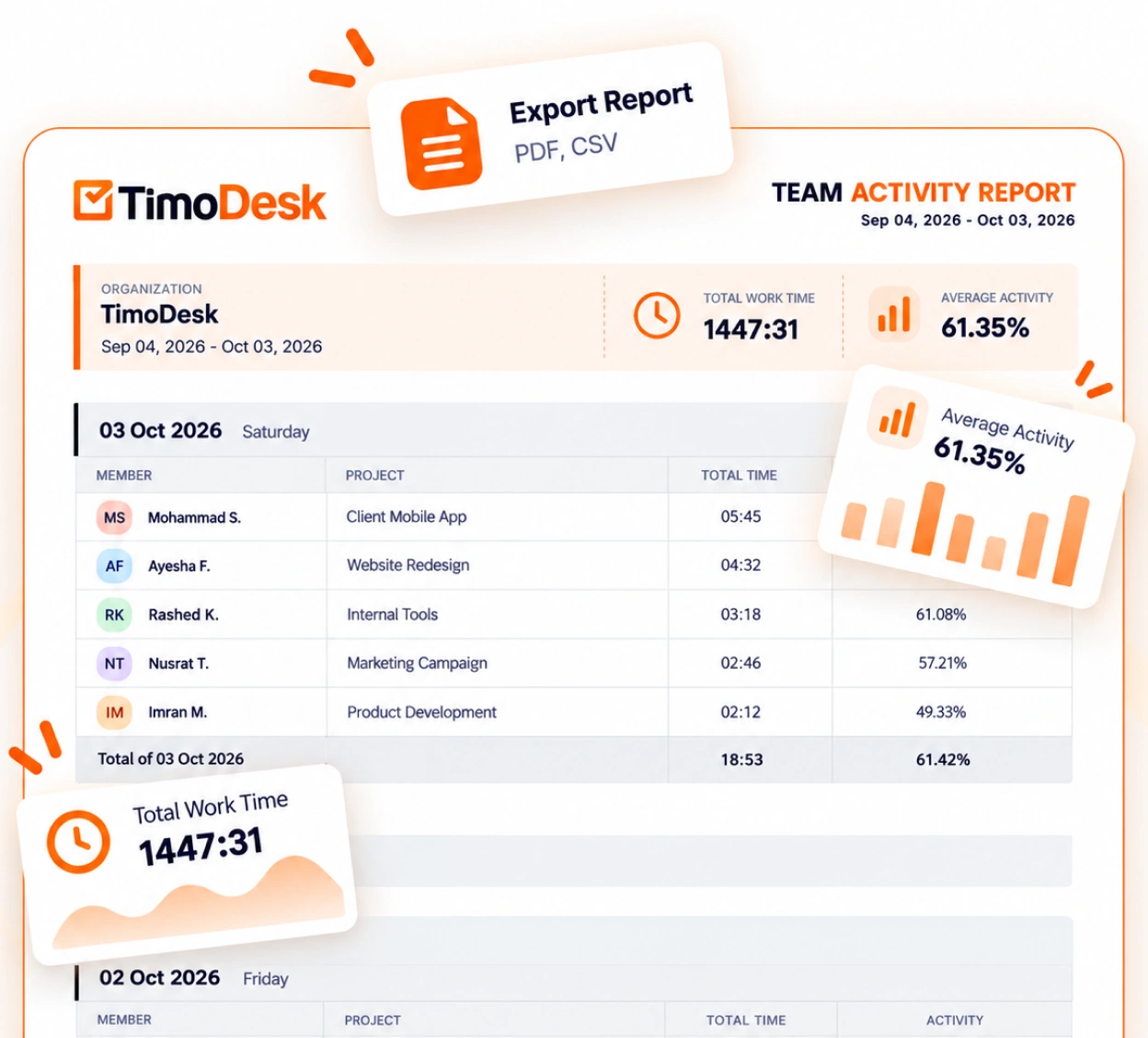
See totals, per-member breakdowns, and project timing, updated as your team works. Daily and weekly summary emails tell you how the week is going, so you don't have to ask anyone for an update.
- Total time tracked and average activity, with the trend
- Time and activity reports per member and per project
- Top performers, low performers, and productivity leaders
- Project timing, so you see where the hours are going
- Daily and weekly summary emails, plus an Action Center that flags what needs a look
A page for each feature
Fourteen features. Twelve sit in three groups: track the time, see how it was spent, and report on it. Project management and team settings sit under all three. Each one has its own page that explains what the feature does and what it doesn't do.
Also on every account
Platforms, organization settings, and support. They don't need a page of their own, but your team uses them every day. All of it is on the same single plan, at $1 per user per month.
Supported platforms
TimoDesk runs on the computers your team already uses every day.
- Desktop apps for Windows, macOS, and Linux
- Optional Chrome and Firefox extensions that do not track time: one shows who is online, one adds browser URLs on Linux
- Offline tracking that syncs when the device reconnects within 30 days
Account and organization
Organization settings, kept in one place for the owner.
- Organization profile and logo
- Invitation links
- Storage settings
- In-app notifications
Help and support
You can reach a real person when you need help.
- Support tickets from inside the app
- Release notes for every update
- A call you can book with our team
Every feature on this page is on the same plan. One price per user covers every feature.
About TimoDesk features
Short answers about platforms, plans, and what is included.
What does TimoDesk include?
Every feature on this page. That means time tracking, screenshots, activity levels, app and website usage, kanban boards, timesheets, reports and team management, all on one plan at $1 per user per month.
Does TimoDesk include project management?
Yes. Every project has a kanban board with tasks, priorities, start and due dates, labels, subtasks and comments. Time is tracked directly on each card.
Which platforms does TimoDesk run on?
Windows, macOS and Linux. The desktop app tracks time, and you read the results in the web dashboard. The browser extensions are optional and do not track time. On Linux, the TimoDesk URL Tracker extension for Chrome or Firefox adds browser URLs to your reports. There is no mobile app.
Are any features on a higher plan?
No. There's one plan and every feature is on it. You're billed monthly, only for members who tracked time that month, with no seat minimum and no annual contract.
Is TimoDesk time tracking or employee monitoring?
Both. It tracks time on projects and tasks, and it can add screenshots, activity levels and app and website usage to show how the time was spent. Screenshots start on for new members, and an organizer or manager sets them per member or for many members at once.
Is there a free trial?
Yes. You get a 15-day free trial with every feature, and you don't need a card to start.
Start tracking time this week
Create your organization and invite your team today. Tracked time shows on the dashboard the same day, and the first full-day reports are ready the next day. $1 per user per month, with every feature included.
- $1 per user / month
- 15-day free trial, no card
- Stop anytime. No contract.
