Know where every second went.
For $1 a person.
TimoDesk is time tracking and employee monitoring software for remote teams. It records hours, activity and screenshots on Windows, macOS and Linux.
What changes when time is tracked automatically
Three problems managers often have before TimoDesk, and what each one looks like when every hour is recorded for them.
“I don't know what my team worked on this week.”
One dashboard shows hours per member, per project and per day. Nobody has to fill it in.
“I only find out a project is late after the deadline.”
Project timing shows the hours on each task while the work is still in progress.
“Our time records can't show a client the work we did.”
Every session has activity levels and screenshots, and timesheets export as a PDF.
Built for the way your team works
One platform for different kinds of teams, from remote staff in many time zones to agencies that must show clients the hours they bill.
What time tracking software should include
Every feature is in the one $1 plan. Track hours, see the work behind them, and give managers clear reports.
Reports & analytics
Hours and activity per member and per project, ready to share with a client.
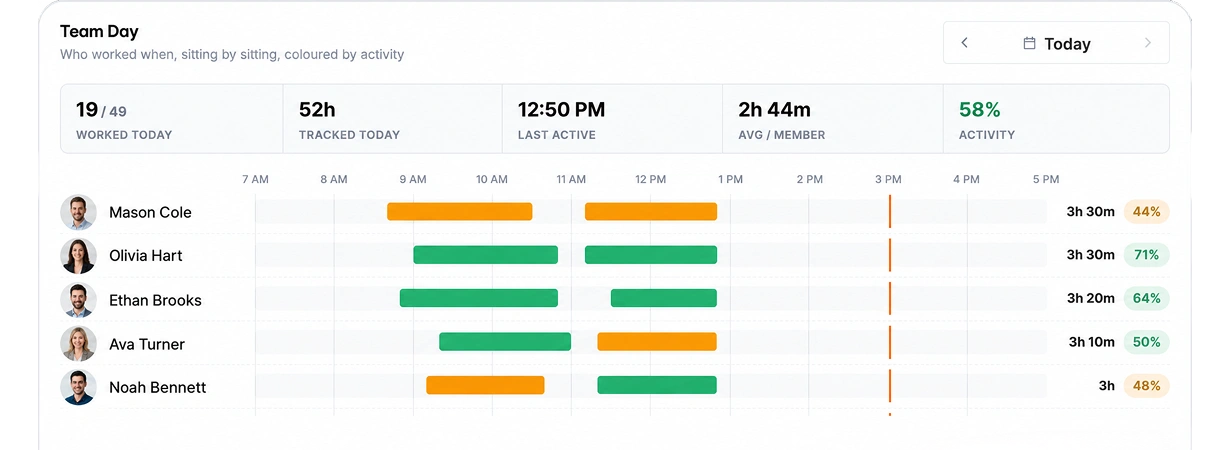
Activity levels
How often the keyboard and mouse were used, never what was typed.
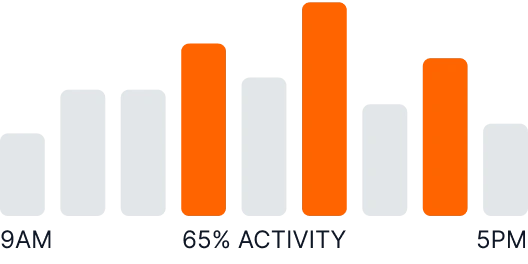
App & website usage
Which apps and websites people used during tracked time.
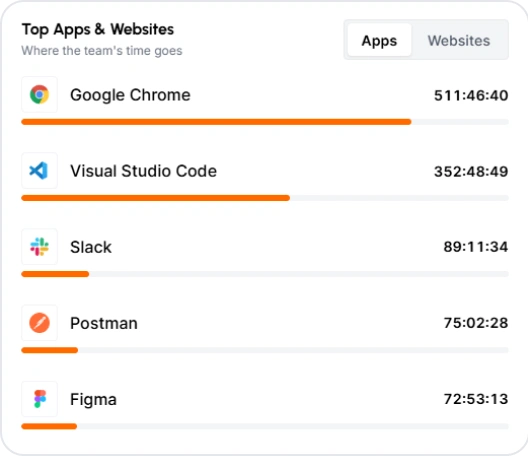
Screenshots
Screenshots every 3 to 60 minutes, with settings for each member.
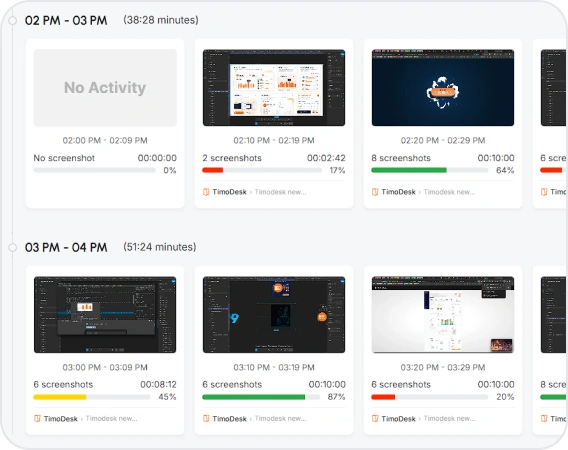
Time tracking
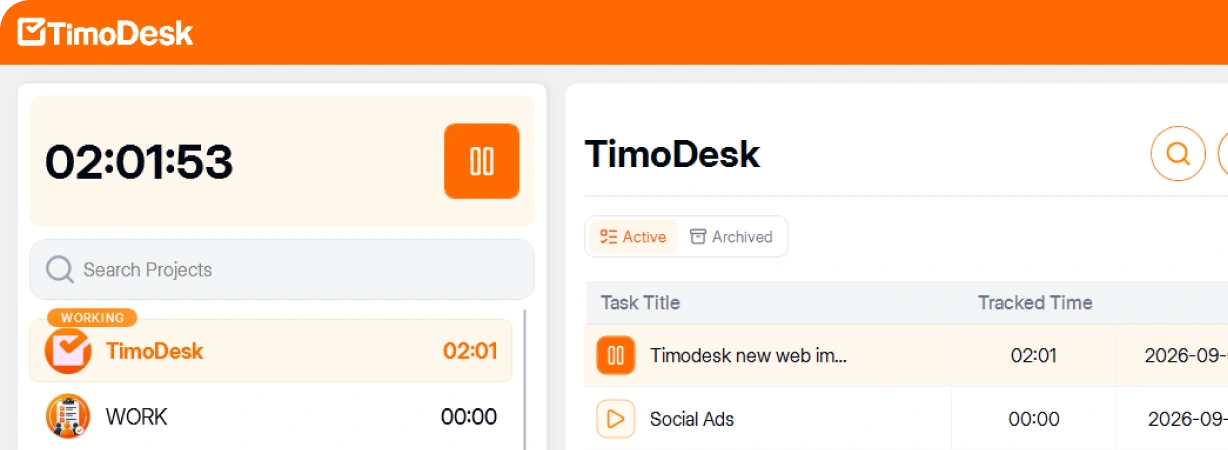
A desktop timer for Windows, macOS and Linux. Every hour is linked to its project and task.
Timesheets & exports
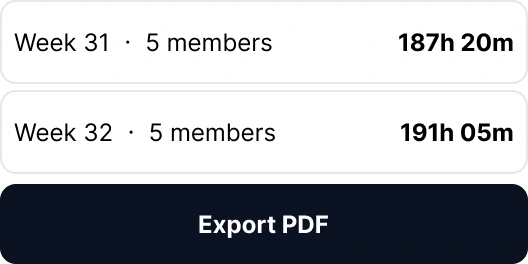
Weekly worklogs, plus monthly timesheets you can download as a PDF.
Time tracking software for global teams
All tracked time goes into one record. It is stored in UTC and shown in your organization's time zone.
Set up in a few minutes
You don't need a consultant or a long setup project. Your team can start tracking real work on the same day you sign up.
Create
Create your organization and choose your tracking settings before anyone joins.
Invite
Invite your team by email or link, and give each person a role.
Install
Each person installs the desktop app on Windows, macOS or Linux and starts a timer.
Report
Tracked time shows on the dashboard the same day. Full-day reports are ready the next day.
Stop asking people for status updates
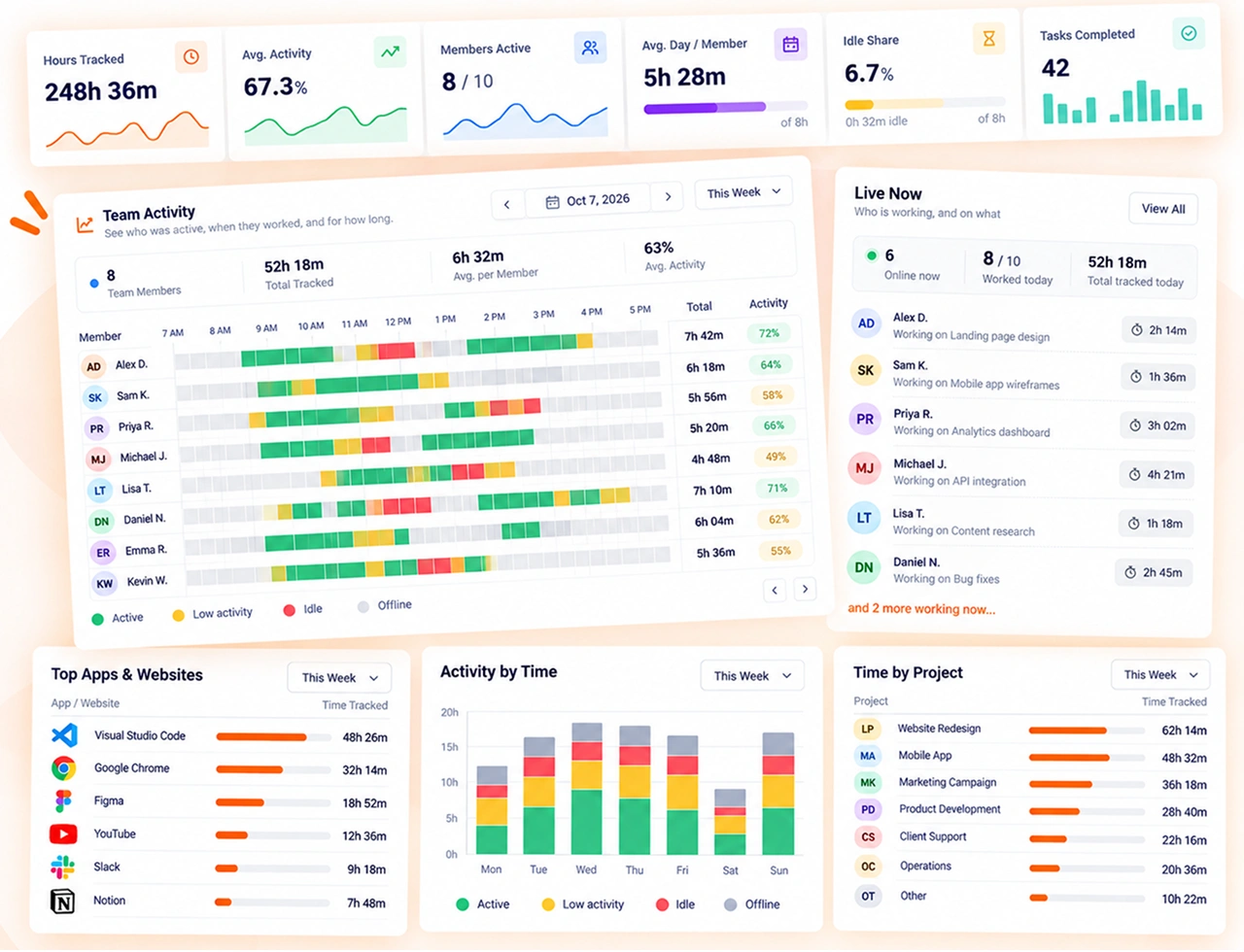
Open one dashboard to see last week's hours by person and by project. You don't have to ask anyone for an update.
What did the team work on last week?
Total hours and average activity for the whole organization, then the same numbers for each member, each project and each day.
Which projects take the most hours?
Hours add up per project and per task. You can see which work takes most of the week and which has made little progress.
Is anyone working too much?
The report for each member shows who works the most hours, so you can move work to someone else before a person burns out.
Monitoring that is fair to your team
Employee monitoring works best when people accept it. Employees can see what is tracked, and organizers and managers decide how much is tracked.
You choose the settings
Organizers and managers set the screenshot interval and idle time for the whole organization or for each member. TimoDesk never records what people type.
Nothing runs in secret
The desktop app shows each person when the timer is running and which task it is on. Members can also get an alert when a screenshot is taken.
Access depends on role
Organizers and managers see the whole organization. Team managers see only the teams they manage.
TimoDesk in Numbers
Stop comparing plans and counting seats.
$1 per user per month, the same price for every role, from the owner to the newest hire. There is no higher plan. You pay after each month, only for the members who tracked time that month.
- No seat minimum
- 15-day free trial, no card
- No annual contract
- Every feature included
$1
per user
per month
- Unlimited time tracking
- Screenshots
- Activity levels and heatmaps
- App and website usage
- Projects and kanban boards
- Reports and analytics
- Performance leaderboards
- Timesheets and PDF export
- Roles and invitations
- Windows, macOS and Linux apps
Other tools charge more for the same features
Other tools often put screenshots, activity levels and full reports in a higher plan. Each price is for the plan you would need to get what TimoDesk includes for $1.
TimoDesk
$1.00
One plan with every feature, no seat minimum.
8× to 12×
the TimoDesk price is what the matching plan costs per user at the tools below.
-
Insightful Workforce Analytics + screenshot add-on$12.00 12×
-
Time Doctor Standard$11.67 12×
-
Hubstaff Team$10.00 10×
-
DeskTime Premium$9.17 9×
-
Clockify Pro$7.99 8×
-
Toggl Track Starter, no screenshots$9.00 9×
Common questions about TimoDesk
Clear answers about pricing, privacy, setup, and what the desktop app does on your team's computers.
How much does TimoDesk cost?
$1 per user per month. There's one plan, and it includes every feature: reports, screenshots, activity levels, kanban boards and the desktop apps. Each month, you're billed for every member who tracked time. Invited people who never track time are not billed.
Is there a free trial?
Yes. Every new organization gets a 15-day free trial with every feature. You don't need a card to start.
Is TimoDesk cheaper than Hubstaff or Time Doctor?
Yes. The plan that matches what TimoDesk includes costs $7.99 to $12 per user per month at Hubstaff, Time Doctor, Clockify, Insightful and DeskTime. TimoDesk costs $1, which is 8 to 12 times less.
Does TimoDesk include project management?
Yes. Every project has a kanban board, list and calendar views, and tasks with priorities, due dates, labels, subtasks, comments and assignees. Time is tracked onto each card, in the same $1 per user plan.
How do screenshots work?
Screenshots start on for every new member and are taken every 3 to 60 minutes while the timer runs, each one linked to its task. An organizer or manager sets the interval and the screenshot alert per member, or for the whole team at once.
Does it work offline?
Yes. The desktop app keeps tracking without an internet connection and uploads the time when the connection comes back, as long as that happens within 30 days.
Does TimoDesk record keystrokes?
No. TimoDesk counts how often the keyboard and mouse are used to show activity levels. It never records what people type.
How long does setup take?
A few minutes. Create the organization, send invitations, then have people install the app and pick a task. Tracked time shows the same day they start, and the first full-day reports are there the next day.
Is there a minimum number of users?
No. There is no seat minimum. The bill counts only the people who tracked time that month, not the seats you hold.
Can employees edit their own time?
No. Nobody can edit a tracked session. If the organizer turns on manual time, members can request time they worked with the timer off. The organizer chooses who approves it (only the organizer, managers too, or team managers for their own teams), or turns on auto-approval. Added time stays marked as manual and is left out of activity averages.
Guides on time tracking & managing remote teams
Practical articles about time tracking, employee monitoring and managing people who work remotely.

The New TimoDesk: A Fresh Look and Smarter Time Tracking
The new TimoDesk is a redesigned time tracking dashboard with a cleaner layout and one date range for the whole…

How to Organize Your Workforce with Teams in TimoDesk
Teams in TimoDesk let you group members, put one or more team managers in charge of each group, and see…

Team Managers and Project Leaders: Who Sees What in TimoDesk
Team managers and project leaders in TimoDesk give people access to exactly the group or project they run, and nothing…
Start tracking time this week
Create your organization and invite your team today. Tracked time shows on the dashboard the same day, and the first full-day reports are ready the next day. $1 per user per month, with every feature included.
- $1 per user / month
- 15-day free trial, no card
- Stop anytime. No contract.
