Time tracking for agencies and studios
TimoDesk is time tracking software for agencies and studios. It logs hours against every client project and task as the work happens, so you see a project taking more hours than planned while you can still act. $1 per user per month.
See a project run over its hours early
Most teams find out a project took more hours than planned when someone adds up the hours at the end of the month. By then the work is done and the hours are spent. You can take the loss, or you can ask the client for more money after they thought the price was final. TimoDesk shows you the hours while there is still time, for $1 per user per month.
A fixed fee project, week by week
Nobody plans to lose money on a project. Small requests add up one at a time, and the total only shows at the end. The weeks below are a made-up example.
- Week one On scope The estimate is right. Everyone works to the brief the client signed.
- Week two A small change Half a day of extra work, agreed on a call and never written down.
- Week three Another change Fair on its own. It is also the second small request this month.
- Week four Over the estimate Someone adds up the hours. The work is delivered and the profit is gone.
TimoDesk does not stop the changes. It shows you the extra hours in week two, not week four.
See the hours while you can still act on them
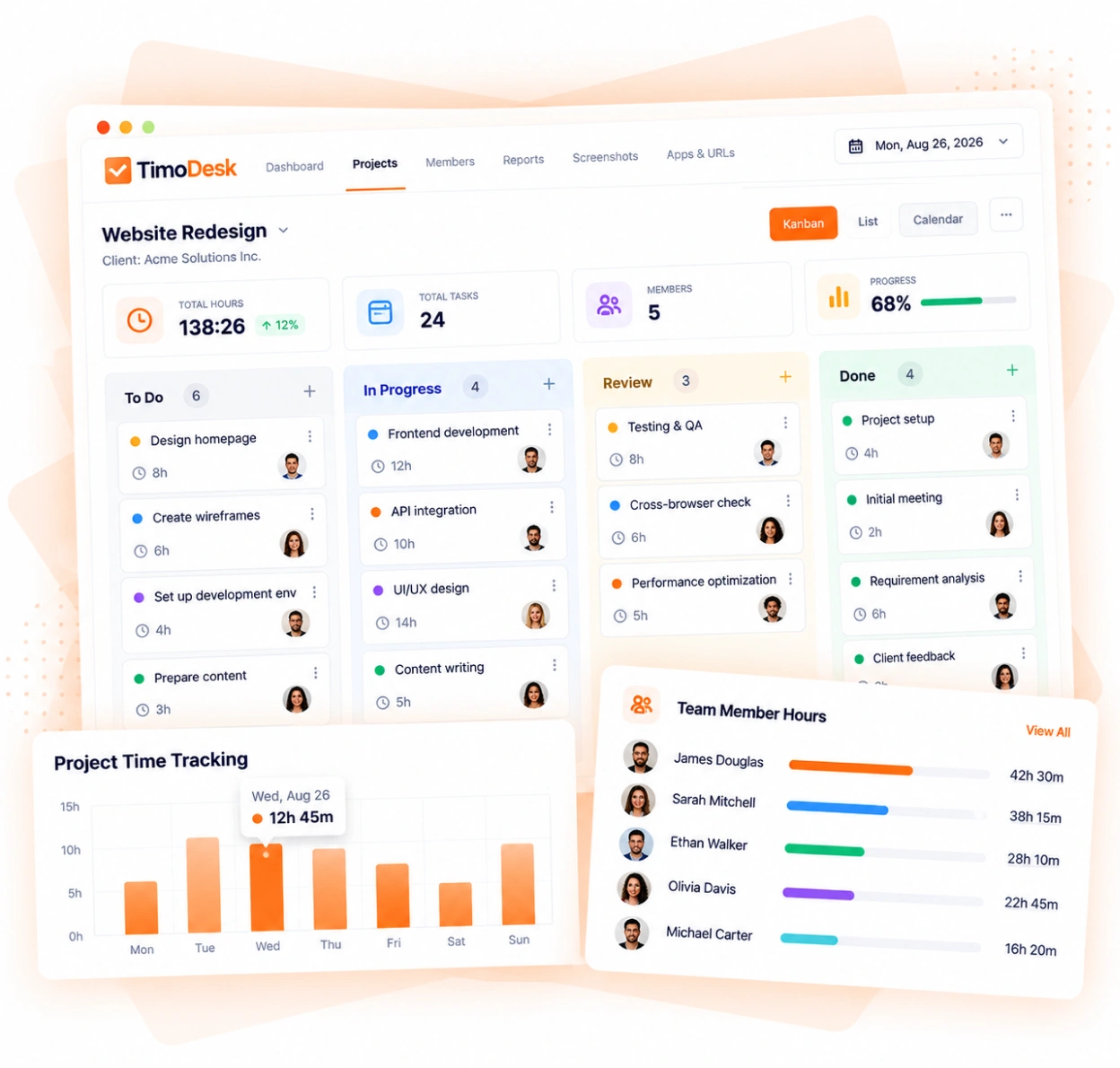
Time is saved on the project and task it belongs to, so you see the hours while the work is still going. Each task card shows tracked time against its time estimate, so you can spot a project taking more hours than planned in week two instead of on the invoice. It's built on kanban boards, project time tracking, reports and analytics, and timesheet exports.
-
Time tracked against each project and each task Every hour is saved on the project and task it was spent on.
-
Project timing that shows hours as they add up See the total hours on each project at any point during the work.
-
Hours for each member, to plan who works on what See how each person spends their time across projects.
-
A kanban board for every client project Columns, priorities, due dates with an overdue flag, and assignees, with time tracked on each task.
Bill clients from tracked hours
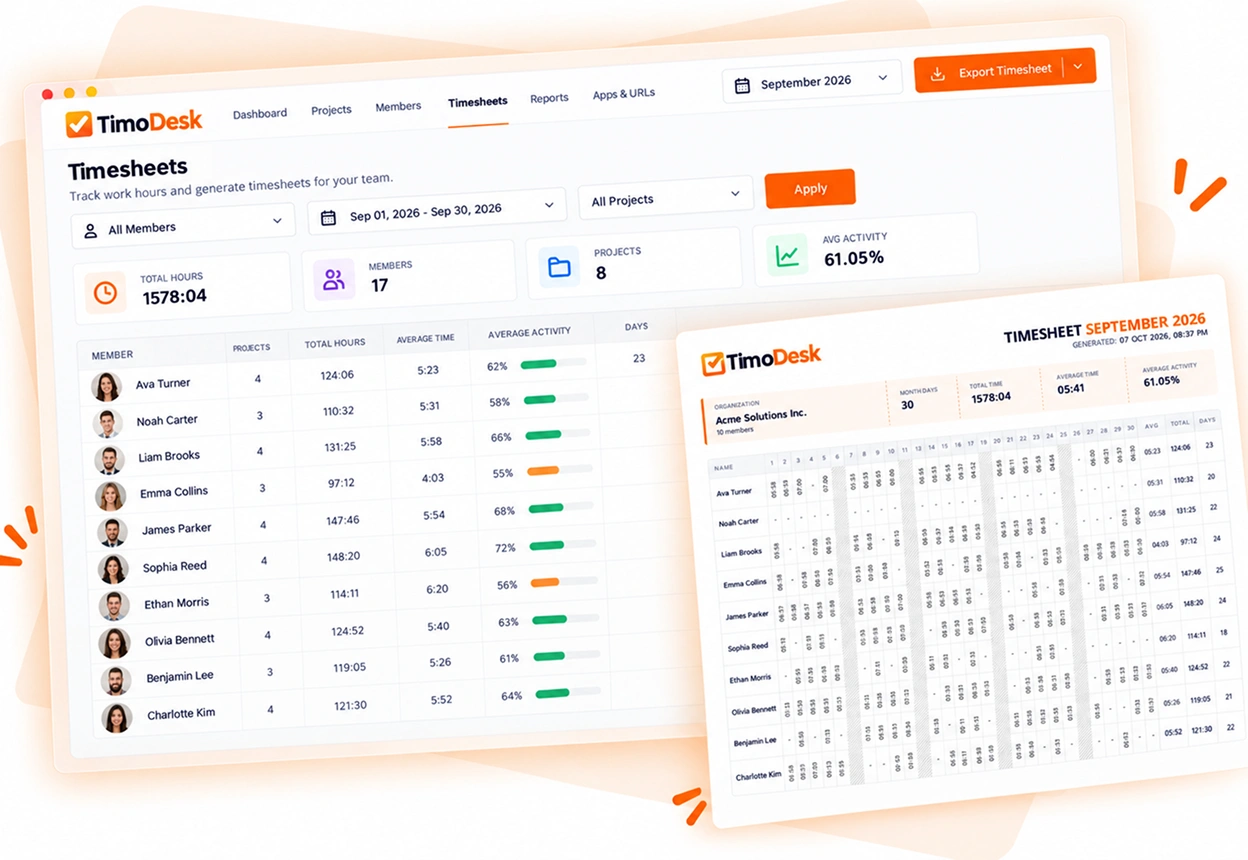
Timesheets are built from tracked hours. Nobody has to rebuild the month from a calendar and memory before the invoice goes out.
- Monthly timesheets for each member
- Timesheet PDF export for clients and finance
- Weekly worklogs and project reports
- A time calendar to check the month before you bill
Agency time tracking questions
What agency and studio owners ask before they start tracking time with their team.
Can I track time for each client project?
Yes. Every client project has its own tasks in TimoDesk, and hours are saved on the task being worked on. Project reports then show the total for each client.
Does TimoDesk help with fixed-fee projects?
Yes. Project timing shows how many hours a project has used while the work is still running. Each task can have a time estimate, and its card shows tracked time against it. You can see a project taking more hours than planned before it ends.
Can I see how each person spends their time?
Yes. Member reports show tracked time and activity for each person, across every project they worked on.
Can my clients log in to see their project?
Yes. You invite each person at the client by email, and each one gets their own login that shows only the projects you assign. Every client sees a dashboard, and you choose the other screens, such as time and activity, the task board or screenshots.
Does TimoDesk create invoices?
No. TimoDesk does not invoice your clients. It creates the timesheet you build the invoice from: monthly timesheets for each member, project reports and PDF exports.
How much does TimoDesk cost for an agency?
$1 per user per month, with every feature on one plan. Contractors are billed like staff, and only for months they track time. A freelancer who doesn't work in a month costs nothing that month.
Time tracking for other teams and needs
Every team gets the same tracking and reports. Pick the page that matches your team or what you need to solve.
- Staffing and talent agencies Proof of work for every hire you place
- Virtual assistant agencies Hours for each client a VA works for
- Software and IT teams See where the sprint time went
- Consultants Bill each client from a PDF timesheet of tracked hours
- Remote and distributed See your team's work without a status meeting
- Hybrid teams The same tracking on office days and home days
- In-house teams Spot uneven workload while you can fix it
- Proof of work Show clients what was done, backed by tracked hours
- Productivity and accountability Review conversations based on data both sides can see
- Workload and burnout See who is overworked before they leave
See where your team's hours go
Setup takes a few minutes. Install the desktop app and start a timer. Tracked time shows on the dashboard the same day, and the first full-day reports are ready the next day.
- $1 per user / month
- Windows, macOS and Linux