Time Tracking ROI Calculator

See what unbilled hours cost your team each month and year, check your billable utilization, and compare it with TimoDesk at $1 per user per month. Every assumption is labeled and every formula is shown below.

Everyone whose hours are billed or costed.

What you charge clients per hour. If the work is not billed, use the loaded cost of an hour of work.

Your billable vs non-billable split. Internal meetings, sales and admin are non-billable.

Your estimate. Short calls, quick fixes and hours rounded down all count. The two-week test below replaces the guess with a measured number.

Assumption: 260 weekdays minus about 30 days of leave and public holidays.

Assumption: 60 percent. Tracking shows the time, but some of it will still be written off.

Unbilled revenue per year
$34,500
$2,875 per month, 575 h a year
  • Billable utilization, recorded vs worked 66.9% / 70.0%
  • Hours recovered per year 345 h
  • Value recovered per year $20,700
  • TimoDesk cost per year $120
  • Net benefit per year $20,580
  • Return on cost 173×
  • Payback 2 working days

Every number above is your input or a labeled assumption you can change. The calculator uses no industry averages. Results update as you type, stay in the page address so a refresh keeps them, and never leave your browser.

How it works

The time tracking ROI formula

The cost of unbilled hours is plain multiplication. There is no hidden model, so you can check every step with a phone calculator. The TimoDesk side is simpler still: headcount times $1 per user per month, times 12.

  1. People Everyone whose hours are billed or costed.
  2. Unbilled hours a day Unbilled minutes per person per day, divided by 60.
  3. Working days 230 by default. Change it to your calendar.
  4. Hourly rate What one billed hour earns you.
  5. Recovery The share you expect to bill once it is visible.
Value recovered per year Drop the recovery step and you get the full unbilled revenue.
Your current result $20,700 / year

Every formula the calculator uses

Unbilled hours per year
people × (unbilled minutes per day ÷ 60) × working days
Unbilled revenue per year
unbilled hours per year × hourly rate (divide by 12 for the monthly figure)
Hours recovered
unbilled hours per year × recovery share
Billable utilization, worked
billable share of the day, as entered
Billable utilization, recorded
(paid hours × billable share − unbilled hours a day) ÷ paid hours
TimoDesk cost per year
people × $1 × 12
Return on cost
value recovered per year ÷ TimoDesk cost per year
Payback
TimoDesk cost per year ÷ (value recovered per year ÷ working days)

One guard: the unbilled time can never be larger than the billable time in the day. If you enter 90 unbilled minutes for someone who only spends an hour a day on client work, the calculator counts one hour.

Worked examples

Cost of unbilled hours: three teams

These teams are made up to show the math. The rates and minutes are illustrations, not averages. Open any of them in the calculator and change the numbers to yours.

Digital agency

10 people

Designers and developers on retainers and projects. Most leaks are small client requests handled between bigger tasks.

Inputs and results for the digital agency example
Rate$90/h
Billable share70% of 8 h
Unbilled per person20 min a day
Working days230
Unbilled hours10 × 0.333 × 230 = 767 h
Unbilled revenue$69,000 a year, $5,750 a month
Recovered at 50%383 h, $34,500
TimoDesk cost$120 a year
Return on cost288×, payback under 1 working day

Consultancy

5 people

Senior people with high rates. Calls, follow-up emails and prep work are the usual gaps.

Inputs and results for the consultancy example
Rate$150/h
Billable share60% of 8 h
Unbilled per person30 min a day
Working days220
Unbilled hours5 × 0.5 × 220 = 550 h
Unbilled revenue$82,500 a year, $6,875 a month
Recovered at 50%275 h, $41,250
TimoDesk cost$60 a year
Return on cost688×, payback under 1 working day

Staffing or VA agency

25 people

Mostly billable hours at a lower rate. Small gaps add up because the headcount is large.

Inputs and results for the staffing or va agency example
Rate$18/h
Billable share90% of 8 h
Unbilled per person10 min a day
Working days240
Unbilled hours25 × 0.167 × 240 = 1,000 h
Unbilled revenue$18,000 a year, $1,500 a month
Recovered at 60%600 h, $10,800
TimoDesk cost$300 a year
Return on cost36×, payback 7 working days

Unbilled revenue per person per year

A quick reference for one person over 230 working days. Find the minutes that slip through each day on the left and your hourly rate along the top. Multiply by your headcount for the team figure.

Unbilled per day $25/h $50/h $75/h $100/h $150/h
5 min (19.2 h/yr) $479 $958 $1,438 $1,917 $2,875
10 min (38.3 h/yr) $958 $1,917 $2,875 $3,833 $5,750
15 min (57.5 h/yr) $1,438 $2,875 $4,313 $5,750 $8,625
20 min (76.7 h/yr) $1,917 $3,833 $5,750 $7,667 $11,500
30 min (115 h/yr) $2,875 $5,750 $8,625 $11,500 $17,250
45 min (172.5 h/yr) $4,313 $8,625 $12,938 $17,250 $25,875
60 min (230 h/yr) $5,750 $11,500 $17,250 $23,000 $34,500
Billable utilization

Billable utilization, explained

Utilization tells you how much of the time you pay for is time a client pays for. The second mode of the calculator compares your actual billable hours with a target and turns the gap into revenue.

Billable utilization billable hours ÷ available hours × 100

Available hours are the paid hours in a normal week. Billable hours are the ones that end up on an invoice, not the ones that could have. A designer with a 40-hour week who bills 30 hours runs at 75 percent. The other 10 hours go to internal meetings, sales, training and admin.

The revenue gap

Gap per person per week = available hours × target − actual billable hours. Multiply by people, working weeks and your rate. With the calculator defaults, 10 people with 40 available hours, a 75 percent target and 26 actual billable hours are 4 hours short each week: 4 × 10 × 46 × $60 = $110,400 a year.

Break-even utilization

Instead of copying someone else's target, work out your floor. Divide the loaded cost of one paid hour (salary, taxes, benefits, tools and a share of overheads) by the rate you bill. If an hour costs you $35 and you bill $70, the person has to bill 50 percent of their hours just to cover their cost. Profit only starts above that line, so set the target above it.

A low number is not always a people problem. Utilization drops when billable work is done but never recorded, which is why the first mode of this calculator matters. Fixing recording often moves utilization before anyone works an extra minute.
Utilization reference table

40-hour week, 46 working weeks (1,840 available hours a year).

Utilization Billable h/week Non-billable h/week Billable h/year
50% 20 20 920
60% 24 16 1,104
65% 26 14 1,196
70% 28 12 1,288
75% 30 10 1,380
80% 32 8 1,472
85% 34 6 1,564
90% 36 4 1,656
Revenue leakage

Where unbilled time comes from

Revenue leakage rarely comes from one big missed project. It is small pieces of real client work that never make it from someone's day onto an invoice.

  • Timesheets filled in from memory Hours rebuilt on Friday afternoon are rounded and forgotten. The short tasks are the first to go.
  • Small requests between big tasks A five-minute fix here, a quick review there. Each one feels too small to log, so none of them are.
  • Calls and emails with clients Communication is client work, but it is often treated as overhead and never recorded against the client.
  • Switching between clients When someone jumps between three clients in an hour, the time usually lands on whichever one they remember.
  • Scope creep nobody flagged Extra rounds of changes are done in good faith, but if the hours are not visible, nobody can raise a change order.
  • Rounding down Logging 1 hour for 1 hour 20 minutes is common and feels polite. Across a team and a year it is a large number.
Measure it

How to measure the cost of untracked time in two weeks

The minutes field is the weakest input in any time tracking ROI calculator, because it is a guess. Ten working days of real data replace it with a number you can defend.

You can run this test with any timer, a spreadsheet, or our free timesheet template. What matters is that every piece of work is recorded while it happens.

  1. Write down your guess Before you start, note how many minutes of billable work per person per day you think go unrecorded. You will compare it with the result.
  2. Track everything for ten working days Ask everyone to run a timer on every piece of work, including short calls, emails and fixes, against the client or project it belongs to.
  3. Keep invoicing the way you do today Do not change how hours reach the invoice during the test. You want to see the gap your current process leaves.
  4. Compare tracked hours with billed hours For each client, subtract the hours you invoiced from the billable hours that were tracked. The difference is your unbilled time.
  5. Turn it into minutes per person per day Divide the unbilled hours by the number of people and by ten days, then multiply by 60. Put that number into the calculator in place of your guess.
Is it worth it?

When time tracking is not worth it

A high return on cost on this page does not mean every team should track time. Be honest about these cases before you roll anything out.

  • Fixed fees where hours never change the invoice If you sell fixed-price work and never quote from past effort, recovered hours do not become revenue. The value is in better quotes, which this calculator does not count.
  • Your team already records time carefully If the two-week test shows almost no gap, the unbilled revenue is close to zero. Keep your current process.
  • Nobody will look at the data Hours that are tracked but never compared with invoices recover nothing. Decide who reviews them, and how often, first.
  • It is introduced as surveillance If people feel watched rather than helped, they log less, not more. Explain what is captured, when, and who can see it.

For salaried in-house teams that bill nobody, set the rate to the loaded cost of an hour of work. The result is then a planning number, not revenue: it shows how much paid time goes to work that nobody can see.

How TimoDesk captures it

Billable time recorded while it happens

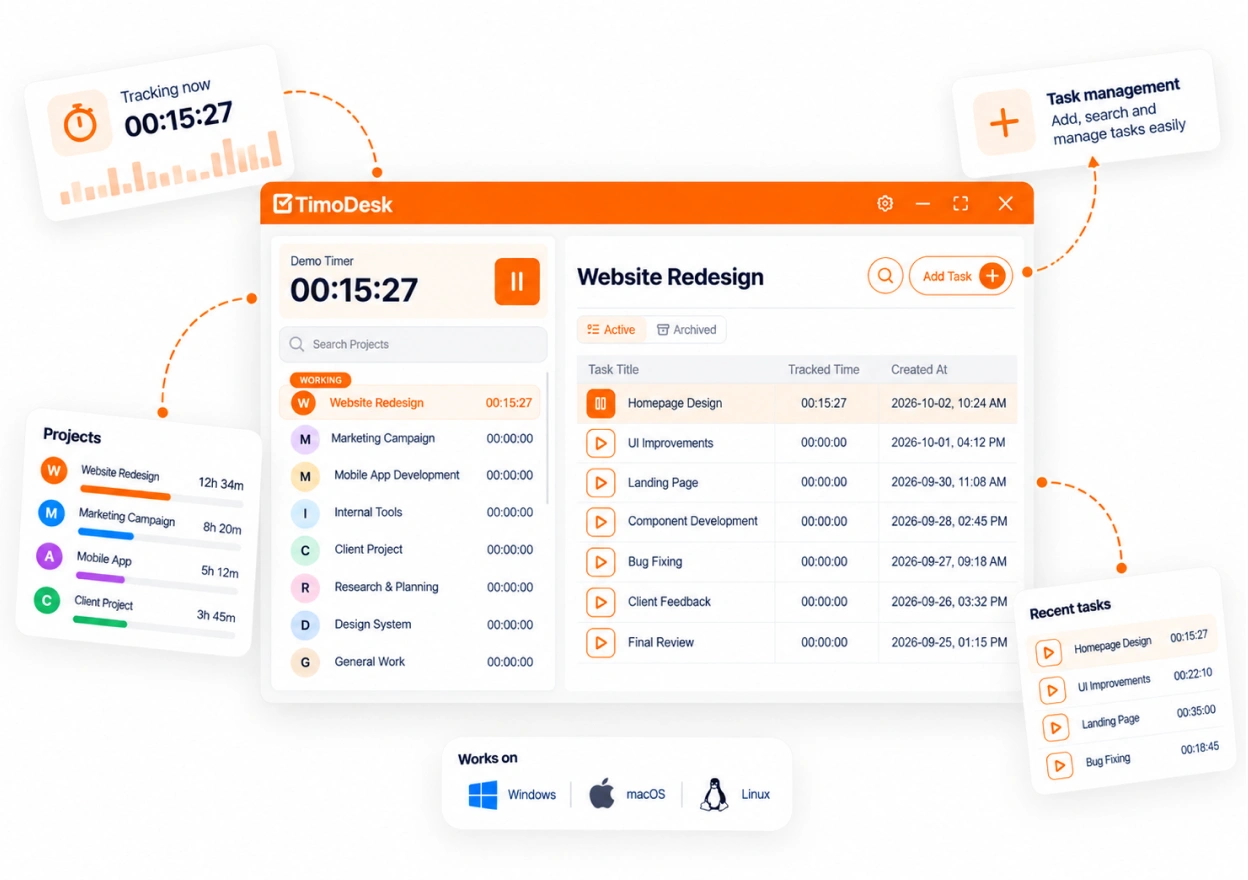
Unbilled time mostly comes from reconstructing the day afterwards. TimoDesk runs a desktop timer against the project and task being worked on, so the short pieces are recorded too. Time that was missed can be added as manual time, which a manager approves and which stays marked as manual.

  • Desktop timer for Windows, macOS and Linux, saved to the project and task
  • Weekly worklogs and monthly timesheets with PDF export
  • Time reports with CSV export to compare with your invoices
  • A client portal where clients see only the projects you share
  • Nothing is captured while the timer is off
  • $1 per user per month, billed only for members who tracked time, with a 15-day free trial
Start free trial
TimoDesk desktop timer running on a task in the Northwind Mobile App project, with an approved 45-minute manual time entry and tracked hours per day
Questions

About unbilled hours and ROI

What goes into the estimate, how utilization works, and what TimoDesk costs.

How do I calculate the ROI of time tracking?

Work out the unbilled hours first: people times unbilled minutes per day divided by 60, times working days. Multiply by your hourly rate and by the share you expect to recover. Divide that by the yearly software cost to get the return on cost.

How do I calculate the cost of unbilled hours?

Multiply the billable hours that were worked but never invoiced by the rate you would have charged. Fifteen minutes a day at $60 an hour over 230 working days is 57.5 hours, or $3,450 per person per year.

What is billable utilization and how is it calculated?

Billable utilization is the share of available hours that are billed to clients. Divide billable hours by available hours and multiply by 100. Thirty billable hours in a 40-hour week is 75 percent.

What is a good billable utilization rate?

There is no single right number. It depends on the role, your rates and your costs. A useful floor is break-even utilization: the loaded hourly cost of a person divided by their billing rate. Set your target above that.

Why does the calculator use 230 working days?

It is an assumption, not a statistic: 260 weekdays in a year minus about 30 days for leave and public holidays. Change the working days field to match your own calendar.

Why is the recovery rate below 100 percent?

Seeing unbilled time does not mean every hour can be invoiced. Some work is out of scope, some clients have a cap, and some hours you will choose to write off. The 60 percent default is a cautious guess you should change.

Is time tracking software worth it for a small team?

Only if hours drive what you charge or how you plan. For a two-person studio on fixed fees that already logs carefully, the gain can be small. Run the calculator with your own numbers, then test it with two weeks of real data.

Can I save or share my results?

Yes. Your inputs are written into the page address as you type, so a refresh keeps them. Use Copy link to share the exact scenario, or Copy results to paste a plain text summary.

Does the calculator send my numbers anywhere?

No. Everything is calculated in your browser. The only place your inputs are kept is the page address, which you control.

How much does TimoDesk cost?

$1 per user per month. There's one plan with every feature, no seat minimum, and no annual contract. You're billed monthly, only for members who tracked time that month, after a 15-day free trial.

Still have a question? Book a call. We'll show you TimoDesk with your own setup and answer any question this list doesn't cover. Talk to our team

Start tracking time this week

Create your organization and invite your team today. Tracked time shows on the dashboard the same day, and the first full-day reports are ready the next day. $1 per user per month, with every feature included.

  • $1 per user / month
  • 15-day free trial, no card
  • Stop anytime. No contract.
Need help? Book a one-hour TimoDesk demo Book a meeting