Activity levels, never keystrokes
TimoDesk employee activity tracking shows how often each member uses the keyboard and mouse, never what they type. Each member also gets an activity heatmap of their own work, and nothing private is recorded.
Activity levels
A number that is easy to misread
An activity level tells you whether someone was using the computer, not whether the work was good. Treat it as a quality score and your best thinkers may leave first. It comes with every member at $1 per user per month. See how it fits productivity and accountability, workload and burnout and remote teams. For step-by-step help, see the Time and activity guide.
Reading it
What an activity level tells you
The scale goes from very little keyboard and mouse use to a lot of it. Every point on it can be real work. Where someone sits says more about the type of work than about the person doing it.
- Reading, calls, thinking A researcher reading a long document and an engineer solving a hard problem both appear here. Input is low, but the work is often the most valuable. Low input
- Everyday work Writing, reviewing, and switching between tools. Most tracked hours fall in this middle range, so a middle level tells you little by itself. Typical input
- Heavy input Data entry, long editing sessions, and support tickets. High input does not mean high value. If you read it that way, you reward the wrong work. High input
TimoDesk does not turn an activity level into a pass or a fail. It shows the number to a manager who knows the team, and the manager decides what it means.
Measurement
Keyboard and mouse use, not content
Every tracked session has an activity level: the share of tracked time with any keyboard or mouse input. TimoDesk never records what was typed, so nobody can see it, including us.
- Activity levels recorded alongside every session
- Keyboard and mouse use shown separately
- Idle time removed after a timeout you set
- No keystroke logging, ever
What we cannot see
TimoDesk does not capture what was typed, the contents of a document, or
what was said on a call. This is not a setting you can turn on. The
feature does not exist.
Patterns
When the work happens
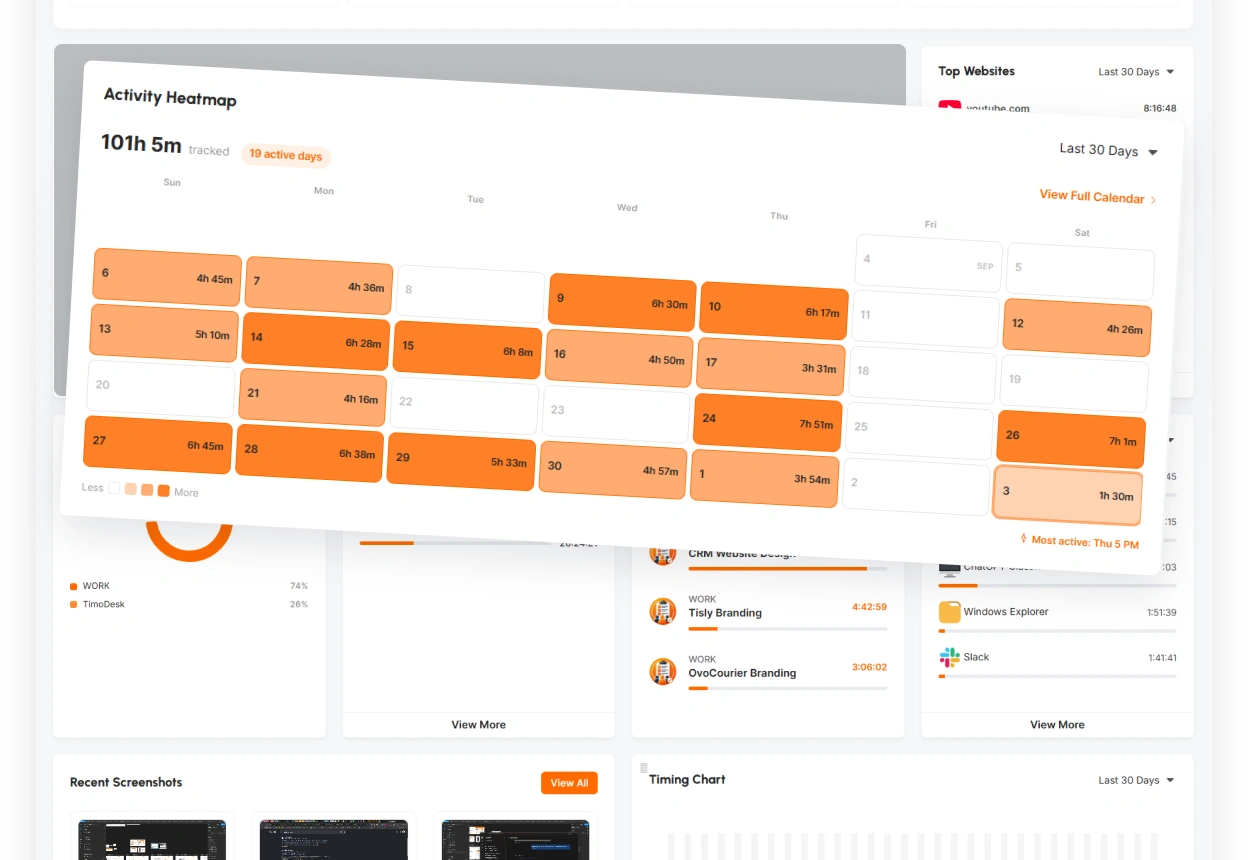
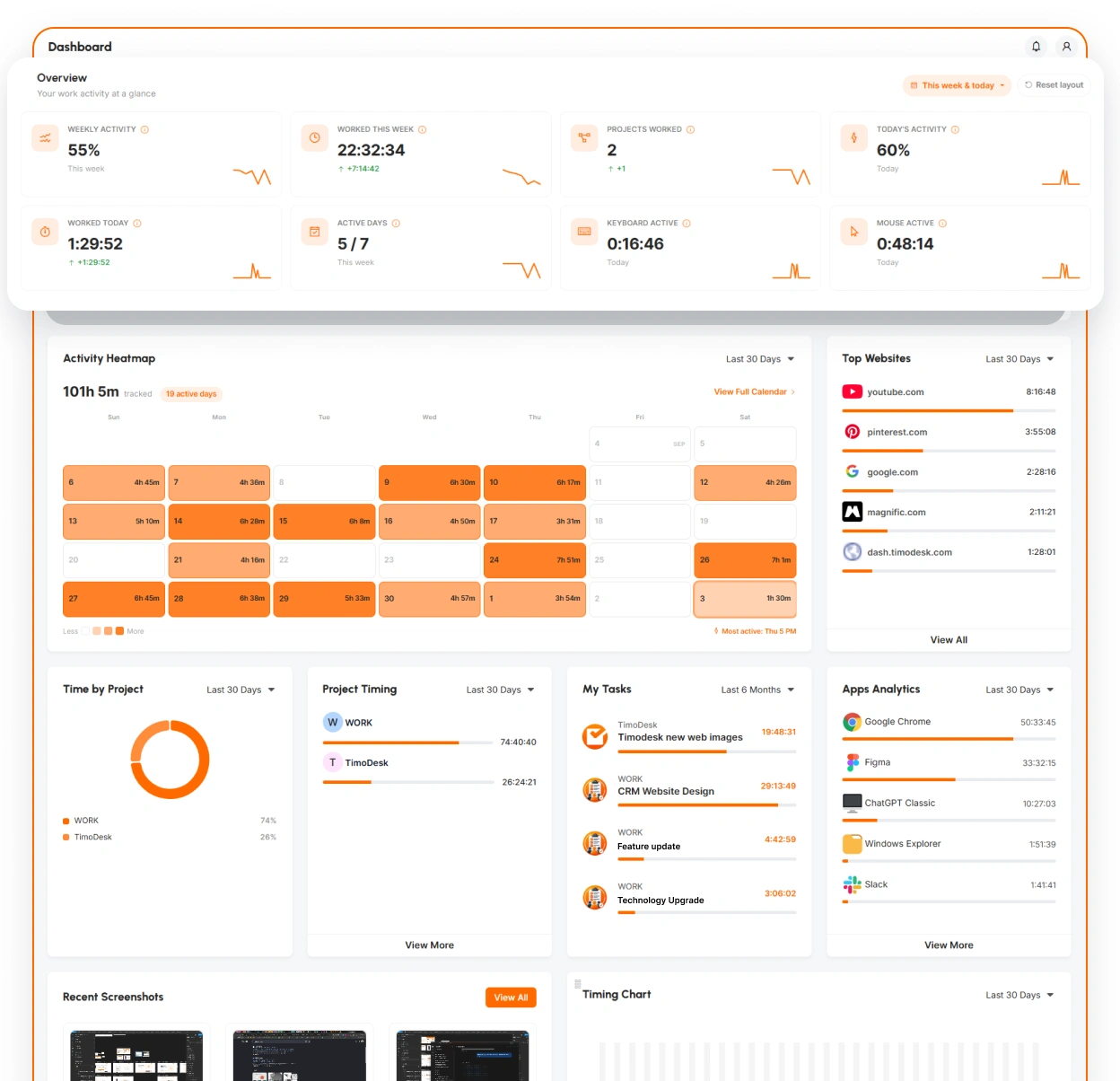
One number on one day tells you very little. The heatmap on each member's own dashboard shows their week: when they start, when they stop, and where the long blocks of focused work are.
- An activity heatmap on each member's own dashboard
- Activity over time, beyond a single day
- Each member's most active day and hour
- A morning, afternoon and evening split for each member
Questions
About activity levels
Common concerns about measuring activity, answered directly.
Does TimoDesk record keystrokes?
No. Activity is the share of tracked time with any keyboard or mouse input. What is typed is never recorded, and TimoDesk has no keystroke logging anywhere.
Does it count time when nobody is at the computer?
No. When the idle timeout passes with no keyboard or mouse use, the idle time is removed from tracked time. So a tracked hour is an hour of work. Leaving the app open adds nothing.
Can I change the idle timeout?
Yes. Pick 3, 5, 10, 15, 20, 30, 45 or 60 minutes for the organization. You can change it for any member who needs a longer or shorter timeout.
Is a low activity level a problem?
Not by itself. Reading, calls, thinking and meetings all use the keyboard and mouse very little. Treat activity as one piece of context. It does not judge the person.
Can employees see their own activity?
Yes. Members see their own tracked time and activity. Because they see the same number, it stays open and fair instead of being used against them.
Does manual time count toward activity levels?
No. Time added by hand has no keyboard or mouse data, so it stays marked as manual and is left out of activity averages.
More features
More TimoDesk features
Each feature has its own page that explains what it does and what it doesn't do. All of them are on the same plan.
- Time tracking Time tracked while the work happens
- Project management Kanban boards with time on every card
- Project time tracking Every hour saved to its project and task
- Manual time Request and approve time the app missed
- Team dashboard Your team's day and what needs you
- Time calendar Each member's hours by day, week and month
- Screenshots Screenshots linked to each task
- App and website usage Which apps and websites were used
- Timesheets and exports Monthly timesheets you can bill from
Get started today
See where your team's hours go
Setup takes a few minutes. Install the desktop app and start a timer. Tracked time shows on the dashboard the same day, and the first full-day reports are ready the next day.
- $1 per user / month
- Windows, macOS and Linux