Time tracking for virtual assistant agencies
TimoDesk is time tracking software for virtual assistant agencies. It records each VA's hours, activity and screenshots by client, and gives every client a login to check their own hours. $1 per user per month.
Every client gets its own hours
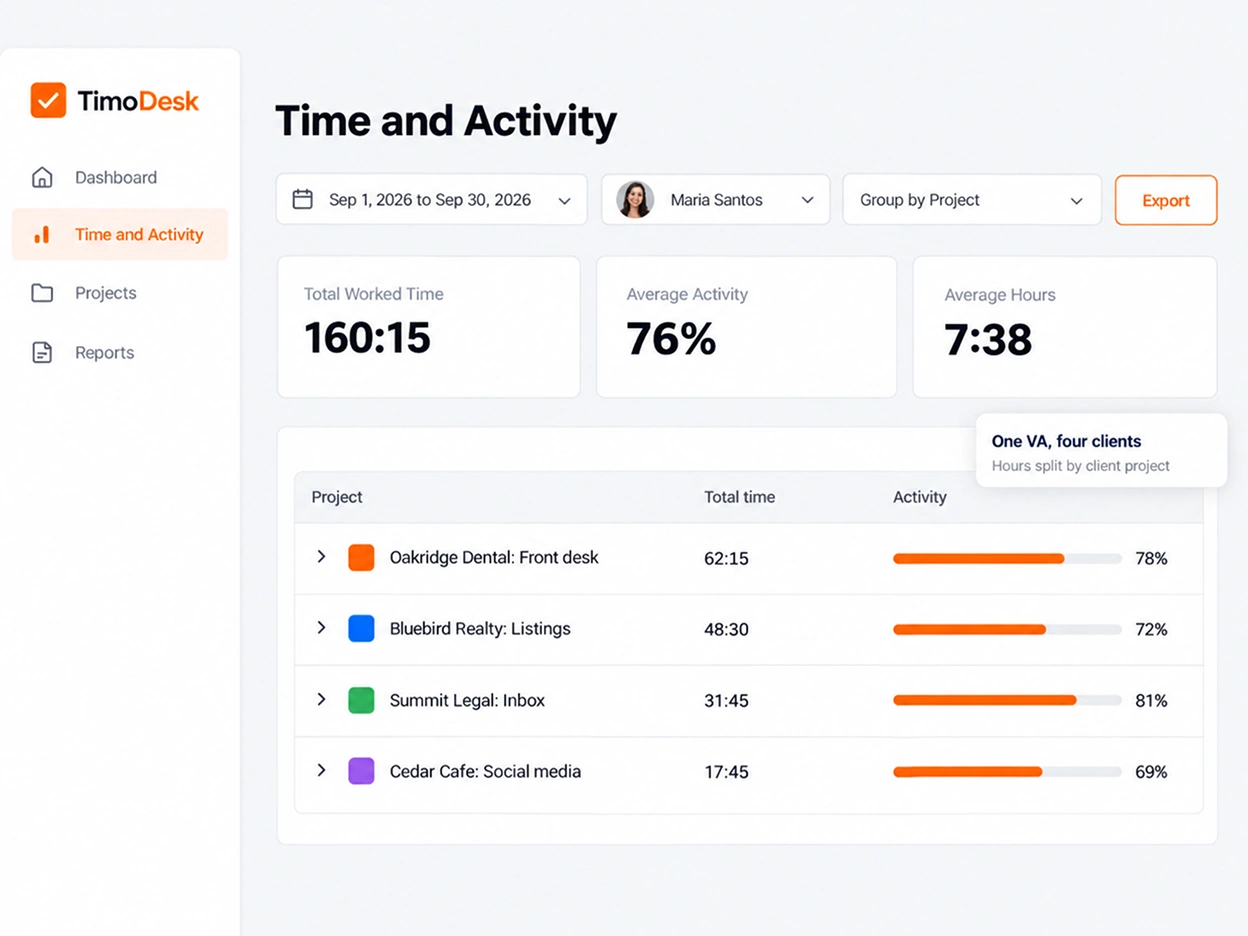
Many of your VAs split one day between several clients. Each client pays by the hour and wants to see their share. TimoDesk keeps every client in its own project, so each hour counts for the right client, and clients can check it in the client portal. It costs $1 per user per month. Placing full-time hires instead? See staffing agencies. For step-by-step help, see the Clients guide.
Split one VA's day across clients
A VA picks a task in the desktop app before starting work. The time and screenshots from that session go to the task and its client's project. When the VA moves on to another client's task, the record moves with them. It's built on screenshots, activity levels and app and website usage.
-
Screenshots saved with the client's task Each one shows the task and the time, so it's clear which client it belongs to.
-
Activity levels for every session Counts of keyboard and mouse use. TimoDesk never records what a VA types.
-
Apps and websites used on the clock See which tools a VA had open while working on each client's tasks.
-
Manual time that is requested and approved A VA who forgot the timer asks for the time. Once a reviewer approves it, it stays marked as manual.
A timesheet behind every hourly invoice
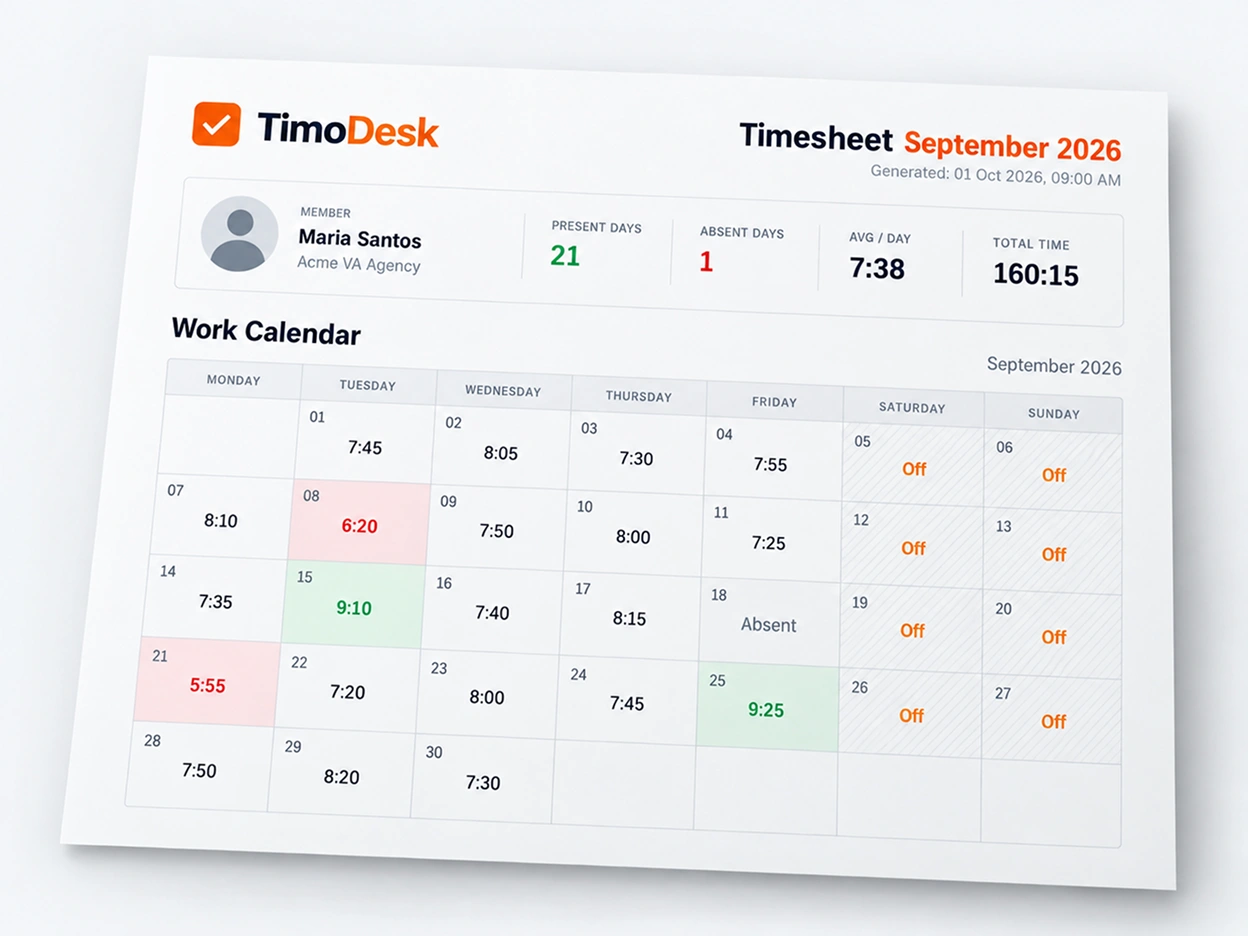
At the end of the month, download each VA's monthly timesheet as a PDF. Time and activity reports can be filtered to one client's project and saved as PDF or CSV. The timesheet exports page shows what each file holds.
- Monthly timesheets as PDF, for one VA or the whole team
- Time and activity reports for one client's project, in PDF or CSV
- A daily email with yesterday's hours, for each VA and their managers
- Team managers who see only the VAs on their own teams
Let clients check the hours themselves
Each person at the client is invited by email and signs in at client.timodesk.com. They can look, but they cannot change anything. The client portal page has the full details.
Their own projects
- Hours and activity on their projects, by day, VA or project
- A weekly worklog and a month of hours on a calendar
- Their tasks and a read-only board
- Screenshots, apps and websites, only once you turn them on
- Reports to download as PDF or CSV
The VA's other clients
- Time the same VA tracked for other clients
- Screenshots from other clients' work
- Projects you did not assign to them
- Your billing and settings
How much each client sees
- Which projects each person at the client can open
- Which screens they get besides the dashboard
- Whether your VAs' names and photos are shown
- When to turn their access off
VA agency questions
What virtual assistant agencies ask before they track their VAs for several clients.
How does a VA agency prove hours to each client?
By tracking each VA's time on that client's own project. TimoDesk saves screenshots and activity levels with the task being worked on. You can send the client a monthly PDF timesheet, or let them check the hours in their own login.
Can one VA track time for several clients?
Yes. Create a project for each client and add the VA to each one. The VA picks a task before starting the timer, so every hour is saved to the right client's project.
Will a client see the work my VA does for other clients?
No. A client login shows only the projects you assign to that client. The time, screenshots and apps from the VA's other clients stay hidden.
Can clients see screenshots of their VA?
Only if you turn them on for that client. Screenshots, apps and websites start switched off for every new client. You can also hide your VAs' names, so the client sees the hours without who tracked them.
What happens when a VA forgets to start the timer?
The VA requests the missed time as manual time. By default, an organizer or manager approves or rejects the request, and the organizer can also let team managers review their own teams. Approved time stays marked as manual on your dashboard and in the client's login.
Do VAs know when they are being tracked?
Yes. The desktop app shows when the timer is running, and each VA can see their own hours and download their own monthly timesheet. You can also turn on an alert that tells them when a screenshot is taken.
Time tracking for other teams and needs
Every team gets the same tracking and reports. Pick the page that matches your team or what you need to solve.
- Staffing and talent agencies Proof of work for every hire you place
- Agencies and studios Track hours on every client project
- Software and IT teams See where the sprint time went
- Consultants Bill each client from a PDF timesheet of tracked hours
- Remote and distributed See your team's work without a status meeting
- Hybrid teams The same tracking on office days and home days
- In-house teams Spot uneven workload while you can fix it
- Proof of work Show clients what was done, backed by tracked hours
- Productivity and accountability Review conversations based on data both sides can see
- Workload and burnout See who is overworked before they leave
See where your team's hours go
Setup takes a few minutes. Install the desktop app and start a timer. Tracked time shows on the dashboard the same day, and the first full-day reports are ready the next day.
- $1 per user / month
- Windows, macOS and Linux