Time tracking for hybrid teams, office or home
TimoDesk is time tracking software for hybrid teams. It records hours and activity the same way on office days and home days, on Windows, macOS and Linux, so nobody is judged on where they worked that day.
One standard for office and home days
People in the office are assumed to be working because others can see them. People at home are asked to prove it. This unfair gap causes resentment in hybrid teams, and it has nothing to do with how much work either group does. TimoDesk measures both groups the same way for $1 per user per month.
The same four things on office and home days
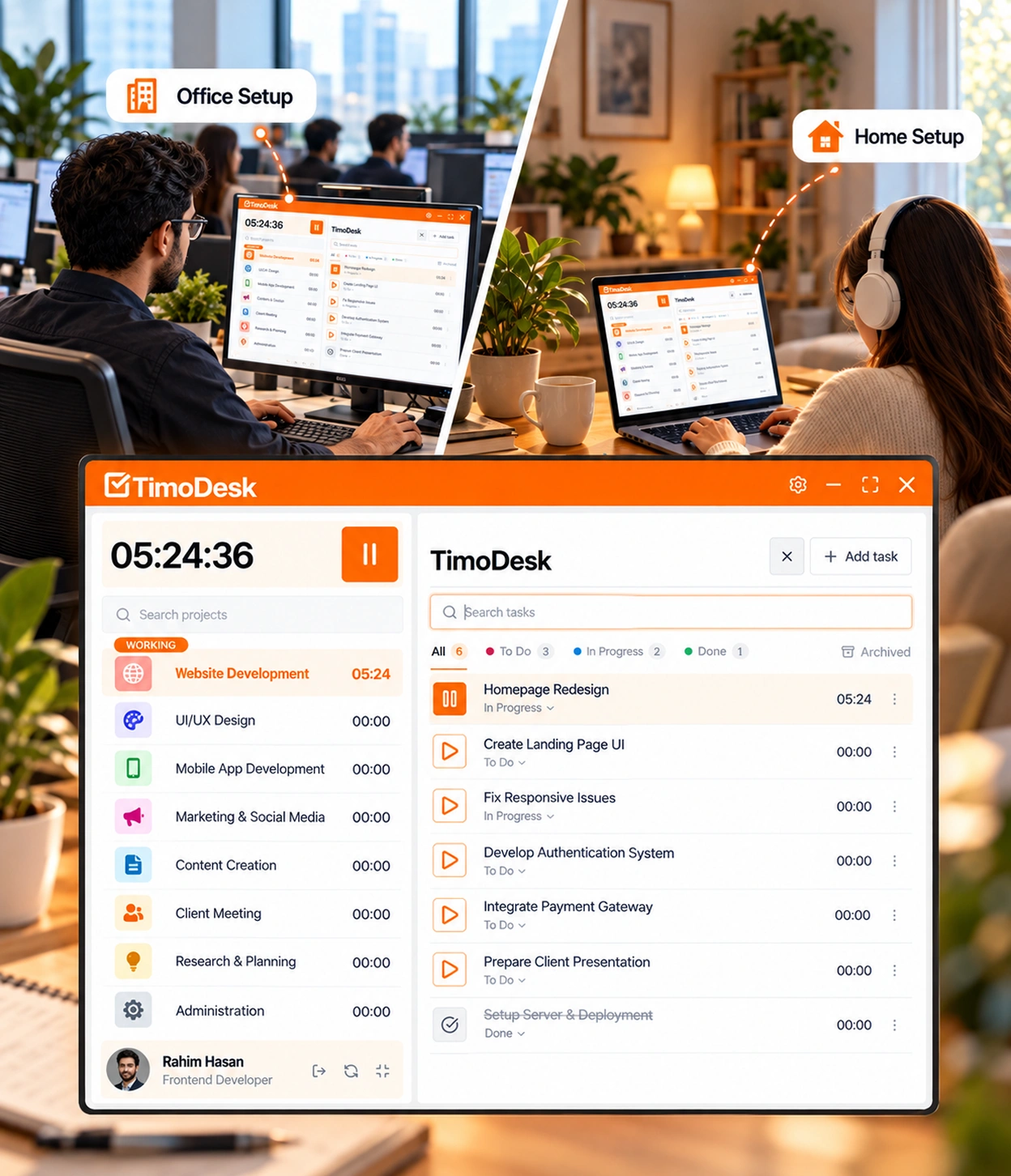
Your team gets the same tracking, visibility and reports in the office and at home. Every workday is measured the same way, wherever it happens.
- Hours tracked by the desktop app
- Activity levels recorded with them
- The person can see when tracking is on
- The same reports and the same access rules
- Hours tracked by the desktop app
- Activity levels recorded with them
- The person can see when tracking is on
- The same reports and the same access rules
There is no separate set of rules for home days.
The same record on office and home days
The desktop app works the same way in the office and at home, so nobody is measured differently for being in the building. It's built on time tracking, activity levels, and reports and analytics.
-
The same tracking wherever the laptop is Tracking works the same way, wherever the work happens.
-
Windows, macOS, and Linux Desktop apps for the computers your team already uses.
-
Tracking status the person can always see Each member can see if tracking is on at any time of the day.
-
Members can see their own hours and activity Each member can open their own tracked hours and activity at any time.
What a hybrid week really looks like
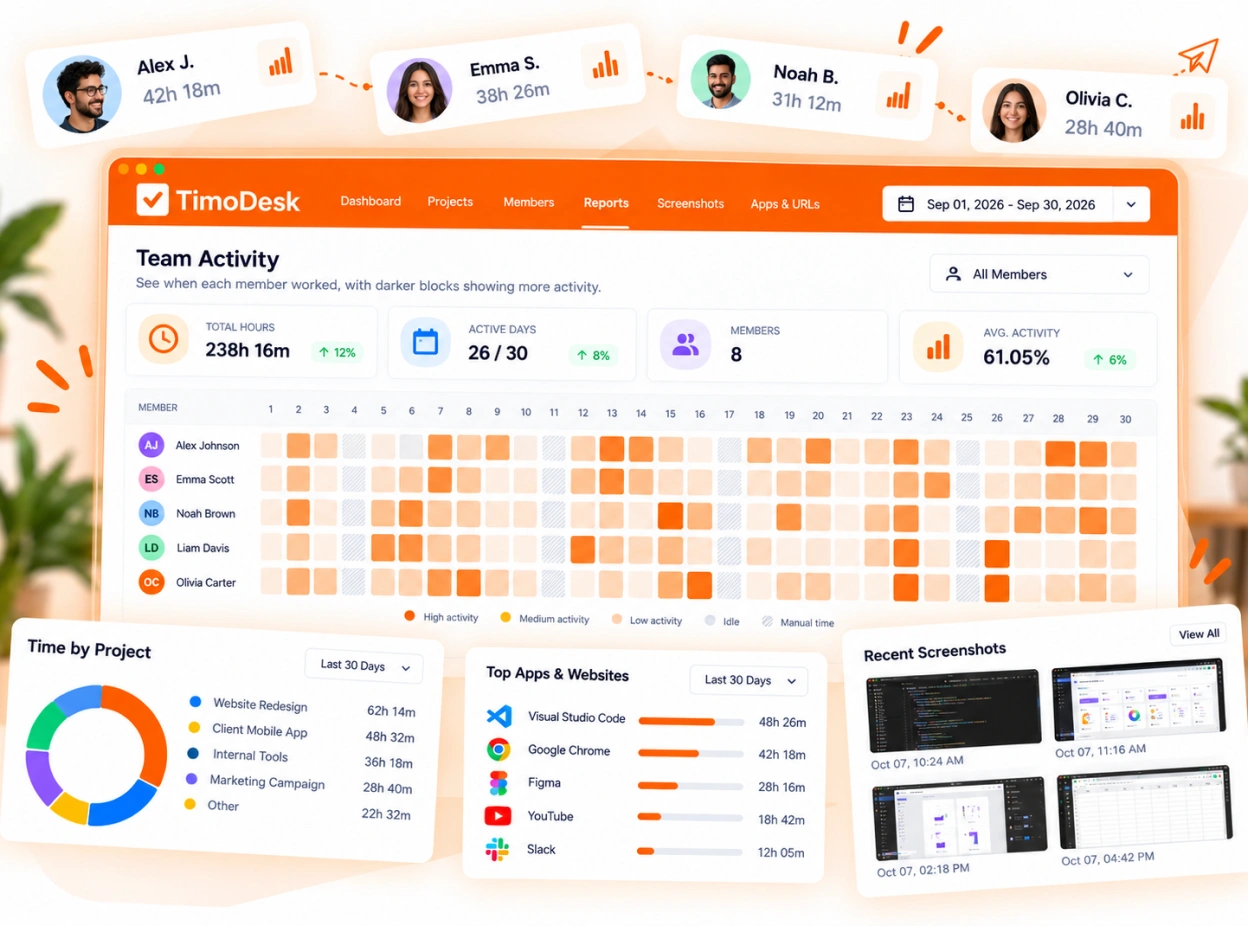
Weekly worklogs show each member's tracked hours for every day of the week, and the time calendar shows the whole month. Together they show whether office days and home days really differ, or whether the gap people talk about is not in the data.
- Tracked hours for each day of the week, per member
- A time calendar for the team or one person
- Activity levels on office days and home days
- Each member sees their own most active day and hour
Hybrid team time tracking questions
The questions teams ask when they start tracking time with some people in the office and some at home.
Does TimoDesk know if someone is in the office?
No. TimoDesk does not track location. It records the work wherever it happens.
Can we track only the days people work from home?
No. Tracking is set for each member, not for each location, so it runs whenever the person works. Tracking only home days would create two different standards.
Does the time tracker work without internet?
Yes. The desktop app keeps tracking offline and syncs when the computer connects again, within 30 days. Weak Wi-Fi at home or in the office does not cost anyone their hours.
Will tracking make office and home workers feel treated differently?
No. It should do the opposite. Both groups are measured by the same record, so nobody is judged on how often they are seen in the office.
How much does time tracking cost for a hybrid team?
$1 per user per month, whether someone works in the office or at home. One plan with every feature, no seat minimum, and you pay only for members who tracked time that month.
Time tracking for other teams and needs
Every team gets the same tracking and reports. Pick the page that matches your team or what you need to solve.
- Staffing and talent agencies Proof of work for every hire you place
- Virtual assistant agencies Hours for each client a VA works for
- Agencies and studios Track hours on every client project
- Software and IT teams See where the sprint time went
- Consultants Bill each client from a PDF timesheet of tracked hours
- Remote and distributed See your team's work without a status meeting
- In-house teams Spot uneven workload while you can fix it
- Proof of work Show clients what was done, backed by tracked hours
- Productivity and accountability Review conversations based on data both sides can see
- Workload and burnout See who is overworked before they leave
Start tracking time this week
Create your organization and invite your team today. Tracked time shows on the dashboard the same day, and the first full-day reports are ready the next day. $1 per user per month, with every feature included.
- $1 per user / month
- 15-day free trial, no card
- Stop anytime. No contract.
