See which apps and websites were used
TimoDesk app and website usage tracking shows which apps and sites each member used while the timer ran, by member, project and task. It works on Windows, macOS and Linux for remote teams.
"Six hours in a browser" says very little
Much of today's work happens in a browser. Without a breakdown, a day in a web design tool and an afternoon of news look the same on a report. The breakdown is included for every member at $1 per user per month, and matters most for remote teams, proof of work and productivity reviews. For step-by-step help, see the App usage and Websites and URLs guides.
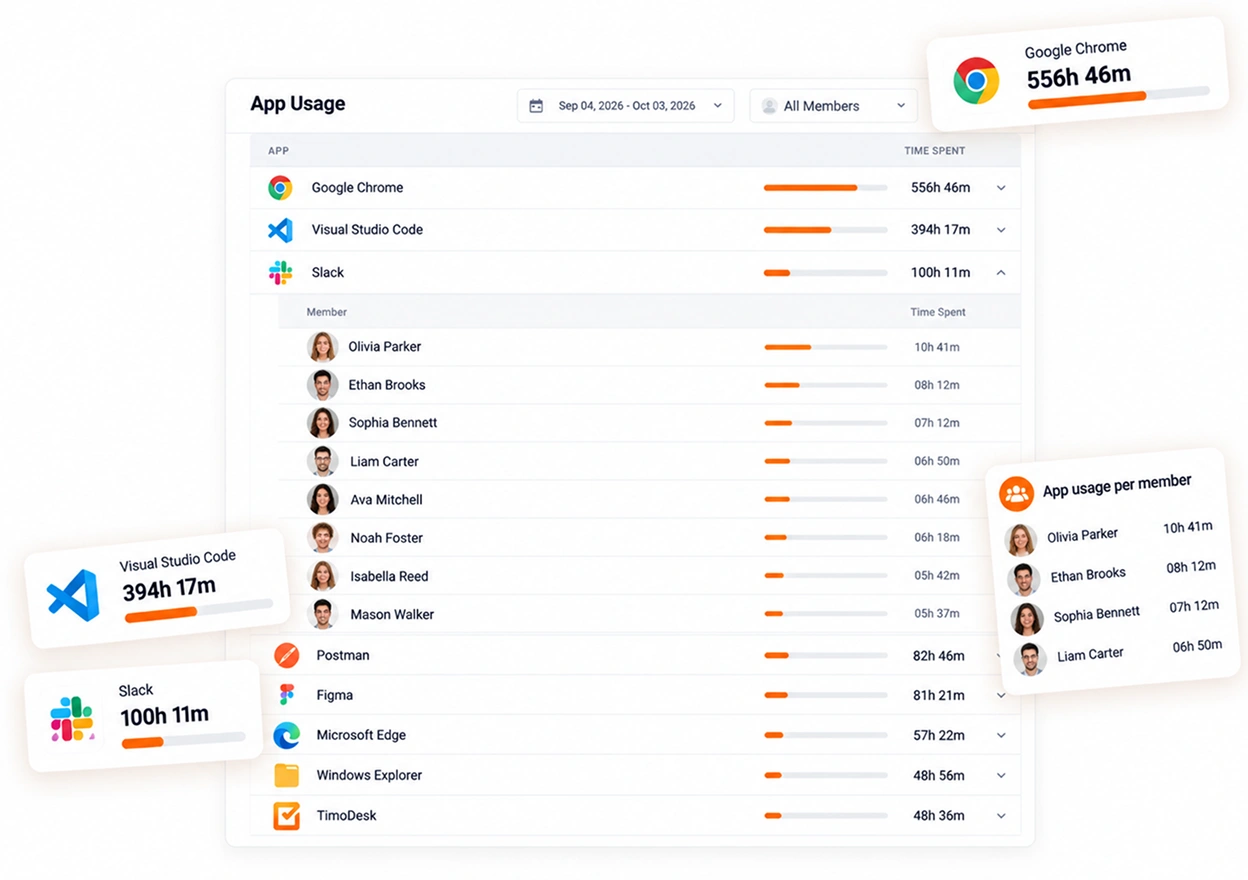
Which apps each member used
App usage is recorded together with tracked time. A long day in a design tool looks different from a long day in a browser, and nobody has to explain either one in a team meeting.
- App usage per member and for any period
- Time in each app, not just a list of names
- An analytics view for the whole organization
- Recorded only while the timer is running
The websites used during browser time
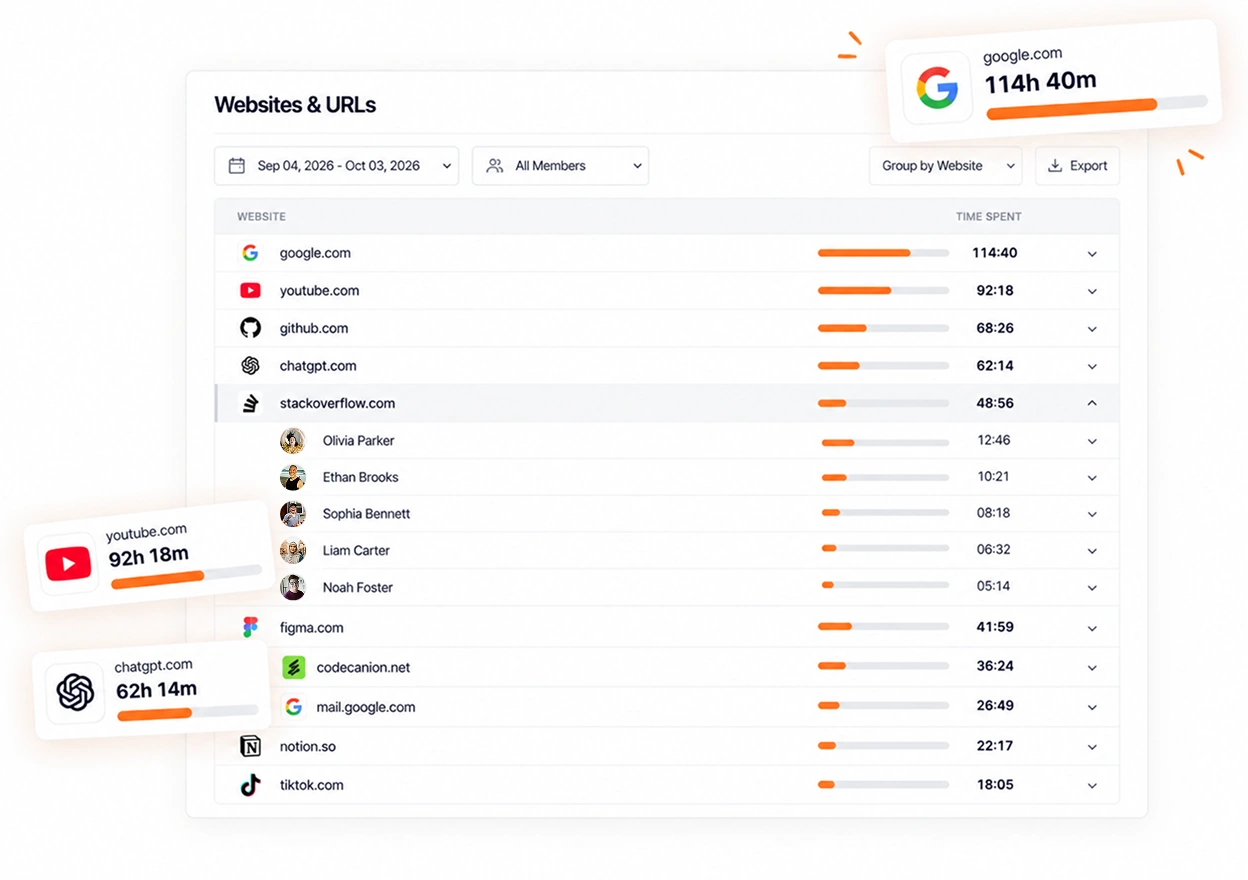
Without website tracking, all browser time shows up as one entry. TimoDesk splits it by site and shows where the team really spends its time. The list is usually shorter than people expect.
- Website and URL reporting, per member
- Top sites across the organization
- Website analytics for whichever period you pick
- Site, page address, page title and browser, never the page content
What each platform tracks
App tracking works the same way on every platform. Website tracking does not, so check the difference before you set up TimoDesk for your team.
- Windows Built into the desktop app. Nothing else to install.
- macOS Built into the desktop app. Nothing else to install.
- Linux Applications work as they do everywhere else. Website addresses need the TimoDesk URL Tracker extension for Chrome or Firefox.
If some of your team members use Linux, ask them to install the URL Tracker extension. Without it, their app usage still appears, but their website report stays empty.
About app and website usage
People worry about this feature the most, so these answers are short and direct.
Does TimoDesk track browsing outside work hours?
No. App and website usage is recorded only while the timer runs. When the timer stops, TimoDesk records nothing.
Do I need the browser extension?
Only on Linux. On Windows and macOS, the desktop app reads website addresses itself. On Linux it can't, so install the TimoDesk URL Tracker extension for Chrome or Firefox to get website reports.
Does it capture page content?
No. For apps, it records which app was in use. For websites, it records the site, the page address (URL), the page title and the browser. It never records what was on the page, in the document or in the message.
Can I see app usage for the whole team?
Yes. You can see usage for the whole organization as well as for each member. This shows the pattern without reading anyone's day line by line.
Can I see usage per project or task?
Yes. App and website usage is shown per project and per task as well as per member, so you can see what each piece of work needed.
Can I export the app usage report?
Yes. The app usage report downloads as PDF or CSV, as a summary or with every app, member and day. The websites and URLs report downloads as PDF or CSV too.
More TimoDesk features
Each feature has its own page that explains what it does and what it doesn't do. All of them are on the same plan.
- Time tracking Time tracked while the work happens
- Project management Kanban boards with time on every card
- Project time tracking Every hour saved to its project and task
- Manual time Request and approve time the app missed
- Team dashboard Your team's day and what needs you
- Time calendar Each member's hours by day, week and month
- Screenshots Screenshots linked to each task
- Activity levels Keyboard and mouse activity, never keystrokes
- Timesheets and exports Monthly timesheets you can bill from
Start tracking time this week
Create your organization and invite your team today. Tracked time shows on the dashboard the same day, and the first full-day reports are ready the next day. $1 per user per month, with every feature included.
- $1 per user / month
- 15-day free trial, no card
- Stop anytime. No contract.
