Timesheets you can bill from
TimoDesk timesheet software turns tracked time into monthly timesheets per member. Staffing agencies and consultants export them as PDF for client invoices and payroll.
Month-end timesheets can take a full day
In many teams, someone spends the first Monday of each month rebuilding the month before from half-remembered hours, and nobody fully trusts the result. TimoDesk gives you the finished timesheet for $1 per user per month, built for staffing firms, agencies and consultants who send hours with an invoice. For step-by-step help, see the Monthly timesheet guide.
Built from tracked hours, not from memory
TimoDesk builds the timesheet from the time that was actually tracked. At the start of the month, you check a document instead of creating one.
- Monthly timesheets, per member
- Weekly worklogs and week-by-week hours
- Hours by member and by project in the time and activity report
- Built during the month, ready when it ends
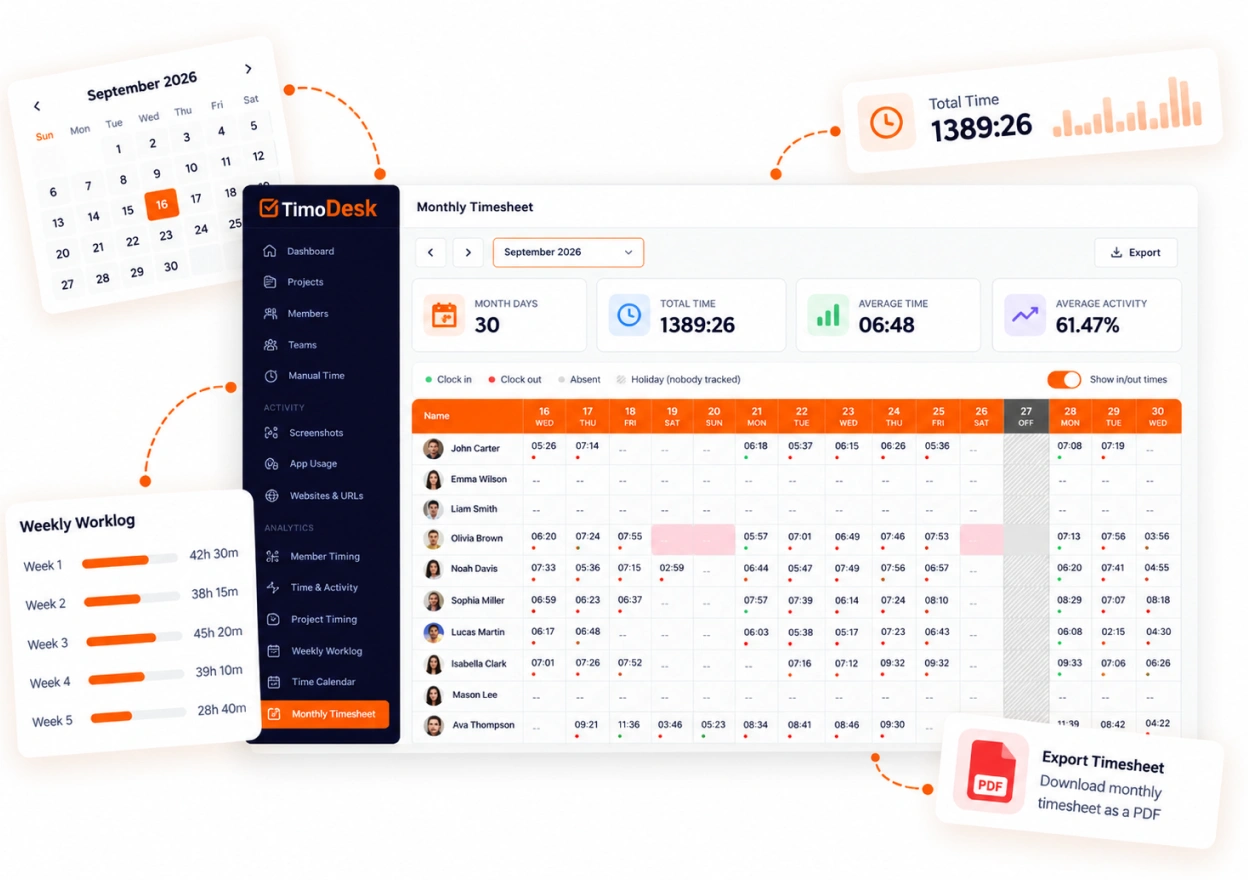
A PDF clients and payroll can use
Export the timesheet and attach it to your invoice or payroll file. It comes from tracked sessions instead of a typed spreadsheet, so finance teams can accept it with fewer questions.
- Timesheet PDF export for payroll and clients
- The same figures every report in the dashboard is built from
- Screenshots and activity data to support the hours
- Members can export their own without asking anyone
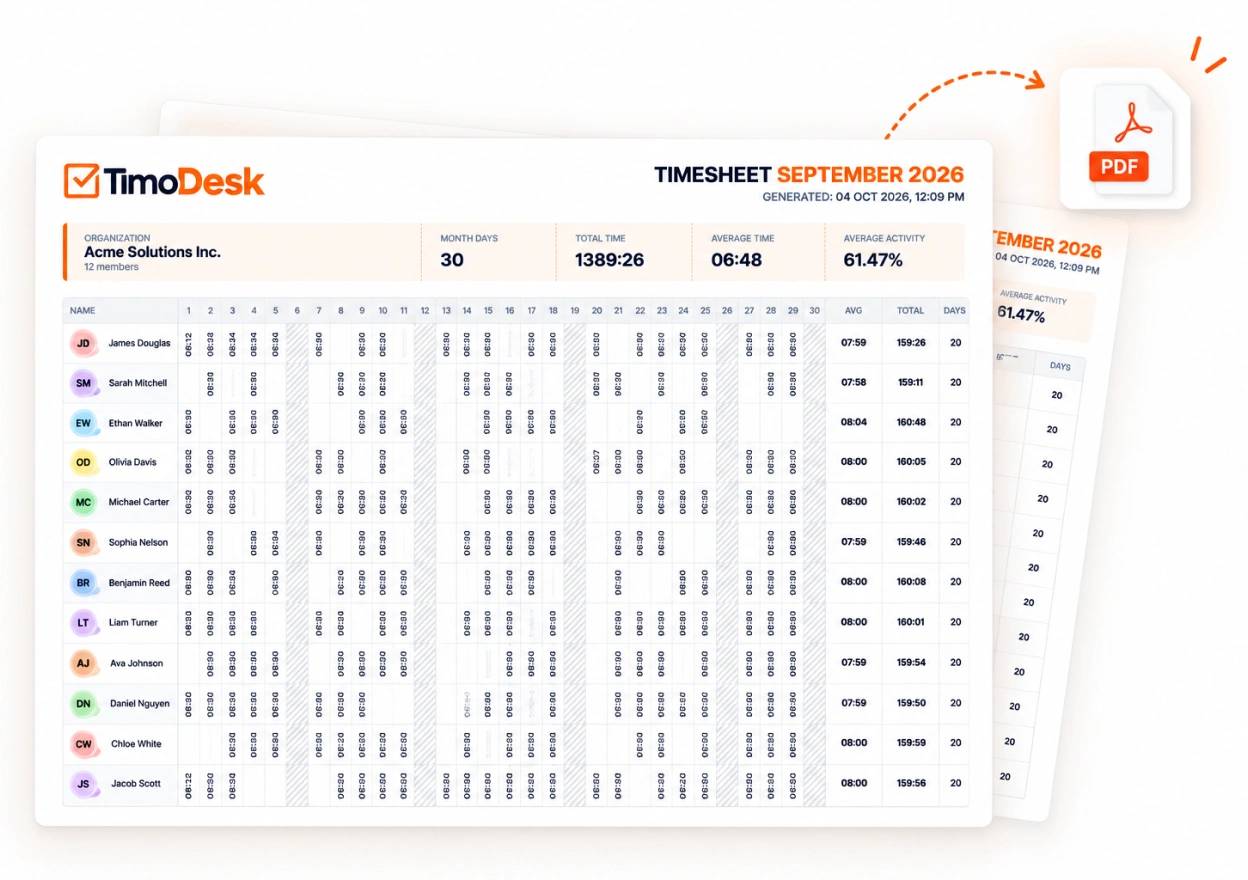
What the export includes
Check this before you promise a client a document. It is a record of hours and nothing more. The example below uses sample data.
Timesheet export
Mar 1 to Mar 31, 2026- Mar 2, 2026 Monday Tracked 6h 20m
- Mar 3, 2026 Tuesday Tracked 7h 15m
- Mar 4, 2026 Wednesday Tracked 4h 10m
- Mar 5, 2026 Thursday Tracked 5h 40m
- Mar 6, 2026 Friday Tracked 3h 25m
Total 26h 50m
About timesheets and exports
Two of these answers are no. It helps to know them before the month ends.
Does TimoDesk send invoices to my clients?
No. TimoDesk is not a billing tool. It creates the timesheet you use to write the invoice. The invoices in your account are only for your own TimoDesk subscription.
What format do timesheets export in?
PDF. Every member can download their own monthly timesheet. Managers can export the whole team's month on one sheet, or with one page per member. The time and activity report also downloads as CSV. The weekly worklog has no export.
Can I fix a wrong entry before exporting?
No. Nobody can change a recorded session, including the owner. If the organizer turns manual time on, members can request time they worked with the timer off. It stays marked as manual in TimoDesk, kept apart from tracked time.
Who can download the team's monthly timesheet?
Organizers, managers and team managers. A team manager gets the members of the teams they manage, and every member can still download their own.
Is the export the same data as the reports?
Yes. Timesheets, reports, and the dashboard all use the same tracked sessions, so two people can't get different numbers.
More TimoDesk features
Each feature has its own page that explains what it does and what it doesn't do. All of them are on the same plan.
- Time tracking Time tracked while the work happens
- Project management Kanban boards with time on every card
- Project time tracking Every hour saved to its project and task
- Manual time Request and approve time the app missed
- Team dashboard Your team's day and what needs you
- Time calendar Each member's hours by day, week and month
- Screenshots Screenshots linked to each task
- Activity levels Keyboard and mouse activity, never keystrokes
- App and website usage Which apps and websites were used
See where your team's hours go
Setup takes a few minutes. Install the desktop app and start a timer. Tracked time shows on the dashboard the same day, and the first full-day reports are ready the next day.
- $1 per user / month
- Windows, macOS and Linux