See top performers and who needs help
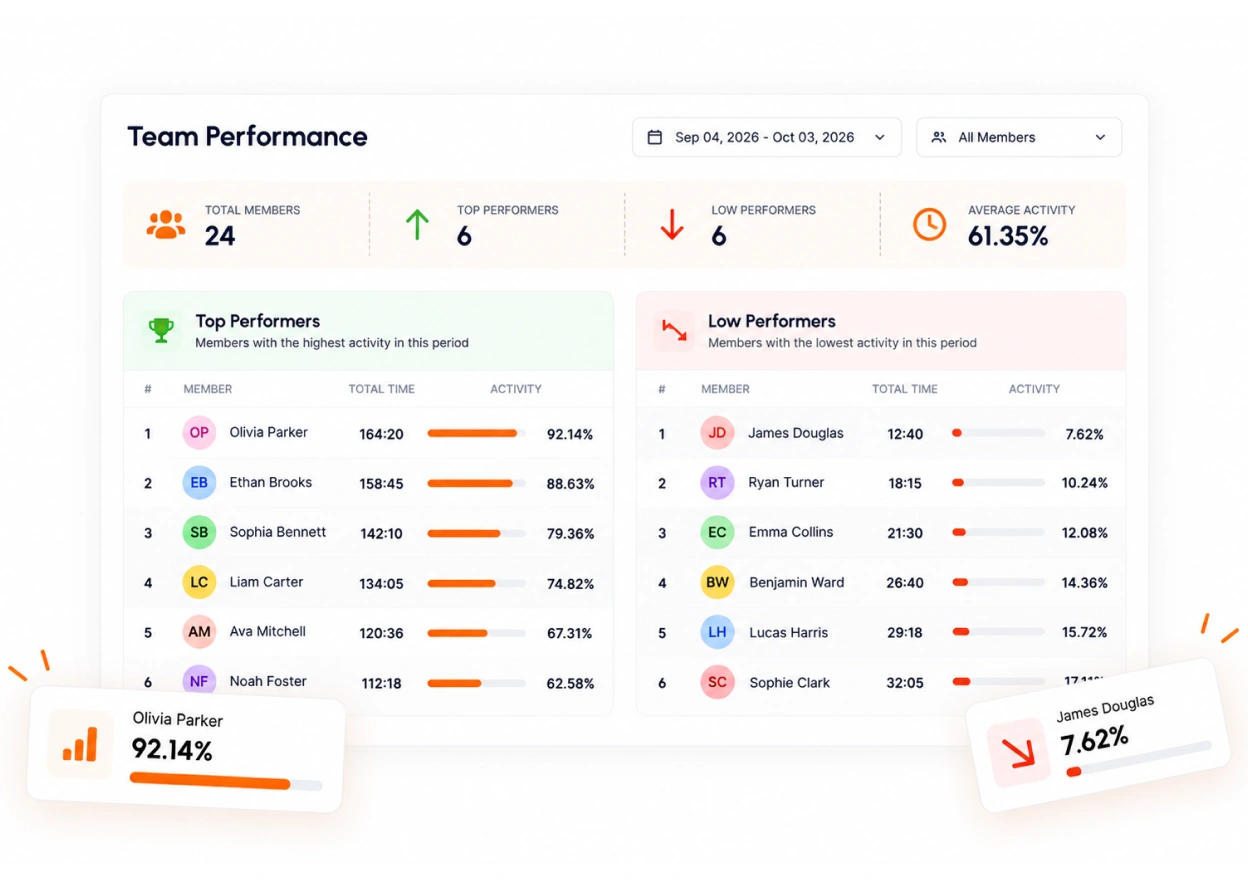
TimoDesk employee performance tracking ranks members by tracked hours and activity and lists top and low performers, so managers of remote teams notice both groups early.
Quiet people are easy to miss
The person doing most of the work rarely says so, and the person who has stopped says even less. A ranking shows both in seconds, for every member at $1 per user per month. It helps with productivity and accountability reviews, workload and burnout checks and remote teams. For step-by-step help, see the Top and low performers and Productivity leaders guides.
Top and low performers, shown automatically
A ranking across the organization shows who works steadily and whose hours have dropped, without anyone building a spreadsheet. The bottom of the list often needs your attention the most.
- Top performers ranked across the organization
- Low performers shown early, well before review time
- Members with the highest activity for any period
- A detailed breakdown for each member in the ranking
Recognition
for the
top member each month
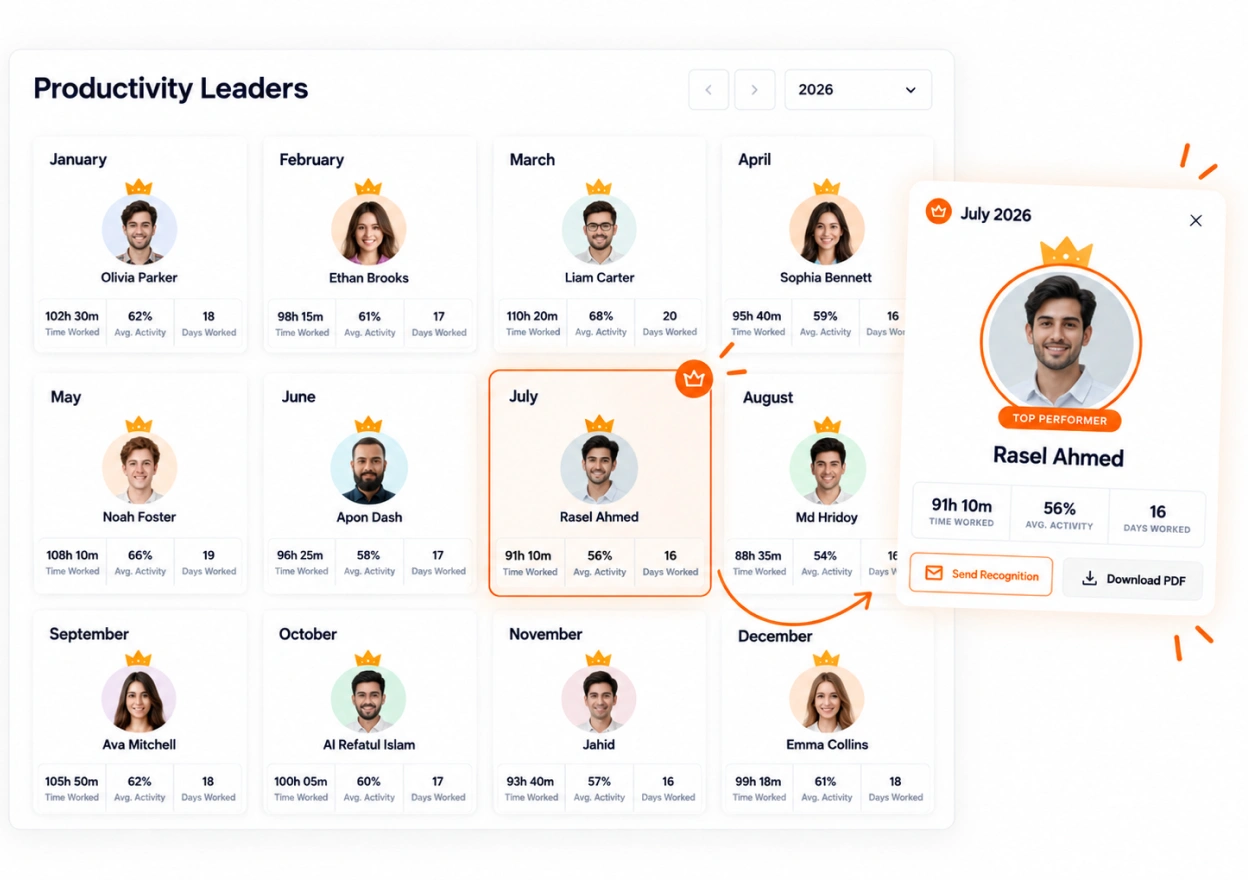
The leaderboard names the member with the most tracked hours in each month. Email them a recognition message or download a PDF. This way, tracking also gives people credit for their work.
- A leaderboard with the top member for every month
- Download a "Performer of the Month" PDF for any month's top member
- Email the top member a recognition message
- Chosen by tracked hours alone
What the ranking is based on
Only two numbers go into it. Read this before you share a ranking with the people who are in it.
- 1 Maya Hours · Activity 86 · 92%
- 2 Daniel Hours · Activity 72 · 78%
- 3 Priya Hours · Activity 58 · 64%
- 4 Carlos Hours · Activity 41 · 47%
- 5 Aisha Hours · Activity 28 · 32%
The names and numbers are sample data for illustration.
About performance and leaderboards
Hard questions about ranking people, answered honestly.
Who can see the leaderboard?
Only organizers and managers. Team managers can see top and low performers for the teams they manage. Staff members don't see rankings, and nothing is sent to the team automatically.
How does TimoDesk decide who is a top performer?
By tracked hours and recorded activity for the period you pick. You can sort by time, by activity, or by both. The ranking measures time and keyboard and mouse use. It does not measure the quality of the work.
Can I recognize the top performer each month?
Yes. The leaderboard shows the member with the most tracked hours in each month. You can email that member a recognition message or download a "Performer of the Month" PDF for them.
Can I export top and low performers?
Yes. Both lists download as PDF or CSV for the period you pick.
Can people game the rankings?
Yes, as with any tool that ranks people. Activity measures keyboard and mouse use, so read a ranking next to the work delivered and use your own judgment.
More TimoDesk features
Each feature has its own page that explains what it does and what it doesn't do. All of them are on the same plan.
- Time tracking Time tracked while the work happens
- Project management Kanban boards with time on every card
- Project time tracking Every hour saved to its project and task
- Manual time Request and approve time the app missed
- Team dashboard Your team's day and what needs you
- Time calendar Each member's hours by day, week and month
- Screenshots Screenshots linked to each task
- Activity levels Keyboard and mouse activity, never keystrokes
- App and website usage Which apps and websites were used
See where your team's hours go
Setup takes a few minutes. Install the desktop app and start a timer. Tracked time shows on the dashboard the same day, and the first full-day reports are ready the next day.
- $1 per user / month
- Windows, macOS and Linux