Proof of work for clients, backed by tracked hours
TimoDesk is proof of work software for teams that bill clients. Every tracked hour is tied to a task, with activity levels, screenshots and a monthly PDF timesheet. Clients can check it in their own login. $1 per user per month.
Proof clients can check themselves
You can tell a client the hours are real. That does not mean they believe you. Without a shared record, every invoice can turn into an argument, and doubt slowly builds between you and the client. A clear record answers the question before it comes up. TimoDesk creates that record for $1 per user per month.
From one line on an invoice to the work behind it
A disputed hour is costly when the only answer is "let me check." These four steps answer it without asking anyone what they remember.
-
01 A line on the invoice Four hours on Tuesday, billed to the client's project.
-
02 The project it belongs to Project reports narrow the whole month down to that client's work only.
-
03 The task and the time Hours are saved on the task being worked on, so the four hours split into the exact sessions behind them.
-
04 The screenshot and the activity level Both are recorded during that time and saved on the same task. You only need to check the one hour in question.
Every hour comes with proof
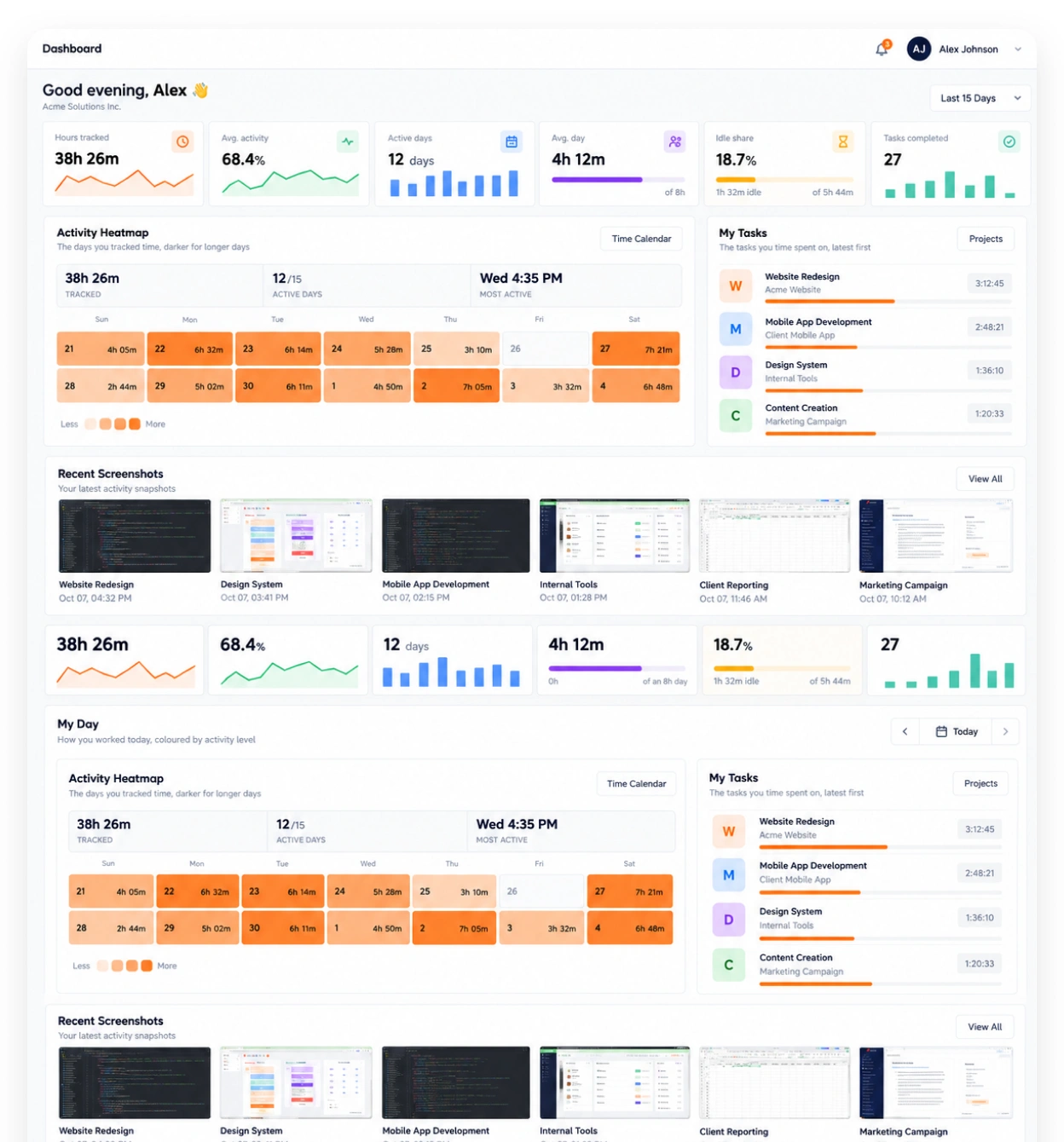
Screenshots are saved with the task being worked on. Activity levels are recorded for every session. App and website usage shows what the time was spent on. It's built on screenshots, app and website usage, and timesheet exports.
-
Screenshots linked to the task and the time Each screenshot is saved with its task and the time it was taken.
-
Activity levels from keyboard and mouse use See how often the keyboard and mouse were used, never what was typed.
-
App and website usage for each member See which apps and websites each person used while the timer ran.
-
Screenshot settings for everyone or one member Screenshots start on for new members. Switch them per member, or for many at once.
Proof you can send
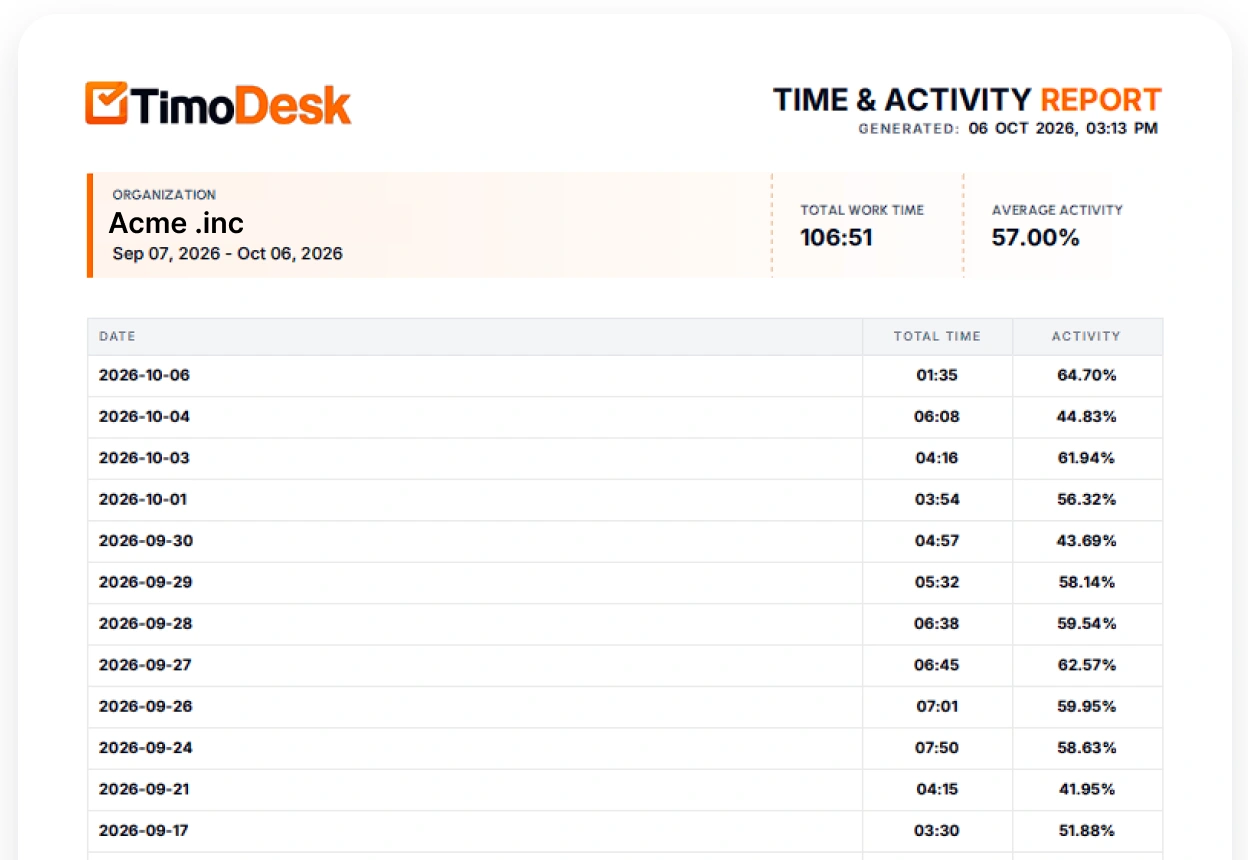
Time and activity reports download as PDF or CSV, and monthly timesheets as PDF. The record goes out with the invoice, so nobody has to build it by hand each time a client asks for it.
- Project reports, one client at a time
- Monthly timesheets exported as PDF
- A client login with your logo and name, to check the hours any time
- Screenshots ready if a client asks about a line
Proof of work questions
What to check before you tell a client that your hours come with proof.
Is proof of work software the same as surveillance?
No. You set the rules, and the person can see when tracking is on. Screenshots and activity levels are tied to the task being worked on, and members can see their own record.
Can clients see the proof themselves?
Yes. You invite each person at the client by email, and each one gets their own login that shows only the projects you assign. Every client sees a dashboard, and you choose the other screens, such as time and activity, tasks, screenshots, and apps and websites. Clients can download their reports as PDF or CSV, and the PDF carries your logo.
What happens if a client disputes an hour?
You open that hour on its task. The screenshots and activity for that time are saved there, so you can check one hour instead of the whole month.
Can tracked hours be edited afterward?
No. Nobody can edit tracked sessions. Manual time is off until the organizer turns it on. Then time added by hand is a request. The organizer chooses who approves it: only the organizer, managers too, or team managers for their own teams. It is approved right away only if auto-approval is on. Either way, it always stays marked as manual.
Does TimoDesk send the invoice?
No. It creates the record you attach to your invoice: a monthly timesheet exported as a PDF, with project reports behind it.
How much does proof of work software cost?
$1 per user per month. Screenshots, activity levels and PDF timesheets are all on the same plan. There's no seat minimum and no annual contract.
Time tracking for other teams and needs
Every team gets the same tracking and reports. Pick the page that matches your team or what you need to solve.
- Staffing and talent agencies Proof of work for every hire you place
- Virtual assistant agencies Hours for each client a VA works for
- Agencies and studios Track hours on every client project
- Software and IT teams See where the sprint time went
- Consultants Bill each client from a PDF timesheet of tracked hours
- Remote and distributed See your team's work without a status meeting
- Hybrid teams The same tracking on office days and home days
- In-house teams Spot uneven workload while you can fix it
- Productivity and accountability Review conversations based on data both sides can see
- Workload and burnout See who is overworked before they leave
Start tracking time this week
Create your organization and invite your team today. Tracked time shows on the dashboard the same day, and the first full-day reports are ready the next day. $1 per user per month, with every feature included.
- $1 per user / month
- 15-day free trial, no card
- Stop anytime. No contract.
