Kanban boards with time tracking built in
TimoDesk project management with time tracking gives every project a kanban board, a list and a calendar. Agencies and software teams track time on each task from the desktop app, for $1 per user per month.
Project management
Plan work and track time in one place
Many teams plan in one tool and track time in another, then spend Friday matching the two. In TimoDesk the timer runs on the card, so the hours are already on the task. Board, timer and reports are one plan at $1 per user per month, for agencies, software teams and consultants. For hours per project, see project time tracking. For step-by-step help, see the Projects and Task board guides.
The board
Columns that match how you work
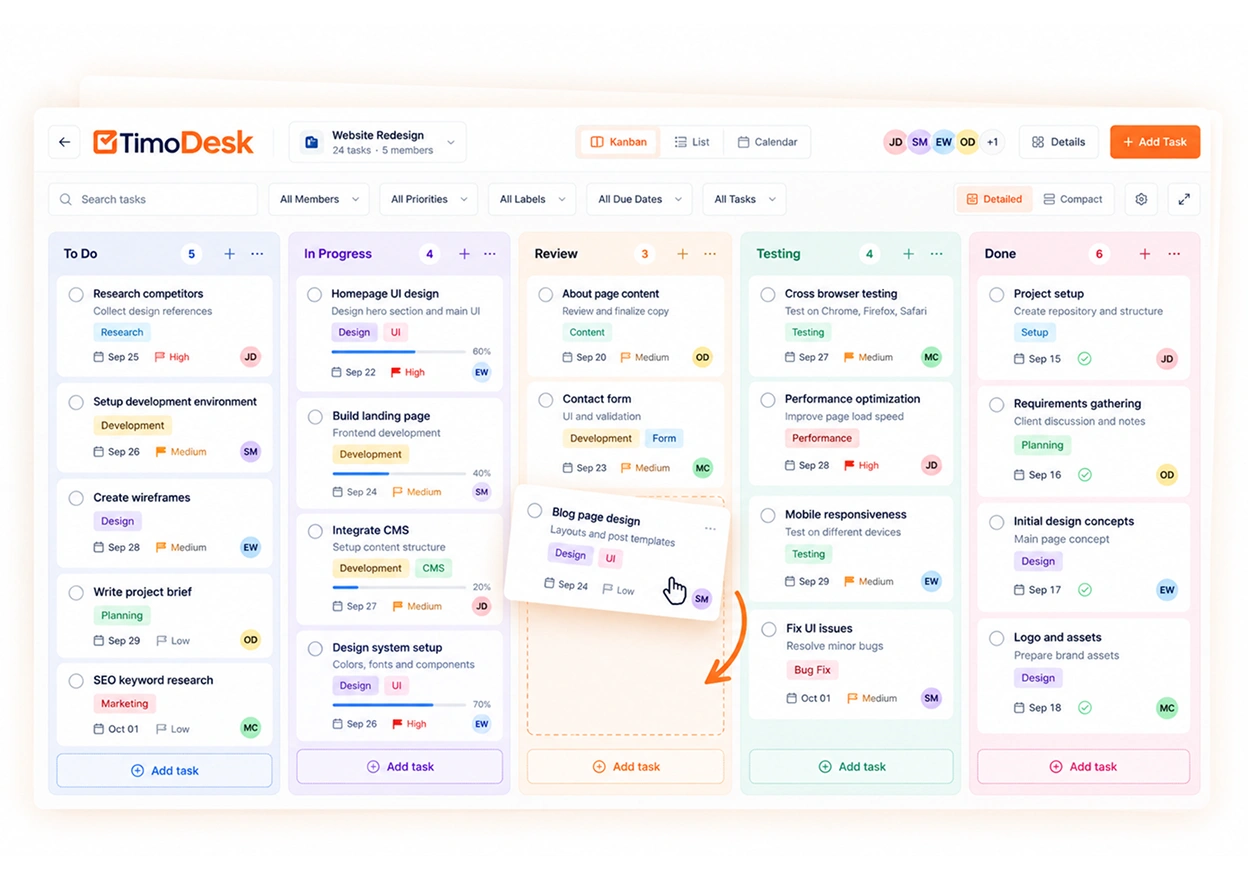
Every project gets its own board. Add columns, name them after your real stages, color them and drag them into order. Drag cards between columns, and add a new task by typing a title and pressing Enter. The board updates live for everyone.
- Columns you add, rename, color and reorder
- Drag cards between columns, or add one from the keyboard
- Compact or detailed cards, a focus mode and your own board background
- Filter by member, label, priority, due date or status, or search
The card
All task details on one card
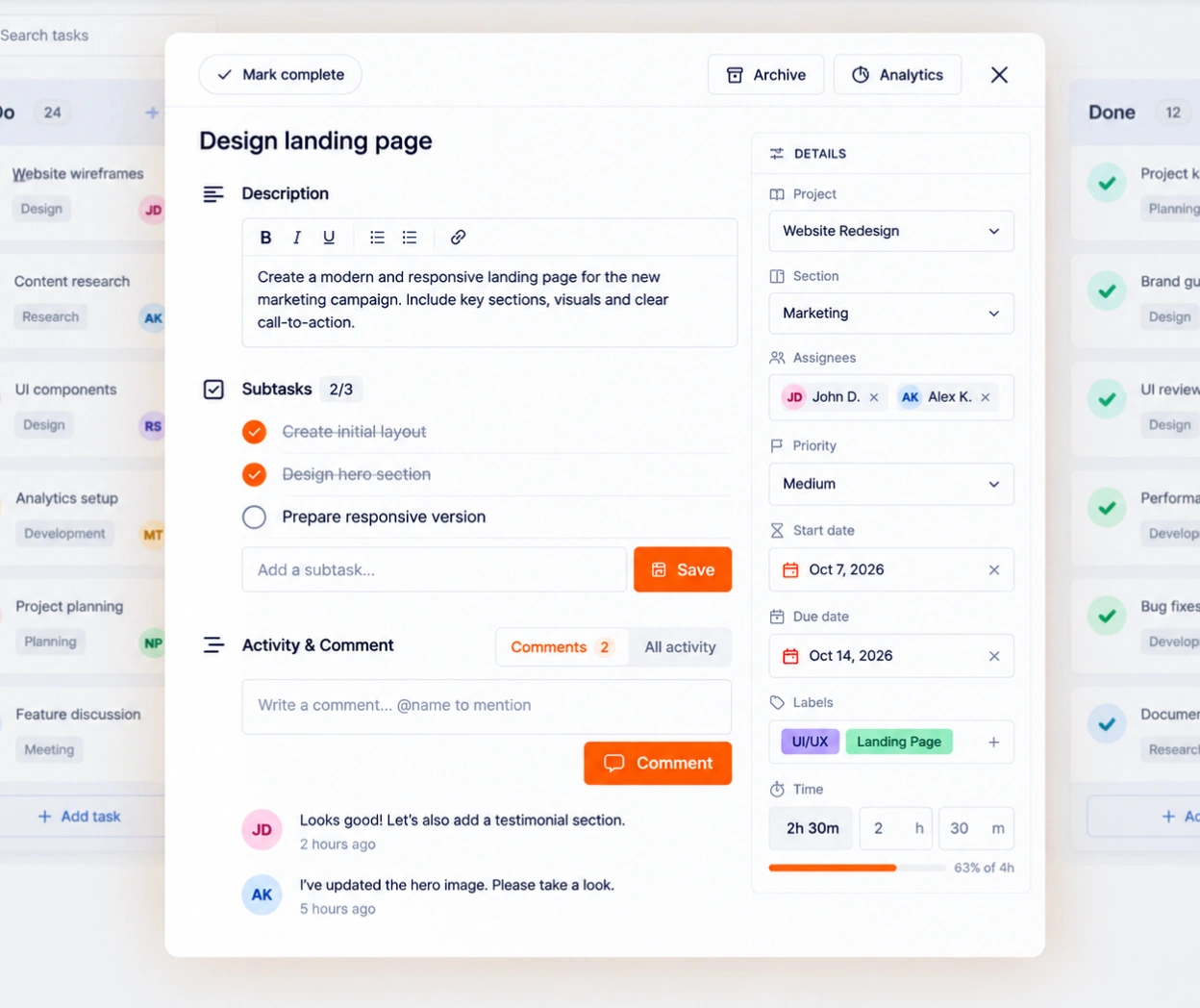
Open a card to see everything the work needs: a description written in Markdown, priority, dates, an estimate, labels and subtasks. Comments sit underneath, and an @mention sends that person a notification that opens the card.
- Priority from low to urgent, start and due dates, and an overdue flag
- An estimate with the tracked time beside it, flagged when a task goes over
- Labels, subtasks and one or more assignees
- Comments with @mentions, and a full activity history
Working now
One filter shows only the cards someone is tracking time on right now, so a
daily team meeting can start with the work in progress.
Views
Board, list or calendar
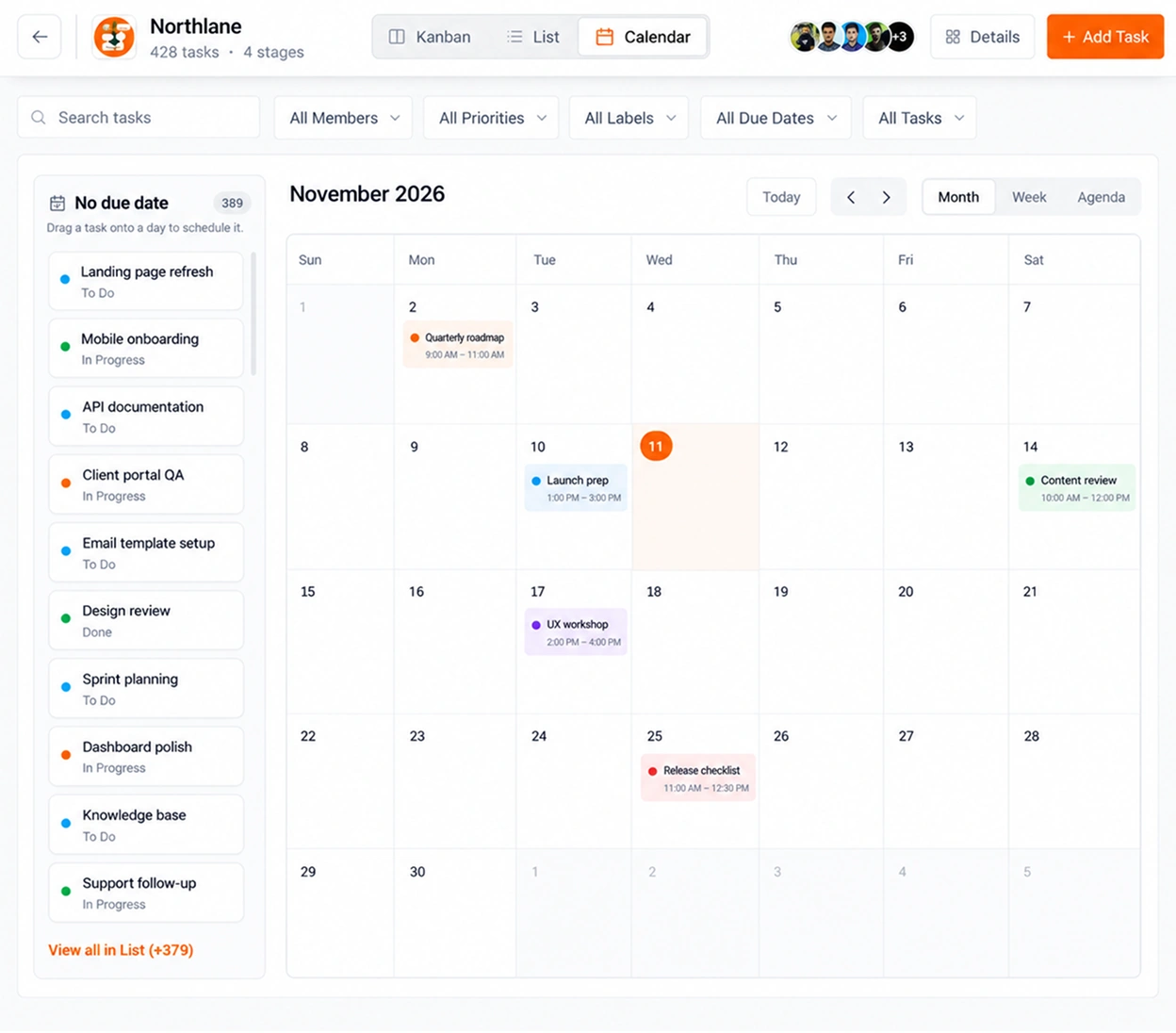
The same tasks, three ways. The list is for scanning, the calendar lays tasks out by start and due date, and dragging a card onto a day schedules it. Members don't even need the browser: the desktop app shows their tasks and lets them update them.
- Board, list and calendar views of the same tasks
- Drag a task onto a day in the calendar to schedule it
- Mark tasks Important, a personal mark only you see. Archived tasks leave the board and the desktop app
- Add, complete, move and archive tasks from the desktop app
Every task has its own analytics
Time, activity, apps, websites and screenshots per task, and a project
overview with the completion rate, open tasks by priority and who is doing
the most work.
Questions
About project management
Including what it does not do, so you can decide before you move your boards.
Does TimoDesk have a kanban board?
Yes. Every project gets a kanban board with columns you add, rename, color and reorder. You drag cards between columns, and the timer tracks time directly on the card.
Is project management included in the $1 plan?
Yes. The board, list and calendar views, the task details and time tracking on every task are all part of the one plan at $1 per user per month. There is no add-on to buy.
Can I track time directly on a task?
Yes. A member picks the task in the desktop app on Windows, macOS or Linux and starts the timer. The hours are added to that card, next to its estimate.
Can people manage tasks from the desktop app?
Yes. From the tracker, members can see their tasks, add a new one, mark a task complete, move it to another column or archive it, without opening the browser.
Does it notify people about comments?
Yes. An @mention in a task comment sends that person an in-app notification that opens the task.
Can it replace Trello, Asana or another project tool?
For many teams, yes. It covers boards, tasks, dates, priorities and comments, and the time is already on each card. It has no Gantt charts, task dependencies, recurring tasks, templates, file attachments or project budgets, so a team that needs those should keep a separate tool as well.
More features
More TimoDesk features
Each feature has its own page that explains what it does and what it doesn't do. All of them are on the same plan.
- Time tracking Time tracked while the work happens
- Project time tracking Every hour saved to its project and task
- Manual time Request and approve time the app missed
- Team dashboard Your team's day and what needs you
- Time calendar Each member's hours by day, week and month
- Screenshots Screenshots linked to each task
- Activity levels Keyboard and mouse activity, never keystrokes
- App and website usage Which apps and websites were used
- Timesheets and exports Monthly timesheets you can bill from
Get started today
See where your team's hours go
Setup takes a few minutes. Install the desktop app and start a timer. Tracked time shows on the dashboard the same day, and the first full-day reports are ready the next day.
- $1 per user / month
- Windows, macOS and Linux