Time tracking solutions by team type
TimoDesk is time tracking and employee monitoring software for staffing and talent agencies, creative and digital agencies, consultants, and remote, hybrid and in-house teams. One plan with every feature costs $1 per user per month.
01
Remote and distributed teams
See your team's work without a status meeting
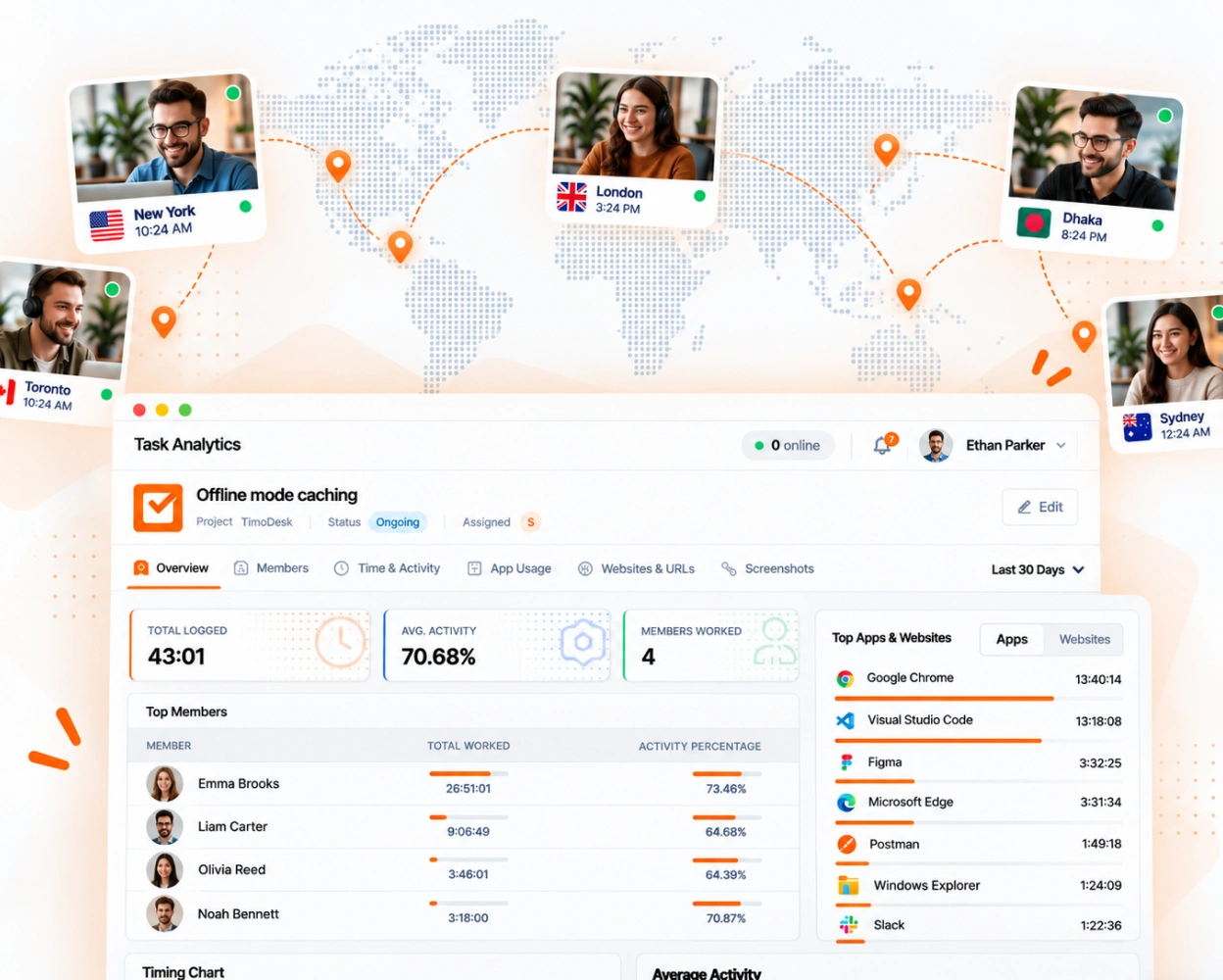
When your team works in different time zones, you cannot check on people in person. TimoDesk keeps one shared record of hours and activity, so you can read what happened while you were offline.
- Tracked hours and activity for every location in one view
- Daily summary emails with the hours from the day before
- Weekly worklogs instead of written status updates
- A live list of who is online and working right now
02
Agencies and studios
Track hours on every client project
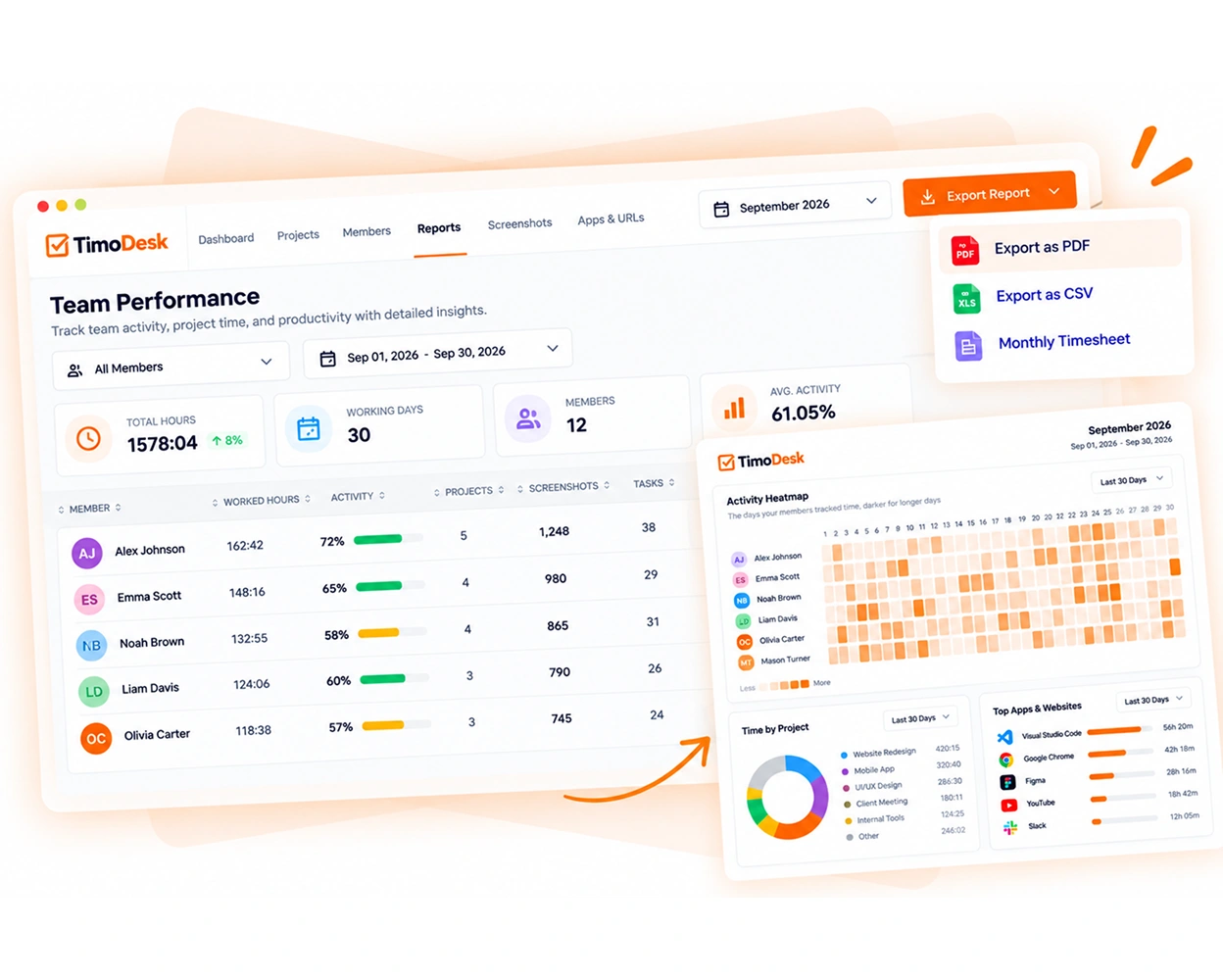
Small extra requests add hours that nobody counts until the project has used more hours than planned. TimoDesk tracks time against each project and task, so you see the extra hours while you can still act.
- Time tracked against each project and each task
- Project timing that shows the hours as they add up
- Timesheets and PDF exports built from tracked hours
- Hours for each member, to plan who works on what
03
Staffing and talent agencies
More on staffing and talent agencies
Proof of work for every hire you place
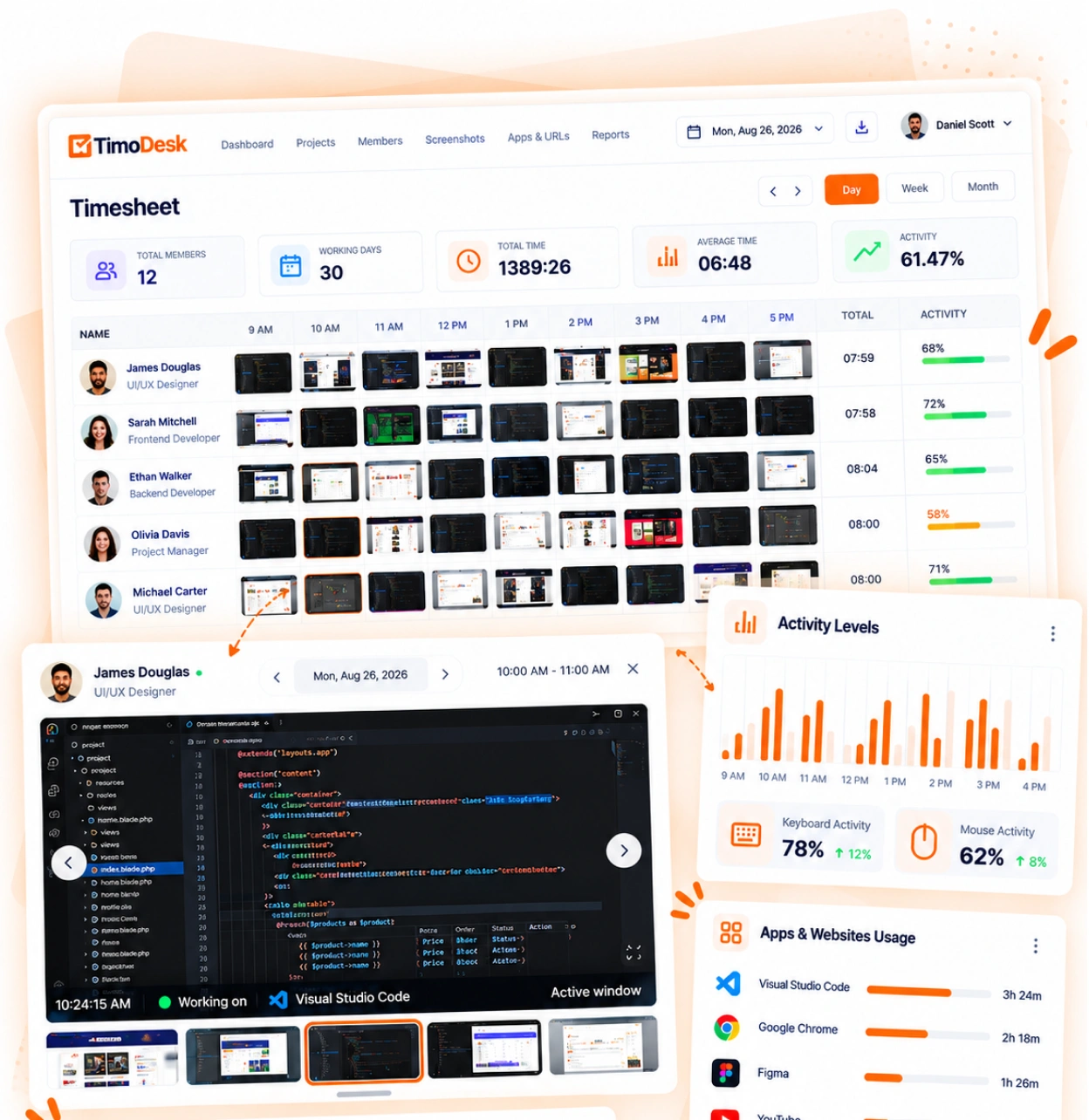
When you place remote hires with a client, you answer for hours that nobody in your office sees. TimoDesk records the work as it happens, so you can show the client real data.
- Screenshots linked to the task being worked on
- Activity levels recorded for every session
- Project reports you can send straight to the client
- Monthly timesheets, exported as PDF for billing
Client logins
Each person at the client is invited by email and gets their own login that shows only the projects you assign. Every client sees a dashboard, and you choose the other screens, such as time and activity, tasks or screenshots. Screenshots, apps and websites are off for a new client until you turn them on.
04
In-house teams
Spot uneven workload while you can fix it
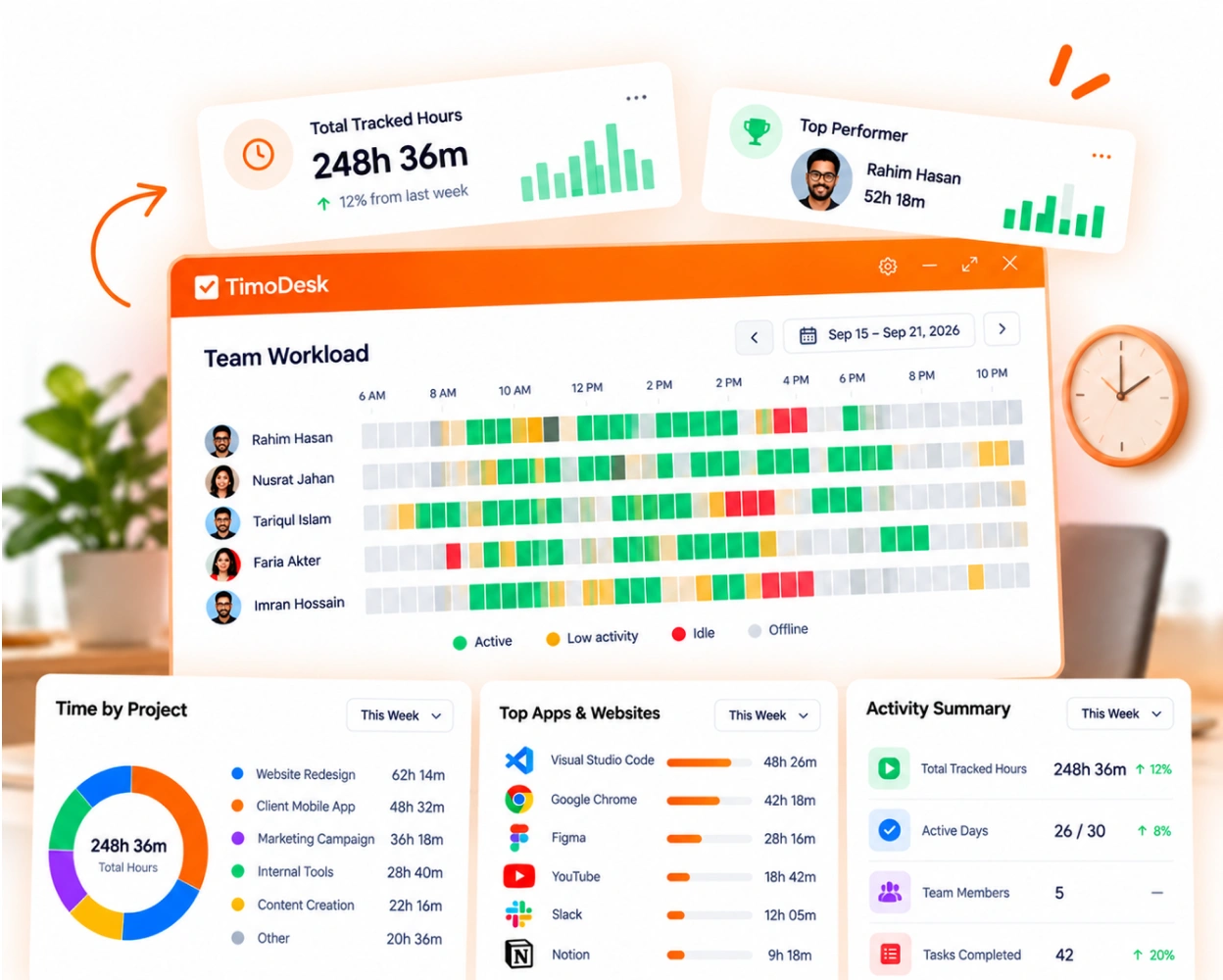
Overwork and uneven workload show up in tracked hours long before anyone talks about them. Team leads and department heads can spot the pattern early in performance reports and the time calendar.
- Top performers, low performers and a monthly leaderboard
- A time calendar and weekly worklogs that show long days
- Each member's start time and last activity for today
- Role-based access, so team managers see only their own teams
More use cases
Other teams and needs, same features
TimoDesk is built mainly for the four teams above. The pages below cover four more team types and three specific needs, using the same tracked data.
Common questions
Three questions every manager asks
Most teams want answers to the same three questions. TimoDesk answers them from one record of tracked time, so nobody fills in timesheets by hand. Every team gets the same plan for $1 per user per month. It's built on time tracking, screenshots, and kanban boards.
- Timesheets from tracked time
- One shared record
- PDF and CSV reports
- Where did the team's time go this week? Weekly worklogs and member reports show the hours for each person, project and day.
- How many hours has this project used? Project timing shows the hours on every project while the work is still running.
- Is anyone working too many hours? The time calendar and performance reports show long days and uneven workload early.
One record of tracked time.
Three clear answers.
Hours, activity and projects sit in one place, so decisions take less time.
Questions
Which solution fits your team
Questions teams ask when they check if TimoDesk fits the way they work.
Which teams is TimoDesk built for?
Remote staffing and talent agencies first. It also fits creative and digital agencies, consultants, software teams, and remote, hybrid and in-house teams. Every team gets the same features: hours, activity levels, screenshots and reports.
Does TimoDesk cost more for some types of teams?
No. Every team pays $1 per user per month on one plan with every feature. There's no seat minimum or annual contract, and you pay only for members who tracked time that month.
Does TimoDesk include project management?
Yes. Every project has a kanban board with columns you set up. Tasks have priorities, due dates, time estimates, labels, subtasks and one or more assignees, and time is tracked on each task.
Can clients log in to see their projects?
Yes. You invite each person at the client by email, and each one gets their own login that shows only the projects you assign. Every client sees a dashboard, and you choose the other screens, such as time and activity, tasks or screenshots. Screenshots, apps and websites are off for a new client until you turn them on.
Can a manager see only their own team?
Yes, with the team manager role. A team manager sees only the teams they manage. Organizers and managers see the whole organization. Staff see only their own data, unless you make them leader of a project, and then they also see that project.
Does TimoDesk work on Windows, Mac and Linux?
Yes. There are desktop apps for Windows, macOS and Linux, plus a web dashboard. There is no mobile app.
Start tracking time this week
Create your organization and invite your team today. Tracked time shows on the dashboard the same day, and the first full-day reports are ready the next day. $1 per user per month, with every feature included.
- $1 per user / month
- 15-day free trial, no card
- Stop anytime. No contract.
