
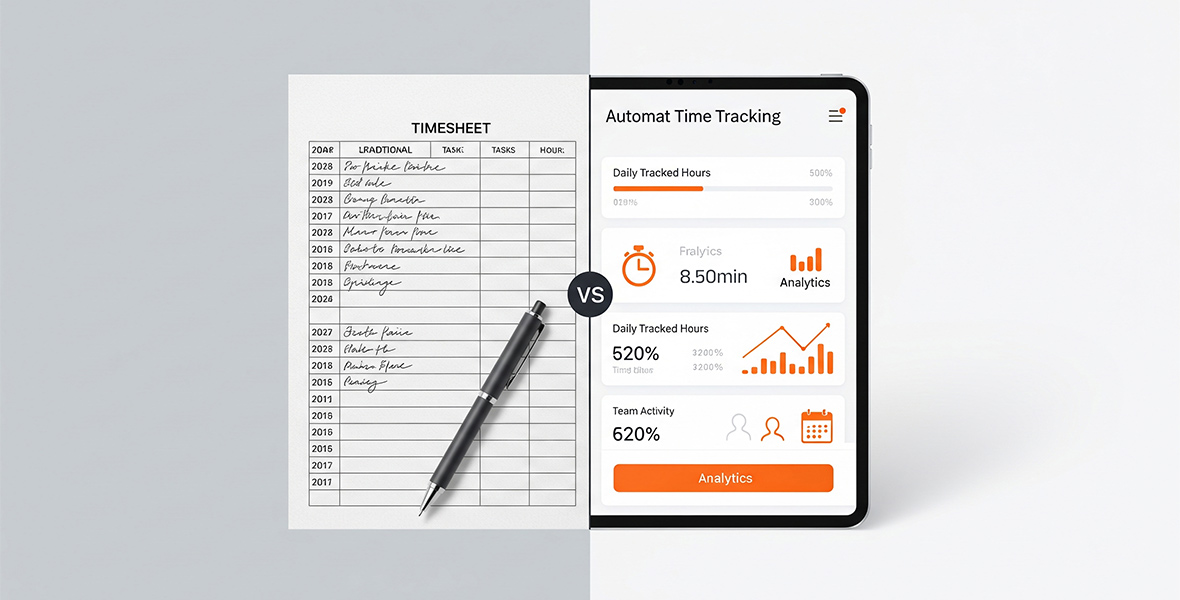
For most teams, automated time tracking apps beat manual timesheets. Apps record time as people work, so there is less guessing, rounding and chasing late timesheets. Manual timesheets still make sense for very small teams with simple work, but they get harder to manage as a business grows.
This guide compares manual vs automated timesheets side by side. It covers the main ways to track employee time, the pros and cons of each, and how to choose the right app for your team.
A quick bit of math shows why small gains matter. Say a 50-person team earns $25 an hour, and better tracking saves each person 30 minutes a day. That is $625 a day, or about $12,500 a month over 20 workdays. You can run your own numbers with our ROI calculator.
Why should you track your team's time?
Time tracking makes payroll accurate, shows workloads and helps with compliance. But the benefits go further, for both employers and employees.
For employers, time tracking helps you:
- Pay people correctly and capture every billable hour.
- See how time splits between tasks and meetings, and balance workloads.
- Assign work based on how long tasks really take.
- Estimate project budgets, especially for hourly client work.
- Find bottlenecks early.
- Spot burnout before people quit.
- Catch gaps and errors in work logs.
- Keep records that help you follow labor laws.
For employees, time tracking helps them:
- See how they spend their hours and work more efficiently.
- Prioritize tasks by knowing what takes longest.
- Show their effort clearly in performance reviews.
- Get paid for every hour they worked.
What are the different ways to track employee time?
The best method depends on your team size, industry and needs. Here are the most common options:
| Method | How it works | Pros | Cons |
|---|---|---|---|
| Paper timesheets | People write their hours on paper forms. | Cheap and simple. | Errors, easy to lose, slow to process. |
| Spreadsheets | Hours typed into Excel or Google Sheets. | Cheap, familiar, easy to share. | Still manual, typing errors, little analysis. |
| Punch clocks | People clock in and out on a device. | Reliable for on-site teams. | Needs hardware, no task detail, no remote use. |
| Biometric systems | Fingerprint or face scan to clock in and out. | Secure, stops buddy punching. | Higher cost, privacy concerns. |
| GPS and mobile apps | Tracks time and location on a phone. | Good for field teams. | Needs smartphones, privacy concerns. |
| Time tracking software | A timer records time per task as people work. | Accurate, good reports, little admin. | Costs money and needs a short setup. |
Manual methods look simple at first, but errors and admin time add up. For most teams, software is the choice that grows with them.
What is manual time tracking?
Manual time tracking means writing work hours on paper timesheets, spreadsheets or time cards. It depends on each person's memory and discipline.
Pros of manual timesheets
- Low cost: little or no money for software or hardware.
- Little training: anyone can fill in a timesheet.
- Good for tiny teams: a small shop with fixed hours may not need more.
Cons of manual timesheets
- Errors: people forget, guess or round, which leads to payroll mistakes.
- Rounding: someone who works 8:14 AM to 5:36 PM may write 8 to 6. Over months, that adds up.
- Little insight: you see start and end times, but not which tasks took the time.
- Admin time: collecting and checking timesheets takes hours every pay period.
These problems grow with team size, which is why manual tracking gets harder as a business grows.
What is an automated time tracker?
An automated time tracker is software that records time while people work. In most tools, the person starts a timer on a task, and the software does the rest. Good tools also:
- Build timesheets from the tracked time.
- Remove idle time when nobody is at the computer.
- Show time by person, project and task.
- Create reports you can download.
- Show live team status.
TimoDesk time tracking works this way. Members start the timer on a task in the desktop app. Idle time is removed on its own, and the monthly timesheet is built from tracked time.
What are the advantages of automated time tracking?
- Accuracy: exact start and end times, with no guessing or rounding.
- Less admin: no chasing people for timesheets.
- Accountability: clear records of who worked on what.
- Better decisions: data on app use and idle time shows where workflows can improve.
- Remote-ready: works for teams spread across cities and countries.
- Lower costs: fewer errors and more billable hours captured.
For remote teams, this means clear visibility without constant check-in messages.
What are the limits of automated time tracking?
- Screenshots can feel intrusive if you do not explain why you use them.
- Software tracks time, not intent. An hour on a document may include distractions.
- Work away from the computer, like calls or whiteboard sessions, may not be tracked.
- High activity does not always mean high-quality work.
- Rollout can face IT limits or resistance from staff.
Clear rules help. For example, in TimoDesk, manual time for off-computer work can be turned on by the organizer. Members then request that time, and a manager approves it. Screenshots can be turned on or off for each member.
Here is how some popular tools compare. Rival prices are their lowest paid plan per user per month on annual billing, as listed in August 2026.
| Tool | Free option | Entry paid plan | Highlights |
|---|---|---|---|
| TimoDesk | 15-day free trial, no card | $1 per user per month, every feature | Timer per task, idle removal, screenshots, activity levels, app and website usage, project boards, reports, offline tracking, apps for Windows, macOS and Linux |
| Clockify | Free plan for up to 5 active users | Basic, $3.99 | Timer, project tracking, reports; screenshots start on Pro |
| Toggl Track | Free plan for a limited number of users | Starter, $9 | One-click timer, reports, many integrations; no screenshots |
| Hubstaff | 14-day free trial | Starter, $4.99 | Activity tracking, screenshots, GPS and payroll on higher plans |
Manual vs automated time tracking: which is better for business?
For most businesses, automated time tracking wins on three points:
- Efficiency: less admin and data in real time.
- Accuracy: fewer missed entries and inflated hours.
- Cost: lower long-term costs, even after paying for the tool.
It also gives you real-time visibility into billable hours, grows easily with remote and hybrid teams, and keeps clear logs for audits.
Manual tracking may still make sense when:
- You have a small team with simple, fixed hours.
- People do not work on computers.
- The project is short and the needs are basic.
How do you choose the best automated time tracking software?
Look for these features:
- A timer per task with automatic idle removal.
- App and website tracking for visibility without micromanaging.
- GPS, if you manage field teams.
- Time per project and task, linked to results.
- Clear reports you can download.
- Integrations or exports that fit your payroll process.
- A simple app that people adopt quickly.
Why choose TimoDesk?
TimoDesk suits remote teams and staffing agencies that need proof of work at a low price. It offers:
- Time tracking per task: start the timer on a task; idle time is removed.
- Reports: activity levels, app and website usage, timelines and project breakdowns.
- Screenshots: on by default for new members, set per member, every 3 to 60 minutes.
- Offline tracking: keeps tracking offline and syncs when it reconnects.
- Security: read how data is protected on the security page.
- Simple pricing: $1 per user per month, every feature on one plan, with a 15-day free trial.
TimoDesk has no GPS, mobile app or integrations. If you need those, a larger tool may fit better.
Make the switch from manual to automated time tracking
Manual timesheets cost more than they seem: lost hours, errors and slow payroll. Automated time tracking captures time accurately, shows what your team is working on and grows with you.
Want to try it? Start a free TimoDesk trial. It takes 15 days, and no card is needed.
Frequently asked questions
Are manual timesheets still worth using?
Yes, for very small teams with fixed hours and simple work. Once you bill clients by the hour or manage remote staff, an app saves time and reduces errors.
Is automated time tracking fully automatic?
Usually not. In most tools, including TimoDesk, people start a timer on a task. The software then records the time, removes idle time and builds the timesheet.
How do you track work done away from the computer?
Many apps let people add manual time. In TimoDesk, the organizer turns manual time on, and each request goes through approval. It stays marked as manual.
What does automated time tracking cost?
Prices range from free plans to over $10 per user per month. TimoDesk costs $1 per user per month with every feature included.
Was this helpful?
Share it with someone who still adds up hours by hand.


