
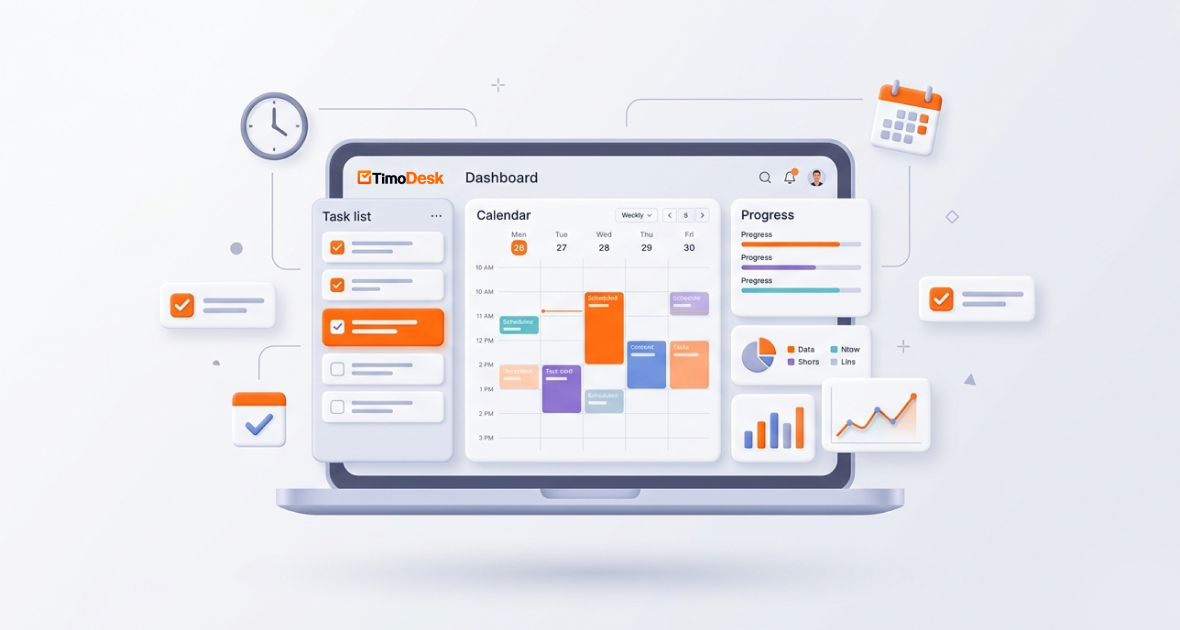
The TimoDesk Time Calendar shows each member’s tracked hours by month, week and day, so managers can see who worked when and how much. Paired with the calendar view in each project, which shows tasks by date, it helps teams plan work, spot overload and keep deadlines. It is not a meeting or shift scheduler; it shows real tracked time next to planned task dates.
Organizing team work is harder with hybrid and remote teams. Tasks overlap, deadlines slip, and people work across time zones. Poor planning leads to confusion, burnout and hours spent chasing updates.
A clear view of tasks, deadlines and real hours fixes much of this. TimoDesk gives you that view with the Time Calendar, project boards and calendar views, time tracking and reports, all for $1 per user per month.
Why do organized team schedules matter?
- Fewer conflicts and missed deadlines: When everyone sees priorities and due dates, double work and surprises drop.
- More accountability: When tasks and due dates are visible, people take ownership. Managers get oversight without micromanaging.
- Better use of people: Balanced workloads prevent burnout and idle time. You can match tasks to skills and availability.
- Smoother remote and hybrid work: A shared view supports async work across time zones.
- Higher productivity: Good planning cuts context switching and last-minute rushes.
What goes wrong without a team calendar?
- Overlapping tasks: Unplanned overlaps drain energy and slow work.
- Missed deadlines: When progress isn’t tracked in one place, tasks slip and managers get surprised.
- Time zone gaps: Global teams struggle to see who works when.
- No central view for managers: In hybrid teams, proximity bias can favor people who are more visible. Without data, real workload is hard to judge.
- Manual spreadsheets: Spreadsheets need constant updates and steal time from real work.
These problems raise stress and lower output. TimoDesk addresses them by joining task dates with real tracked time.
What are the key features of the TimoDesk Time Calendar?
Monthly time calendar
See how much each member tracked on each day of the month. Open a day to see its sessions. Members see only their own calendar. Organizers and managers can open anyone’s, and team managers see their own teams.
Weekly worklog
The weekly worklog shows one week by member and day. It is a quick way to spot uneven workloads and long days.
Project calendar view for tasks
Each project has a kanban board, a list view and a calendar view. The calendar view shows tasks by their start and due dates. Tasks have priority, estimates, labels, subtasks and assignees. Boards update live for everyone.
Planned versus real time
Members start the timer on a task, and the time lands on that task. Tasks that go over their estimate are flagged. Compare what you planned with what really happened, and plan better next time.
Alerts and summaries
The dashboard’s Action Center flags overdue tasks, tasks over estimate and long workdays. Everyone who tracked time gets a daily summary email, and a weekly one on the first day of your work week.
Timesheet PDF
The monthly timesheet downloads as a PDF for the whole team or one member. Every member can download their own.
What does the TimoDesk calendar not do?
It helps to be clear. TimoDesk does not book meetings, plan shifts, track breaks or attendance, or create recurring tasks. It does not sync with Google Calendar or Outlook. Use your usual calendar for meetings, and TimoDesk for tasks, due dates and real tracked hours.
How do the calendar, worklog and timesheet differ?
TimoDesk shows the same tracked time in a few views. Each one answers a different question.
| View | What it shows | Best for |
|---|---|---|
| Time Calendar | Tracked hours on each day of the month for one member | Seeing work patterns and long days |
| Weekly worklog | One week of tracked time by member and day | Weekly reviews and workload balance |
| Project calendar view | Tasks placed by start and due dates | Planning deadlines |
| Monthly timesheet | A month of tracked time as a PDF, for the team or one member | Payroll input and client records |
Use the project calendar view to plan, and the Time Calendar and weekly worklog to check what really happened. The gap between the two is where most planning lessons come from. If a task planned for two days took five, look at why before you set the next due date.
How do you use the TimoDesk Time Calendar?
- Set up your account: Start the 15-day free trial, download the desktop app and invite your team.
- Create projects and tasks: Add tasks with start dates, due dates, priorities, estimates and assignees.
- Plan with the project calendar view: Check that due dates are spread out and no one has too much due at once.
- Track time on tasks: Members start the timer on their task. Idle time is removed on its own.
- Check the Time Calendar: Look at tracked hours by day and the weekly worklog to see real workload.
- Compare plan and reality: Look at tasks over estimate and overdue tasks in the Action Center.
- Adjust: Move tasks and due dates based on what you learn to prevent burnout.
What are the best practices for managing a team calendar?
- Keep tasks up to date: Ask people to update task status as they work.
- Set realistic due dates: Use past tracked time to set achievable timelines. Add buffer time.
- Use labels: Tag tasks by client, department or urgency.
- Respect time zones: Agree on shared hours for live work, and use task comments for async updates.
- Review weekly: Hold a short review to spot overload, change priorities and celebrate progress.
How do different teams use the Time Calendar?
- Remote and hybrid teams: A global team sets due dates everyone can see. The weekly worklog shows real effort across time zones. See TimoDesk for hybrid teams.
- Agencies: Agencies plan client deliverables by date and track time per client project for accurate reports.
- Support teams: Leads look at the weekly worklog to see coverage by day and balance workloads.
- Development teams: Teams set up sprints as projects with subtasks and due dates, and spot tasks going over estimate early.
What are the benefits of the TimoDesk Time Calendar?
- Clear view of hours and deadlines: One place instead of scattered tools.
- More accountability: Real tracked time encourages ownership.
- Fewer missed deadlines: Overdue flags and due dates keep work moving.
- Better planning: Compare estimates with real time to plan staffing.
- Better teamwork: Shared context means less back-and-forth.
What mistakes should you avoid?
- Letting tasks go stale: Old information causes confusion.
- Ignoring overdue flags: Treat them as priorities.
- Overloading people: Use the weekly worklog and due dates to balance work.
- Planning without real data: Without tracked time, you can’t compare plan and reality.
- Using too many disconnected tools: Keep tasks and time in one place.
How can you get more from the Time Calendar?
- Link every tracked minute to a task, so the calendar tells a full story.
- Review team hours and tasks every week.
- Ask team members to follow due dates and update tasks.
- Use reports to assign tasks more evenly.
- Celebrate milestones to keep morale high.
Conclusion
Organized team work is key to productivity and accountability in hybrid and remote teams. The TimoDesk Time Calendar shows real tracked hours by day and week, and the project calendar view shows tasks by date. Together, they help you plan, check and improve how your team works.
Start your 15-day free trial today. No card is needed.
Frequently asked questions
Does the Time Calendar work for remote and hybrid teams?
Yes. It shows tracked hours from the desktop app, including time tracked offline once it syncs. Managers see the whole team, and members see their own time.
Is the Time Calendar linked to tasks?
Yes. Members track time on tasks, so each session belongs to a task and project. Each project also has a calendar view of tasks by date.
Can I schedule meetings, shifts or recurring tasks?
No. TimoDesk has no meeting booking, shift scheduling or recurring tasks. Use it for tasks, due dates and tracked hours.
Can I edit time in the calendar?
Tracked sessions can’t be edited. If the organizer turns on manual time, members can request time they worked with the timer off, and it goes through approval.
Was this helpful?
Share it with someone who still adds up hours by hand.


