
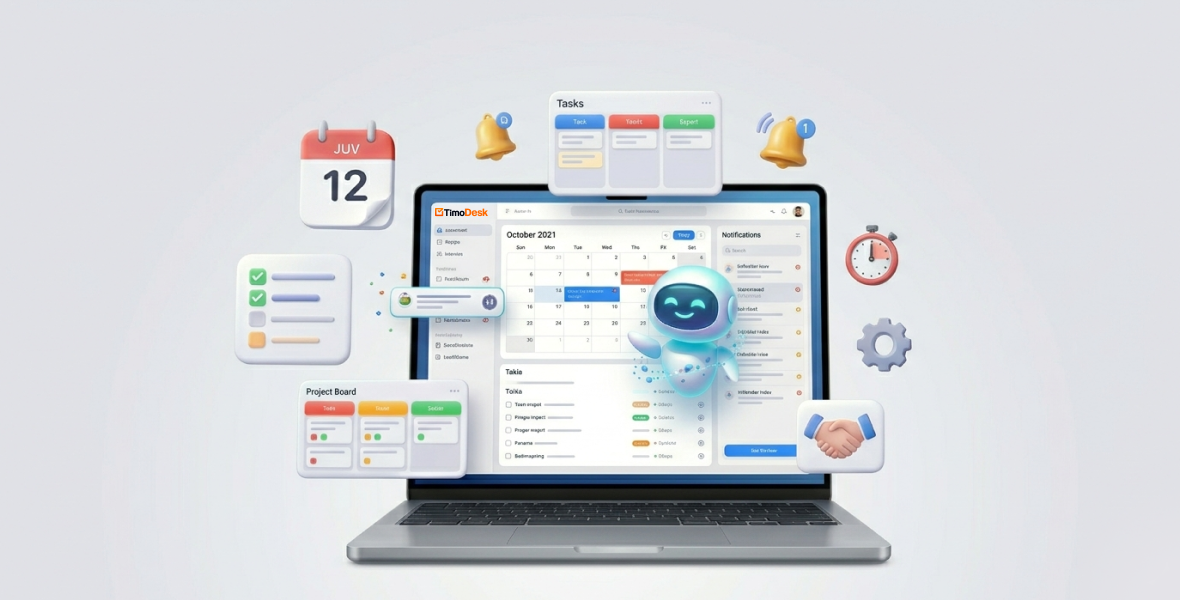
Good task management means planning, tracking and finishing work in one place, so nothing slips. TimoDesk helps by putting tasks, a kanban board and time tracking together: you plan tasks in a project, start the timer on the one you are doing, and see in reports where the hours went. It costs $1 per user per month.
Remote work, freelancing and constant multitasking make to-do lists grow faster than people can clear them. Deadlines get missed, priorities get lost, and workloads feel out of control. The right tool can turn that chaos into a clear plan.
This guide explains why task management matters, the most common problems, and how TimoDesk project management helps you fix them.
What is task management, and why does it matter?
Task management is the process of planning, organizing, tracking and finishing tasks to reach a goal. It is more than a list. It is a simple system that makes sure nothing falls through the cracks.
It has four main parts:
- Planning: Decide what needs to be done and break it into steps.
- Tracking: Follow progress as work happens.
- Prioritization: Decide what comes first, based on urgency and impact.
- Collaboration: Share updates, assign owners and talk about the work.
When task management works, teams finish projects faster, people have more personal time, and there are fewer errors and less stress.
When it fails, the results are serious. Missed deadlines hurt client trust. Forgotten priorities create bottlenecks. Unchecked workloads lead to burnout. In remote and distributed teams, a lack of visibility makes all of this worse.
What are the most common task management problems?
- Scattered work: Tasks live in emails, notes apps, spreadsheets and chat threads.
- No visibility: Nobody can see who is doing what, when it is due, or where it stands.
- Poor communication: Updates get lost in long threads, and people stop being on the same page.
- Missed deadlines: Manual reminders fail and work slips unnoticed.
- Too many tools: One app for tasks, another for time, another for chat. Switching kills focus.
- Burnout: Constant firefighting leaves no time for deep work.
Freelancers with many clients, fast-growing startups and large corporate teams all feel these problems. Remote work makes them harder, because you can't just look across the office.
What is TimoDesk?
TimoDesk is a time tracking and project management tool for remote teams. It brings tasks, time tracking, activity data and reports into one place.
It fits:
- Freelancers who bill by the hour and work for several clients.
- Remote, hybrid and in-office teams that need accountability without micromanagement.
- Agencies, software companies and startups that need accurate reports as they grow.
The idea is simple: fewer apps, one clear picture of the work.
Task planning and organization
Create projects and break them into tasks. Each task can have assignees, a priority, start and due dates, a time estimate, labels and subtasks. You can view a project as a kanban board, a list or a calendar. Boards update live for everyone.
Team dashboard
The dashboard shows key figures with trends, who is working right now, and a timeline of the team's day. An Action Center flags overdue tasks, tasks over their estimate, low activity and long workdays.
Time tracking
Start the timer on a task in the desktop app. TimoDesk records active time and removes idle time on its own. It keeps tracking offline and syncs when you reconnect. Learn more about time tracking.
Team collaboration
Assign tasks and talk in task comments with @mentions. Each task keeps an activity history, so the context stays with the work instead of in email chains.
Summaries and alerts
Everyone who tracked time gets a daily summary email and a weekly one. Tasks that run over their estimate are flagged, and overdue tasks show up in the Action Center.
Reports
Reports show time spent, activity levels, app and website usage, and screenshots. Managers can spot bottlenecks and make decisions based on data. See reports and analytics.
How does TimoDesk solve task management problems?
| Problem | How TimoDesk helps |
|---|---|
| Too many tools | Tasks, time and reports live in one place. |
| No visibility | The dashboard shows who is working and what is overdue. |
| Lost updates | Comments and @mentions stay on the task. |
| No idea where time goes | Time is tracked per project and task. |
| Missed deadlines | Overdue tasks and tasks over estimate are flagged. |
The result is fewer missed deadlines, less stress and more finished work.
Benefits
- More focus, because the next task is always clear.
- Better time management, with real data on where hours go.
- Less stress, because overload becomes visible.
- Better team coordination, through shared boards and comments.
- Better decisions, based on reports instead of guesses.
- Easy growth, at $1 per user per month with every feature on one plan.
Real-life examples
- Freelancer with several clients: Track time per client project, keep deadlines on the board, and use the time report when you bill.
- Startup team: Plan the sprint on the kanban board, watch progress live, and change course without extra meetings.
- Corporate team: Break large work into tasks and subtasks and use reports to find bottlenecks.
- Remote team: The dashboard and activity data build trust, and comments keep everyone connected.
Is a task tool better than a spreadsheet or paper list?
Paper lists and spreadsheets are simple, but they have no live updates, no shared view and no data about time spent. TimoDesk adds:
- Live boards that update for everyone, instead of files emailed back and forth.
- Comments on each task, instead of scattered emails.
- Reports built from tracked time, instead of guesses.
Pure task apps are great for lists and workflows. TimoDesk is a good fit when you also need accurate time and team accountability.
How can you manage tasks better with TimoDesk?
- Set a priority on every task so the order of work is clear.
- Set realistic due dates with a buffer for surprises.
- Add an estimate, so you see when a task runs over.
- Check the dashboard each morning for a quick status scan.
- Always start the timer on the right task, so the data is accurate.
- Review reports every week and adjust your habits.
Start small. Move one project first, then the rest.
How do you get started with TimoDesk?
- Sign up for the 15-day free trial. No card is needed.
- Download the desktop app for Windows, macOS or Linux.
- Create a project and add tasks.
- Invite team members by email with the right role.
- Start the timer on a task and explore the dashboard.
Most teams learn the basics in a day. Task management keeps changing, but the basics stay the same: clear tasks, honest time data and a shared view of the work.
Frequently asked questions
Does TimoDesk have a kanban board?
Yes. Every project has a kanban board, a list view and a calendar view. Boards update live for everyone on the project.
Can I attach files to TimoDesk tasks?
No. Tasks support assignees, priority, dates, estimates, labels, subtasks and comments with @mentions, but not file attachments.
Does TimoDesk connect to Asana, Trello or Slack?
No. TimoDesk has no integrations today. Tasks and time tracking work together inside TimoDesk itself.
How much does TimoDesk cost?
$1 per user per month, with every feature on one plan. You are billed after each month only for members who tracked time, and the first 15 days are free.
Was this helpful?
Share it with someone who still adds up hours by hand.


