
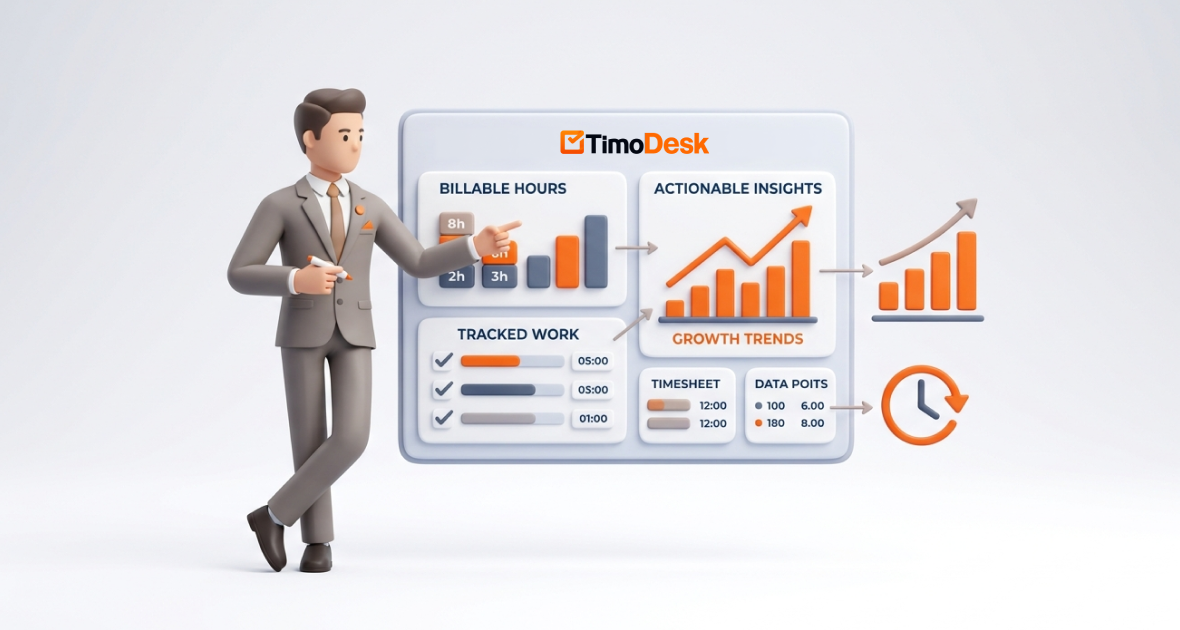
To track billable hours as a business consultant, put every client and engagement in its own project, start a timer on the task you are working on, and keep internal work in separate projects. Then review the reports to see where time goes, which clients pay best for the effort, and where hours leak. TimoDesk does this for $1 per user per month, and you use its reports and exports to create invoices in your own billing tool.
In consulting, time is inventory. How well you track billable hours shapes your profit, client trust and growth. Yet many consultants miss billable minutes and never turn their time data into decisions.
Consultants work across strategy, operations, finance, marketing, IT and digital transformation. Hourly, fixed-fee and retainer models all depend on a clear view of time. Poor tracking leads to lost revenue, underbilling and missed chances to improve.
TimoDesk brings time tracking, client projects, activity levels and reports into one place. It suits independent consultants and consulting firms.
What are billable hours in consulting?
Billable hours are time spent on client work that you can charge for. Non-billable hours cover internal work like business development, admin, training and internal meetings.
Utilization, the share of hours that are billable, is one of the key numbers in consulting. Small amounts of untracked work, like a quick call or extra research, add up to real lost revenue over a year.
| Billing model | How it works | Why time data matters |
|---|---|---|
| Hourly | You charge for each hour worked | Every missed hour is lost revenue |
| Fixed fee | One price for a defined scope | Time shows if the project was profitable |
| Retainer | A set monthly fee | Time shows the value you deliver each month |
Underbilling looks disorganized, and overbilling hurts relationships. Accurate data supports clear invoices and gives you facts if you move toward value-based pricing.
What challenges do business consultants face?
- Missing time entries: Logging at the end of the day leads to forgotten work.
- Many clients and projects: Workshops, reports and follow-ups across clients make time hard to assign.
- No view of productivity: Without data, it is hard to tell high-value work from admin.
- Time leakage: Untracked meetings, research and revisions add up fast.
- Slow reporting: Building client reports from spreadsheets eats hours you could bill.
These problems grow in remote and hybrid setups, where self-discipline and visibility matter most.
Why do consultants need data-driven time tracking?
Basic time logging is not enough. You need reports that show patterns and opportunities. Data-driven tracking helps you answer:
- Which clients or project types give the best return on your time?
- Which tasks eat time and lower utilization?
- How should you price or scope the next engagement?
Good tools cut admin work, raise accuracy and show you what is happening now, not months later.
What is TimoDesk?
TimoDesk is a time tracking and project tool for remote teams and professionals. You start the timer on a task in the desktop app, and TimoDesk records active time, removes idle time and builds reports. It also records the apps and websites used while the timer runs.
It works for solo consultants and teams. The app is lightweight, runs on Windows, macOS and Linux, and keeps tracking offline. TimoDesk costs $1 per user per month, billed after each month only for members who tracked time, with a 15-day free trial and no card needed.
What are TimoDesk’s key features for business consultants?
Accurate time tracking
Start the timer on a client task with one click. TimoDesk removes idle time on its own. If you forget the timer, and the organizer has turned manual time on, you can request the missing time; it stays marked as manual.
Client and project setup
Create a project for each client or engagement, with tasks like “Strategy workshop” or “Market analysis report.” Track internal work in its own project, so billable and non-billable time stay apart.
Reports
See time by client, project, member and day. Activity levels and app usage show how time was spent. Reports cover any date range you pick.
Billing support
TimoDesk does not create client invoices. It gives you clear records to bill from: the time and activity report as PDF or CSV, and the monthly timesheet as PDF. If clients want to see progress themselves, you can share selected projects with them through the read-only client portal.
Many clients at once
Switch tasks as you switch clients, and time lands in the right project. This helps consultants with complex portfolios.
How do you turn billable hours into insights?
- Improve your routine: Spot days that are fragmented and plan more focus blocks.
- Find high-value tasks: See which activities drive client impact, and delegate or drop the rest.
- Refine pricing: Divide fees by tracked hours to find your real hourly rate per client. Use it to price the next deal.
- Balance the team: In firms, use hours per person to share work fairly and raise billable capacity.
Example: A strategy consultant notices that writing proposals, which is non-billable, takes a large part of each week. They build reusable proposal sections and hand off research. That frees hours for client work every month.
How do you set up TimoDesk for consulting work?
- Sign up: Start the 15-day free trial and download the desktop app.
- Set up clients and projects: Create a project per client or engagement, plus one for internal work.
- Track time: Start the timer on the right task as you work. Switch tasks when you switch clients.
- Monitor: Use the dashboard to see time by project and activity levels.
- Review reports: Each week, check hours per client and spot time sinks.
- Bill: Download the time and activity report as CSV or PDF and use it to build invoices in your billing tool.
Setup usually takes less than an hour.
What are the benefits for consultants?
- More revenue: Capture hours that used to slip away.
- Better time management: Focus on high-value work.
- Client transparency: Share clear reports that justify your fees.
- Less admin: Spend less time on logs and reports.
- Smarter growth: Use the data to refine services, pricing and client choice.
What are the benefits for consulting firms?
Firms get one way of tracking time for everyone, a clear view of the team and better project oversight. Managers can balance work, raise utilization and grow without adding admin. Reliable data also helps firms deliver on time and report clearly to clients.
How do different consultants use TimoDesk?
- Independent consultants: A solo advisor compares client session time with research time and adjusts retainer rates.
- Strategy and management firms: Teams watch hours across projects to balance workloads.
- Financial and business advisors: Clear time records support client reporting and show which services pay best.
- Marketing consultants: Compare campaign work with meeting time to plan better.
- IT consultants: Track hours per phase, like audits or rollouts, to check fixed-fee profit.
What are the best practices for managing billable hours?
Track time as you work, not later from memory. Separate billable and non-billable work from the start. Review reports weekly to catch gaps early. Set rates based on your data. Talk openly with clients about time spent and value delivered.
How can you get more insight from TimoDesk?
Use reports to find recurring time drains, then automate, delegate or drop that work. Set goals based on past months. Download reports regularly and keep them with your client records. TimoDesk has no integrations with email, calendars or CRMs, so use CSV exports to bring data into other tools.
What should you consider before you start?
Expect a short learning curve. Start with the basics: projects and the timer. Good data depends on a clean project setup and starting the timer on the right task. Screenshots start on for new members; set the interval and alert to fit your team. Data is encrypted in transit; see our security page.
What is the future of consulting and time tracking?
More firms are moving toward value-based pricing. That makes accurate time data more important, not less, because it shows the real cost behind each fixed fee. Expect less manual logging and more decisions based on clear, current data.
Conclusion
Billable hours are the lifeblood of many consulting businesses. Their real power shows when you turn them into insights that lead to higher revenue, smarter pricing and stronger client relationships.
TimoDesk gives consultants and firms reliable time data and clear reports for $1 per user per month. Start your 15-day free trial today.
Frequently asked questions
What are billable hours in consulting?
Billable hours are time spent on client work you can invoice. They differ from internal or admin work and are the base of hourly and retainer revenue.
How can consultants track time well?
Start a timer on the right client task as you work, and keep internal work in a separate project. Review reports each week.
Does TimoDesk create invoices?
No. TimoDesk tracks time by client and project and gives you reports as PDF or CSV. Use them to build invoices in your own billing tool.
Can TimoDesk improve consulting profit?
It helps by capturing more billable time and showing where hours leak. Better data supports better pricing and less admin.
Is TimoDesk suitable for solo consultants and firms?
Yes. There is no seat minimum, so one consultant pays $1 per month. Firms get roles, team views and the same price per user.
Was this helpful?
Share it with someone who still adds up hours by hand.


