
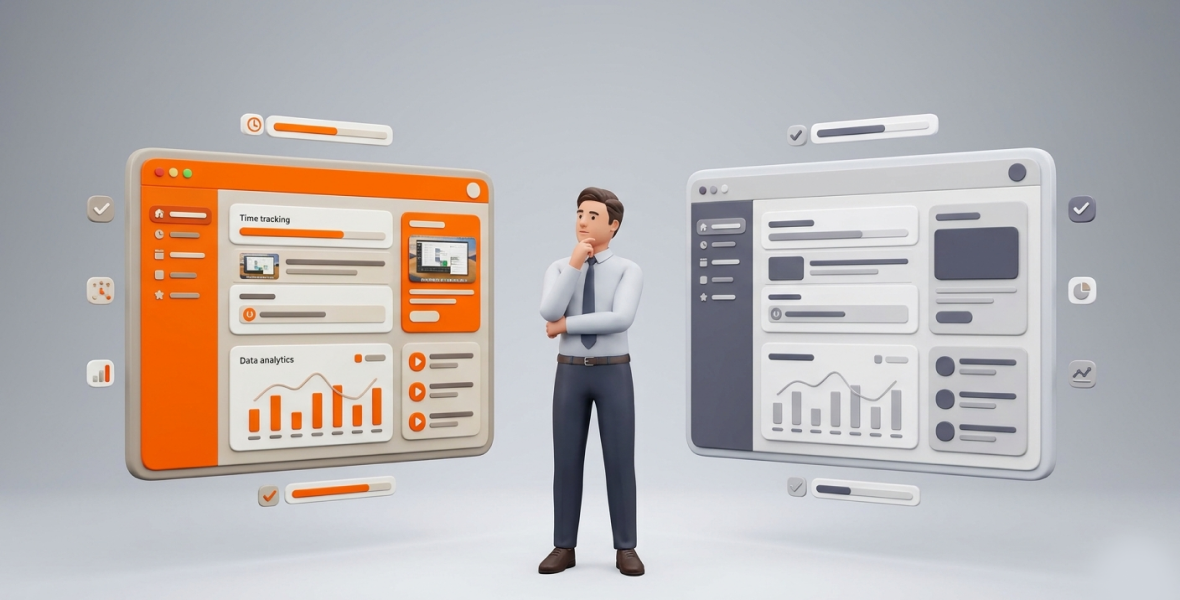
Choose TimoDesk over other staff monitoring tools if you want screenshots, activity levels and app usage on one plan at $1 per user per month. No hidden fees. Choose a larger tool like Hubstaff or Time Doctor if you need extras such as GPS, payroll, video recording or many integrations. For most remote teams that mainly need proof of work, TimoDesk covers the core for a fraction of the price.
Remote and hybrid teams are now normal. Staff monitoring tools help managers keep accountability, improve productivity and bill accurately. The right choice affects team morale, efficiency and cost. This guide compares TimoDesk with well-known staff monitoring tools like Hubstaff, Time Doctor, ActivTrak, Teramind and Insightful.
Why do staff monitoring tools matter?
Staff monitoring software has grown from basic timers into tools that track time, activity, screenshots and app usage. In remote and hybrid teams, these tools reduce time theft, show how work time is used and help managers plan.
Key things to check:
- Screenshots and activity: Visual proof and transparency, without micromanagement.
- Ease of use and privacy: Lightweight apps that respect employee trust.
- Pricing: Costs that do not explode as the team grows.
- Reports: Useful data for managers, without overwhelming dashboards.
- Platforms: Windows, macOS and Linux support, plus offline tracking.
What is TimoDesk?
TimoDesk is a time tracking and staff monitoring tool built for remote teams, agencies and staffing providers. A member starts the timer on a task, and the desktop app records active time, activity levels, apps and websites and screenshots. Idle time is removed on its own.
Key highlights of TimoDesk
- Who it is for: Remote and hybrid teams, agencies, staffing providers, freelancers and growing businesses.
- Platforms: Lightweight desktop apps for Windows, macOS and Linux, with app, website and screenshot tracking on all three. The app keeps tracking offline and syncs later. There is no mobile app.
- Main selling point: Every feature for $1 per user per month, including screenshots, the Live Team Monitor extension and reports.
The dashboard shows key figures with trends, who is working now and an Action Center that flags overdue tasks, low activity, long workdays and manual time waiting for approval. Everyone who tracked time also gets a daily and weekly summary email.
What are staff monitoring tools?
Staff monitoring tools, also called employee monitoring software, show managers how teams spend their work time. Well-known options include:
- Hubstaff: GPS tracking and geofencing for field teams, plus payroll and shift scheduling.
- Time Doctor: Detailed analytics, video screen recording on Premium and many integrations.
- ActivTrak: Activity and workload analytics.
- Teramind: Deep user activity monitoring with security features.
- Insightful, DeskTime and others.
Many of these tools use tiered pricing, and screenshots or app usage often sit on a higher plan or a paid add-on.
How does TimoDesk compare with other staff monitoring tools?
| Feature | TimoDesk | Typical staff monitoring tools |
|---|---|---|
| Time tracking | Desktop timer on a task, idle time removed, offline sync | Timers and automatic tracking, some with GPS |
| Screenshots | On the only plan, every 3 to 60 minutes, set per member | Often on a higher plan or add-on |
| Activity monitoring | Activity levels, app and website usage, Live Team Monitor | App and website tracking, some with scores or video |
| Reports | Time and activity, timelines, top and low performers, project time | Often deeper custom analytics |
| Integrations | None yet | Often many, plus an API |
| Team management | Roles, per-member tracking settings, manual time approval, project boards | Some add shift scheduling, payroll or attendance |
| Mobile | No mobile app | Varies |
How do screenshot features compare?
Screenshots are a core need for many teams that bill clients or manage remote staff.
- TimoDesk: Screenshots are included on the single $1 plan. They start on for new members and can be switched off per member, or for many members at once. The interval can be 3 to 60 minutes, and an alert can tell members when one is taken. Screenshots taken while a member is idle are thrown away. You can also store them in your own Amazon S3 bucket or FTP server.
- Other tools: Screenshots are often on a higher tier or a paid add-on. Some tools add extras like screenshot blurring or video recording, which TimoDesk does not offer.
Winner for screenshots: TimoDesk for value and simplicity. Other tools if you need blurring or video.
How do reports and team management compare?
- TimoDesk offers clear, visual reports: activity levels, timelines, top and low performers and screenshots. Time and activity reports download as PDF or CSV. See reports and analytics.
- Other tools often offer deeper analytics and connections to payroll or CRM tools. They suit large companies that need very detailed behavior data.
Winner: Larger tools for deep analytics. TimoDesk for simple, useful data at a low price.
Which is easier to use?
TimoDesk is lightweight, with low CPU and memory use, and quick to set up. Install the app, sign in, pick a task and start the timer. Larger tools have more features, which can feel heavy for small teams.
How does pricing compare?
This is where the biggest difference appears. Prices below are per user per month on annual billing, for the plan that includes screenshots or comparable monitoring, as checked in August 2026.
| Tool | Plan | Price per user per month |
|---|---|---|
| TimoDesk | Single plan, every feature | $1 |
| Clockify | Pro (first plan with screenshots) | $7.99 |
| DeskTime | Premium (screenshots) | $9.17 |
| Hubstaff | Team (the matching plan) | $10 |
| Time Doctor | Standard (first plan with app and website usage) | $11.67 |
| Insightful | Workforce Analytics with screenshot add-on | $12 |
- TimoDesk: $1 per user per month with screenshots, the Live Team Monitor, reports and everything else. A 50-person team pays $50 a month, billed only for members who tracked time.
- Other tools: For the same 50-person team, the plans above cost about $400 to $600 a month.
Compare each tool in detail on our alternatives page.
What are the pros and cons?
TimoDesk pros
- Very low price, with no upsells.
- Screenshots and the Live Team Monitor included from day one.
- Lightweight, with offline tracking and full Linux support.
- Simple, open design focused on trust.
- Quick setup for global and remote teams.
TimoDesk cons
- No integrations yet.
- No GPS, payroll, shift scheduling, video recording or mobile app.
- Simpler analytics than enterprise tools.
Other staff monitoring tools: pros
- Many integrations and API access.
- Deeper analytics and enterprise features.
- Extras like GPS, payroll or video, depending on the tool.
Other staff monitoring tools: cons
- Much higher price, especially once you need screenshots.
- Key monitoring features often sit on higher tiers.
- Can feel complex for smaller teams.
Who should choose TimoDesk?
TimoDesk is the best choice for teams that want staff monitoring with screenshots, without complexity or high cost. It suits:
- Remote and hybrid agencies and fast-growing startups.
- Staffing providers and small businesses that need proof of work for clients.
- Global teams that want low cost, offline tracking and Linux support.
Who should choose a larger staff monitoring tool?
Choose Hubstaff, Time Doctor, ActivTrak or a similar tool if you need:
- Integrations with your existing tools.
- Deep analytics, security features or insider threat detection.
- GPS, payroll, shift scheduling or video recording.
These tools shine in large or complex organizations where depth matters more than price.
Final verdict
For most teams, TimoDesk is the smarter staff monitoring choice. At $1 per user per month, it includes screenshots, activity levels, app usage, the Live Team Monitor and offline tracking. Larger tools are still a good fit if you need integrations, deep analytics or extras like GPS and payroll, but you will pay much more. Start a 15-day free trial and see if TimoDesk fits your team.
Frequently asked questions
Is TimoDesk cheaper than Hubstaff and Time Doctor?
Yes. TimoDesk is $1 per user per month. Hubstaff Team is $10 and Time Doctor Standard is $11.67 per user per month on annual billing.
Are screenshots included in TimoDesk?
Yes, on the only plan. They can be switched on or off per member, at an interval from 3 to 60 minutes.
Does TimoDesk record keystrokes or video?
No. TimoDesk measures whether there was keyboard or mouse input, but never what was typed. It takes screenshots, not video.
Does TimoDesk have GPS or payroll?
No. If you need GPS, payroll or shift scheduling, a tool like Hubstaff is a better fit.
Was this helpful?
Share it with someone who still adds up hours by hand.


