
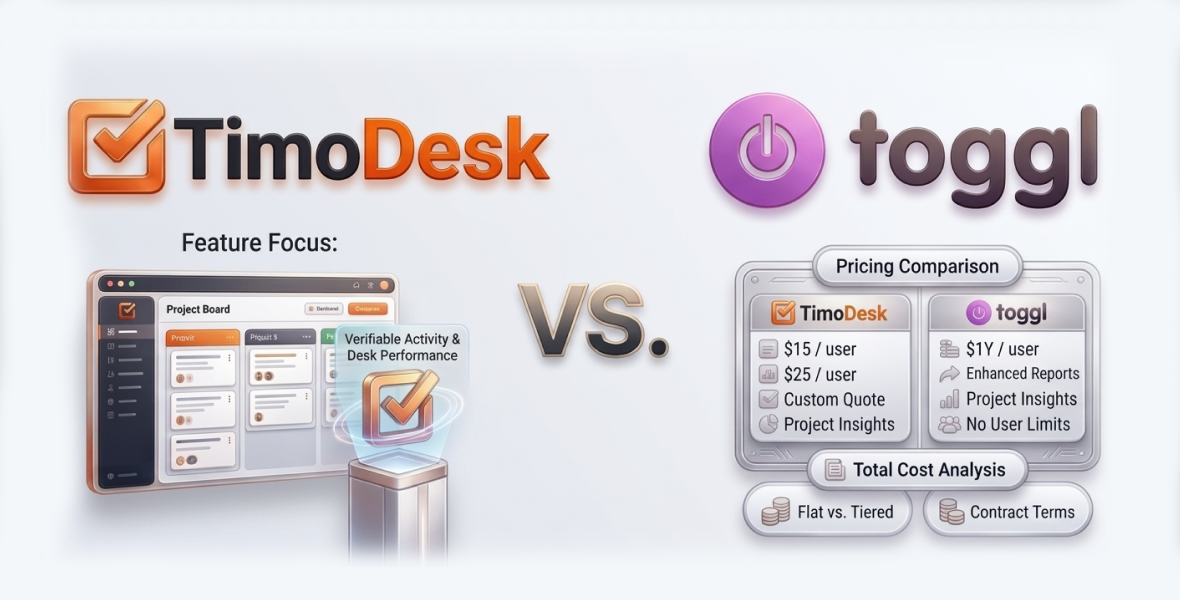
TimoDesk vs Toggl comes down to trust vs proof. Toggl Track is an excellent timer with over 100 integrations, and by design it takes no screenshots and records no activity. TimoDesk is the better time tracking software when you must prove hours: it costs $1 per user per month and includes screenshots, activity levels and app usage, while Toggl Track Starter is $9 per user per month on annual billing.
Whether you are a freelancer with many clients, a startup founder or a manager of a global team, the right time tracking software saves time and protects profit. This comparison covers features, pricing, ease of use, pros and cons and who each tool fits.
Why does time tracking software matter?
Time tracking has come a long way from manual spreadsheets. Today's tools do more than log hours. They help prevent burnout, improve billing accuracy and show where a business is losing time. For freelancers, accurate tracking means fair pay. For teams, it builds accountability without micromanagement.
Key things to check:
- Ease of use: A simple interface with a short learning curve.
- Features: From basic timers to reports and proof of work.
- Pricing: Plans that still make sense as you grow.
- Privacy and security: How data is handled and stored.
- Integrations: Whether you depend on other tools.
What is TimoDesk?
TimoDesk is a time tracking and productivity tool built for remote teams, agencies and staffing providers. It focuses on transparency and low cost. A member starts the timer on a task, and the desktop app records active time, activity levels, apps and websites and screenshots. Idle time is removed on its own.
Key highlights of TimoDesk
- Who it is for: Small and medium businesses, freelancers and agencies that need clear activity data.
- Platforms: Desktop apps for Windows, macOS and Linux, plus a web dashboard. There is no mobile app.
- Main selling point: $1 per user per month, with screenshots and every other feature included.
The dashboard gives a central view of the team, with key figures, who is working now and an Action Center that flags overdue tasks and long workdays. The Live Team Monitor browser extension shows who is online and today's summary.
What is Toggl?
Toggl Track is one of the best-known names in time tracking. It focuses on a simple timer, clear reports and integrations. By design it is not a monitoring tool: it takes no screenshots and records no activity levels.
Key highlights of Toggl
- Who it is for: Freelancers, creative agencies, consultancies and teams that work on trust.
- Platforms: Web, desktop, mobile apps and browser extensions.
- Main selling point: Over 100 integrations, plus profitability and billable-rate reports on paid plans.
TimoDesk vs Toggl: how do the features compare?
| Feature | TimoDesk | Toggl Track |
|---|---|---|
| Time tracking | Desktop timer on a task, idle time removed, offline sync | Simple timer and manual entries |
| Screenshots | Yes, every 3 to 60 minutes, set per member | No, by design |
| Activity levels | Recorded with every session | No |
| App and website usage | Yes | Not a monitoring tool |
| Reports | Time and activity, timelines, top and low performers, timesheets | Clear reports, profitability and billable rates on paid plans |
| Integrations | None yet | Over 100 |
| Mobile apps | No | Yes |
| Project tools | Kanban, list and calendar views, subtasks, comments | Projects, clients and tags |
Time tracking
- TimoDesk: Once a member starts the timer on a task, the desktop app tracks active time and app usage in the background. Screenshots every 3 to 60 minutes give visual proof for client billing or reviews. Offline time syncs when the app reconnects. Some privacy-minded teams may find monitoring too much, so screenshots can be switched off per member.
- Toggl: A simple, flexible timer that relies on people to track their own time. It suits teams that work on trust.
Toggl is more flexible for self-reported time. TimoDesk is stronger for proof of work.
Reports
- TimoDesk: Reports on activity, app usage, project time and monthly timesheets. Top and low performer lists help managers spot stars and areas to improve. Screenshots add context for audits or client questions. Time and activity reports download as PDF or CSV.
- Toggl: Clear reports, with profitability and billable-rate reports on paid plans.
Integrations
- TimoDesk: No integrations yet. If you rely on a CRM or project tool connection, keep that in mind.
- Toggl: Over 100 integrations, the most of the tools we compare.
Team management
- TimoDesk: The dashboard shows who is working now. Managers can assign tasks, check the weekly worklog and set tracking rules per member.
- Toggl: Team invites, roles and reminders to track time.
Ease of use
Both tools are simple. Toggl is known for a very clean timer. TimoDesk is also quick to start: install the app, pick a task and start the timer. Its reports carry more data, so managers may need a little time to learn them.
How does TimoDesk pricing compare with Toggl?
| Plan | TimoDesk | Toggl Track (annual billing) |
|---|---|---|
| Free | No free plan | Free plan for a limited number of users |
| Entry | $1 per user per month, every feature | Starter: $9 per user per month |
| Middle | Single plan | Premium: $14 per user per month |
| Top | Single plan | Enterprise: custom |
| Trial | 15 days, no card | 30 days, no card |
- TimoDesk: $1 per user per month, with no tiers. You get tracking, reports and screenshots from day one. You are billed after each month only for members who tracked time. A 50-person team pays $50 a month.
- Toggl: Free for small teams, then $9 for Starter and $14 for Premium per user per month. A 50-person team on Premium pays $700 a month. Prices were checked in August 2026.
See the full TimoDesk vs Toggl Track comparison for more detail.
What are the pros and cons of each?
TimoDesk pros
- Very low price at $1 per user per month.
- Screenshots, activity levels and app usage on the only plan.
- Offline tracking that syncs later.
- One plan, with no upsells.
TimoDesk cons
- No integrations yet.
- Monitoring may not suit every team.
- No free plan, only a 15-day trial.
- No mobile app.
Toggl pros
- A free plan for small teams.
- Over 100 integrations.
- No monitoring, if your team prefers that.
- Profitability reports on paid plans.
Toggl cons
- Costs more per user on paid plans.
- No screenshots or activity levels, so hours are self-reported.
Who should choose TimoDesk?
TimoDesk is the best time tracking software for budget-conscious teams that need clear proof of work. Choose it if you manage remote workers, need screenshot proof for clients or want a tool that grows without price jumps. It suits:
- Small agencies that bill by the hour.
- Remote development and design teams.
- Startups with tight budgets and growing teams.
Who should choose Toggl?
Toggl is a great fit for teams that trust self-reported hours and need many integrations. It suits:
- Creative agencies that work inside many connected tools.
- Internal teams that prefer no monitoring.
- Solo workers and small teams on the free plan.
Final verdict
The right choice depends on your priorities. If you trust self-reported hours and want the most integrations, choose Toggl Track. If you need proof of the hours, for a client, a finance team or yourself, TimoDesk is the better value at $1 per user per month. Download TimoDesk and try it free for 15 days.
Frequently asked questions
Is TimoDesk cheaper than Toggl?
Yes, on paid plans. TimoDesk is $1 per user per month with every feature. Toggl Track Starter is $9 per user per month on annual billing.
Does Toggl take screenshots?
No. Toggl Track takes no screenshots and records no activity levels, by design. TimoDesk includes both on its only plan.
Does TimoDesk have a free plan?
No. TimoDesk has a 15-day free trial with no card needed. After that, you pay only for members who tracked time that month.
Does TimoDesk record keystrokes?
No. TimoDesk only checks whether there was keyboard or mouse input to measure activity. What people type is never recorded.
Was this helpful?
Share it with someone who still adds up hours by hand.


