
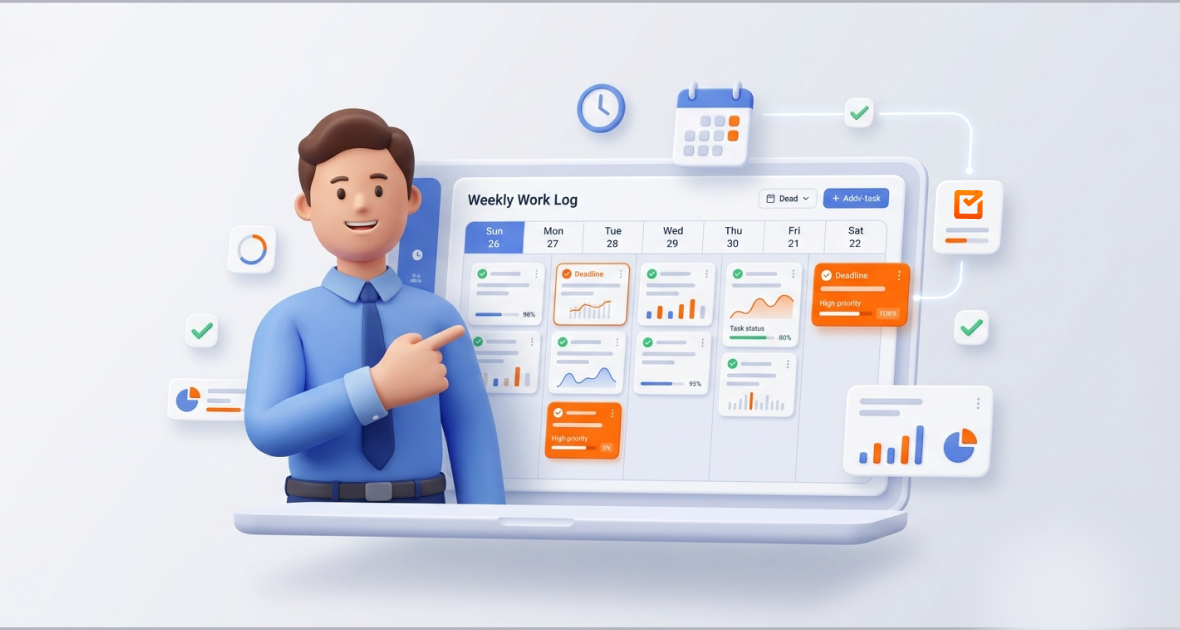
A weekly work log is a record of the tasks, hours and progress for one work week. It gives managers enough detail to spot problems early, without daily status reports. In TimoDesk, the weekly worklog fills in from time tracked on tasks, showing one week by member and day.
Managing hybrid teams is hard. Priorities shift, deadlines are tight and people work in different places. Managers struggle to track progress, share work fairly and keep people accountable. Constant interruptions and tool switching make it worse.
Weekly work logs strike a good balance between detail and effort. TimoDesk builds them from tracked time, so nobody writes them by hand. It costs $1 per user per month, with every feature on one plan.
What is a weekly work log?
A weekly work log records tasks, time spent, progress and results over one work week. It supports accountability, reviews and planning for the next week.
Daily logs give fine detail but can flood managers with data. Monthly logs show trends but miss the chance to fix things mid-month. Weekly logs fit natural business rhythms, like sprint reviews and weekly team meetings.
A good weekly work log includes:
- Tasks with status, like in progress or done.
- Hours per task and project.
- Activity levels, based on keyboard and mouse input.
- A breakdown by project and team member.
- Notes, comments or blockers for context.
- A simple table or chart you can scan quickly.
The TimoDesk weekly worklog shows one week of tracked time by member and day, with totals. Task comments and activity history add context. For a monthly view, use the Time Calendar.
Why does task tracking matter for managers?
- More focus and accountability: When work is visible, people stay focused on their tasks.
- Clear view of the team: Managers see who is overloaded, which tasks lag and where skills are missing.
- Better decisions: You can move people or change deadlines based on data, not assumptions.
- Better communication: Weekly logs make one-on-ones and stand-ups more useful.
- Fewer delays and less burnout: Early signs, like long workdays or low activity, let you act before problems grow.
What problems do managers face without a work log system?
- No transparency: Managers rely on self-reports or scattered emails.
- Missed deadlines: Without one place to track work, priorities shift unnoticed.
- Poor resource use: Work gets duplicated, and important tasks lack people.
- Subjective reviews: Reviews without data demotivate high performers.
- Communication gaps: Remote and hybrid teams drift out of sync.
What is TimoDesk?
TimoDesk is a time tracking and project tool for remote teams, agencies, staffing providers and growing businesses. It costs $1 per user per month with every feature included. It combines time tracking, projects and tasks, activity levels, app and website usage, screenshots and reports.
Members start the timer on a task in the desktop app for Windows, macOS or Linux. The app is lightweight, keeps tracking offline and syncs later. Organizers, managers and team managers can also use the TimoDesk Live Team Monitor browser extension to see who is online and today’s summary.
What are the key features of the TimoDesk weekly work log?
Task tracking
Organize work into projects, tasks and subtasks. Members pick a task and start the timer, so time lands in the right place. Managers assign tasks and watch progress on boards that update live.
Time tracking
The desktop app records active time and removes idle time after a timeout you set. Activity levels add context beyond raw hours. Manual time is off until the organizer turns it on, and then it goes through approval.
Team collaboration
Task comments with @mentions, assignees and activity history keep people aligned. The Live Team Monitor extension shows who is online at a glance.
Reports
The weekly worklog gives the week at a glance. For deeper detail, the time and activity report breaks time down by date, member and project, and downloads as PDF or CSV. You also get app usage, website usage, leaderboards and top and low performer lists.
Filters
Pick the week and the member or team you want to see. Staff see only their own data; team managers see their teams.
How does TimoDesk make task tracking easier?
Members track time on tasks as they work, so logs build themselves. The dashboard brings time, tasks, activity and alerts into one view. Activity data and screenshots replace vague status updates.
Here is a typical week. On Monday, a software team lead assigns tasks in TimoDesk. Developers start the timer on their tasks. On Friday, the lead opens the weekly worklog to see hours by member and day, then checks the Action Center for tasks over estimate or long workdays. They download the time and activity report, discuss changes in the team meeting and set next week’s priorities.
How do you use the TimoDesk weekly work log?
Set up your account
Start the 15-day free trial and invite your team by email. Each member installs the desktop app. Create projects and first tasks in the dashboard.
Let the log fill in
Members start the timer on their task as they work. The weekly worklog fills in from that tracked time.
Assign tasks
In each project, create tasks, assign members, set due dates and estimates, and track progress live.
Monitor progress
Use the dashboard for live views, or the browser extension for a quick check. Open the time and activity report for detail by date, member and project.
Share results
Download the time and activity report as PDF or CSV for team reviews, client billing or performance talks.
What are the benefits of the TimoDesk weekly work log?
- Higher productivity: Clear weekly data helps teams win back lost time.
- Better accountability: Logs backed by tracked time build trust without micromanagement.
- Time saved for managers: No more chasing updates.
- Better collaboration: Shared tasks and comments reduce misunderstandings.
- Better decisions: Weekly trends guide staffing, hiring and process changes.
Who uses weekly work logs?
- IT and software teams: Track sprints, code reviews and bug fixes by task. See TimoDesk for software teams.
- Marketing agencies: Track campaign tasks per client project for invoicing, and spot slow steps in content work.
- Remote teams: Weekly logs and activity levels give visibility across time zones.
- Freelancers and consultants: Project and task logs support accurate client billing.
- Management teams: Weekly logs feed into leadership reports.
How does TimoDesk compare with spreadsheets and manual logs?
| Criteria | Spreadsheets and manual logs | TimoDesk |
|---|---|---|
| Data entry | Typed by hand | Built from the timer on each task |
| Accuracy | Prone to errors and guesses | Tracked time with idle time removed |
| Live view | None | Live Now on the dashboard |
| Activity context | None | Activity levels, app usage and screenshots |
| Admin time | High | Low |
| Growing teams | Hard to manage | Same $1 per user price, no seat minimum |
What are the best practices for weekly work logs?
- Be consistent: Ask people to always start the timer on the right task.
- Set clear expectations: Agree on how tasks are named and when you review.
- Review regularly: Use Friday for review and Monday for planning.
- Act on insights: Rebalance work when someone is overloaded.
- Read activity in context: Low activity can mean reading or calls, so ask before you judge.
How can you get more from TimoDesk?
Use the browser extension for quick checks. Set clear goals with your team based on past weeks. Run a short training session so everyone knows how to track on tasks. Use leaderboards and top performer lists to recognize good work and coach others.
What should you consider before you start?
New users need a short time to learn the desktop app and set up projects. Good logs depend on people tracking time on the right task. The weekly worklog itself has no export; use the time and activity report for PDF or CSV. TimoDesk has no integrations yet. Screenshots start on for new members, so decide your screenshot policy before you invite people. Data is encrypted in transit; see our security page.
What is the future of task tracking and work logs?
Work logs will keep moving from manual entry to data captured as people work. Teams will expect clearer links between planned work, real time and results. As hybrid work grows, managers will rely less on status meetings and more on simple, shared data.
Conclusion
The TimoDesk weekly work log gives managers a clear view of the week without manual reports. It helps fix the core problems of task tracking: low transparency, uneven workloads and communication gaps.
Start your 15-day free trial today. No card is needed.
Frequently asked questions
What is a weekly work log?
It is a summary of tasks, time spent and progress over one work week. Managers use it to review work and plan the next week.
How does TimoDesk help managers?
Members track time on tasks, and TimoDesk builds the weekly worklog, dashboard and reports from that time. Managers get visibility without chasing updates.
Can I export the weekly work log?
The weekly worklog view has no export. Download the time and activity report as PDF or CSV for the same week instead.
Is TimoDesk suitable for small teams?
Yes. There is no seat minimum, setup is quick, and you pay $1 per user per month only for members who tracked time.
Can weekly logs improve productivity?
Yes. They let you adjust early, cut wasted time and build accountability. The key is to review them every week and act on what you see.
Was this helpful?
Share it with someone who still adds up hours by hand.


