
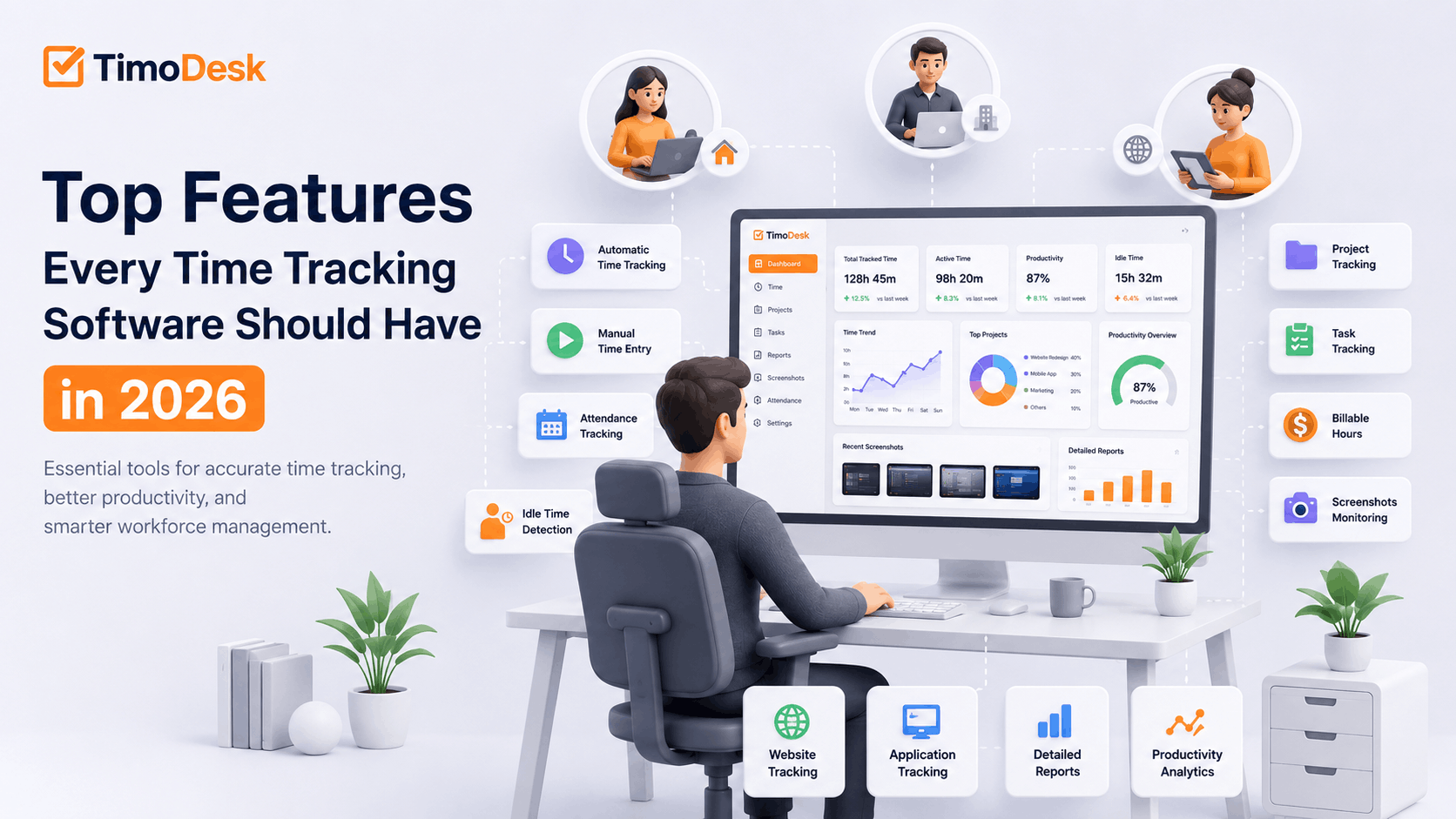
The top features every time tracking software should have in 2026 are an easy timer, idle time detection, project and task tracking, manual time with approval, clear timesheets and reports, and solid privacy controls. Teams that need proof of work should also look for screenshots, activity levels and app and website usage. Beyond that, pick extras like attendance, scheduling or integrations only if your workflow needs them.
Time tracking software is now a core tool for managing remote, hybrid and office teams. But tools differ a lot in accuracy, visibility and ease of use. A basic timer records start and stop times. Modern teams usually need more: time linked to projects and tasks, idle time removed, activity context and useful reports.
The right tool helps you cut payroll errors, improve project estimates, manage remote staff, bill clients correctly and understand where time goes. This guide explains the features that matter most and why, and notes where TimoDesk fits.
What is time tracking software?
Time tracking software records how much time employees, contractors or freelancers spend working. It may track total hours, projects, tasks, clients, apps, websites, activity levels, idle time and billable work. It can work through:
- A desktop time tracking app
- A web dashboard
- A mobile app, in some tools
- Background tracking once a timer starts
- Manual timesheets
- Project and task timers
The goal is not just to count hours. A good tool helps people manage their time and helps the business improve productivity, billing, planning and accountability.
Why do time tracking software features matter?
Choosing a tool only on price can cause problems later. A cheap tool may look fine until managers find it lacks project reports, idle detection, screenshots or app usage. The feature set affects:
- Tracking accuracy
- How willingly people use it
- Payroll and client billing
- Project profitability
- Remote team visibility
- Accountability and productivity
- Reports and growth
Before you choose, decide which features are must-haves and which are nice-to-haves for your workflow.
What are the top features every time tracking software should have?
1. Background time tracking
Background tracking cuts the need to enter every work session by hand. Once someone starts the timer, the app records time as they work. That means fewer forgotten entries, more accurate timesheets, consistent records and better payroll and billing. In TimoDesk, people start the timer on a task in the desktop app, and time is recorded in the background with idle time removed on its own.
2. Manual time entry with approval
People sometimes work away from the computer, join an offline meeting or forget the timer. A good tool lets them add that time, with manager approval. Look for date and time fields, project and task selection, a note, an approval step and clear marking of manual time.
In TimoDesk, manual time is off until the organizer turns it on. Members then request time, and the organizer chooses who approves it. Optional limits cap the hours per entry and how far back people can go. Manual time stays marked as manual and is left out of activity averages.
3. A simple start and stop timer
Every tool needs a clear timer. People should pick a project or task and start in seconds. A hard-to-use timer leads to poor adoption and wrong records. A good timer shows the running time, the selected project and task, tracking status and whether data is synced.
4. Attendance tracking, if you need it
Some businesses also need attendance features: clock-in and clock-out, late arrivals, absences, breaks and schedules. Many tools add this; others focus on tracked work time. TimoDesk has no attendance management, but its Team Day timeline and time calendar show when each person tracked time.
5. Idle time detection
Idle detection separates active computer use from periods with no keyboard or mouse input. Without it, long idle periods count as work, which skews timesheets and reports. Idle detection helps you spot inactive periods, keep hours accurate and avoid accidental overnight tracking. In TimoDesk, the idle timeout is 3 to 60 minutes, and idle time is always removed from tracked time.
6. Project time tracking
Project tracking links hours to client projects, internal work or departments. It answers key questions: How many hours went to each project? Which projects take longer than planned? How much billable time was done? Are estimates accurate? Learn more about project time tracking.
7. Task time tracking
Task tracking goes one level deeper. A software project might include design, frontend, backend, testing, bug fixing, deployment and documentation. Tracking each task helps you estimate better, find bottlenecks and see each person's contribution. In TimoDesk, tasks have estimates and are flagged when tracked time goes over.
8. Billable and non-billable hours
Agencies, freelancers and consultants need to separate client work from internal work. This supports accurate invoices, profit analysis and contractor payments. Many teams do this by keeping client work and internal work in separate projects, then reporting by project. See how to track billable hours accurately.
9. Screenshot monitoring
Screenshots give visual context for tracked hours. They help remote teams, outsourcing firms and agencies that need proof of work. Look for a frequency you can set, per-person control, secure storage, role-based access and a clear alert for employees. In TimoDesk, screenshots start on for new members, are set per member and run every 3 to 60 minutes, with a screenshot alert you can turn on. Explain your screenshot policy clearly.
10. App usage tracking
App tracking shows which programs people use and for how long: development tools, design software, office apps, chat tools or browsers. It reveals common work tools, time in communication apps, unused software and workflow problems.
11. Website and URL tracking
Much work happens in a browser. Website tracking shows time in business systems, documentation, research and distracting sites. It helps you understand online work and make better software decisions. TimoDesk records the website, page address, page title and browser, never the page content.
12. Activity timeline
A timeline shows work events in order: tracked sessions, active and idle time, apps, websites, screenshots, projects and tasks. It gives a fuller picture than separate reports, showing when work started, what was worked on and when idle periods happened.
13. Real-time status
Live status shows managers who is tracking time right now, on which task and for how long. It helps distributed teams without constant status requests. TimoDesk shows this in Live Now on the dashboard and in the Live Team Monitor browser extension.
14. Productivity analytics
Good tools turn raw data into insight: active time share, focus patterns, weekly trends, workload and team comparisons. Never use one productivity number as the only measure. Quality, goals, deadlines and teamwork matter too. TimoDesk shows activity levels and usage without labeling apps as productive or unproductive.
15. Detailed timesheets
Timesheets sum up tracked work for payroll, billing and records. A good timesheet shows the person, date, hours, project and task, and whether time was tracked or added by hand. TimoDesk's monthly timesheet downloads as PDF, for the whole team or per member.
16. Approval workflow
Teams that use time for payroll or billing need a review step. Approval helps prevent wrong pay, duplicate entries, unapproved extra hours and billing errors. In TimoDesk, manual time goes through approval, and tracked sessions can't be edited.
17. Work schedules, if you need them
Some businesses need shift and schedule management for fixed, flexible, part-time or night work across time zones. If you run shifts, look for a tool that compares schedules with actual hours. TimoDesk has no shift scheduling; it focuses on tracked work time.
18. Overtime visibility
Overtime data helps with payroll, budgets, workload and well-being. Use it to spot overloaded people and rebalance work. TimoDesk's Action Center flags long workdays, so managers can step in early.
19. Breaks
People need breaks. Some tools record break time for attendance rules. Others simply stop tracking when people pause. In TimoDesk, people stop the timer when they take a break, and idle time is removed if they forget.
20. Reports and data export
Data is only useful if you can read it. Look for daily, weekly and monthly reports by person, project and task, plus app, website and idle time reports. You should be able to export them for payroll, accounting or client invoices. TimoDesk's time and activity, app usage and website reports download as PDF or CSV. See timesheets and exports.
21. Team management
Growing companies need to group people by team, project or manager, control who sees which reports and compare teams. TimoDesk supports teams with team managers who see only their own teams.
22. Role-based access
Activity data shouldn't be visible to everyone. Each role should see only what it needs. TimoDesk uses five roles: organizer, manager, team manager, staff and project leader for a single project. Staff see only their own data, and clients can get a separate, read-only client portal.
23. Multi-platform support
Teams often mix Windows, macOS and Linux, especially in software companies. Choose a tool that runs on every system you use. TimoDesk runs on all three, including Apple silicon and Intel Macs.
24. Offline time tracking
People sometimes work without stable internet. A desktop app should keep tracking offline and sync later. This helps people with weak connections, travelers and teams facing outages. TimoDesk syncs offline time when it reconnects, as long as that is within 30 days.
25. Security and privacy controls
Time tracking tools store names, hours, screenshots, app usage and websites, so the data must be protected. Look for secure sign-in, encrypted data transfer, role-based access, secure screenshot storage and options for where screenshots are kept. TimoDesk sends data over HTTPS and lets you store screenshots in your own Amazon S3 bucket or FTP server. Read more on the security page.
26. Transparency for employees
People should always know when tracking is on, which task is tracked and how many hours they have. They should be able to see their own records. Open tracking builds far more trust than hidden monitoring.
27. Integrations and API, if you need them
Some teams need time data to flow into payroll, accounting, project or HR tools. If you depend on that, check each tool's integration list. TimoDesk has no integrations or public API yet, but its reports export as PDF or CSV.
28. Room to grow
A tool that works for ten people should also work for a hundred. Look for support for many teams, managers, projects and tasks, clear permissions and organization-wide reports, without a big price jump.
Which essential features does TimoDesk include?
TimoDesk is a time tracking and productivity tool for teams that need practical visibility. It includes:
- Time tracking on tasks, with idle time removed on its own
- Manual time requests with approval
- Screenshots, activity levels and app and website usage
- Projects with kanban boards, task estimates and due dates
- Team dashboard with Live Now and an Action Center
- Reports as PDF or CSV and monthly timesheets as PDF
- Roles, teams and a client portal
- Desktop apps for Windows, macOS and Linux, with offline tracking
It does not include attendance management, shift scheduling, payroll, invoicing, a mobile app or integrations. It costs $1 per user per month, with every feature on one plan; see the pricing page. TimoDesk suits remote teams, software companies, agencies, outsourcing firms, virtual assistant teams, support teams and small businesses.
How do you choose time tracking software?
Know your main needs
Decide whether you mainly need payroll hours, client billing, proof of work, productivity insight, project tracking or attendance.
Check the core features
Make sure the tool has what you need today and what you will need as you grow.
Test ease of use
The timer, dashboard, projects, timesheets and reports should be easy to understand.
Check platform support
Confirm it runs on every system your team uses.
Review privacy controls
Check screenshot settings, website and app tracking, who can see data and what employees can see.
Work out the full cost
Compare the price for your team size, the plan you actually need, storage and any add-ons.
Final verdict
The best time tracking software does more than run a timer. It helps you understand hours, projects, tasks, activity, apps, websites and idle time. The essential features are an easy timer, background tracking, idle detection, project and task tracking, manual time with approval, screenshots, app and website usage, timesheets, reports, role-based access, multi-platform support and privacy controls. For startups, agencies, software companies and remote teams, TimoDesk offers these core features at a low, simple price.
How can you start tracking time with TimoDesk?
Track work hours, screenshots, apps, websites, projects, tasks and idle time from one TimoDesk dashboard. Try it free for 15 days, with no card needed.
Frequently asked questions
What is the most important time tracking software feature?
Accurate, easy time tracking comes first. After that, most teams need idle detection, project and task tracking and clear reports.
Should time tracking software include screenshots?
Screenshots help remote teams and client-based businesses prove work. They should be configurable, secure and clearly explained to employees.
Can time tracking software detect idle time?
Yes. Idle detection finds periods with no keyboard or mouse input and removes them, which keeps work records accurate.
Does TimoDesk track apps and websites?
Yes. TimoDesk shows which apps and websites people use while the timer runs. It records page addresses and titles, never page content.
Is employee time tracking legal?
Rules vary by country, industry and device ownership. Give clear notice, protect the data, collect only what you need and check local laws.
Was this helpful?
Share it with someone who still adds up hours by hand.


