
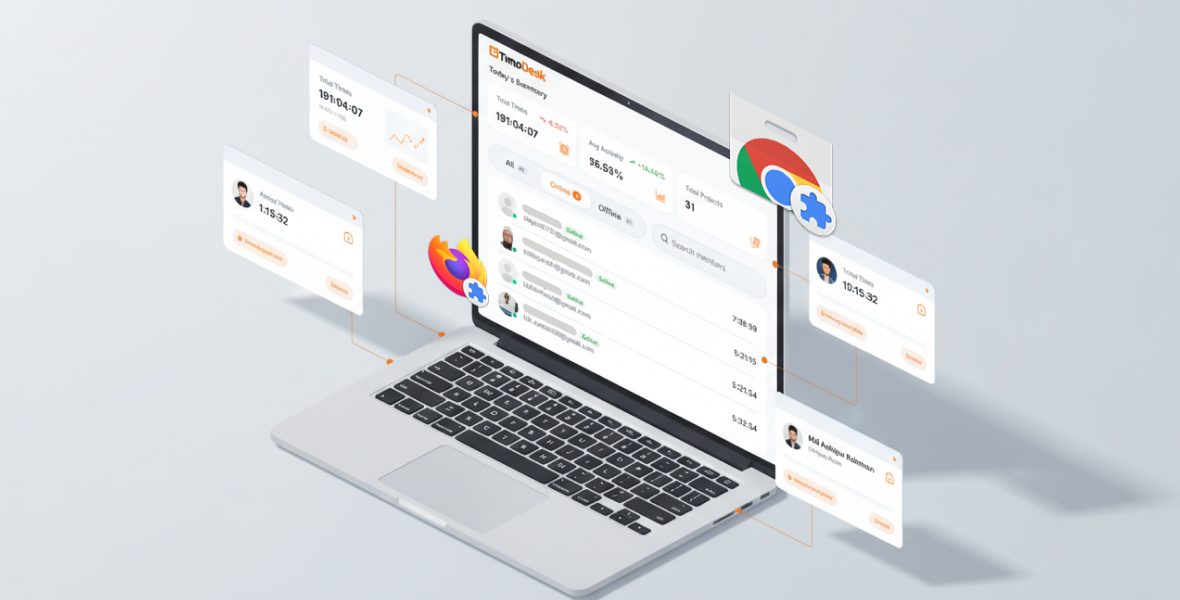
The TimoDesk Live Team Monitor is a browser extension for Chrome and Firefox that shows who on your team is online right now and a summary of today's work. It lets organizers, managers and team managers check on the team from the browser toolbar, without opening the full dashboard.
Managing a team means staying informed, without opening dashboards and switching tabs all day. The extension gives you that view in one click.
What is the TimoDesk Live Team Monitor?
TimoDesk Live Team Monitor is a small browser extension that connects to your TimoDesk account. It shows live team status without opening the web dashboard. It is optional and is not part of time tracking itself; the desktop app does the tracking.
Who can use it:
- Organizers
- Managers
- Team managers (they see only their own teams)
Staff members cannot sign in to the extension.
What can you do with one click?
Once installed, the extension lets you:
- See which team members are working right now
- View a summary of today's tracked work
- Check on your remote team without leaving the page you are on
No tab switching and no dashboard overload.
What does the extension show, and what does it not do?
- It shows who is online in your TimoDesk organization
- It shows today's work summary at a glance
- It signs in with your existing TimoDesk account
- It shows only data from your own organization
For full reports, timelines and screenshots, open the reports in the TimoDesk dashboard.
Where can you get it for Chrome and Firefox?
Chrome extension: TimoDesk Live Team Monitor on the Chrome Web Store
Firefox add-on: TimoDesk Live Team Monitor on Firefox Add-ons
You can also find both extensions on the download page.
Frequently asked questions
Who can sign in to the Live Team Monitor?
Organizers, managers and team managers. Staff members cannot sign in, and team managers see only their own teams.
Do my team members need to install the extension?
No. Team members track time with the TimoDesk desktop app. The extension is only for people who want to check on the team.
Which browsers does it support?
Chrome and Firefox. Get it from the Chrome Web Store or Firefox Add-ons.
Was this helpful?
Share it with someone who still adds up hours by hand.


