
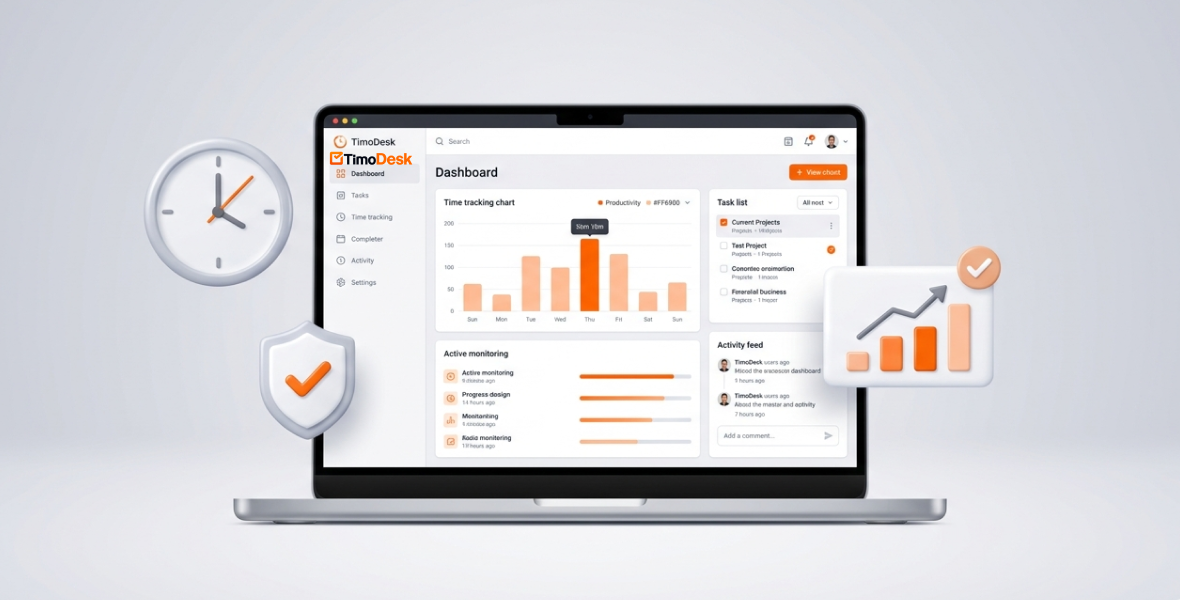
The best time tracking tools with employee monitoring combine a timer with proof of work: activity levels, app and website usage, and screenshots. Popular choices include TimoDesk, Hubstaff, Time Doctor, Toggl Track, Clockify, Insightful and DeskTime. TimoDesk is the lowest-cost option here at $1 per user per month, with every feature on one plan.
This guide explains what these tools do, how to compare them, and where each one fits. We make TimoDesk, so we also say plainly what it does not do.
What are time tracking tools with employee monitoring?
These tools record how long people work and add context to that time. A plain timer only tells you the hours. A monitoring tool also shows how active someone was, which apps and websites they used, and sometimes what the screen looked like.
The goal is not to watch every click. It is to see where time goes, spot problems early and keep remote work fair for everyone. For example, a software team may see that developers spend a lot of time in testing tools. That can point to a slow process that needs fixing.
The main benefits are:
- Accurate hours for client billing and pay.
- Proof of work for remote staff and clients.
- Early signs of overload or blocked work.
- Better project planning based on real time data.
How should you compare time tracking tools?
Use the same checklist for every tool:
- Features: timer, activity levels, screenshots, app and website usage, reports, and GPS if you have field staff.
- Ease of use: how fast your team can start without training.
- Integrations: whether it needs to connect to tools like Slack, Trello or QuickBooks.
- Security and privacy: who can see the data and what is recorded.
- Price: the real cost of the plan that has the features you need.
- Support: how easy it is to get help.
- Reviews: what users say on sites like G2 and Capterra.
Price is the point people most often get wrong. Many tools have a low entry price, but screenshots or app tracking sit on a higher plan. Always compare the plan you would actually buy.
What are the best time tracking tools with employee monitoring?
Prices below are per user per month on annual billing unless noted, checked in August 2026. Check each vendor's site before you buy, as prices change.
1. TimoDesk
TimoDesk is a time tracking and proof-of-work tool for staffing providers, agencies and remote teams. Members start the timer on a task in the desktop app. While it runs, TimoDesk records time, activity levels, apps and websites, and screenshots. Idle time is removed on its own.
Key features:
- Time tracking on tasks, with idle time removed after a timeout you choose.
- Activity levels: the share of tracked time with keyboard or mouse input. Typed text is never recorded.
- Screenshots every 3 to 60 minutes, switched on or off for each member.
- Projects and tasks with a kanban board, list and calendar views.
- Reports you can download as PDF or CSV, plus a monthly timesheet PDF.
- Offline tracking that syncs when the app reconnects within 30 days.
Price: $1 per user per month, billed after each month only for members who tracked time. There is a 15-day free trial with no card.
Pros:
- Every feature on one plan, with no seat minimum.
- A simple dashboard for managers and staff.
- Very low cost as the team grows.
Cons:
- No integrations and no public API yet.
- No mobile app, GPS or payroll.
Example: a marketing agency tracks campaign hours in TimoDesk and checks the website report. It sees how much time goes to each tool and plans training where it helps most.
2. Toggl Track
Toggl Track is known for simple, friendly time tracking. It suits freelancers and teams that mainly want timers and reports.
- Timers and project-based tracking.
- Detailed reports on where time goes.
- A large list of integrations (100+).
Price: free plan for a small number of users; Starter is $9. Note: Toggl Track does not take screenshots or measure activity levels. See TimoDesk vs Toggl Track.
3. Hubstaff
Hubstaff is a mature tool for remote and field teams.
- GPS tracking and geofencing.
- Activity levels, screenshots and URL tracking.
- Payroll and shift scheduling.
Price: Starter from $4.99; Team, the plan closest to TimoDesk's features, is $10. Paid plans have a 2-seat minimum. It is a strong pick if you need GPS or payroll. See TimoDesk vs Hubstaff.
4. Time Doctor
Time Doctor is an employee productivity platform with detailed analytics.
- Time tracking, screenshots and activity data.
- App and website usage on the Standard plan and up.
- Video screen recording on the Premium plan.
Price: Basic $6.67, Standard $11.67, Premium $16.70. It has many integrations (60+).
5. RescueTime
RescueTime tracks time in the background and sorts activity into groups. It is aimed mostly at personal focus.
- Automatic sorting of apps and sites.
- Goals and alerts.
- Focus reports for individuals.
It suits individuals more than teams that need proof of work for managers or clients.
6. Clockify
Clockify is a popular budget time tracker.
- Free plan for up to 5 active users.
- Timers, timesheets and project reports.
- Screenshots on the Pro plan.
Price: Basic from $3.99; Pro, which adds screenshots, is $7.99. See TimoDesk vs Clockify.
7. ActivTrak
ActivTrak focuses on workforce analytics.
- App and website classification.
- Productivity and workload reports.
- Team benchmarks.
It suits companies that want deep analytics and are ready to spend time learning the reports.
How does TimoDesk compare on price and features?
| Tool | Entry price (per user/month) | Screenshots | Integrations | Best for |
|---|---|---|---|---|
| TimoDesk | $1 (one plan) | Yes, on the only plan | Not yet | Low-cost proof of work for teams |
| Toggl Track | Free, then $9 | No | 100+ | Simple time tracking |
| Hubstaff | $4.99 | Yes | Extensive | Remote and field teams |
| Time Doctor | $6.67 | Yes | 60+ | Productivity analytics |
| Clockify | Free, then $3.99 | Pro plan | Yes | Budget and freelance users |
| Insightful | $8 | Paid add-on | Not stated | Workforce analytics |
| DeskTime | Free for 1 user, then $6.42 | Premium plan | Yes | Simple automatic tracking |
Notes:
- Rival prices are for annual billing where the vendor offers it, checked in August 2026. Monthly billing usually costs more.
- TimoDesk has one plan at $1 per user per month, billed monthly after use. It includes screenshots, activity levels, app and website usage, projects and reports.
- Hubstaff and Time Doctor add features TimoDesk does not have, such as GPS, payroll or video recording.
For full side-by-side pages, see our alternatives overview or our guide to the best employee monitoring software.
Why choose TimoDesk?
- One plan, every feature: screenshots, activity levels and reports are not kept for a higher tier.
- Very low cost: $1 per user per month, and only for members who tracked time that month.
- Control per member: you switch screenshots, idle timeout and manual time settings for each person.
- Clear manager views: the dashboard shows who is working now and flags overdue tasks, low activity and long workdays.
- Client portal: clients can log in and see only the projects you share with them.
TimoDesk is a weaker fit if you need integrations, GPS, payroll or a mobile app. In that case, a tool like Hubstaff may suit you better.
How do you roll out a time tracking tool?
A new tracking tool is a change for your team, not just a software install. A good rollout builds trust and gives you better data.
Explain why first. Before you turn anything on, tell your team why you are tracking. Talk about fair workloads, accurate billing and better planning. When people see that tracking supports fairness, they push back less.
Decide what you need. Do you need time logs only, or also screenshots and app usage? Turn on only what you will use.
Start with a pilot. Try the tool with one team for 2 to 4 weeks. Ask what is unclear, then adjust settings before the whole company starts.
Train by role. Each group needs different basics:
- Staff: starting the timer, picking tasks and seeing their own data.
- Managers: reading reports, the dashboard and trends.
Review on a schedule. Look at reports every week or two. Look for blocked work and overload, not just total hours.
What are the drawbacks, and how does TimoDesk handle them?
Privacy is the most common worry. People may fear being watched all the time. The fix is clear rules. Write a short policy that explains:
- What is tracked.
- When it is tracked.
- Who can see it.
- How long it is kept.
In TimoDesk, tracking only runs when a member starts the timer. Staff see only their own data, and typed text is never recorded. Screenshots can be switched off for any member, and you can turn on an alert so people know when one is taken.
What trends are shaping time tracking and monitoring?
Time tracking is moving from counting hours to understanding how work gets done. A few trends stand out across the market:
- Earlier warnings: tools that flag overload, overdue tasks and long workdays before they become problems.
- Privacy first: dashboards staff can see themselves, and clear settings for each person.
- Hybrid work: one view of remote and office staff.
- AI features: some vendors add automatic summaries and pattern detection. TimoDesk does not offer AI features today.
Conclusion: Which tool is the best fit?
The best tool depends on what you need. If you need GPS, payroll or many integrations, look at Hubstaff or Time Doctor. If you want time tracking, screenshots, activity levels and reports at the lowest cost, try TimoDesk free for 15 days.
Frequently asked questions
What is the cheapest time tracker with screenshots?
TimoDesk costs $1 per user per month and includes screenshots on its only plan. Most rivals put screenshots on a higher plan or sell them as an add-on.
Which time tracking tool is best for field teams?
Tools with GPS, like Hubstaff, suit field teams best. TimoDesk is a desktop app with no GPS or mobile app.
Does employee monitoring software record what people type?
It depends on the tool. TimoDesk does not. It only measures whether there was keyboard or mouse input during tracked time.
Does TimoDesk integrate with other tools?
Not yet. TimoDesk has no integrations or public API. You can download reports as PDF or CSV to use elsewhere.
Was this helpful?
Share it with someone who still adds up hours by hand.


