
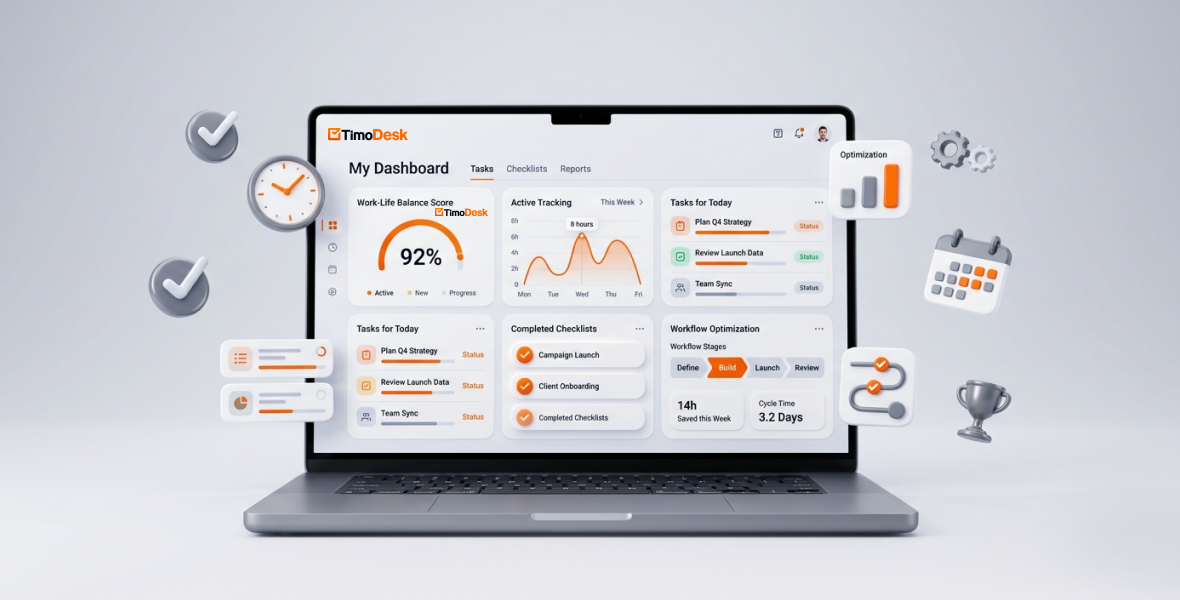
You can boost your daily productivity without working more hours by doing fewer things at once, planning your top tasks, and cutting the distractions that eat your day. The first step is to see where your time really goes. A time tracker like TimoDesk shows this with real data, so you can fix what matters.
Many people think the only way to get more done is to work longer. But productivity is not about time spent. It is about how well you use that time. Notifications, meetings and task switching quietly waste hours every week. This guide shows how to win that time back.
What is productivity?
Productivity is output compared with input. It is the value you create for the time and effort you put in. It is not how many hours you log or how busy you look.
Here is a simple example. One person spends 10 hours on email, meetings and jumping between tabs. Another person gets the same results in 6 hours by focusing on the tasks that matter most. The second person is more productive. The difference is a clear system, not more effort.
Many people mix up being busy with being productive. "Hustle culture" praises long hours. But research shows that switching between tasks has a real cost. The American Psychological Association reports that task switching can cost up to 40 percent of someone's productive time.
Tools help here. A good time tracker shows your real work patterns, so you can change them on purpose.
Why aren't you as productive as you could be?
If your days feel full but little gets done, one of these causes is likely at work.
No clear goals
Without clear goals, you react to whatever comes in. A lot of the day goes to "work about work": status updates, searching for information and admin. Vague goals lead to tired decisions and scattered effort.
The multitasking myth
Many of us juggle email, chat and projects at the same time. But the brain does not do two focused tasks at once. It switches back and forth, and each switch costs time and causes mistakes.
Poor time management
Most people don't know how broken up their day is. Interruptions are expensive. Research by Gloria Mark at the University of California, Irvine found it takes about 23 minutes to get back to a task after an interruption. Add meetings with no clear purpose, and whole afternoons disappear.
Digital distractions
Social media, notifications and open tabs pull at your attention. Each "quick check" seems small. Together, they can add up to hours of lost focus every week.
No task priorities
When every task feels equal, important work gets buried under busywork. You stay busy but don't move forward.
Burnout and fatigue
Long-term stress drains energy and motivation. Burnout slows you down, and it also hurts creativity and decisions.
The good news is that none of this is fixed. When you can see your real work patterns, you can replace guesswork with facts.
What is TimoDesk?
TimoDesk is a time tracking and team productivity tool. It is built for remote teams, agencies and staffing providers, and it also works for one person. It combines time tracking, projects and tasks, activity levels and reports in one place.
You start the timer on a task in the desktop app. While it runs, TimoDesk records your time, apps and websites, and activity level. Idle time is removed on its own. If the internet drops, it keeps tracking and syncs later.
Key features:
- Time tracking: track time by project and task from the desktop app.
- Projects and tasks: kanban board, list and calendar views, with priorities, due dates and estimates.
- Activity levels and app usage: see how active you were and which apps and websites you used. Screenshots are also available if your organization uses them.
- Reports: time and activity, app usage, websites, project time, leaderboards and a monthly timesheet.
The price is $1 per user per month, with every feature on one plan and a 15-day free trial with no card. No hidden fees.
How does TimoDesk help you boost productivity?
TimoDesk does not do the work for you. It shows you where time goes, so you can make better choices.
Time tracking that shows the truth
Start the timer on a task, and TimoDesk records where the minutes go. It logs active time, app usage and time per task in the background.
This often shows hidden time sinks. A "quick" scroll through social media may turn out to be 45 minutes. When time is visible, you start to use it more carefully.
Easier task priorities
Instead of scattered to-do lists, keep tasks in one place. In TimoDesk you can create projects, assign tasks, set priority and due dates, and track progress. Boards update live for everyone.
Important work stays at the top. Smaller items can wait or go to someone else. Teams miss fewer deadlines because everyone can see what is happening.
Focus without a blocker
TimoDesk does not block apps or websites. Instead, its app and website reports show where your attention goes. When you see that a site takes an hour a day, you can choose to change that habit.
For deep work, start the timer on one task and stay on it. The time on that task becomes a clear signal of how focused you were.
Insights from real data
Reports show activity levels, app usage, project time and weekly and monthly trends. You might notice that Friday afternoons are weak, or that meetings fill most of Tuesday. Then you can plan around it.
Managers can also see top performers and spot bottlenecks. For individuals, the weekly report is like a mirror for how the week went.
Less admin
Timesheets come from tracked time, so nobody fills them in by hand. Everyone who tracked time gets a daily summary email, and a weekly one too. The team dashboard flags overdue tasks and tasks over their estimate, so managers spend less time chasing updates.
What strategies boost productivity without more hours?
These simple methods work even better when you have real time data.
Use the 80/20 rule. A small part of your work usually produces most of the results. Use your reports to find that part, then give it more of your best hours.
Block your time. Set fixed blocks for deep work, admin and breaks. Track each block as a task so you can see if you kept to the plan.
Try the Pomodoro method. Work for 25 minutes, then rest for 5. Run the TimoDesk timer during each work block, then look at the report to see what rhythm suits you.
Set 3 to 5 daily goals. Keep the list short. Put your top tasks on the board so they stay in view.
Do one thing at a time. Work from a prioritized task list and finish one task before you start the next.
Take real breaks. Short breaks help you stay sharp. If your reports show long days with no rest, plan breaks on purpose.
Build a routine. Start each morning by checking yesterday's summary and picking today's top tasks.
How do you use TimoDesk step by step?
- Set up your account. Sign up for the 15-day free trial and download the desktop app for Windows, macOS or Linux. On a Mac, allow the permissions it asks for.
- Create tasks. In the dashboard, create projects and break them into tasks. Add priority, due dates and estimates.
- Track your time. Start the timer on a task. Switch tasks when your work changes. The app records apps, websites and activity levels while it runs.
- Set priorities. Mark the most important tasks with high priority. You can also mark tasks as "Important", a private mark only you see.
- Review your reports. Check time, activity, app usage and timesheets each day or week.
- Improve. Look for patterns, such as email taking 2 hours a day. Change one habit at a time.
Who can use these ideas?
- Freelancers with several clients: track each client as a project. The timesheet shows exactly where billable hours went.
- Students: track study sessions and see how much time goes to distractions. Use the data to plan exam prep.
- Remote workers: watch for long workdays in your reports, and protect your evenings.
- Founders and team leads: see team progress without constant check-ins, and move work around when someone is overloaded.
What are the benefits of tracking time every day?
- Better work-life balance: finish important work earlier and stop on time.
- More focus: seeing your patterns makes it easier to protect focused time.
- More done in the same hours: you find time that was being lost.
- Less stress: facts replace the worry of "where did my day go?"
- Steady improvement: weekly reviews build better habits over time.
How do you get the most from TimoDesk?
- Use it every day. Start the timer as part of your morning routine.
- Pair it with a goal system like OKRs.
- Review your weekly report and plan the next week.
- Act on what the app and website reports show you.
- Start small. Begin with time tracking, then add more features.
- Plan each day with a simple routine. Our guide on how to organize your workday shows one.
Conclusion
Productivity is not about longer hours. It is about clear focus, simple systems and decisions based on facts. Once you can see where your time goes, you can fix the patterns that hold you back.
Ready to try it? Start your 15-day free trial of TimoDesk. Track your first day, check the report, and pick one habit to change.
Frequently asked questions
How can I be more productive without working longer?
Focus on a few important tasks, do one thing at a time, and cut distractions. Track your time for a week first, so you know where the hours really go.
Is TimoDesk free or paid?
TimoDesk has a 15-day free trial with no card. After that, it costs $1 per user per month, with every feature on one plan.
Is TimoDesk easy for beginners?
Yes. You install the desktop app, sign in and start the timer on a task. The dashboard shows your time and reports without extra setup.
Does TimoDesk block distracting websites?
No. TimoDesk does not block apps or sites. It shows which apps and websites you used, so you can decide what to change.
How quickly will I see results?
You will see your first report after one day of tracking. Most of the value comes from reviewing a few weeks of data and changing one habit at a time.
Was this helpful?
Share it with someone who still adds up hours by hand.


