
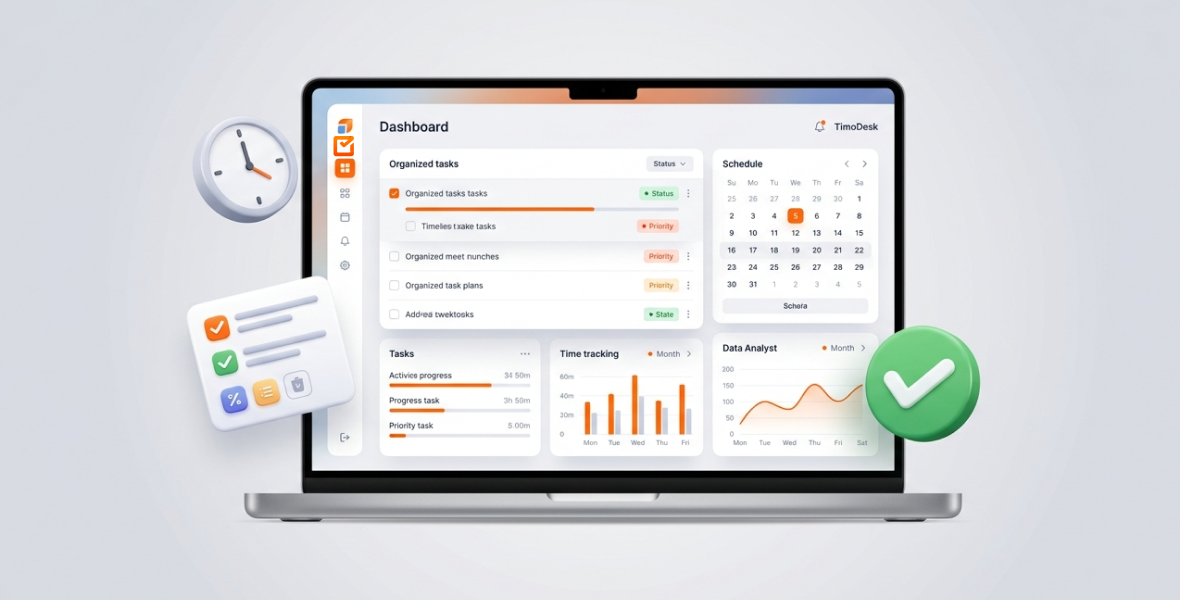
To organize your workday like a pro, plan your top tasks before you start, work in focused time blocks, track where your time really goes, and review the day before you log off. TimoDesk helps with each step: tasks with priorities and due dates, a timer on each task, and reports that show what you actually did.
Many days start with a clear plan and end with little real work done. Emails, meetings and small requests take over. This happens to freelancers, remote teams and busy professionals alike.
The fix is not longer hours. It is a smarter structure: clear priorities, simple routines and honest data about your time. This guide gives you practical steps and shows where TimoDesk fits in.
Why does organizing your workday matter?
An organized day is not just about ticking boxes. With a plan, you make fewer small decisions and waste less time deciding what to do next. You follow a plan that matches your goals, instead of reacting to whatever pops up.
It also helps your mind. When you know what comes next, you don't keep worrying about forgotten tasks. That means less stress and better focus.
Organization also protects your evenings. You finish important work earlier and stop on time, with energy left for family, hobbies or rest. A reactive day, spent putting out fires, leaves you tired and behind. A planned day builds momentum.
TimoDesk supports this by giving you structure and visibility. Your tasks, tracked time and reports sit in one place, so you can see how your plans compare with reality.
What are the signs your workday is disorganized?
Watch for these warning signs:
- Constant task switching: you jump between email, chat, projects and tabs, but nothing gets finished.
- Forgotten work: deadlines surprise you, or you remember key tasks at 5 PM.
- Long hours, little output: you sit at your desk for 9 or 10 hours but feel you did almost nothing.
- Daily overwhelm: open tabs, alerts and mental notes create constant pressure.
- No clear priorities: everything feels urgent, so nothing gets proper attention.
If three or more of these sound familiar, your day needs a better system. The good news is that small changes make a big difference.
What is TimoDesk?
TimoDesk is a time tracking and productivity tool for remote teams, agencies, freelancers and staffing providers. It combines time tracking, projects and tasks, activity levels and reports.
You install the desktop app on Windows, macOS or Linux and start the timer on a task. The app records your time, apps and websites, and activity level. Idle time is removed on its own. If your internet drops, it keeps tracking and syncs later.
Features that help you organize your day:
- Task planning: organize work into projects and tasks, with priority, start and due dates, estimates and subtasks.
- Time tracking: start the timer on a task and switch tasks as your work changes.
- Activity and app usage: see how active you were and which apps and websites took your time. Screenshots are also available for teams that need proof of work.
- Reports: activity levels, app usage, project time and daily, weekly and monthly views.
TimoDesk costs $1 per user per month, with every feature on one plan. It has no AI features and no chat. Team discussion happens in task comments.
How do you organize your workday with TimoDesk, step by step?
Plan your day in advance
The night before, or first thing in the morning, list the tasks for the day. Break big projects into small steps. For example, "Draft client proposal" becomes "Research competitors", "Outline sections" and "Write first draft". Add these as tasks in TimoDesk with an estimate for each. Use yesterday's tracked time to set realistic goals, so you don't overcommit.
Prioritize your tasks
Give each task a priority. Decide which tasks must happen today, which should happen, and which can wait. Start the day with your most important task. You can also mark tasks as "Important", a private mark only you see.
Use time blocking
Give each task or type of work its own time slot. For example: 9 to 10 AM for deep work on Project A, and 10 to 10:30 AM for email. Start the timer on the matching task for each block. The time calendar then shows how long each block really took, so your next plan is based on facts.
Track your time honestly
While you work, the timer records your time, the apps and websites you use, and your activity level. Idle time is removed. You can see how long you have spent on the current task. Simply knowing this makes you more aware of where time goes.
Protect your deep work
Pick one high-priority task and start the timer on it. Close chat and email for that block. TimoDesk does not block apps, but your app and website report will show if you drifted. Over a few weeks, you will learn when you do your best focused work.
Review and adjust every day
At the end of the day, spend 5 to 10 minutes in your reports. Compare what you did with what you planned. What took longer than expected? Where did distractions creep in? Adjust tomorrow's plan. Each review makes the next day a little better.
What techniques help structure a workday?
- The morning power hour: spend the first hour on your top task, with no email and no meetings. Track it so you can protect this time.
- Time blocking: as above, plan blocks and track them to see how they went.
- The Pomodoro technique: work for 25 minutes, then rest for 5. Run the TimoDesk timer during each work block and check your report to see how many you finished.
- The 3-task rule: limit your must-do list to three items.
- Batch similar tasks: group email, calls or admin into one block. Your app usage report shows where batching would save the most time.
- Do one thing at a time: your app and website report shows how often you switch. Seeing it is often enough to make you switch less.
What does a well-organized workday look like?
Morning routine. Check yesterday's summary. Pick your top three tasks and plan focus blocks.
Deep work. Start the timer on your most important task and work on it without interruptions.
A second focus block. Move to the next high-priority project. Your activity data shows how the session went.
Email and messages. Handle all messages in one block. Track it as its own task, so you see how much time it takes.
Break. Stop the timer and take a real lunch break. Time away from the keyboard is not counted.
Midday tasks. Handle routine or medium-priority work so nothing piles up.
Quick check. Look at your tracked time so far and adjust the afternoon if needed.
Final work session. Finish the high-value work you started.
End-of-day review. Check your report, note what went well, plan tomorrow and log off on time.
What mistakes should you avoid?
- Packing your schedule too full. Leave some buffer time.
- Skipping breaks. Long days with no rest lead to burnout.
- Skipping the daily review. That is where improvement happens.
- Using too many tools. Keep tasks and time in one place.
- Giving up too early. Try your new routine for two weeks before you judge it.
What are the benefits of organizing your workday with TimoDesk?
- More done in the same hours: you spend time on the right tasks.
- Less stress: a clear plan replaces worry.
- Better time awareness: you know where your time goes.
- More consistency: daily reviews build good habits.
- More free time: you finish earlier because you waste less time.
How do you get the best results?
- Use the same morning planning routine every day.
- Keep your task list realistic. Quality beats quantity.
- Review your reports weekly to see bigger patterns.
- Keep adjusting your time blocks based on what the data shows.
Conclusion
Organizing your workday is not about working harder. It is about working with a plan, clear priorities and honest data. With the steps and techniques in this guide, you can turn scattered days into focused ones without adding hours.
TimoDesk gives you tasks, time tracking and reports in one place for $1 per user per month. Start your 15-day free trial and see how your day really goes.
Frequently asked questions
Is TimoDesk easy for beginners?
Yes. You download the app, sign in and start the timer on a task. Most people understand their first report after a day of tracking.
Can TimoDesk replace my to-do app?
For work tasks, often yes. TimoDesk has projects and tasks with priorities, due dates, subtasks and a calendar view, all linked to tracked time. It does not sync with outside calendars or other apps.
Does TimoDesk work for remote teams?
Yes. It was built for remote teams; see also our guide to remote employee time tracking. Managers see time, activity and task progress, and staff see their own data. It has no integrations with Slack or other tools yet.
How long does it take to see results?
You see where your time goes after the first day. Most people need two or three weeks of daily reviews before new habits feel natural.
Was this helpful?
Share it with someone who still adds up hours by hand.


