
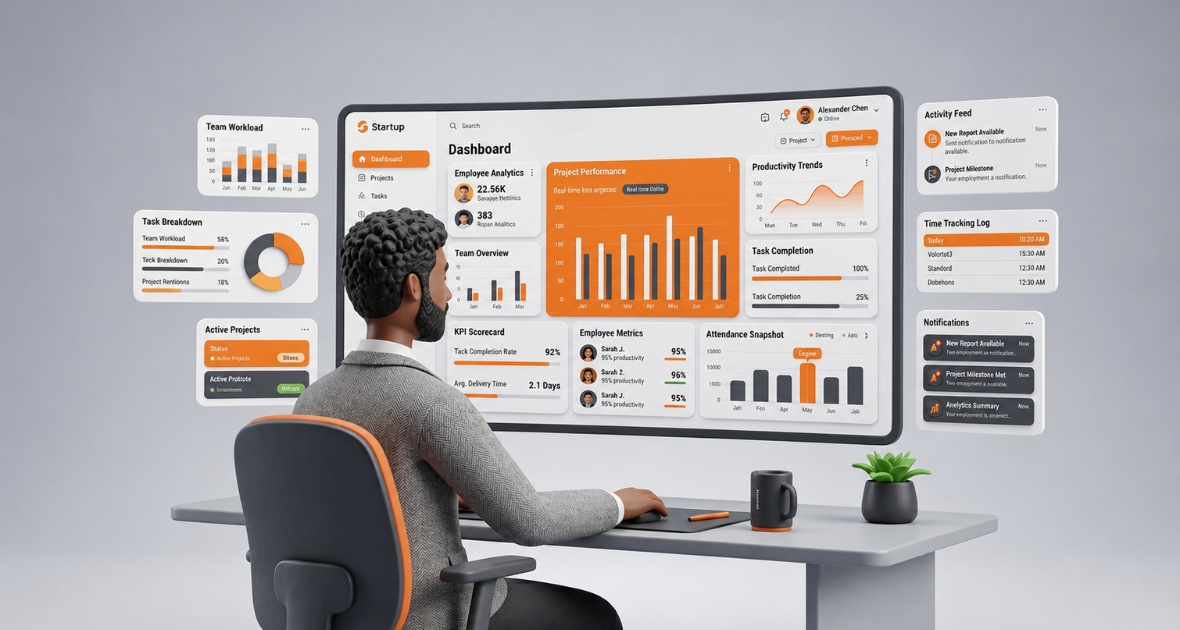
If you are looking for Hubstaff alternatives in 2026, TimoDesk is a strong choice for teams that mainly need time tracking, screenshots, activity levels and reports. It costs $1 per user per month with every feature on one plan, while Hubstaff Team, the matching plan, costs $10 per user per month on annual billing. Hubstaff is still the better fit if you need GPS, payroll or shift scheduling.
Most businesses that search for Hubstaff alternatives want more than a basic timer. They want to see how work time is used, keep remote staff accountable and get reports that help them decide. They also want all this without a culture of micromanagement or a tool that is hard to learn.
This guide explains why teams look for Hubstaff alternatives, what to check before you switch and where TimoDesk fits. It also shows honestly where Hubstaff is the better tool.
What is the best Hubstaff alternative in 2026?
For most remote teams and staffing agencies, TimoDesk is one of the best Hubstaff alternatives. It combines time tracking, screenshots, activity levels, app and website usage, projects and team reports in one tool. It is built for remote, hybrid and distributed teams.
Managers can see who is working right now, how time is used, which tasks take the most hours and where productivity can improve. Staff get clear expectations and simple tools. The result is a practical balance between visibility and ease of use.
The best alternative for you still depends on your needs. Here is how the main options compare, with prices checked in August 2026 on annual billing:
| Tool | Price per user per month | Screenshots | Best for |
|---|---|---|---|
| TimoDesk | $1, one plan | Included | Remote teams and staffing agencies |
| Hubstaff | $4.99 to $25 | Yes | GPS, payroll and scheduling |
| Time Doctor | $6.67 to $16.70 | Yes | Video recording and integrations |
| Clockify | Free to $11.99 | Pro plan ($7.99) | Free timer for up to 5 users |
| DeskTime | Free (1 user) to $9.17 | Premium plan ($9.17) | Shifts and absences |
| Toggl Track | Free to $14 | No | Simple trust-based timers |
Why are businesses searching for Hubstaff alternatives?
Needs change as a business grows. A tool that fits a small team may cost too much or feel too complex later. Common reasons to look elsewhere include:
- Software costs that rise as the team grows
- Paying for GPS, payroll or scheduling features the team never uses
- Wanting every feature on one plan instead of several tiers
- A seat minimum that doesn't suit very small teams
- Wanting a simpler setup for managers and staff
Remote work makes visibility more important. Managers can't walk around an office to see what is happening. They need reliable data on work patterns and performance from clear reports. Learn how to track the productivity of remote employees. At the same time, they don't want to overwhelm their staff. A good tool supports accountability while staying fair and open.
What should you look for in Hubstaff alternatives?
The best Hubstaff alternatives track time accurately, show activity responsibly and produce reports that support decisions. Key factors include:
- Accurate time tracking: Know how long people spend on tasks, projects and client work. This matters most for agencies, software teams and consultants.
- Screenshots: Visual proof that helps confirm remote work.
- Activity levels: A view of active and idle time, so managers don't have to guess.
- App and website usage: A picture of which tools people use during tracked time.
- Reports: Clear summaries by person, project and date, with exports.
- Ease of use: Simple enough for staff, useful enough for managers.
- Pricing: Compare the plan you really need, not just the entry price.
If you need GPS for field staff, built-in payroll or shift scheduling, add those to your list too. Not every alternative offers them.
Why is TimoDesk a good alternative for growing teams?
TimoDesk is a time tracking and productivity tool for teams that need clear visibility into work time and performance. It helps you manage remote and in-office staff from one dashboard, with a focus on clarity, accountability and low cost.
TimoDesk fits:
- Staffing agencies that place remote talent with clients
- Small businesses and startups
- Agencies and consultants
- Remote and hybrid teams
- Customer support and sales teams
- Software companies and IT service providers
TimoDesk helps answer practical questions:
- Are people using their work hours well?
- Which teams and projects take the most time?
- Where are tasks running late or over estimate?
- Who might be overloaded, or need support?
Which TimoDesk features stand out?
Employee time tracking
Staff start the timer on a task in the desktop app for Windows, macOS or Linux. Time is recorded in the background, and idle time is removed on its own after an idle timeout of 3 to 60 minutes. The app keeps tracking offline and syncs when it reconnects. Learn more about time tracking and remote employee time tracking.
Example: An agency with several clients sees how many hours each person spends on each project. That helps it avoid underbilling and plan resources.
Screenshots
Screenshots help confirm work without a manager watching. You choose an interval of 3, 5, 10, 15, 20, 30 or 60 minutes. Screenshots start on for new members and are switched on or off per member. An alert can tell members when one is taken. Screenshots taken during idle time are thrown away. See our guide to time tracking with screenshots.
Example: A remote support team uses screenshots to confirm agents worked on customer issues during their tracked hours.
Activity levels and app usage
Activity level is the share of tracked time with any keyboard or mouse input. What someone types is never recorded. App and website usage shows the tools, sites and page titles used during tracked time.
Example: A founder sees whether the team spends time on priority work or on low-value tasks.
Team dashboard and live status
The dashboard shows key figures with trends, a Team Day timeline, Live Now, Time Allocation and a Performance Map. Its Action Center flags overdue tasks, low-activity members, long workdays and tasks over estimate. The "TimoDesk Live Team Monitor" browser extension shows who is online without opening the dashboard.
Example: A team leader with 20 remote staff opens the dashboard and sees who is working now and which teams need help.
Projects and tasks
Projects have a kanban board, a list view and a calendar view. Tasks have priorities, start and due dates, estimates, labels, subtasks and comments with @mentions. Boards update live for everyone.
Reports and exports
The time and activity report, app usage, websites and top and low performer lists download as PDF or CSV. The monthly timesheet downloads as PDF, for the whole team or per member. These make payroll in your own system easier, even though TimoDesk has no payroll of its own.
Example: A business with hourly staff uses the monthly timesheet to check payable hours without combining spreadsheets.
Manual time with approval
Sometimes people work with the timer off, for example in a meeting away from the computer. Manual time is off until the organizer turns it on. Members can then request the time, and the organizer chooses who approves it. Manual time stays marked as manual, is left out of activity averages and does not count toward billing. Tracked sessions can't be edited, which keeps the records honest.
Client portal
Agencies and staffing firms can invite each client person to a separate client portal. A client sees only the projects you share with them. You choose which screens they see, such as tasks, time and activity, or screenshots. Clients can only view, and they can download reports as PDF or CSV with your logo.
Simple setup
Invite people by email, share an invitation link or add members directly. Members download the app and start tracking the same day. A clean interface keeps the learning curve short.
What are the benefits of TimoDesk over traditional time tracking?
- Better visibility: See work time and activity without asking for manual updates. This matters most for remote and hybrid teams.
- Clearer productivity data: Spot patterns, find problems early and coach with facts.
- Accurate hours: Records come from the timer, not from memory, so there are fewer disputes.
- Support for remote teams: Live status and reports close visibility gaps across time zones.
- Easier payroll prep: Monthly timesheets and CSV exports cut manual math.
- Useful reports: Reports answer real questions about people and projects.
- Accountability: People know their hours and activity are tracked fairly.
- Less admin: Data lives in one place, so managers spend less time chasing updates.
- Room to grow: No seat minimum and no higher tier, so cost stays simple as you add people.
- Predictable cost: $1 per user per month, billed only for members who tracked time.
How does TimoDesk compare with Hubstaff?
| Feature | TimoDesk | Hubstaff |
|---|---|---|
| Price | $1 per user per month | Starter $4.99, Grow $7.50, Team $10, Enterprise $25 (annual) |
| Seat minimum | None | 2 seats on paid plans |
| Free trial | 15 days, no card | 14 days, no card |
| Screenshots and activity levels | Yes | Yes |
| Kanban boards | Yes | Grow and above |
| Manual time with approval | Yes | Team plan |
| GPS and geofencing | No | Yes |
| Payroll and invoicing | No | Yes |
| Shift scheduling and attendance | No | Yes |
| Integrations | Not yet | Extensive |
Read the full TimoDesk vs Hubstaff comparison, or our post on the best Hubstaff alternative with screenshot monitoring, for more detail.
What does Hubstaff do well?
Hubstaff is a mature tool, and it is fair to say where it shines. It offers GPS tracking and geofencing for field teams. It has built-in payroll and automated payments. It includes shift scheduling and attendance management. It connects to a large list of project tools. It also has a longer history and a larger support team. If your team needs those things in one system, Hubstaff is worth its price.
How much can you save?
Here is a simple example. A remote team of 30 people all track time in a month.
- TimoDesk: 30 x $1 = $30 for the month, with every feature.
- Hubstaff Team: 30 x $10 = $300 per month on annual billing.
TimoDesk bills after each month, only for members whose desktop app tracked time. People you invited who never tracked are not billed. There is no annual contract.
How do you switch from Hubstaff to TimoDesk?
Switching takes less than a day for most teams. Follow these steps:
- Start a trial. Sign up for the 15-day free trial. No card is needed.
- Recreate projects. Add your active client projects and their main tasks.
- Invite your team. Send email invitations with the right role, or share an invitation link. Add managers and team managers first.
- Set tracking rules. On the Team Tracking Policy page, set screenshot intervals, idle timeout and alerts for the organization or per member.
- Install the app. Members download the desktop app and sign in.
- Run both tools briefly. Track in both for a few days if you want to compare results, then switch fully.
- Export old data. Download your history from Hubstaff before you close that account.
How do you roll it out fairly?
Tell your team why you are switching and what will be tracked. Explain that activity levels count keyboard and mouse input but never record what anyone types. Say who can see screenshots and reports. Share the rules in writing, and invite questions. Teams accept tracking much more easily when the rules are clear and the data is used to help, not to punish.
How do different businesses use TimoDesk?
Small businesses
Small businesses track hours, review activity and download timesheets without a complex system. This cuts admin work and helps manage small remote teams. For example, a small service company can check each person's monthly hours in one PDF instead of collecting spreadsheets.
Startups
Startups build good work habits early. Founders see how time is spread across priorities and track project hours as they grow. With a small team, every hour counts, so clear data on where time goes helps founders cut low-value work fast.
Agencies
Agencies track time on each client project and use reports to price work better. That supports billing accuracy and team utilization. A digital agency can see that one client takes far more hours than planned and adjust its next quote. Task estimates help here too, because TimoDesk flags tasks that go over their estimate.
Remote teams
Remote team leaders see who is active, review activity patterns and spot people who may need support, across locations and time zones. Daily summary emails go to everyone who tracked time, and a weekly summary arrives on the first day of the work week.
Customer support teams
Support managers check that agents are active during their tracked hours and find workflow issues that slow responses.
Sales teams
Sales managers see daily activity patterns and check that outreach work stays consistent. App and website usage shows how much time goes to the CRM, email and calls in a browser, which helps managers coach reps on where their day goes.
Software companies
Software teams track project hours for developers, QA and support staff, and spot gaps in resource planning. Project leaders can manage the tasks and members of their own project, so senior developers can run a project without full manager rights.
Is TimoDesk worth it for remote workforce management?
Yes, for most remote teams it is. TimoDesk improves visibility, accountability, productivity and reporting at a low cost. Remote teams need structure, and without it managers struggle to understand work patterns.
- Visibility: Live status, screenshots and activity levels show work without manual updates.
- Accountability: Staff have clear expectations about hours and output.
- Productivity: Managers find trends and help the team focus.
- Reporting: Leaders get structured data for decisions.
- Efficiency: Less time on manual tracking, more time on real work.
It is not the right tool if you need GPS, payroll, scheduling or integrations. In that case, Hubstaff or another tool from the alternatives page may suit you better.
What mistakes do businesses make when choosing time tracking software?
Choosing only on entry price
The cheapest plan may not include what you need. Check which plan has screenshots, app usage and the reports you want.
Ignoring the employee experience
If staff find a tool hard or intrusive, they won't use it well. Pick something simple, clear and fair.
Overlooking reporting needs
Basic reports may not be enough as you grow. Make sure you can see time by person and project, activity trends and team performance.
Forgetting remote work needs
Remote teams need more visibility than office teams. Check for screenshots, activity levels, live status and dashboards.
Forgetting to plan for growth
A tool may work today but not next year. Make sure it handles more people, teams and projects without a big price jump.
Skipping the trial
Test the setup, the dashboard, onboarding and daily workflows with real users before you commit.
Final verdict
For businesses looking for Hubstaff alternatives in 2026, TimoDesk offers the features most remote teams use every day: time tracking, screenshots, activity levels, app and website usage, projects and reports. It does this for $1 per user per month, with no seat minimum and no higher tier. Hubstaff remains the right choice for teams that need GPS, payroll or scheduling. If you mainly need to see where the hours went, start a 15-day free trial of TimoDesk with no card needed.
Frequently asked questions
What is the best Hubstaff alternative?
For teams that mainly need time tracking, screenshots and reports, TimoDesk is a strong pick at $1 per user per month. If you need GPS or payroll, look at tools that offer them.
Is TimoDesk cheaper than Hubstaff?
Yes. TimoDesk is $1 per user per month for every feature. Hubstaff Team, the plan that matches what TimoDesk includes, is $10 per user per month on annual billing.
Does TimoDesk track attendance or run payroll?
No. TimoDesk has no attendance management or payroll. It tracks work time on tasks, and its monthly timesheets and CSV exports help you run payroll in your own system.
Is TimoDesk suitable for remote employee monitoring?
Yes. It offers live status, screenshots, activity levels and app and website usage for remote and hybrid teams. Be open with staff about what is tracked and why.
Can I try TimoDesk before paying?
Yes. There is a 15-day free trial with no card needed, and trial usage is never billed. After that, you pay only for members who tracked time each month.
Was this helpful?
Share it with someone who still adds up hours by hand.


