
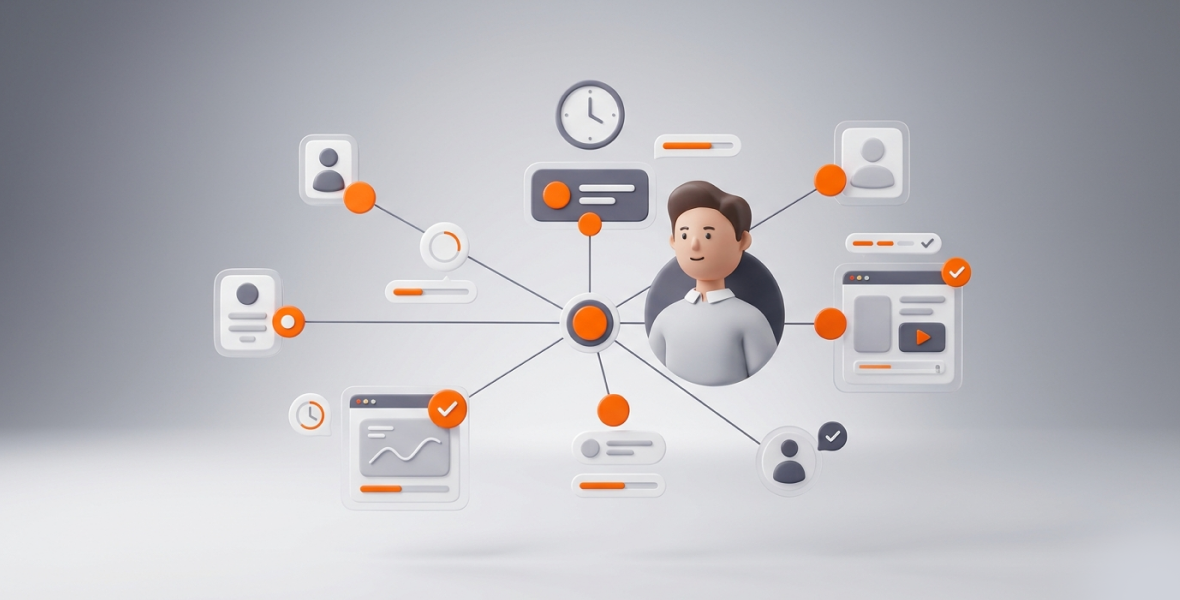
To monitor remote employees effectively, track time, activity levels, and work output in one place, and be open with your team about what you track and why. Focus on results, not on watching every minute. TimoDesk does this with a desktop timer, activity levels, screenshots, and reports for $1 per user per month.
Remote teams bring real challenges. Managers lack visibility, output is hard to verify, and some leaders start to worry that people are not working. Old tools like attendance logs and manual check-ins do not fix this. They often lead to micromanagement, burnout, and missed deadlines.
TimoDesk gives managers clear data without heavy surveillance. Team members start the timer on a task, and TimoDesk records time, activity levels, apps and websites, and screenshots. Managers can then spot problems, fix workflows, and hold people accountable while keeping trust.
What does effective remote employee monitoring mean?
Effective monitoring is not about watching every move or treating your team like suspects. It is a fair system that shows work patterns, progress, and performance. It also respects people's independence and well-being.
What is the difference between monitoring and micromanaging?
Micromanagement means constant control. It often leads to stress, low engagement, and people quitting. Good monitoring looks at outcomes. It asks questions like these:
- Are we making progress on key projects?
- Where are the bottlenecks?
- How can we improve the workflow?
It does not ask, "What is this person doing right now?" Trust is what turns monitoring data into better results.
How do you focus on productivity, not surveillance?
Aim for results you can measure: finished tasks, good use of time, and quality work. TimoDesk supports this by combining tracked time with screenshots and reports. Managers can find productive patterns instead of policing who is online.
What are the key elements of effective monitoring?
- Transparency: Employees know what is tracked and why.
- Accountability: Clear data shows how time turns into results.
- Performance tracking: You see activity levels, app usage, task progress, and output.
Done right, monitoring improves results without adding stress. Teams stay aligned, deadlines are met more often, and managers can coach instead of chasing updates.
What makes monitoring remote employees hard?
- No real-time visibility: Managers can't walk past desks, so daily progress is unclear.
- Unreliable work hours: Self-reported timesheets can be too high or too low, which makes billing and payroll harder.
- Communication gaps: Time zones and async work slow down feedback.
- Time zone issues: Idle periods and overlapping hours are easy to miss across continents.
- Low engagement: Without visibility, motivation can drop. Some people may just look busy, for example by keeping their chat status "active."
- Inconsistent reviews: Opinions replace data, so fair reviews are hard.
- Too many tools: Separate timers, project boards, and chat apps scatter information.
That is why many companies now use a central tool for remote and hybrid work. Without one, visibility gaps stay and productivity suffers.
What is TimoDesk?
TimoDesk is an affordable time tracking and productivity tool for teams of any size. It removes guesswork from remote work with simple tools and clear reports. It includes:
- Time tracking: Members start a one-click timer on a task. Idle time is removed on its own. The app keeps tracking offline and syncs when it reconnects.
- Activity monitoring: App and website usage, plus activity levels based on keyboard and mouse input. What people type is never recorded.
- Screenshots: Captured at an interval you choose, from 3 to 60 minutes. They start on for new members and can be switched per member.
- Tasks and projects: Kanban boards, list and calendar views, due dates, estimates, and comments.
- Reports: Timelines, time and activity reports, project breakdowns, leaderboards, and PDF or CSV exports.
TimoDesk costs $1 per user per month after a 15-day free trial, with every feature on one plan. You are billed after each month, only for members who tracked time. The desktop app runs on Windows, macOS, and Linux. The Live Team Monitor browser extension shows who is online and today's summary. On Linux, the URL Tracker extension adds website addresses to reports.
It suits team managers, agencies, staffing providers, remote-first companies, software teams, and support teams. It works for a team of 5 or a team of 500.
How does TimoDesk help monitor remote employees?
Time tracking
Members start the timer on a task. TimoDesk then logs their hours and removes idle time when there is no keyboard or mouse input for longer than the idle timeout. Offline time syncs later. Managers get accurate hours with fewer disputes.
Activity monitoring
See how time is spent. App and website usage shows which tools people use and for how long. Activity levels show the share of tracked time with keyboard or mouse input. You can spot patterns, like constant switching between tools, without seeing personal content.
Screenshot tracking
Screenshots give visual proof that work matches the logged time. You can view them by interval or one by one. Screenshots taken while a member is idle are thrown away. Members can get an alert when one is taken.
Task and project tracking
Look past hours to outcomes. Assign tasks, set due dates, and follow progress on live kanban boards. Time is linked to the task a member tracked, and tasks that go over their estimate are flagged.
Reports and insights
Reports show daily, weekly, and monthly time with charts and leaderboards. Many download as PDF or CSV. The dashboard's Action Center flags overdue tasks, low-activity members, and long workdays.
Together, these give you one view: time, activity, screenshots, tasks, and reports.
How do you monitor employees with TimoDesk, step by step?
- Create your account. Sign up for the 15-day free trial and verify your organization. No card is needed.
- Add team members. Invite people by email with a role. They install the desktop app, sign in, and grant the needed permissions, such as Screen Recording on macOS. Staff see only their own data.
- Set tracking rules. On the Team Tracking Policy page, set the screenshot interval, idle timeout, and screenshot alerts for everyone or per member. Tell your team about the policy.
- Assign tasks and projects. Create projects, add tasks, and assign them. Members pick a task and start the timer, so time and screenshots link to it.
- Watch the dashboard. Use the dashboard or the Live Team Monitor extension to see who is online and today's summary.
- Review reports often. Check timelines, screenshots, and activity reports each week to spot trends. The documentation covers each report.
- Improve your workflow. Use the data to fix processes, move tasks, plan training, or adjust workloads. Celebrate wins with the monthly leaderboard.
What are the best practices for remote monitoring?
- Be open: Tell employees what TimoDesk tracks and how the data is used. Hold a kickoff meeting or share a written policy.
- Set clear rules: Define work hours, acceptable app use, and who can see the data.
- Focus on outcomes: Review data from time to time, not all day.
- Avoid micromanagement: Use what you learn for coaching, not criticism.
- Respect privacy: Track only during work time. Plan screenshot settings for roles that handle sensitive data.
- Support, don't control: Talk about improvement and teamwork.
- Invite feedback: Give employees a way to raise concerns or suggest changes.
What are the ethical and legal rules?
Always tell employees about tracking before it starts. Get consent where the law requires it. Some U.S. states, such as New York, Connecticut, and Delaware, require employers to give notice of electronic monitoring. In the EU, the GDPR requires a lawful basis, only the data you need, and employee rights to access their data.
Limit who can see the data, and track only work activity during work time. Laws change, so check with a legal expert in your area. Use data to help teams, never to punish. When people feel respected, both productivity and loyalty grow. See how TimoDesk handles data on the security page.
Who uses remote employee monitoring?
- Agencies doing client work: Screenshots and reports give clients proof of hours, which improves billing accuracy and trust.
- Staffing providers: Show clients what placed remote workers did each day.
- Startups with distributed teams: Find bottlenecks early and keep projects moving.
- Customer support teams: See time on ticket work and use it to improve training and service quality.
What are the benefits of monitoring remote employees with TimoDesk?
- More accountability: Screenshots and activity data build ownership.
- Better productivity tracking: See real output, not just who is online.
- Clear visibility: Dashboards and timelines remove guesswork.
- Less wasted time: Spot problems early.
- Simpler management: One tool for time, screenshots, tasks, and reports.
What mistakes should you avoid?
- Monitoring too much, which causes resentment and burnout.
- Ignoring privacy concerns, which damages trust and can cause legal problems.
- Collecting data and never using it.
- Not explaining the tracking, which creates anxiety.
- Relying only on screenshots. You also need activity and task context.
How do you get the best results?
- Look at time, activity, tasks, and screenshots together.
- Review reports every week to catch patterns early.
- Find when people do their best work and plan around it.
- Fix the bottlenecks the reports reveal.
- Recognize top performers in public.
To go deeper, read how to track productivity of remote employees.
Conclusion
Monitoring remote employees well is now a basic part of running a distributed team. The key is balance: enough visibility to improve productivity, with trust and independence intact.
TimoDesk gives you time tracking, activity data, screenshots, tasks, and reports in one simple tool at $1 per user per month. Start your 15-day free trial, roll it out openly, and see your team's work clearly. Need help? Contact our support team.
Frequently asked questions
Is remote employee monitoring legal?
Yes, in most places, when you are open about it, give proper notice, and follow local laws such as the GDPR in Europe or state rules in the U.S. Ask a legal expert for your area.
Does TimoDesk track employees in real time?
Yes. The dashboard and the Live Team Monitor extension show who is working now. TimoDesk uses screenshots and activity levels, not video recording.
Can employees see their own data?
Yes. Employees can see their own time logs, activity, and screenshots. Staff see only their own data.
Is TimoDesk suitable for small teams?
Yes. There is no seat minimum, and it costs $1 per user per month. Setup takes minutes, so it works for small teams and large ones.
Was this helpful?
Share it with someone who still adds up hours by hand.


