
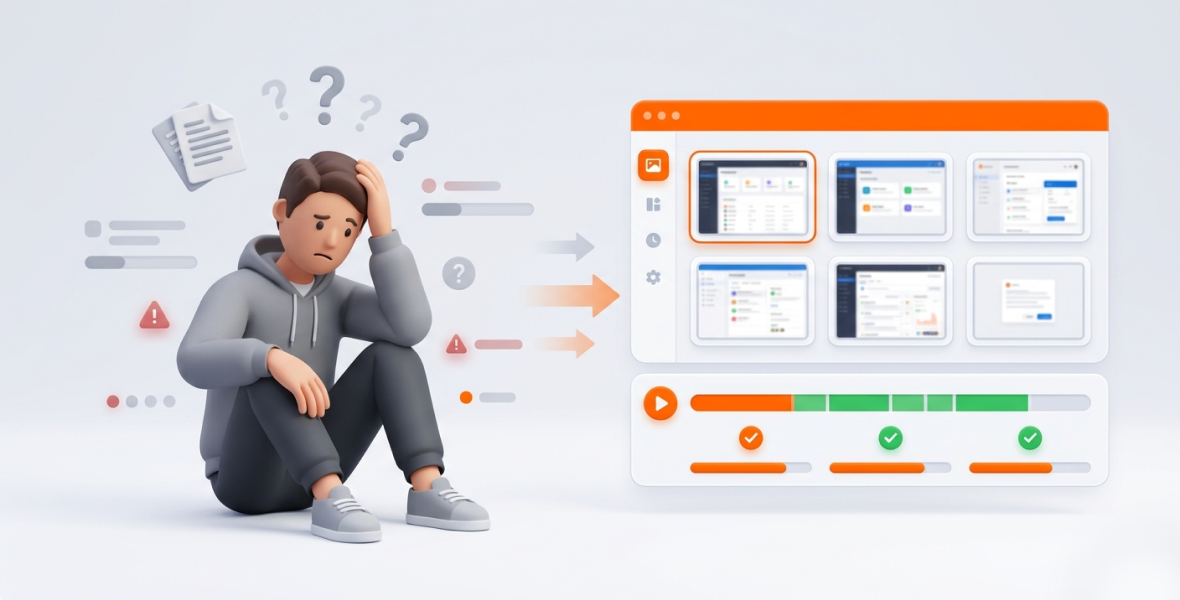
Screenshot monitoring helps you track team activity by taking pictures of each person's screen at set intervals while they track time. Paired with time logs and tasks, the screenshots show what work happened, not just how long someone was online. Used openly and with consent, it replaces status meetings with clear proof of progress.
Managers often struggle to know what remote and hybrid teams are doing. Poor visibility leads to missed deadlines, unreported hours, stalled projects, and unhappy clients. Manual check-ins and long status meetings waste time and hurt trust.
Screenshot monitoring offers a practical fix. Periodic snapshots of work give managers clear evidence of progress without hovering over anyone.
TimoDesk screenshots make this simple and fair. For $1 per user per month, TimoDesk takes screenshots while the timer runs and links them to time, tasks, and app usage. You choose the interval and who has screenshots on. It works well for agencies, staffing providers, remote teams, and growing businesses.
Why is tracking team activity important?
Remote and hybrid work are now normal. Tracking team activity is not about control. It is about clarity, alignment, and results.
- Accountability: When people know their work is visible, and the policy is open, focus tends to improve.
- Bottlenecks: Screenshots show where time gets stuck, such as too many tabs, slow tools, or unclear processes.
- Task completion: Stalled tasks get noticed the same day, not at the Friday review.
- Fair reviews: Time logs and visual proof make reviews more objective than gut feeling.
- Client reporting: Client-facing teams can show proof of work, which builds trust and cuts billing disputes.
The key is to do it right, so it supports people instead of policing them.
What goes wrong when you monitor activity without tools?
- "Online" is not the same as working: A green status dot in a chat app tells you very little about real work.
- Manual tracking is slow and error-prone: Status updates and daily stand-ups eat time, and self-reported data is often too optimistic or incomplete.
- Communication gaps: Time zones, async work, and scattered tools hide who is working on what. One late task can delay a whole project.
- No records: When a client asks what was done this week, or HR needs performance data, there is nothing reliable to show.
These gaps are costly. Progress stays hidden until it is too late to fix.
What is screenshot monitoring?
Screenshot monitoring captures images of an employee's screen at set intervals during tracked work time. It adds visual context to time logs and tasks, so managers see what work is happening, not just how long someone was logged in.
How it works
- Set intervals: Screenshots are taken at a fixed interval, for example every 10 or 15 minutes.
- Controlled access: Only people with the right role can view screenshots in the dashboard.
- Privacy options: Good tools let you set screenshots per person and tell members when one is taken.
What it is not
Screenshot monitoring is not the same as invasive surveillance, such as webcams, keystroke logging, or constant video. Fair use covers only work activity during paid, tracked time, with full openness.
When is it ethical?
- Employees are told up front and give consent where required.
- It protects company time and client work.
- It gives proof of effort, which can replace constant check-ins.
In the U.S., monitoring company devices is generally allowed with proper notice and a clear policy, though some states have their own notice rules. Other countries, such as those under the GDPR, have stricter rules. Check with a legal expert for your area.
How does screenshot monitoring improve productivity?
Clear visibility
Managers open the dashboard and see recent work. If a design task has stalled, the screenshots show where it stopped. Issues come up in minutes, not days.
Accountability and transparency
When screenshots are taken openly, people tend to stay focused. It also helps employees: they can point to screenshots as proof of their work.
Linking time and tasks
Screenshots paired with time logs give a full picture. If 3 hours were logged on a client project, the screenshots confirm real work happened. That supports fair billing and better estimates.
Better workflows
Looking at screenshots over time shows patterns, like constant switching or slow tools. Managers can coach early ("Let's simplify that approval step") instead of reacting to missed deadlines.
How does TimoDesk do screenshot monitoring?
TimoDesk builds screenshots into a full time tracking tool, so you don't need a separate app.
- Interval you choose: 3, 5, 10, 15, 20, 30, or 60 minutes, for the whole organization or per member.
- Per-member control: Screenshots start on for new members. Organizers and managers can switch them on or off for each person, or for many people at once on the Team Tracking Policy page.
- Screenshot alert: Members can get an alert each time a screenshot is taken.
- No idle screenshots: Screenshots taken while a member is idle are thrown away.
- Linked data: Each screenshot sits next to the time log, task, activity levels, and app usage for that period.
- Storage choice: Keep screenshots in TimoDesk storage, or in your own Amazon S3 bucket or FTP server.
- Roles: Staff see only their own data. Organizers and managers see the team.
The desktop app runs on Windows, macOS, and Linux. It keeps tracking offline and syncs later. Members stop the timer when they take personal time, so nothing is captured then. Everything is included at $1 per user per month.
How do you set up screenshot monitoring, step by step?
- Create your account. Sign up for the 15-day free trial. No card is needed.
- Add team members. Invite people by email with a role. They install the desktop app.
- Check the team's settings. Screenshots are on for new members by default, and the Team Tracking Policy page lists every member's settings in one place.
- Set the interval and alert. Pick an interval and decide if members get an alert.
- Watch the dashboard. See who is working now, plus time logs and recent screenshots.
- Review screenshots with tasks. Open a member's screenshots for a day and compare them with their tasks.
- Use reports for reviews. Download the time and activity report as PDF or CSV for client updates or performance reviews.
What are the best practices for ethical screenshot monitoring?
- Tell your team and get consent: Share a clear policy that explains what is and isn't captured.
- Focus on productivity, not micromanagement: Use the data for coaching.
- Don't punish with screenshots: Ask "How can we help work flow better?" instead of looking for blame.
- Pick a sensible interval: Start with 10 or 15 minutes and adjust based on feedback.
- Add context: Pair screenshots with tasks and time logs. Alone, they can mislead.
Done this way, monitoring can improve morale, because people's real effort becomes visible. See more on proof of work.
Who uses screenshot monitoring?
- Remote marketing teams: Show clients the creative work behind billed hours.
- Agencies with many clients: Project managers see which deliverables are moving in each client project.
- Software teams: Leads spot blockers early in a sprint.
- Staffing providers: Give clients proof of what placed workers did, through reports or the TimoDesk client portal.
What are the benefits of screenshot monitoring?
- Better accountability and focus.
- Clear visibility into team performance, based on data instead of assumptions.
- Fewer missed deadlines, because stalled work is spotted early.
- Transparent reporting for clients and managers.
- Better workflows, because slow spots become visible.
What mistakes should you avoid?
- Taking screenshots without telling employees, which hurts trust and can create legal risk.
- Monitoring too much, which leads to burnout and resentment.
- Judging screenshots without linking them to tasks.
- Collecting screenshots and never reviewing them.
How can you get the best results?
Give each screenshot context with clear task assignments. Review activity trends weekly, and look at patterns rather than single images. Use screenshots for coaching and process fixes. Adjust the interval to fit the work. Celebrate team wins when the data shows progress. For a step-by-step setup, read how to track employee work with screenshots.
Conclusion
Tracking team activity in remote and hybrid work no longer has to mean guesswork or endless meetings. Screenshot monitoring, paired with time tracking and tasks, gives teams the visibility they need to stay productive and on schedule.
TimoDesk makes it simple, affordable, and fair: screenshots at your interval, per-member control, linked time and task data, and clear dashboards for $1 per user per month. Start your 15-day free trial and see the difference open visibility makes. Questions? Contact us.
Frequently asked questions
Is screenshot monitoring legal and ethical?
Generally yes, when you give clear notice, get consent where required, and only capture work time. Rules differ by country and state, so check local law.
Can screenshots be linked to time tracking and tasks?
Yes. In TimoDesk, screenshots are taken while the timer runs on a task, so they sit next to the time log, task, and app usage.
How often should screenshots be taken?
Every 10 to 15 minutes is a good start for most teams. TimoDesk lets you choose from 3 to 60 minutes.
Can employees blur or pause screenshots?
No. TimoDesk does not blur screenshots. Members stop the timer when they take personal time, and admins set screenshots per member.
Does screenshot monitoring hurt team morale?
Not when it is open and fair. Teams accept it more easily when they know the policy, can see their own data, and see it used for coaching.
Was this helpful?
Share it with someone who still adds up hours by hand.


