Time tracking on Linux
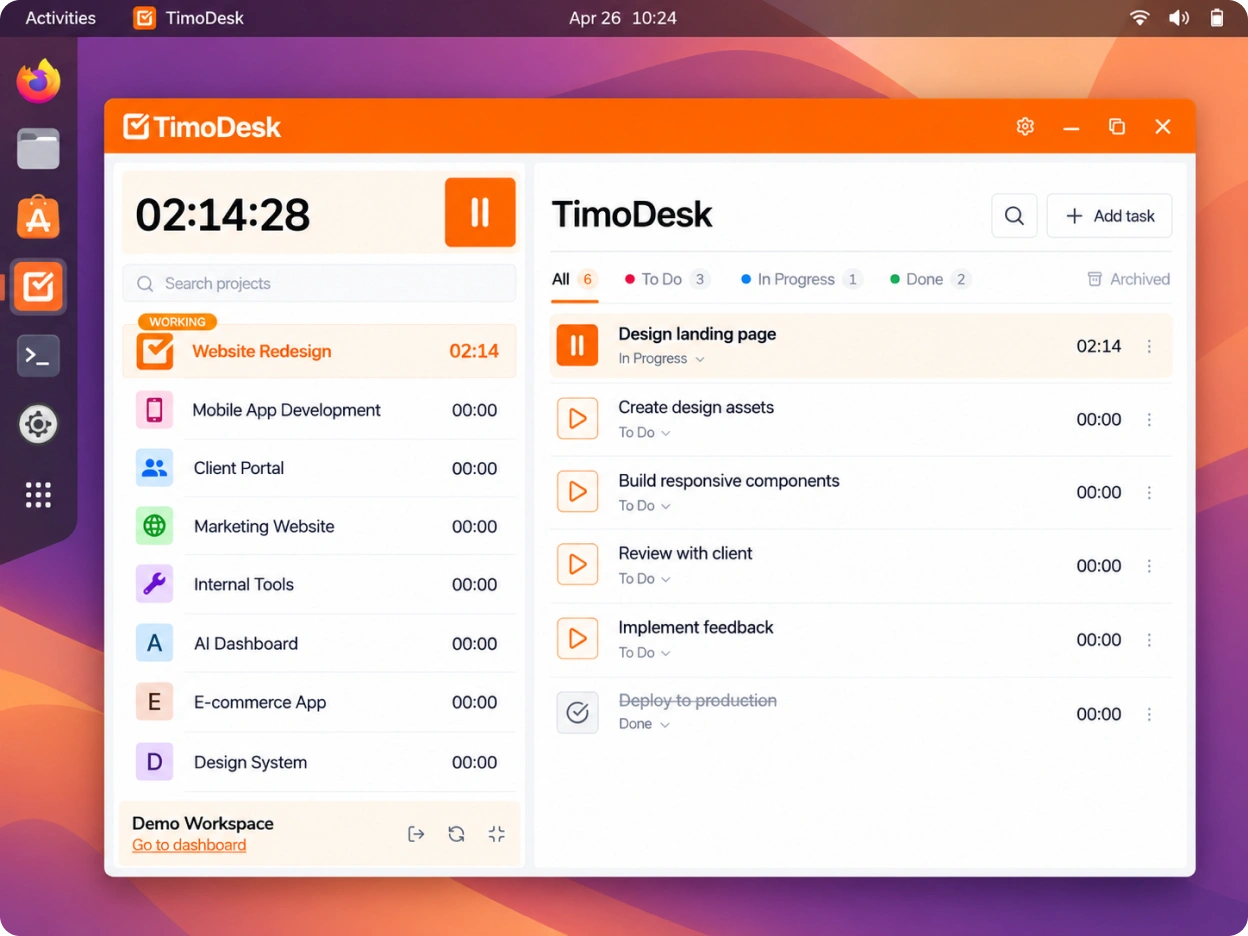
The TimoDesk desktop app runs on major Linux distributions from one .zip archive. It tracks time, activity, apps and screenshots, and the URL Tracker extension adds websites.
Linux
Linux hours belong in the report too
Developers and system administrators often work on Linux. When a time tracker skips their machines, their hours never reach the team's reports. TimoDesk has a Linux app, so that time lands in the same dashboard as everyone else's, at $1 per user per month. It matters most for software teams and remote teams. For step-by-step help, see the Desktop app guide.
Installing
One .zip for major distributions
Download the .zip archive and unpack it. Sign in with the email and password you use for the dashboard, pick a project and a task, and press play. The app records only while the timer runs.
- Time, activity, apps and screenshots with no extra setup
- Idle detection and screenshot intervals work as they do on Windows and macOS
- Activity counts keyboard and mouse use, never the keys you press
- Keeps tracking offline and syncs when you reconnect within 30 days
Websites on Linux
Add the URL Tracker for websites
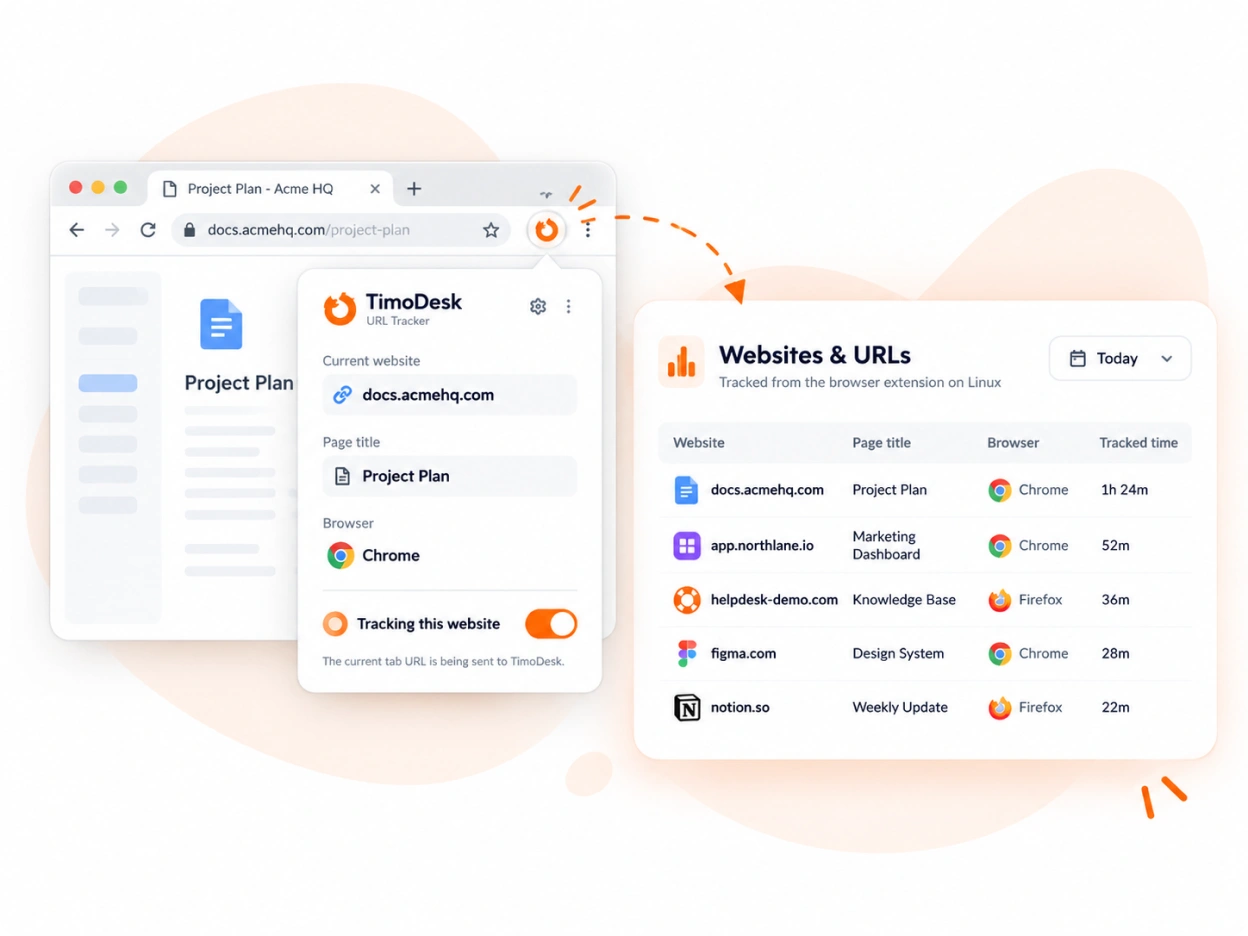
On Windows and macOS, the app reads browser URLs by itself. On Linux it cannot, so the TimoDesk URL Tracker extension sends the URL of the active tab to the desktop app. That is what fills the website side of the app and website reports.
- Available for Chrome and Firefox
- Records the site, page address, page title and browser
- Without it, the websites report stays empty for that member
Two extensions with different jobs
The TimoDesk Live Team Monitor lets organizers, managers and team managers see who is
online from the toolbar. It is optional and not part of tracking, so Linux members
only need the URL Tracker. Neither extension tracks time. The desktop app does that.
See the Browser extension guide.
Questions
Running TimoDesk on Linux
Which file to download, what the URL Tracker adds, and what works without it.
Which Linux distributions does TimoDesk support?
Major Linux distributions. The app comes as one .zip archive, so you download the same file whichever distribution you use.
Do I need the URL Tracker extension?
Only if you want websites in your reports. On Linux, the desktop app cannot read browser URLs by itself, so the TimoDesk URL Tracker sends the active tab URL to it.
Which browsers does the URL Tracker work with?
Chrome and Firefox. Install it from the Chrome Web Store or Firefox Add-ons on each Linux computer that runs TimoDesk.
What works on Linux without the extension?
Everything except website data. Time tracking, activity, apps and screenshots all work, and only the websites and URLs report stays empty.
Is the URL Tracker the same as the Live Team Monitor?
No. The Live Team Monitor shows organizers, managers and team managers who is online from the browser toolbar. It is optional and does not track time or websites.
Does TimoDesk track time offline on Linux?
Yes. The app keeps tracking with no connection and syncs when you are back online, as long as you reconnect within 30 days.
Start tracking time this week
Create your organization and invite your team today. Tracked time shows on the dashboard the same day, and the first full-day reports are ready the next day. $1 per user per month, with every feature included.
- $1 per user / month
- 15-day free trial, no card
- Stop anytime. No contract.
