
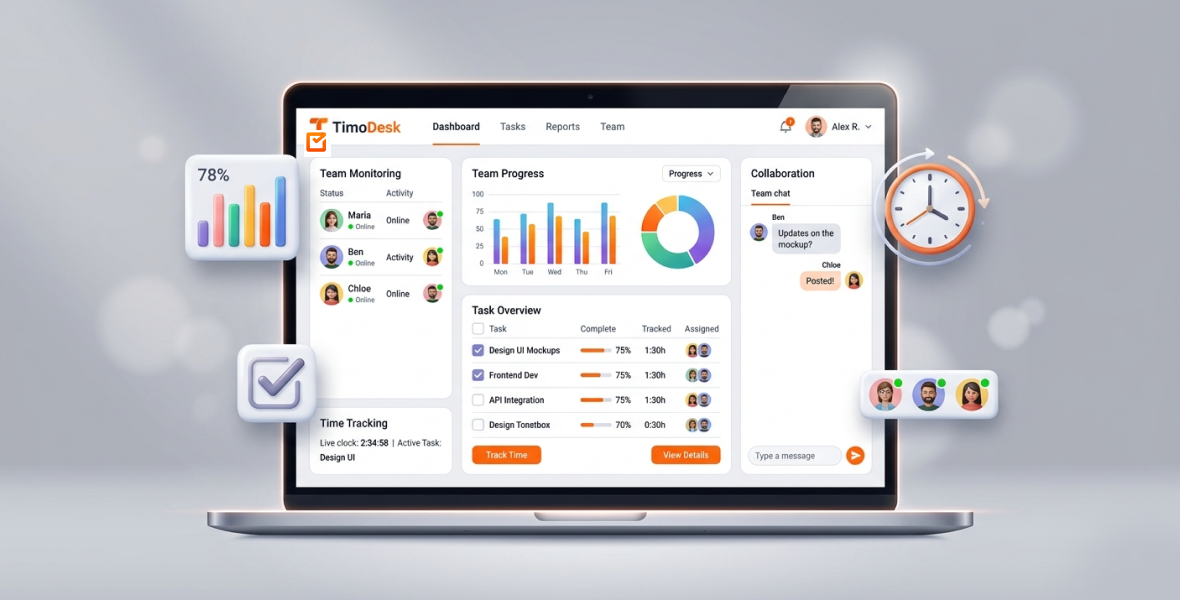
Yes, you can track employees on Windows, Linux and macOS with one tool. TimoDesk has a desktop app for all three systems, and every member's time, activity levels, app usage and screenshots land in the same web dashboard. It costs $1 per user per month, with every feature on one plan. No hidden fees.
Remote and hybrid teams rarely use one kind of computer. Designers often prefer a Mac, developers often use Linux, and many office teams run Windows. If your tracking tool only works well on one system, your reports have gaps. This guide explains why cross-platform employee tracking matters and how TimoDesk handles it.
What is employee monitoring software?
Employee monitoring software helps a business see how work gets done. It records time on tasks, shows which apps and websites people use, and turns that into reports.
Modern tools do more than a time clock. Common features include:
- A timer people start on each task
- Activity levels and app usage
- Screenshots as visual proof of work
- Idle time detection
- Live dashboards
- Reports you can download
Monitoring is not the same as micromanagement. Good monitoring focuses on results and openness. It helps teams find what slows them down. It is not about watching every keystroke. Businesses get better planning and fewer delays. Staff get clear expectations and fair, fact-based feedback.
Why does cross-platform employee tracking matter?
Teams use different computers for good reasons. Developers often like Linux for its control and open-source tools. Creative teams often prefer macOS. Many office and admin teams use Windows because of the software they rely on.
Some companies also let people use their own devices. Remote teams already deal with time zones. Forcing everyone onto one operating system adds more friction.
A tool that works on only one system creates real risks:
- Data that differs from person to person.
- Gaps where some people are not tracked at all.
- More admin work to merge reports.
- Low adoption, because the tool feels clumsy on some machines.
A cross-platform tool gives you one source of truth. Setup is simpler, training is shorter, and everyone can work on the computer they know best.
What goes wrong when teams use different operating systems?
Without one tool for every system, managers run into these problems:
Uneven data: one person's report shows full app usage, while another's is empty because the tool does not support their system.
Compatibility issues: crashes, missing features, or workarounds that break tracking.
Blind spots: people on unsupported systems are simply not visible.
No central reports: managers end up joining spreadsheets from different tools by hand.
Trust gaps: when a tool works better for some people than others, it feels unfair.
These problems slow teams down and make remote work harder to scale.
What is TimoDesk?
TimoDesk is a time tracking and team productivity tool for remote and hybrid teams, agencies and staffing providers. It gives managers clear data on how work happens, with settings that keep tracking fair.
There are desktop apps for Windows, Linux and macOS (Apple silicon and Intel). Reports and settings live in the web dashboard. The app keeps tracking offline and syncs when it reconnects within 30 days. There is no mobile app.
What makes TimoDesk different:
- One plan at $1 per user per month with every feature, billed only for members who tracked time.
- Settings per member for tracking, screenshots, idle timeout and manual time.
- Time tracking, activity levels, app and website usage, and screenshots in one app.
- A Live Now view and the Live Team Monitor browser extension.
- Project boards with tasks, estimates and comments.
TimoDesk for Windows: tracking for office workflows
Windows is the most common system in offices, and TimoDesk works well there. Members install the desktop app, sign in and start the timer on a task. While it runs, the app records time, activity levels, apps, websites and screenshots if they are on.
It suits agencies, corporate teams and hybrid offices where most people use Windows. Managers get the same timeline and reports as for everyone else.
TimoDesk for Linux: tracking for developers and tech teams
Linux users, often developers and engineers, get a native desktop app too. Many tracking tools skip Linux, so this matters for tech teams.
Developers can keep the setup they like while managers get the same reports as for the rest of the team. See the Linux installation guide to set it up. This fits software teams, DevOps groups and tech startups.
TimoDesk for macOS: tracking for creative teams
The macOS app runs on Apple silicon and Intel Macs. macOS asks you to allow a few permissions: Screen Recording for screenshots, Input Monitoring for activity levels, and Accessibility for app and website tracking. If a member turns one off later, organizers and managers get a notification that says what stopped working.
Our guide on macOS permissions for TimoDesk walks through each step. The Mac app suits designers, marketers, content creators and agencies where MacBooks are standard.
Which features work on every operating system?
The core features are the same on Windows, Linux and macOS:
Time tracking: members start the timer on a task, and the app records the time.
Activity levels: the share of tracked time with keyboard or mouse input. Typed text is never recorded.
App and website usage: which apps and websites people used during tracked time.
Screenshots: taken every 3 to 60 minutes, switched on or off for each member.
Idle time detection: idle time is removed after a timeout you choose (3 to 60 minutes).
Live view: see who is working right now.
Reports: daily, weekly and monthly views, project time and timesheets.
How can you monitor a team in real time without micromanaging?
TimoDesk's Live Now view and the Live Team Monitor browser extension show who is online and today's summary. Managers get a quick picture without sending messages to check in.
Staff can see their own data, so they know what is measured. Managers can change the screenshot interval for any member. The focus stays on results, not on watching every minute.
How do tasks and projects fit in?
TimoDesk includes project management in the same product. Each project has a kanban board, a list view and a calendar view. Managers assign tasks, set priorities and due dates, and add estimates. Team members discuss work in task comments with @mentions.
Boards update live for everyone. Time tracked on a task shows next to its estimate, and TimoDesk flags tasks that go over.
What reports and insights do you get?
Reports show time and activity, app usage, websites, project time and monthly leaderboards. The team dashboard adds a Team Day timeline, Time Allocation and a Performance Map.
The Action Center flags overdue tasks, low activity, long workdays, tasks over estimate and manual time waiting for approval. Weekly reviews get shorter because the problems are already listed.
You can download the main reports as PDF or CSV, and the monthly timesheet as PDF.
What are the benefits of one tool across every OS?
- One system: one dashboard and one source of truth.
- Less friction: people work on the computer they prefer.
- Full visibility: the same data for every member, whatever the device.
- Easier setup: one app to explain and support.
- Lower cost: one low-priced plan instead of several tools.
How does TimoDesk compare with other monitoring tools?
Many well-known tools, like Hubstaff and Time Doctor, also support Windows, macOS and Linux. The main difference is price and plan structure. TimoDesk costs $1 per user per month with every feature on one plan. Hubstaff starts at $4.99 and Time Doctor at $6.67 per user per month on annual billing (checked in August 2026), and some features sit on higher plans.
Those tools offer extras TimoDesk does not, such as integrations, GPS or payroll. If you mainly need tracking, screenshots and reports, TimoDesk costs much less. See our alternatives page for full comparisons.
How does TimoDesk keep data safe?
TimoDesk limits what it collects and who can see it. Staff see only their own data. Typed text is never recorded. Website tracking records the site, page address, page title and browser, never the content of the page.
Organizers and managers choose tracking settings for each member. You can also store screenshots in your own Amazon S3 or FTP storage. Read more on the security page.
Pair these controls with a clear policy and an open talk with your team, so everyone knows what is tracked and why.
How do you get started with TimoDesk?
Step 1: Sign up. Create your account and start the 15-day free trial. No card is needed.
Step 2: Set up your organization. Add your organization name. The dashboard is where you manage everything.
Step 3: Invite your team. Send email invitations with a role, or share an invitation link. People who join by link wait for your approval.
Step 4: Install the desktop app. Each member installs TimoDesk on Windows, Linux or macOS.
Step 5: Allow permissions. On macOS, allow Screen Recording, Input Monitoring and Accessibility when asked.
Step 6: Choose settings. Set the screenshot interval, idle timeout and screenshot alerts on the Team Tracking Policy page.
Step 7: Start tracking. Members start the timer on a task. Managers see the data in the dashboard.
What are the best practices for employee monitoring?
- Tell people openly what is tracked and what is not.
- Use reports to improve the team, not to punish people.
- Use the data to coach and to celebrate wins.
- Remind staff they can see their own data.
What mistakes should you avoid?
- Monitoring more than you need. Use screenshots only where they help.
- Ignoring the data. Set a regular review time.
- Skipping training. A short demo helps people start well.
- Choosing a tool that does not work on everyone's computer.
Conclusion
When a team uses several operating systems, separate tracking tools only cause confusion. TimoDesk gives you one tool for Windows, Linux and macOS, with the same features and reports for everyone.
You get time tracking, activity levels, screenshots and reports for $1 per user per month. Start your free trial and see your whole team in one place, whatever computer they use.
Frequently asked questions
Does TimoDesk work on Linux?
Yes. TimoDesk has a native desktop app for Linux, as well as Windows and macOS. All members appear in the same dashboard.
Does TimoDesk support Apple silicon Macs?
Yes. The macOS app runs on both Apple silicon and Intel Macs. You need to allow a few permissions the first time.
Is there a TimoDesk mobile app?
No. TimoDesk tracks time on desktop computers only. Managers can open the web dashboard in any browser.
Can I mix Windows, Linux and Mac users in one team?
Yes. Each member installs the app for their system. Their time, activity and screenshots all show up in the same reports.
Was this helpful?
Share it with someone who still adds up hours by hand.


