
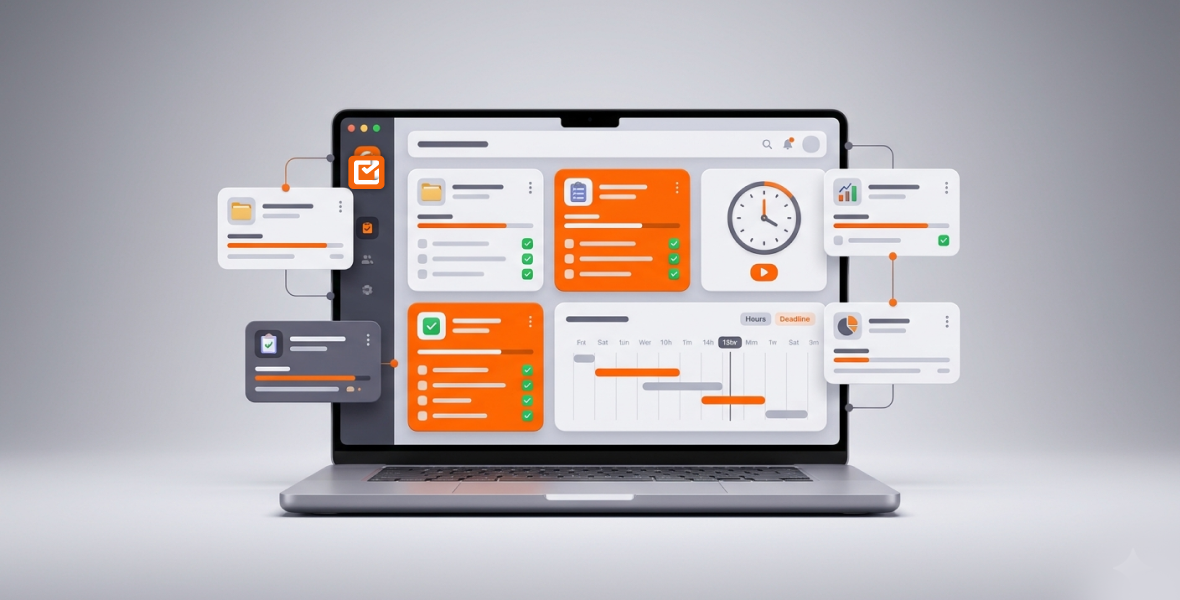
Agencies can manage multiple clients efficiently by giving each client its own project, tracking every hour against a client task, and reviewing workload and progress in one dashboard each week. Clear tasks, honest time data, and open client reporting stop missed deadlines and underbilling. TimoDesk brings these together for $1 per user per month.
Agency growth is exciting, but it brings hidden problems. As the client list grows, so do missed deadlines, scattered messages, overworked teams, and revenue lost to poor billing. Many agencies struggle not because of talent, but because of scattered systems: spreadsheets, email threads, chat messages, and too many tools.
TimoDesk puts time tracking, project management, client tasks, team visibility, and reports in one workspace. Team members start the timer on a client task, and TimoDesk records time, app usage, and screenshots. Managers get clear data, and teams keep their independence.
Why is managing multiple clients hard for agencies?
Context switching is a quiet problem. Your team jumps between a branding project for one client, an ad campaign for another, and urgent revisions for a third. Every switch costs focus, and with many clients, those small losses add up to hours each week.
Each client has different priorities, deadlines, and expectations. One wants weekly reports; another wants daily check-ins. Resource planning turns into guesswork: who is overloaded, and who has room? Messages arrive by email, chat, and video calls. Without real-time visibility, managers don't see workload problems until someone burns out or a deadline slips.
Growing without systems makes it worse. Small agencies often run on the founder's energy and shared memory. As the team grows across time zones, that stops working. Scope creep eats margins, and poor time tracking leads to underbilling. The fix is not working harder. It is one central system.
What do agencies need to manage clients efficiently?
- One dashboard: All clients, projects, tasks, and team status in one place.
- Clear task tracking: Tasks with due dates, priorities, and visible progress.
- Time tracking per client: Accurate hours for each client, so no billable time leaks away.
- Team visibility: Workload, activity levels, and bottlenecks you can see.
- Deadline tracking: Overdue and over-estimate tasks flagged early.
- Reports: Client summaries and exports you can use for invoices and reviews.
Many agencies piece these together from several tools. TimoDesk puts them in one place at $1 per user per month, with every feature on one plan.
What is TimoDesk?
TimoDesk is a time tracking and productivity tool for remote, hybrid, and project-based teams. It records work hours, tracks tasks and projects, shows app and website usage, takes screenshots, and builds reports. The desktop app runs quietly on Windows, macOS, and Linux once the timer starts.
Key features for agencies:
- Projects per client: Create as many projects and tasks as you need, and switch between clients with one click.
- Time per client: Every tracked minute is tied to a task in a client project. Idle time is removed on its own.
- Tasks and boards: Kanban, list, and calendar views, with assignees, due dates, priorities, estimates, and comments.
- Activity and screenshots: App and website usage, activity levels, and screenshots at an interval you choose.
- Reports: Project time, member time, timelines, leaderboards, and time and activity reports as PDF or CSV.
- Client portal: Invite client contacts to see the projects you share with them.
The app keeps tracking offline and syncs later, which helps teams spread across time zones. There is a 15-day free trial with no card needed. No tiers, no hidden fees.
TimoDesk works well for:
- Marketing agencies juggling campaigns and reporting cycles.
- Design agencies handling revisions, with screenshots as proof of work.
- Development agencies tracking sprints and billable coding time.
- Small studios growing from freelancers into full teams.
How does TimoDesk solve multi-client problems?
One dashboard for every client
The team dashboard shows key figures, who is working now, and how time is split across projects. The Action Center flags overdue tasks, tasks over estimate, low-activity members, and long workdays. You see the whole agency at a glance.
Time tracking per client
Manual timesheets are slow and full of errors. In TimoDesk, team members start the timer on a task in a client project, so time is sorted by client from the start. Keep internal work in its own project so it never mixes with billable hours. The monthly timesheet downloads as PDF, and the time and activity report as PDF or CSV, ready for your invoicing tool. See project time tracking.
Task assignment and workflow
Break deliverables into tasks and subtasks. Assign them by skill and workload, and set due dates. Boards update live for everyone, which cuts down on status meetings. Comments with @mentions keep feedback on the task.
Team performance
Spot overloaded people before they burn out. Activity levels, member time, and performance leaderboards show who is doing well and where work is stuck. Be open about what you track, so the team sees it as fair.
Reports for clients and managers
Build client reports with hours and progress, plus team summaries for internal reviews. Download PDFs to share, or give clients access to the client portal.
How do you manage multiple clients with TimoDesk, step by step?
- Set up client projects. Sign up, then create a project for each client with a clear name, such as "ClientX Q2 Campaign." Invite your team with the right roles.
- Break work into tasks. Add tasks with descriptions and subtasks for each deliverable.
- Assign people. Assign tasks by skill and current workload, which you can see in the dashboard and member reports.
- Set due dates and priorities. Add start and due dates, priority, and an estimate to each task.
- Start tracking. Team members open the desktop app, pick the client task, and start the timer.
- Watch daily activity. Use the dashboard and Live Now view. Screenshots add visual context for reviews.
- Review weekly. Pull project and member reports every Friday. Adjust assignments and prepare client updates.
Which strategies help agencies manage many clients?
- Segment clients: Separate strategic retainers from one-off jobs, and plan resources to match.
- Time blocking: Set calendar blocks for each client and track time against that client's tasks.
- Prioritize: Use the Eisenhower Matrix and set task priority in TimoDesk.
- Write SOPs: Document your workflows once and reuse them for new clients.
- Batch similar tasks: Do all social posts or all design tweaks together.
- Limit multitasking: App usage and timelines show how often people switch.
What does a good agency workday look like?
- Morning (8 to 10 AM): Check the dashboard for priorities, overdue tasks, and team activity. Flag blockers.
- Midday (10 AM to 2 PM): Deep work on high-priority clients. People switch tasks in the app as needed.
- Afternoon (2 to 4 PM): Client meetings, revisions, and messages, with time tracked to the right project.
- End of day (4 to 5 PM): Quick dashboard review and task updates. Everyone who tracked time gets a daily summary email.
How do you keep client reporting transparent?
Openness builds trust. With TimoDesk, you can send clients time reports as PDF, or invite them to the client portal. There, each client sees only the projects you share, and you choose which screens they get, such as time and activity, tasks, or screenshots. Clients can only view, and they can download reports that carry your logo. Weekly updates become easy: "Here is what we delivered this week and the hours behind it."
What mistakes do agencies make with multiple clients?
- Skipping per-client time tracking, which leaks revenue.
- Taking on work without seeing capacity, which leads to burnout.
- Poor prioritization, so important work slips.
- No set workflows, which creates chaos.
- Ignoring reports, so the same mistakes repeat.
- Too many tools, which wastes time.
For project-level tips, read how to manage multiple projects without missing deadlines.
What are the benefits of TimoDesk for agencies?
- Better profit: Billable time is captured by client.
- Happier clients: Clear reports reduce disputes.
- Accurate billing: No guessing at month end.
- Higher productivity: Visibility cuts wasted time.
- Clear operations: Decisions are based on data.
- Room to grow: Take on more clients with the same systems.
How can agencies scale with TimoDesk data?
Use tracked time to see which project types are profitable and price them better. Find low-value tasks and cut them. Watch utilization, so people are busy but not overloaded. Standardize your workflows. Build a performance culture with leaderboards and the monthly "Performer of the Month" PDF. Learn more on TimoDesk for agencies.
Which agencies benefit most?
- Digital marketing agencies: Per-campaign time tracking and one dashboard help stop missed reports.
- Design agencies: Screenshots give visual proof of work, which can speed up approvals.
- Development agencies: Task boards and flagged estimates help sprints stay on time.
- Growing studios: Monthly timesheets keep billing accurate as the team grows.
Conclusion
Managing multiple clients does not have to mean chaos. It takes systems, not just effort. TimoDesk gives agencies one dashboard, time tracking per client, task boards, activity data, and reports to grow with less stress. Start your 15-day free trial and take control one client, one task, and one clear report at a time. Questions? Contact us.
Frequently asked questions
How do I track multiple clients in one dashboard?
Create a project for each client in TimoDesk. Your team tracks time against tasks in those projects, and the dashboard and reports show every client in one place.
Can TimoDesk handle large agency teams?
Yes. There is no seat limit or higher tier. Roles, teams, and project leaders help you organize large teams across time zones.
How do I avoid overworking team members?
Check member time and the Action Center, which flags long workdays. Move tasks before someone is overloaded.
Can clients see the work we do for them?
Yes. You can invite client contacts to the TimoDesk client portal and choose what each one sees. Clients can only view, and they see only the projects you share.
Is TimoDesk good for small agencies?
Yes. It costs $1 per user per month with no seat minimum, so it fits small and growing teams.
Was this helpful?
Share it with someone who still adds up hours by hand.


