
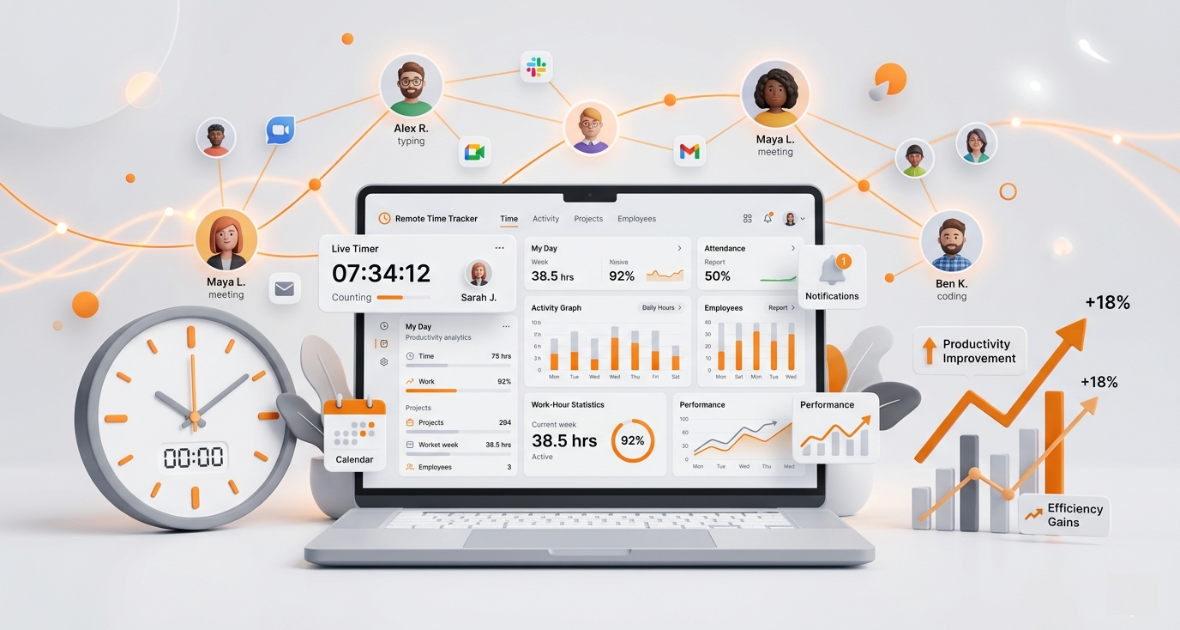
Remote employee time tracking gives managers seven key benefits: better accountability, higher productivity, accurate pay, better project management, less wasted time, clearer workforce insights and smoother teamwork. It works by recording the time remote staff spend on each task, often with activity data and reports. Used openly, it builds trust instead of feeling like surveillance.
Remote work started as a short-term fix and became a long-term strategy. Companies now hire across cities, countries and time zones. That brings flexibility, lower costs and a bigger talent pool. It also brings new problems: less visibility, harder accountability and projects that slip without anyone noticing.
In this article, we explain what remote employee time tracking is, why businesses use it and the seven benefits every manager should know. We also share best practices and show how TimoDesk time tracking supports remote teams.
What is remote employee time tracking?
Remote employee time tracking is the process of recording the time employees spend working outside a traditional office. Its main goal is to show work hours, project activity and overall productivity. Managers see how time is spent across tasks, and teams stay accountable.
Old attendance systems only showed when someone started and stopped. Modern tools show which tasks and projects the time went to. That helps managers plan better and helps employees manage their workload.
How do modern time tracking tools work?
Today's time tracking tools go far beyond digital timesheets. In most of them, an employee starts a timer on a task, and the tool records time in the background. Many tools can:
- Track active work sessions on each task
- Remove idle time when nobody is at the computer
- Build timesheets from tracked time
- Produce productivity reports
This cuts admin work and makes records more accurate.
What is activity monitoring?
Many teams combine time tracking with activity monitoring to understand work patterns. This can include:
- App usage tracking
- Website tracking
- Activity levels from keyboard and mouse input
- Screenshots
- Task progress
When used responsibly and openly, these features improve productivity tracking while keeping trust.
Why are businesses adopting remote employee time tracking?
Distributed teams keep growing
Remote and hybrid work keeps spreading across industries. As teams grow, managers can no longer see daily work in person. Technology fills that gap. Many teams also rely on remote assistants; see how TimoDesk keeps virtual assistants on track.
Remote work brings new challenges
- Little visibility into daily work
- Communication gaps
- Hard-to-measure productivity
- Inconsistent records of work hours
- Complex projects across time zones
Without good systems, these issues hurt productivity and results.
Managers need visibility and accountability
Managers need reliable information about time spent on projects, who is available, how work is shared and how people perform. With accurate data, they can make better decisions and build a culture of ownership.
What are the 7 benefits of remote employee time tracking?
Benefit 1: Better employee accountability
Time tracking records work hours and activity clearly. Employees know their work is measured, which encourages steady effort. Managers get objective data instead of guesses. Expectations become clearer, people stay focused and managers trust the team's output.
Benefit 2: Higher productivity
When work patterns are visible, people tend to focus on high-priority tasks. Managers can also spot blockers and offer help. Tracking helps teams find distractions, set better priorities and improve workflows.
Benefit 3: Accurate pay
Manual timesheets often lead to errors, missed hours and pay disputes. Time tracking records hours as people work and builds timesheets from them. That means faster, more accurate pay and fewer disputes. Employees are paid fairly for the time they put in.
Benefit 4: Better project management
Projects succeed when you know where time goes. Time tracking shows time spent on each task, how people are allocated and how projects progress. Managers can catch delays early, meet deadlines, plan better and keep clients happy.
Benefit 5: Less wasted time
Common time drains include too many meetings, social media, constant task switching and unclear priorities. Tracking shows where work hours are lost. Teams can then remove waste, simplify workflows and protect focus time. Over time, these small gains add up.
Benefit 6: Clearer workforce insights
Data leads to better decisions. Time data helps leaders:
- Allocate people where the work is
- See when to hire
- Check whether projects are profitable
- Plan future workloads
It also reveals long-term patterns, such as peak working hours, bottlenecks and team trends. These insights support steady improvement.
Benefit 7: Smoother remote teamwork
Teamwork is harder across locations and time zones. Time tracking shows project status, who is online and how work is shared. When everyone knows who is working on what, there is less confusion and better alignment.
How should you roll out remote employee time tracking?
Choose the right software
Pick a tool that balances useful insight with trust and ease of use. Look for:
- Time tracking on tasks and projects
- Idle time detection
- Activity levels and app usage
- Screenshots with clear settings
- Reports and dashboards
- Timesheet exports for payroll
Respect employee privacy
Be open about monitoring. Explain your tracking policy and why you use it. Collect only the data you need, and follow local laws. When employees understand the purpose, they accept the tool much more easily.
Start small and explain the goal
Roll the tool out to one team first. Ask for feedback after a week or two, then fix any settings that feel too strict. Share what you learn with the rest of the company before a wider rollout.
Tell people what the data is for. For example, say you want fair workloads, accurate client billing and early warnings on late projects. People accept tracking more easily when they see it helps them too.
What mistakes should managers avoid?
- Watching every minute: Look at trends over days and weeks, not single moments.
- Using data only to punish: Use it to coach, remove blockers and balance work.
- Hiding the rules: Secret monitoring destroys trust. Share your policy in writing.
- Ignoring context: Low activity can mean reading, thinking or a call. Ask before you judge.
- Forgetting results: Hours matter, but finished work matters more. Review both.
Why is TimoDesk a good choice for remote employee time tracking?
TimoDesk is a time tracking tool for remote teams and staffing agencies. It helps managers see work clearly and keep teams accountable.
- Time tracking: Employees start the timer on a task in the desktop app. Time is recorded in the background, and idle time is removed on its own.
- Reports: Time and activity, app usage and website reports show how work gets done. They download as PDF or CSV.
- Screenshots: Screenshots start on for new members and can be switched on or off per member, at an interval from 3 to 60 minutes.
- Team performance: A Performance Map, top and low performer lists and a monthly leaderboard help managers coach their teams.
- Live status: Live Now on the dashboard shows who is working right now.
- Projects: Kanban boards, list views and calendar views keep tasks and progress in one place.
- Timesheets: Monthly timesheets download as PDF, ready for payroll in the tool you already use.
- Pricing: $1 per user per month, with every feature on one plan. See the pricing page.
Whether you run a startup or a growing business, TimoDesk gives you clear visibility into remote work without a big budget. You can start a 15-day free trial with no card needed.
Conclusion
Remote and hybrid work has changed how teams are managed. It offers flexibility and global talent, but it also makes accountability and visibility harder. Remote employee time tracking solves much of this. It improves accountability, productivity, pay accuracy and project management, and it gives leaders real data to act on.
Used openly, it creates a fair and efficient workplace. Businesses that adopt the right tools now will be better placed to build strong remote teams.
Frequently asked questions
What is remote employee time tracking?
It is the process of recording the work hours and activity of employees who work outside the office. It helps teams stay accountable and productive.
Why is remote employee time tracking important?
It shows how work time is spent. It supports accurate pay, better project management and a more productive team.
How does it improve productivity?
It reveals work patterns, distractions and task progress. Managers can then fix problems and support their people.
Is remote employee time tracking legal?
In most places, yes, when it is done openly and follows local employment and privacy laws. Always tell employees what is tracked and why.
What is the best software for remote employee time tracking?
It depends on your needs. TimoDesk offers time tracking, activity levels, screenshots, projects and reports for $1 per user per month, with every feature on one plan.
Was this helpful?
Share it with someone who still adds up hours by hand.


