
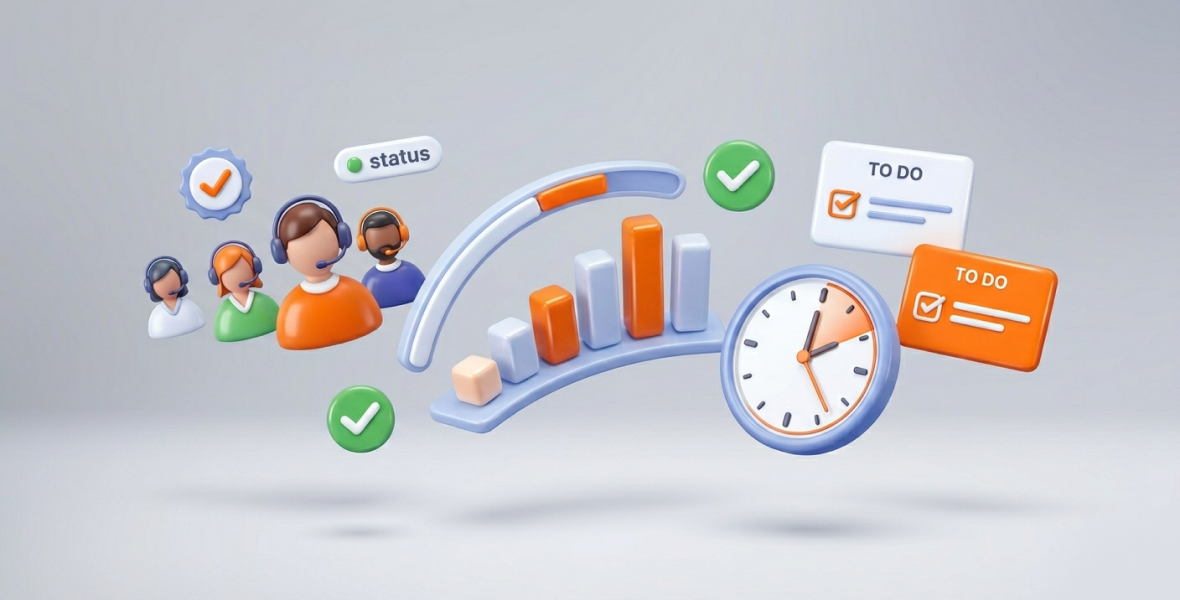
To manage remote teams efficiently, set clear goals, keep tasks and priorities in one shared place, and use real data instead of constant check-ins. A tool like TimoDesk helps by showing tracked time, activity and task progress for every member in one dashboard. Managers see the full picture without micromanaging.
Remote and hybrid work are now normal for many companies. But managing a team you can't see brings new problems. How do you keep people accountable across time zones? How do you stop missed messages from turning into missed deadlines? How do you keep people engaged when you rarely meet face to face?
The answer is not more meetings or stricter rules. It is better systems and tools that make work visible. This guide covers why remote management matters, the common challenges, and how TimoDesk can help.
Why does efficient remote team management matter?
Good remote team management affects output, staff happiness and cost. Here is why it is worth the effort.
Better output. When everyone can see tasks, progress and time spent, less effort is wasted. Teams can focus on the work that matters most.
Happier staff. Remote workers who feel supported, without being watched every minute, stay more engaged. Clear tools reduce worry and build trust, so good people stay.
Clear communication. Shared boards and live updates keep everyone aligned. They prevent the classic "I thought you were handling that" moment.
Lower cost. Organized teams have fewer project overruns and fewer pointless check-ins. Work moves across time zones without extra overhead.
The right tool. TimoDesk gives remote managers visibility, structure and reports in one place, at a low price.
What are the common challenges of managing remote teams?
Remote work offers freedom, but it also makes some problems bigger:
- Time zones: meetings at odd hours and slow feedback.
- Hard to see progress: you can't tell who is working on what, or who is stuck.
- Slow or unclear messages: emails and chats get buried, and people make wrong guesses.
- Weak accountability: without one shared system, tasks fall through the cracks.
- Isolation: remote workers can feel cut off and lose motivation.
- Unclear priorities: when everything feels urgent, nothing gets done well.
These problems slow teams down and stress managers, who end up fighting fires instead of leading. A productivity tool like TimoDesk tackles them by showing work patterns, tasks and progress in one place.
When managers can see the data, they stop worrying about where everyone is. They can focus on helping the team move faster.
What is TimoDesk?
TimoDesk is a time tracking and team productivity tool for remote teams, agencies and staffing providers. It combines time tracking, project and task management, activity levels and reports.
Each member installs the desktop app on Windows, macOS or Linux and starts the timer on a task. The app tracks time, activity levels, apps and websites, and screenshots if they are on for that member. Idle time is removed on its own. If the internet drops, tracking goes on and syncs later.
Features that matter most for remote teams:
- Time tracking: one timer per task records hours, apps and websites.
- Tasks and projects: create, assign and prioritize tasks on a kanban board, a list or a calendar.
- Activity levels and screenshots: gentle proof of work, with screenshots set per member.
- Reports: daily, weekly and monthly views, project time, app usage and leaderboards.
The team dashboard has a Live Now view and an Action Center that flags overdue tasks, low activity, long workdays and tasks over estimate. The Live Team Monitor browser extension shows who is online and today's summary.
TimoDesk suits team leads with distributed staff, startup founders, agencies and staffing providers. It costs $1 per user per month with every feature, and there is a 15-day free trial with no card.
How does TimoDesk help you manage remote teams efficiently?
See team progress as it happens
Managers can see who is working, what they are working on and how much time it is taking. Activity levels, app usage and screenshots give proof of progress without constant messages. Problems show up early, before they turn into costly delays.
Assign and prioritize tasks
Create projects, break them into tasks and subtasks, assign people, and set priorities and due dates. Everyone sees the same board, and boards update live. Comments with @mentions bring the right people into the conversation.
Support focus
The activity level report shows how active people were during tracked time. App and website reports show where attention goes. Team members can see their own data and spot their own distractions. TimoDesk never records what anyone types.
Improve communication
Shared boards and task comments cut down on email threads. The Live Team Monitor extension gives managers a quick view of who is online. That helps with handoffs across time zones.
Analyze and improve
Reports break down weekly and monthly time, project progress and each person's work. The Action Center points to problems like long workdays or tasks over estimate. Managers use this to move work around and improve processes.
What are the best practices for managing remote teams?
Use TimoDesk alongside these habits:
- Set clear goals and expectations from day one.
- Hold regular check-ins, but not too many. Written updates often work better across time zones.
- Use shared tasks and comments for async communication.
- Build accountability through open task tracking, not surveillance.
- Recognize good work. Celebrate wins you see in the reports.
- Balance flexibility with structure, and let data guide decisions.
How do you structure a remote team workflow with TimoDesk?
Set up the team. Follow the step-by-step setup: sign up, name your organization and invite members by email or with an invitation link. Each member downloads the desktop app.
Create tasks and milestones. Build projects in the dashboard. Break them into tasks with clear owners, due dates and priorities.
Set priorities and deadlines. Use priority levels and start and due dates. Add estimates so you can see when a task runs long.
Track progress. Members start the timer on their tasks. Use the Live Now view for quick checks and full reports for deeper review.
Improve with data. Hold short weekly reviews using the reports and the Action Center. Adjust assignments, remove blockers and celebrate progress.
What does this look like in practice?
A remote startup replaces daily standups with the shared board and the Live Now view. People post updates in task comments, and the team meets only when something is blocked.
A design agency with remote staff tracks time per client project. Clients get access to the client portal and see only their own projects.
A software team across time zones uses task comments and the live board for handoffs. Work keeps moving while one half of the team sleeps.
A growing founder adds new remote hires without losing track. The dashboard flags long workdays, so workloads stay fair as the team grows.
What are the benefits of TimoDesk for remote teams?
- More transparency: everyone knows what is expected and what is happening.
- Better time management: real data replaces guesswork.
- Output without micromanagement: the focus moves to results.
- Better teamwork: shared facts build trust.
- Less stress: clear visibility replaces worry for managers and staff.
How do you get the most from TimoDesk?
- Set deadlines based on real tracked time.
- Keep tasks organized and prioritized on the board.
- Review reports weekly to spot trends early.
- Ask team members to check their own daily summary email.
- Keep improving your workflow based on what the data shows.
Conclusion
Managing remote teams is not about more rules. It is about clarity, trust and steady progress. TimoDesk gives you time tracking, task management, live views and reports in one tool. Close communication gaps, build accountability and keep your team happy and independent.
Start your free trial of TimoDesk and see how your remote team works.
Frequently asked questions
Can TimoDesk handle large remote teams?
Yes. Every member gets the same features on one plan, with no higher tier. Team managers see only their own teams, which helps keep large organizations organized.
Does TimoDesk integrate with Slack or other tools?
No. TimoDesk has no integrations or public API yet. Teams use task comments for work discussion and download reports as PDF or CSV.
Is TimoDesk good for small teams?
Yes. It costs $1 per user per month with no seat minimum. A team of three gets the same features as a team of three hundred.
How soon will managers see results?
You see live data on the first day of tracking. Patterns become clear after a few weeks of reports, which is when most teams start to change how they work.
Was this helpful?
Share it with someone who still adds up hours by hand.


